AULA Keyboard Review: Complete Lineup and Buying Guide
AULA offers a broad lineup of mechanical and Hall Effect keyboards, from compact 75% models to full-size boards and magnetic gaming keyboards. This guide compares the F75 Pro, F87 Pro, F99 Pro, F108 Pro, Hero series, and WIN models, covering layouts, switches, wireless connectivity, Rapid Trigger, typing, gaming, and office use to help you choose the right AULA keyboard.
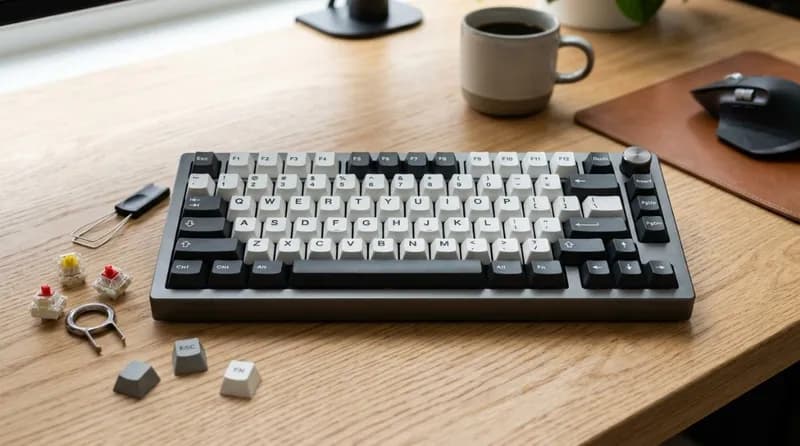
AULA has become one of the more recognizable budget-to-midrange mechanical keyboard brands, particularly among buyers looking for features such as gasket mounting, hot-swappable switches, wireless connectivity, large batteries, and increasingly, Hall Effect magnetic switches.
The brand's lineup is also much broader than the familiar F75 and F99. AULA's current product range includes traditional mechanical keyboards, compact gaming keyboards, full-size models, and newer magnetic-switch keyboards designed around adjustable actuation and Rapid Trigger.
That makes one question more useful than simply asking, "Is AULA a good keyboard?"
The better question is which AULA keyboard fits your use case.
The F75 Pro, F87 Pro, F99 Pro, and F108 Pro target different layouts and everyday use cases, while models such as the Hero 75 HE, Hero 84 HE, Hero 99, WIN60 HE, and WIN68 move toward magnetic-switch gaming.
The following guide looks at AULA's current keyboard lineup, explains the differences between its major models, and shows which type of buyer each keyboard makes the most sense for.
Note: AULA's lineup, prices, switch options, and specifications can vary by market and product revision. The information below is based primarily on AULA's current official product listings and recent third-party testing and user reports available in 2026.
What Is AULA?
AULA is a gaming-peripheral brand associated with Suoai Electronics, with keyboards representing one of its most visible product categories.
The company has used different dates in its official materials when discussing its corporate and brand history, but AULA's brand development is generally traced to the early 2010s. Today, its keyboard range is divided broadly between traditional mechanical keyboards and newer magnetic-switch gaming keyboards.
AULA's traditional F-series has helped establish the brand among mechanical-keyboard buyers. Models such as the F75, F87, and F99 combine relatively compact layouts with features that were once more common on considerably more expensive keyboards: gasket mounting, multilayer sound dampening, hot-swappable switches, wireless connectivity, PBT keycaps, and large batteries.
The newer magnetic range takes a different approach. Instead of simply improving the typing experience, Hall Effect keyboards are designed around adjustable actuation, rapid triggering, and gaming-oriented input control.
This distinction is important when choosing an AULA keyboard.
AULA's Current Keyboard Lineup
AULA's current official lineup is considerably larger than the traditional F75/F87/F99 family. Current listings include the F75 Pro, F87 Pro, F99 Pro, F108 Pro, S75 Pro, S98 Pro, L99, F98 Pro, F98X, Hero-series magnetic keyboards, and WIN-series magnetic keyboards.
Model / Family | Layout | Switch Type | Connectivity | Main Focus |
|---|---|---|---|---|
F75 Pro | 75%, 80 keys | Mechanical | Wired / 2.4G / Bluetooth | General use + gaming |
F87 Pro | TKL, 87 keys | Mechanical | Wired / 2.4G / Bluetooth | Gaming + productivity |
F99 Pro | 96%, 99 keys | Mechanical | Wired / 2.4G / Bluetooth | Compact full-function layout |
F108 Pro | Full-size, 108 keys | Mechanical | Wired / 2.4G / Bluetooth | Office + gaming |
S75 Pro | 75% | Mechanical | Multi-mode | Compact premium-style use |
S98 Pro | 98% | Mechanical | Multi-mode | Productivity + gaming |
L99 | 96% class | Mechanical | Multi-mode | Larger premium-oriented board |
F98X | 96%, 98 keys | Magnetic-oriented | Multi-mode | Gaming + compact productivity |
WIN60 HE | 60% | Magnetic | Wired | Competitive gaming |
WIN68 | 65% class | Magnetic | Wired | Compact gaming |
Hero 68 HE | 65% class | Magnetic | Wired | Competitive gaming |
Hero 75 HE | 75% | Magnetic | Multi-mode | Gaming + adjustable input |
Hero 84 HE | TKL/84-key class | Magnetic | Wired | Competitive gaming |
Hero 99 | 96/99-key class | Magnetic | Wired | Gaming with more keys |
AULA's official product catalog currently separates mechanical and magnetic keyboards, reflecting the company's move toward two different product directions rather than simply releasing different sizes of the same keyboard.
Prices also vary substantially between models and promotions. For example, current official overseas-store reference prices place the F75 Pro around the $70 range, the F99 Pro around the $85–$90 range, the F108 Pro from roughly $78, and some entry-level magnetic models below $50. These are promotional or regional reference prices rather than universal MSRP figures.
AULA F75 Pro: The Mainstream 75% Option
The F75 Pro is one of the easiest AULA keyboards to understand.
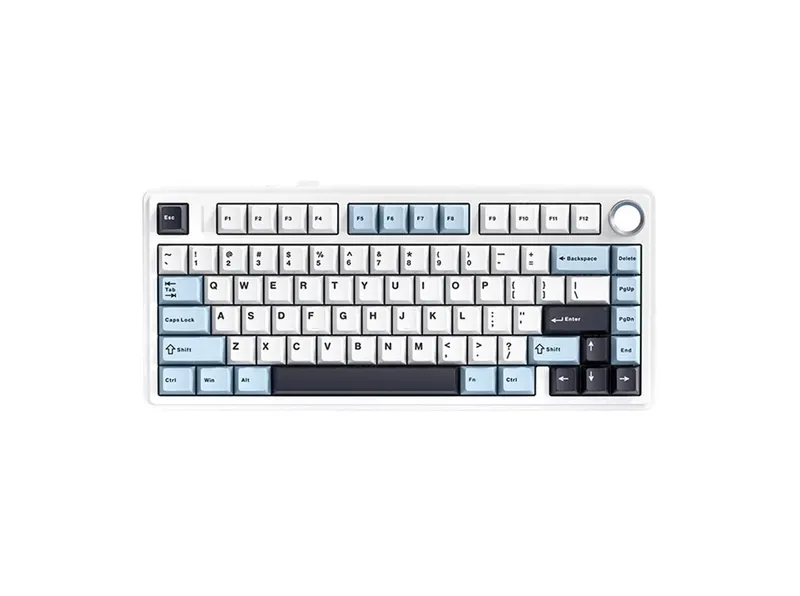
It uses an 80-key 75% layout, retaining the function row and navigation cluster while eliminating the numpad. It also includes a rotary knob and supports wired USB-C, 2.4GHz wireless, and Bluetooth.
The current F75 Pro uses a gasket-style construction with multiple layers of internal dampening, hot-swappable mechanical switches, PBT keycaps, RGB lighting, and a 4,000mAh battery.
The layout is particularly practical for users who want a relatively compact keyboard without giving up the function row.
For gaming, the F75 is considerably easier to fit on a desk than a full-size keyboard. For programming and office work, it retains more dedicated keys than a 60% or 65% board.
The main limitation is simply the layout itself. If you frequently use a numpad, the F75 is not a replacement for a 96%, 98%, or full-size keyboard.
Best for: general gaming, programming, office work, and users who want one compact keyboard for multiple tasks.
Score: 4.4/5
The score reflects its combination of layout, wireless functionality, hot-swap support, sound-dampening construction, and price. It is less compelling for buyers who specifically need a numpad or want Hall Effect gaming features.
AULA F87 Pro: The TKL Alternative
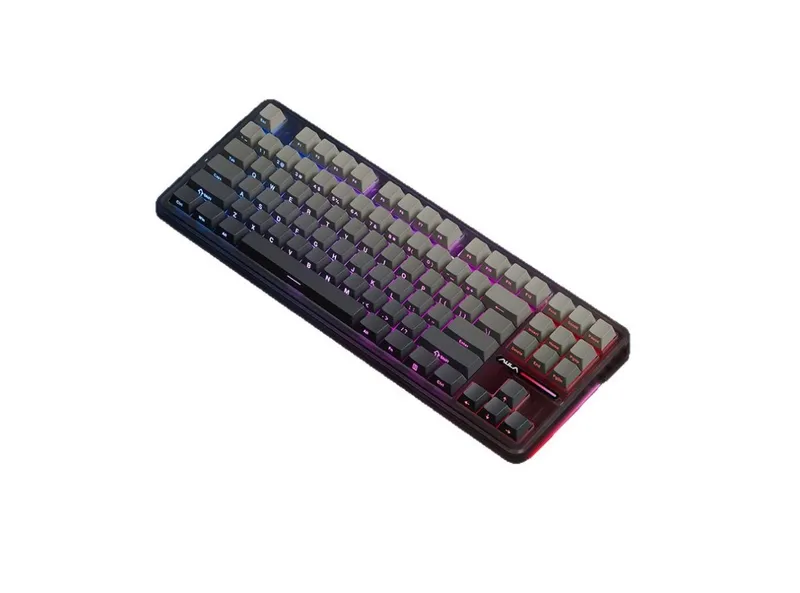
The F87 Pro takes a more traditional approach with an 87-key TKL layout.
Compared with the F75 Pro, it provides a wider navigation area and a more familiar arrangement for users accustomed to traditional desktop keyboards. It still removes the numpad, which leaves more mouse space than a full-size keyboard.
The current official listing includes 2.4GHz wireless, Bluetooth, USB-C, hot-swappable switches, PBT keycaps, RGB lighting, gasket construction, and multiple layers of sound dampening.
The F87 Pro is particularly interesting for programmers and office users who dislike compressed navigation clusters.
There is also an important version issue with this model: battery specifications and some switch configurations reported by users vary between versions and markets. Some older or regional listings have reported larger batteries than the current official product page. Buyers should therefore check the exact listing rather than assuming every F87 Pro has identical hardware.
Best for: users who want a conventional TKL layout with modern wireless and mechanical-keyboard features.
Score: 4.2/5
AULA F99 Pro: The Compact Numpad Keyboard
The F99 Pro is one of AULA's most practical layouts for productivity.
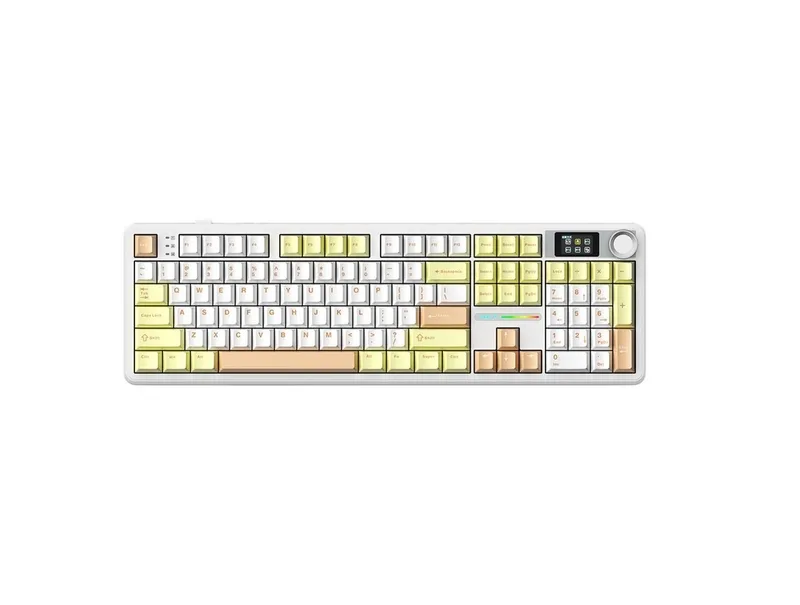
Its 96% layout keeps a dedicated numpad while compressing the overall keyboard footprint by reducing the gaps between key clusters.
The current F99 Pro features a gasket mount, five-layer internal dampening, hot-swappable switches, PBT keycaps, south-facing RGB, a metal multifunction knob, and an 8,000mAh battery. It supports 2.4GHz wireless, Bluetooth, and USB-C wired operation.
This makes it particularly attractive to users who want a keyboard for both work and gaming but do not want a full-size board taking up the entire desk.
There is, however, a trade-off.
A 96% layout is more compact than full-size, but it is not as mouse-friendly as a 75% or TKL keyboard. The compressed arrangement can also take a little time to get used to.
Third-party testing of the F99 family has found good wireless and gaming latency, while also pointing out some compromises in case materials, deck flex, keycap legends, and software. Those findings were based on earlier F99/F75 test units rather than every current Pro configuration, so they should be treated as family-level evidence rather than a definitive judgment on every F99 Pro revision.
Best for: office users, programmers, spreadsheet users, and gamers who still need a numpad.
Score: 4.2/5
AULA F108 Pro: When You Still Want Full-Size
The F108 Pro is for buyers who do not want to compromise on the traditional keyboard layout.
It provides 108 keys, a dedicated numpad, function row, navigation cluster, rotary control on some variants, gasket mounting, hot-swappable switches, RGB, and an 8,000mAh battery.
It also supports wired, 2.4GHz wireless, and Bluetooth connections.
For office work, accounting, spreadsheets, data entry, and users who regularly use a numpad, the F108 Pro makes considerably more sense than the F75 or F87.
The obvious disadvantage is desk space.
If you play competitive FPS games and need a large mouse area, the F108 Pro's footprint may become inconvenient. The same is true for small desks.
Best for: office work, spreadsheets, data entry, and users who prefer traditional full-size keyboards.
Score: 4.3/5
F75 Pro vs F87 Pro vs F99 Pro vs F108 Pro
The easiest way to understand AULA's mainstream mechanical lineup is to stop thinking about them as four competing keyboards.
They are primarily four different layout solutions.
Model | Choose It If You Need | Main Advantage | Main Limitation |
|---|---|---|---|
F75 Pro | Compact all-purpose board | Small footprint + function row | No numpad |
F87 Pro | Traditional TKL | Comfortable navigation layout | Larger than 75% |
F99 Pro | Compact board with numpad | Productivity without full-size footprint | Less mouse space |
F108 Pro | Traditional full-size | Maximum compatibility with familiar layouts | Largest footprint |
For many users, layout should be decided before switch selection.
A great switch cannot compensate for a keyboard that has the wrong physical layout for your daily work.
Mechanical vs. Magnetic: Which AULA Keyboard Type Should You Buy?
This is the most important distinction in AULA's newer lineup.
Mechanical keyboards
Traditional mechanical keyboards use physical switch mechanisms. Pressing the key moves the switch stem and activates the electrical contact.
Their main strengths are:
Familiar typing feel
Large selection of switches
Easy switch replacement on hot-swappable models
Strong customization potential
Good typing and gaming performance
Usually simpler to understand and configure
A mechanical AULA keyboard is generally the safer choice if you want one keyboard for work, programming, gaming, and everyday use.
Magnetic / Hall Effect keyboards
Hall Effect keyboards detect the position of a magnetic switch rather than relying on a conventional mechanical contact.
This allows features such as:
Adjustable actuation
Rapid Trigger
Very short trigger distances
More granular input control
Gaming-specific software features
AULA's current magnetic lineup includes models such as the WIN60 HE, WIN68, Hero 68 HE, Hero 75 HE, Hero 84 HE, Hero 99, and F98X.
The Hero 75 HE, for example, is officially advertised with an 8K wireless receiver and adjustable Rapid Trigger down to 0.005mm. The Hero 84 HE is also advertised with 8,000Hz polling.
These features are particularly relevant to competitive FPS players.
However, they do not automatically make a magnetic keyboard better for typing, office work, or programming.
If you rarely use Rapid Trigger or adjustable actuation, a good mechanical keyboard may provide a simpler and more satisfying everyday experience.
AULA's Magnetic Keyboard Families
WIN Series
The WIN60 HE and WIN68 target users who want relatively inexpensive magnetic gaming keyboards.
Their compact layouts make them particularly relevant to FPS players who need more mouse space.
They are less attractive for users who frequently use function keys, navigation keys, or a numpad.
Hero Series
The Hero lineup is more focused on gaming features.
Models such as the Hero 75 HE and Hero 84 HE combine Hall Effect switches with features such as adjustable actuation, Rapid Trigger, and high polling rates.
The Hero 75 HE is especially interesting for players who want a 75% layout rather than an extremely compact 60% board.
F98X
The F98X is an unusual option because it combines a 96% layout with magnetic-switch positioning.
That makes it more suitable for someone who wants gaming-oriented magnetic input while still retaining a numpad.
However, AULA's current product information is less straightforward about the exact magnetic feature set than it is for some of the Hero models. Buyers should therefore verify the exact switch and software specifications of the current variant before purchasing.
Which AULA Layout Is Right for You?
65%
A 65% keyboard removes the function row while retaining the arrow keys and a compact navigation cluster.
It is useful for gaming and small desks but requires more function-layer shortcuts.
75%
75% is one of the best compromises for general use.
You retain the function row while getting a much smaller footprint than TKL or full-size.
The F75 Pro and Hero 75 HE represent AULA's two approaches to this layout: traditional mechanical and magnetic gaming.
TKL / 80%
TKL keeps the function row and navigation keys while removing the numpad.
The F87 Pro is aimed at this category.
It is particularly comfortable for users who work with documents or code but do not need numerical data entry.
96% / 98% / 99%
These layouts retain a numpad while reducing the empty space found on traditional full-size keyboards.
The F99 Pro and related models are designed around this concept.
They are particularly useful for productivity-focused users who want to save some desk space.
Full-size / 100%+
The F108 Pro belongs here.
This is still the most straightforward option for spreadsheets, accounting, data entry, and anyone who regularly uses a numpad.
AULA for FPS Gaming
For FPS games, layout and input technology matter more than the number of foam layers inside the keyboard.
A compact 60%, 65%, or 75% board leaves more room for mouse movement.
AULA's magnetic keyboards add another advantage: Rapid Trigger and adjustable actuation.
For casual FPS gaming, an F75 Pro or F87 Pro is already more than sufficient.
For players specifically looking for adjustable actuation and Rapid Trigger, the Hero and WIN HE models are more relevant.
This is an important distinction: you do not need a magnetic keyboard simply because you play FPS games.
Magnetic features become more meaningful when you actually intend to use their input-control advantages.
AULA for MOBA and RPG Games
MOBA and RPG players generally have less need for extreme Rapid Trigger settings.
The larger layouts can actually be useful because they provide easier access to function keys and navigation controls.
For these games, the F75 Pro, F87 Pro, and F99 Pro are more flexible choices.
The F99 Pro is particularly practical if the keyboard will also be used for productivity.
AULA for Office Work
For office work, the choice is mostly about layout, sound, wireless connectivity, and typing comfort.
The F75 Pro works well when desk space is limited.
The F87 Pro is more conventional.
The F99 Pro is useful when a numpad is required.
The F108 Pro is the simplest choice for users who want the traditional full-size arrangement.
Magnetic switches are not automatically an advantage for office work. Adjustable actuation and Rapid Trigger are primarily gaming-oriented functions.
AULA for Programming
Programmers should pay particular attention to layout.
A 75% keyboard can be a good compromise, but users who rely heavily on navigation keys may prefer TKL.
The F87 Pro is therefore worth considering for programmers who want a more traditional arrangement.
The F99 Pro makes more sense if the keyboard is also used for spreadsheets or numerical work.
The F75 Pro is better suited to users who prioritize desk space.
AULA Software
Software is one area where AULA's keyboard experience is less consistent than its hardware feature list suggests.
AULA provides different driver and configuration tools depending on the model. Some keyboards use Windows software, while newer products also have browser-based configuration tools.
Third-party testing of earlier F75/F99 units found the software less intuitive than the hardware itself, with limitations around key mapping and platform support.
This is one reason to distinguish hardware specifications from actual user experience.
A keyboard can have impressive specifications on paper while still requiring more effort to configure.
AULA vs. Other Keyboard Brands
AULA competes in a crowded segment that includes MCHOSE, Keychron, Akko, MonsGeek, WOBKEY, VGN and many other Chinese mechanical-keyboard brands.
The differences are more useful to understand by product philosophy than by brand ranking.
AULA emphasizes feature-rich keyboards at relatively aggressive prices, with strong representation across both mechanical and magnetic categories.
MCHOSE is also heavily focused on gaming-oriented mechanical and magnetic keyboards, particularly compact layouts.
Keychron has a broader productivity and enthusiast ecosystem, with strong Mac/Windows support and a large number of layouts.
Akko has a broad consumer lineup spanning gaming, office use, switches, keycaps, and enthusiast products.
MonsGeek focuses heavily on enthusiast-style mechanical keyboards, including substantial cases and customization-oriented designs.
WOBKEY is positioned more toward premium-feeling enthusiast keyboards.
VGN has a strong gaming orientation and competes aggressively in the value segment.
Rather than asking which brand is "best," buyers should compare the exact keyboard, switch, layout, software, warranty, and current price.
AULA Keyboard Scores
These scores are category-specific assessments rather than a ranking of all AULA keyboards.
Model | Typing | Gaming | Features | Value | Overall Fit |
|---|---|---|---|---|---|
F75 Pro | 4.5/5 | 4.4/5 | 4.5/5 | 4.5/5 | 4.4/5 |
F87 Pro | 4.4/5 | 4.3/5 | 4.4/5 | 4.3/5 | 4.3/5 |
F99 Pro | 4.3/5 | 4.2/5 | 4.5/5 | 4.3/5 | 4.2/5 |
F108 Pro | 4.3/5 | 4.0/5 | 4.4/5 | 4.2/5 | 4.1/5 |
Hero 75 HE | 4.0/5 | 4.7/5 | 4.7/5 | 4.4/5 | 4.5/5 |
Hero 84 HE | 4.0/5 | 4.7/5 | 4.6/5 | 4.3/5 | 4.4/5 |
The scores should not be interpreted as a universal ranking. A magnetic gaming keyboard and a full-size office keyboard are designed around different priorities.
What Are AULA Keyboards Good At?
AULA's strongest advantage is the amount of hardware included at relatively moderate prices.
Depending on the model, buyers can get:
Hot-swappable switches
Gasket-style mounting
Multiple layers of internal dampening
PBT keycaps
RGB lighting
2.4GHz wireless
Bluetooth
Large batteries
Rotary knobs
Magnetic Hall Effect switches
Adjustable actuation
Rapid Trigger
High polling rates
That combination makes AULA particularly interesting in the value-oriented mechanical-keyboard market.
What Are the Downsides?
The main compromises are not necessarily the switch mechanisms themselves.
They are more likely to appear in software consistency, product-version confusion, case materials, documentation, and differences between regional listings.
Third-party testing of earlier F75 and F99 units has also pointed out deck flex and relatively inexpensive-feeling plastic construction.
User reports are mixed as well. Many owners report good typing feel, sound, battery life, and long-term use, while others have complained about software or configuration issues.
These reports should be treated as anecdotal rather than evidence of a universal reliability problem.
Frequently Asked Questions
Is AULA a good keyboard brand?
AULA offers a broad range of mechanical and magnetic keyboards with features that are competitive in the budget and midrange segments. The quality and feature set vary by model, so the specific keyboard matters more than the brand name alone.
Is AULA good for gaming?
Yes. AULA offers both conventional mechanical gaming keyboards and Hall Effect models with adjustable actuation and Rapid Trigger. The magnetic models are particularly relevant to competitive FPS players.
Is AULA F75 Pro good for gaming?
The F75 Pro is well suited to general gaming because of its compact 75% layout, wireless connectivity, hot-swappable switches, and low-latency wireless design. It does not provide the specialized Hall Effect features found on AULA's magnetic keyboards.
Is AULA F99 Pro good for office work?
Yes. Its 96% layout retains a numpad while taking less desk space than a conventional full-size keyboard. That makes it particularly practical for spreadsheets and mixed work/gaming setups.
Is AULA F87 Pro better than F75 Pro?
Neither layout is universally better. The F87 Pro is more conventional and provides a larger navigation area, while the F75 Pro saves more desk space.
Is a magnetic AULA keyboard better than a mechanical AULA keyboard?
They serve different purposes. Magnetic keyboards provide adjustable actuation and Rapid Trigger, while mechanical keyboards offer a more conventional typing experience and broader switch customization.
Does AULA support Mac?
Many current AULA keyboards list Windows and macOS compatibility, although software support can vary by model. Buyers using a Mac should check the exact product's driver and key-mapping support.
Does AULA use hot-swappable switches?
Many of AULA's mechanical keyboards use hot-swappable sockets supporting 3-pin and 5-pin switches. The exact implementation depends on the model.
Which AULA keyboard is best for a small desk?
A 65% or 75% model is generally the most space-efficient while retaining useful keys. AULA's compact WIN and Hero models are also worth considering for gaming-focused setups.
Which AULA keyboard is best for programmers?
A 75% or TKL layout is generally practical for programming. The F75 Pro is better for compact desks, while the F87 Pro provides a more traditional navigation layout.
Which AULA keyboard has a numpad?
The F99 Pro and F108 Pro retain a dedicated numpad, with the F99 Pro using a more compact 96% layout and the F108 Pro following the traditional full-size format.
Final Buying Guide
AULA's lineup makes more sense when divided by the problem each keyboard is trying to solve.
Choose the F75 Pro if you want a compact all-purpose mechanical keyboard for gaming, programming, and everyday use.
Choose the F87 Pro if you prefer a conventional TKL layout and want more comfortable access to navigation keys.
Choose the F99 Pro if you need a numpad but do not want the footprint of a traditional full-size keyboard.
Choose the F108 Pro if office work, spreadsheets, and numerical input are more important than saving desk space.
Look at the Hero or WIN magnetic models if competitive gaming is the priority and you specifically want Hall Effect features such as adjustable actuation and Rapid Trigger.
The biggest lesson from AULA's current lineup is that the brand is no longer simply a budget mechanical-keyboard company. Its product range now covers two substantially different categories: feature-rich mechanical keyboards for general use and Hall Effect keyboards for more specialized gaming input.
For most buyers, the right starting point is therefore not the switch name or the number of foam layers.
Start with layout, use case, and whether you actually need magnetic-switch gaming features. Once those three decisions are clear, choosing among AULA's current models becomes considerably easier.
Products in this guide
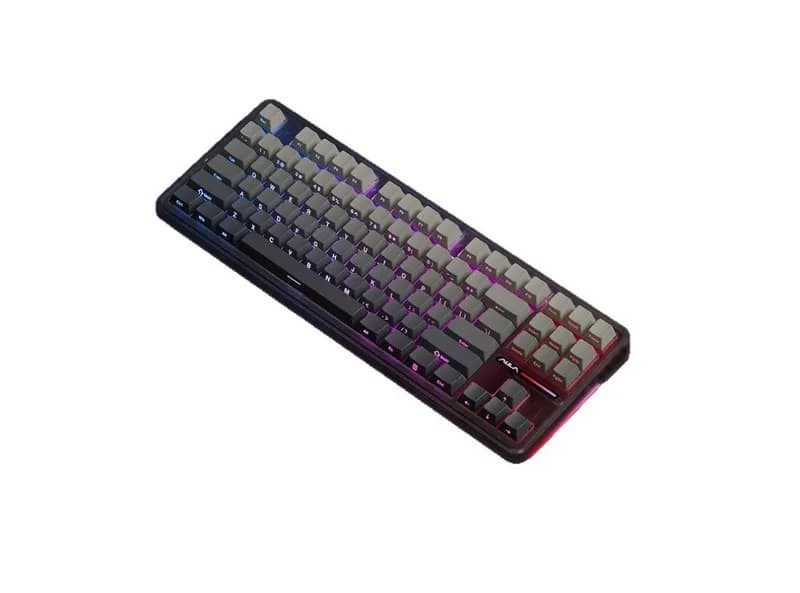
AULA F87 Pro Keyboard
If you're searching for an AULA F87 Pro review or wondering whether the keyboard is worth buying, its positioning is fairly straightforward:
¥236.51 (≈$33 USD)
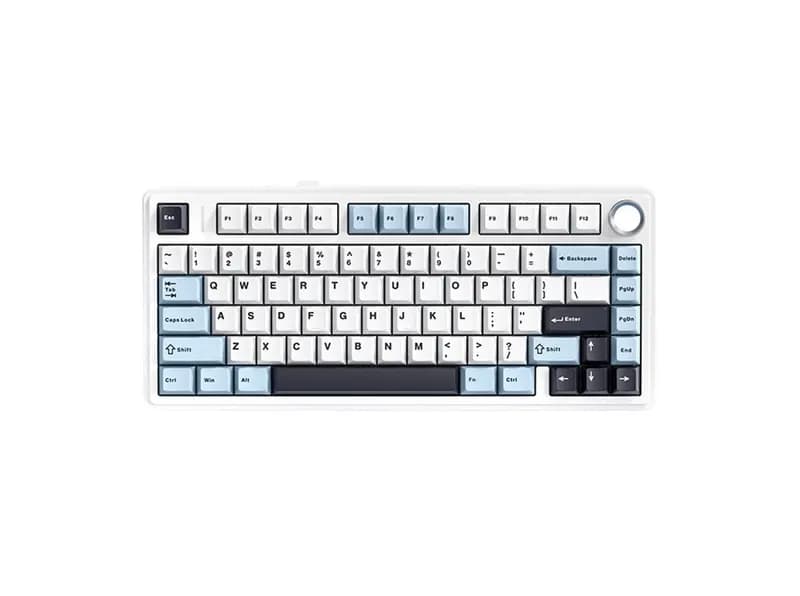
AULA F75 Max Keyboard
If you are searching for AULA F75 Max reviews, whether the AULA F75 Max is worth buying, or whether it is good for gaming and office work ,
¥298.96 (≈$42 USD)
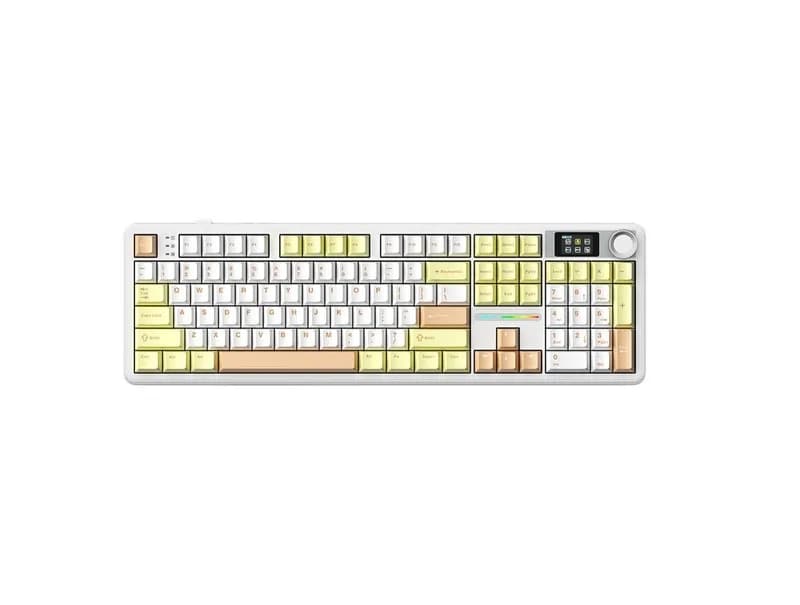
AULA F108 Pro keyboard
The AULA F108 Pro is a full-size mechanical keyboard designed for users who want a traditional layout combined with modern wireless connecti
¥298.96 (≈$42 USD)
Related GuidesMore →
MCHOSE Keyboard Series Guide: Ace, Jet, Mix, K99, and GX87
MCHOSE offers a wide range of keyboards, from Hall Effect gaming models such as the Ace, Jet, and Mix to traditional mechanical boards including the K99, G98, G75, GX87, and UT98. This guide compares their layouts, switches, gaming features, connectivity, customization, and use cases to help you choose the right MCHOSE keyboard for FPS gaming, office work, programming, or everyday typing.

BYOMA Facial Cleansers Guide: Ingredients, Textures and Skin Types
BYOMA offers several facial cleansers designed around different cleansing needs, from the everyday Creamy Jelly Cleanser to richer Milky Oil and Melting Balm formulas and the salicylic acid Blemish Acne Clearing Cleanser. This guide compares their textures, ingredients, skin-type targeting, cleansing performance, and value to help you choose the BYOMA cleanser that best fits your skincare routine.

La Roche-Posay Cleanser Guide: Which One Is Right for You?
La Roche-Posay offers facial cleansers for dry, sensitive, normal, oily and acne-prone skin across its Toleriane and Effaclar families. This guide compares hydrating, milky, foaming, gel, cream and micellar formulas, explaining how their textures, ingredients and cleansing strength differ. It also covers salicylic acid options and helps shoppers choose based on skin type and individual tolerance.