MCHOSE Keyboard Series Guide: Ace, Jet, Mix, K99, and GX87
MCHOSE offers a wide range of keyboards, from Hall Effect gaming models such as the Ace, Jet, and Mix to traditional mechanical boards including the K99, G98, G75, GX87, and UT98. This guide compares their layouts, switches, gaming features, connectivity, customization, and use cases to help you choose the right MCHOSE keyboard for FPS gaming, office work, programming, or everyday typing.
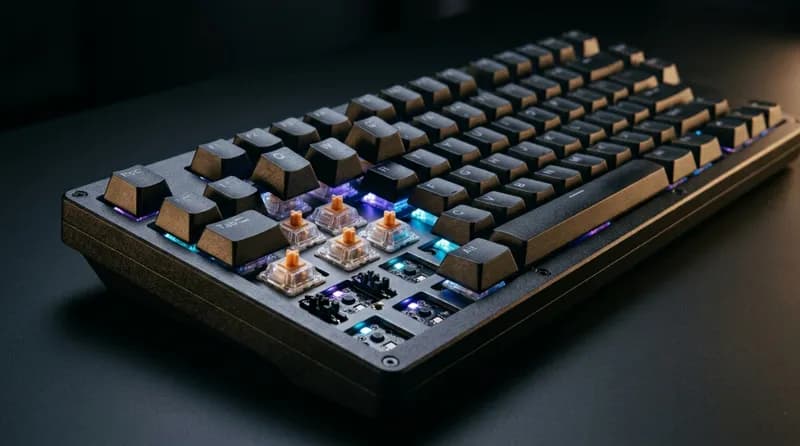
MCHOSE has evolved beyond being a budget gaming-keyboard brand. Its current lineup covers two distinct directions: traditional mechanical keyboards and Hall Effect magnetic gaming keyboards. The range includes compact magnetic boards such as the Ace series, 75% and TKL magnetic models such as the Jet and Mix, and more traditional mechanical keyboards including the K99, G98, G75, GX87, and UT98.
The most important decision is therefore not simply which MCHOSE model to buy. It is whether you actually need a Hall Effect keyboard.
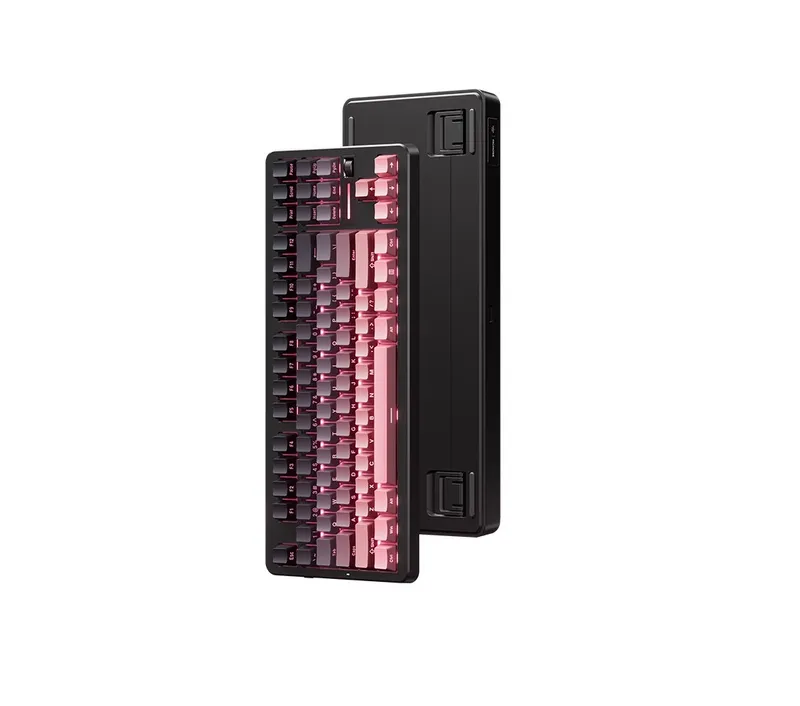
For competitive FPS games such as VALORANT and Counter-Strike 2, adjustable actuation and Rapid Trigger can provide useful control over when a key activates and resets. MCHOSE's magnetic models offer features such as adjustable actuation, Rapid Trigger, SOCD, DKS, MT, and TGL, with some models supporting polling rates up to 8K or 16K.
For office work, programming, long-form typing, or users who care more about key feel, acoustics, wireless connectivity, and customization, traditional mechanical models such as the K99, G98, G75, GX87, and UT98 can make more sense.
In other words, MCHOSE's biggest strength is not one particular keyboard. It is the breadth of its lineup, ranging from relatively affordable magnetic gaming keyboards to aluminum enthusiast boards and full-featured 98% mechanical keyboards.
MCHOSE Keyboard Lineup at a Glance
MCHOSE's current range can be broadly divided like this:
Series | Technology | Typical Layout | Main Positioning | Best For |
|---|---|---|---|---|
Ace | Hall Effect | 60/65/68% | Magnetic gaming | FPS |
Jet | Hall Effect | 75% | Magnetic gaming | Gaming + daily use |
Mix | Hall Effect | TKL | Gaming + full layout | FPS + office |
K99 | Mechanical | 98% | Full-featured custom | Office + gaming |
G98 | Mechanical | 98% | Mid-range all-rounder | Office + gaming |
G75 | Mechanical | 75% | Affordable custom | Gaming + office |
GX87 | Mechanical | TKL | Premium custom | Typing + customization |
UT98 | Mechanical | 98% | Quiet mechanical | Office/shared spaces |
G87 | Mechanical | TKL | Gaming + office | General use |
MCHOSE's own support documentation separates its Hall Effect and mechanical keyboards, which is useful because the two product categories have fundamentally different priorities.
Mechanical vs. Hall Effect: Which Should You Buy?
This is the most important decision when choosing an MCHOSE keyboard.
Traditional mechanical switches
Mechanical switches rely on a physical switching mechanism. The experience is heavily influenced by the switch's spring weight, travel, actuation point, smoothness, bottom-out feel, stabilizers, keycaps, and keyboard construction.
The main advantages are:
Huge switch selection
Mature customization ecosystem
Wide range of typing feels
More options for acoustic tuning
Easy switch and keycap experimentation
Excellent suitability for office work and long-form typing
Models such as the K99 V3 offer different switch options and a more conventional mechanical-keyboard experience.
For someone who spends most of the day typing, the ability to choose a switch based on feel and sound can matter much more than an extremely high polling rate.
Hall Effect magnetic switches
Hall Effect keyboards detect changes in a magnetic field rather than relying on a conventional mechanical contact.
The important consumer benefit is that the keyboard can detect key position more continuously. This allows features such as:
Adjustable actuation
Rapid Trigger
Multiple trigger points
SOCD
DKS
Other game-specific key behaviors
For example, MCHOSE magnetic keyboards commonly provide adjustable actuation in the approximate 0.1–3.4 mm range, depending on the model and switch.
This can be particularly useful in competitive FPS games.
Imagine holding A to move left, releasing it, and immediately pressing D. Rapid Trigger can react to the change in key position without relying on a conventional fixed reset point.
But this does not mean magnetic keyboards are automatically better for everyone.
If you mostly:
Write
Program
Work
Browse
Play RPGs
Play strategy games
Occasionally play FPS
then many of the advantages of Hall Effect technology may have little practical impact.
A very sensitive actuation setting can even increase accidental presses until you adjust to it.
A simple buying rule
Competitive FPS → prioritize Hall Effect.
Office work and typing → prioritize mechanical switches.
Gaming + office → decide whether Rapid Trigger or typing feel matters more.
Not sure whether you need magnetic switches → don't pay extra for them simply because the technology is newer.
MCHOSE Ace Series
The Ace line is one of MCHOSE's main Hall Effect gaming families.
The current product ecosystem includes models such as the Ace 60, Ace 68, Ace 68 V2, Ace 68 Air, Ace 68 Turbo, and Ace 68 GT.
Ace 60: An Affordable Entry into Magnetic Keyboards
The Ace 60 Pro is positioned as an affordable way to enter the Hall Effect market.
Its specifications include features such as adjustable actuation, Rapid Trigger, high polling rates, and gaming functions including SOCD, DKS, MT, TGL, and macros.
Its main value is straightforward:
You can experience adjustable Hall Effect input and Rapid Trigger without spending heavily on a flagship keyboard.
It makes the most sense for:
First-time magnetic-keyboard buyers
FPS players
Small desks
Users who don't need dedicated function keys
Ace 68 / Ace 68 V2
The 68% format adds useful navigation and arrow-key functionality while remaining compact.
This makes it a natural middle ground between a 60% gaming keyboard and a larger 75% model.
For many FPS players, an Ace 68 V2-type model makes more practical sense than paying substantially more for flagship specifications.
The key advantage is compact magnetic gaming performance without moving all the way to an ultra-premium aluminum board.
Ace 68 Air
The Ace 68 Air takes the compact magnetic design in a lighter direction.
It retains features such as high polling, adjustable actuation, and Rapid Trigger while emphasizing a lighter 68% form factor.
It is primarily aimed at users who want:
Compact dimensions
Low weight
Magnetic switches
Competitive gaming features
Ace 68 Turbo
The Ace 68 Turbo moves into a much higher-end category.
It uses a CNC aluminum case and offers specifications including up to 16K polling, 256K scanning, 0.001 mm advertised precision, adjustable actuation, and a dedicated RT control.
Its real advantage is not simply the number "16K."
The more meaningful combination is:
Aluminum construction + high-end Hall Effect hardware + dedicated RT control + compact 68% layout.
For a serious FPS player, this is a premium magnetic keyboard. For a casual gamer, however, the difference between an 8K and 16K keyboard may not justify a large price increase.
Ace 68 GT
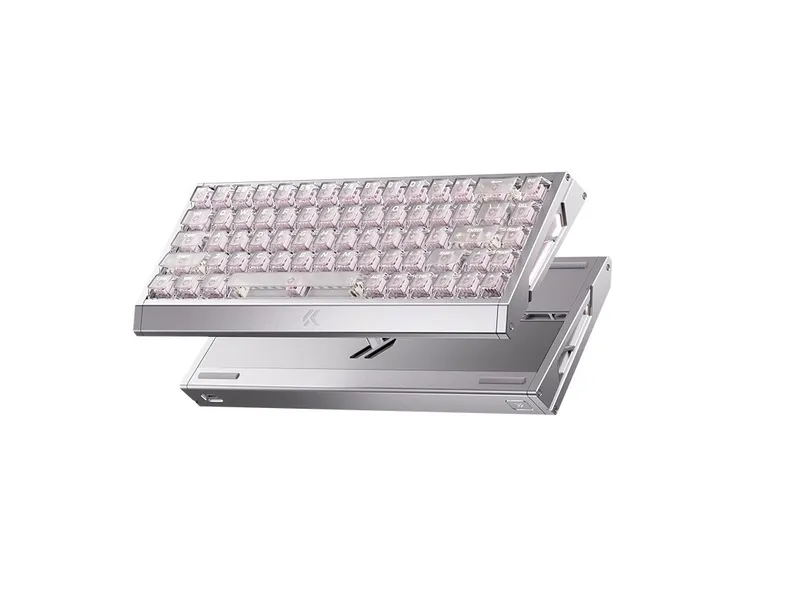
The Ace 68 GT sits near the top of the Ace family, with an aluminum construction and high-end Hall Effect specifications.
It makes the most sense for users who already know they want a magnetic keyboard and are willing to pay for premium hardware rather than simply looking for the cheapest way to get Rapid Trigger.
MCHOSE Jet 75
The Jet 75 has a particularly clear purpose:
It brings Hall Effect gaming features to a more conventional 75% layout.
The official specifications include:
75% layout
8K polling
High scanning rate
Adjustable actuation
Rapid Trigger
Gasket structure
Aluminum plate
Hot-swappable magnetic switches
M HUB support
Its biggest advantage over a compact Ace model is not raw speed.
It is the layout.
The 75% format retains the function row and more conventional navigation controls while still taking considerably less space than a full-size or 98% keyboard.
That makes the Jet 75 particularly suitable for someone who wants:
FPS performance + everyday productivity.
MCHOSE Mix 87
The Mix 87 takes the Hall Effect concept into the TKL category.
It retains the function row and conventional navigation cluster while removing the number pad.
That makes it particularly interesting for users who already use an 87-key keyboard but want magnetic features.
Different Mix 87 versions can have different hardware specifications, so buyers should not treat the entire series as a single configuration.
Some versions offer higher scanning and esports-oriented hardware than others.
The main advantage is therefore simple:
You get Hall Effect gaming functionality without having to adapt to a 60%, 65%, or 75% keyboard.
MCHOSE K99 Series
The K99 is one of MCHOSE's most important traditional mechanical families.
The K99 V3 uses a 98% layout, tri-mode connectivity, gasket construction, hot-swappable switches, PBT keycaps, and a large battery. It also supports high polling rates in wired and 2.4 GHz modes.
The important point is that the K99 is not primarily competing with the Ace on gaming technology.
Its strength is:
98% layout + wireless connectivity + mechanical typing experience + customization.
If you frequently use:
Excel
Spreadsheets
Programming tools
Number entry
Office applications
the number pad can be far more useful than Rapid Trigger.
For pure FPS gaming, however, the additional keys take up desk space that could otherwise be used for mouse movement.
MCHOSE G98 Pro
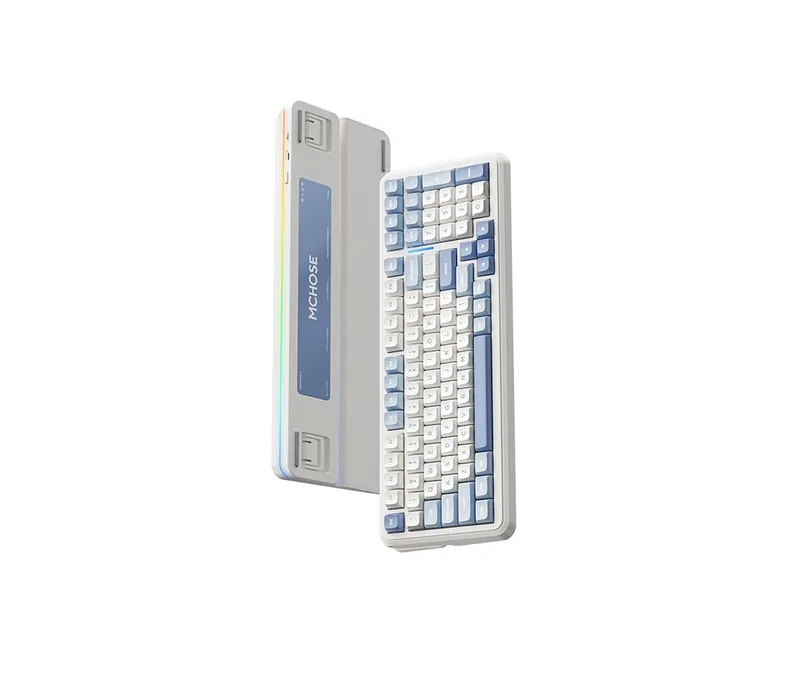
The G98 Pro is another 98% mechanical keyboard, but it is positioned more toward value.
It offers features such as:
98% layout
Gasket construction
PBT keycaps
Tri-mode connectivity
Large battery
Hot-swappable switches
It is available with different switch options, including linear and tactile configurations.
The G98 Pro makes sense when you want:
A full-featured 98% mechanical keyboard without moving into the more expensive K99 tier.
MCHOSE G75 Pro
The G75 Pro focuses on the 75% mechanical format.
This layout is one of the easiest recommendations for general users because it keeps the function row and arrow keys while reducing the footprint considerably.
It is suitable for:
General gaming
Office work
Programming
Casual typing
Smaller desks
If you don't need a number pad and don't specifically need Rapid Trigger, a conventional 75% mechanical keyboard can be a more sensible purchase than a magnetic gaming model.
MCHOSE GX87
The GX87 occupies a different part of the market.
It uses an 80%/TKL layout and emphasizes:
CNC aluminum construction
Gasket mounting
Hot-swappable switches
Tri-mode connectivity
Large battery
QMK/VIA support
Its weight is also substantially higher than many plastic gaming keyboards.
The key selling point is not polling rate.
It is:
Build quality + customization + enthusiast-oriented design.
For a keyboard enthusiast, programmer, or long-form typist who enjoys changing switches and keycaps, GX87 is more interesting than simply buying another high-polling-rate gaming keyboard.
MCHOSE UT98
The UT98 takes a different approach by focusing on quieter mechanical typing.
It uses a 98% layout, gasket construction, hot-swappable switches, tri-mode connectivity, and a large battery, with switch options designed around quieter operation.
Its target environment is therefore different from Ace.
It makes sense for:
Home offices
Shared offices
Dorms
Nighttime typing
Users who need a number pad
The key reason to buy it is noise control, not esports specifications.
How Should You Choose the Layout?
Layout can matter more than brand.
Layout | Main Advantage | Main Compromise | Best For |
|---|---|---|---|
60% | Maximum desk space | No dedicated arrows/function row | FPS |
65/68% | Compact + arrow keys | No dedicated F-row | FPS + compact desks |
75% | Strong balance | Fewer dedicated navigation keys | Gaming + office |
80/87% | Full F-row | No number pad | Gaming, programming |
98% | Almost everything | Larger footprint | Office, spreadsheets |
Full-size | Full number pad | Largest footprint | Heavy office/number use |
FPS
Consider 60%, 65%, 68%, or 75%.
Smaller keyboards can leave more room for large mouse movements.
Programming
75% and TKL layouts are usually easier to adapt to because the function row and navigation keys remain readily available.
Office work
75%, TKL, and 98% are all practical.
If you use a number pad frequently, 98% is the obvious direction.
Long-form typing
Don't choose based only on layout.
Switch weight, keycap profile, stabilizers, mounting system, acoustics, and keyboard height can have a much larger effect on long-term comfort.
MCHOSE Keyboard Comparison
Model | Technology | Layout | Main Strength | Best For |
|---|---|---|---|---|
Ace 60 Pro | Hall Effect | 60% | Affordable magnetic gaming | FPS |
Ace 68 V2 | Hall Effect | 68% | Compact gaming | FPS |
Ace 68 Air | Hall Effect | 68% | Lightweight design | FPS |
Ace 68 Turbo | Hall Effect | 68% | Aluminum + high-end magnetic hardware | Competitive FPS |
Ace 68 GT | Hall Effect | 68% | Flagship magnetic configuration | Enthusiast FPS |
Jet 75 | Hall Effect | 75% | Magnetic + productivity layout | Gaming + office |
Mix 87 | Hall Effect | TKL | Magnetic + familiar layout | FPS + office |
G75 Pro | Mechanical | 75% | Affordable all-rounder | Office + gaming |
G98 Pro | Mechanical | 98% | Value-oriented full layout | Office |
K99 V3 | Mechanical | 98% | Full-featured mechanical | Office + gaming |
GX87 | Mechanical | TKL | CNC aluminum + QMK/VIA | Enthusiasts |
UT98 | Mechanical | 98% | Quiet typing | Office |
Exact specifications can vary between versions, so the table should be treated as a product-family buying guide rather than a substitute for checking the configuration of a specific listing.
Which MCHOSE Keyboard Should You Buy for Gaming?
FPS
Start with Ace, Jet, and Mix.
The important features are:
Hall Effect switches
Adjustable actuation
Rapid Trigger
Software configuration
Polling rate
Layout
You don't necessarily need the most expensive model.
For many players, an affordable Ace model already provides the core magnetic functionality.
MOBA and RPG
Mechanical keyboards are often sufficient.
Rapid Trigger is much less central to these games than it is to movement-heavy competitive FPS titles.
Layout, switch feel, and comfort can therefore become more important.
Mixed gaming and productivity
A 75% or TKL keyboard is often the easiest compromise.
Jet 75 and Mix 87 are the magnetic options to consider, while G75 and GX87 represent the conventional mechanical route.
Are MCHOSE Magnetic Keyboards Worth It for Office Users?
Usually, only if you also play competitive games.
If your keyboard spends most of its time handling:
Email
Documents
Programming
Spreadsheets
Web browsing
then adjustable actuation and Rapid Trigger may not provide much benefit.
A mechanical keyboard with a comfortable switch, good stabilizers, a suitable layout, and reliable wireless connectivity may provide a more noticeable improvement.
This is why K99, G98, G75, GX87, and UT98 remain relevant even though MCHOSE has invested heavily in Hall Effect keyboards.
MCHOSE M HUB Software
MCHOSE has consolidated much of its keyboard configuration into the M HUB ecosystem, with desktop software and a web-based driver.
Depending on the keyboard, M HUB can provide:
Key remapping
Macros
RGB configuration
Profiles
Firmware updates
Magnetic actuation settings
Rapid Trigger configuration
This matters particularly for Hall Effect keyboards because many of their defining features are software-configurable.
Some supported keyboards also offer onboard configuration, allowing settings to be stored directly on the keyboard.
Mac users should be more careful.
A keyboard can work perfectly well as a standard USB or Bluetooth keyboard on macOS while still having different software support from Windows. If you need advanced configuration, check the specific model's current M HUB support rather than assuming every MCHOSE keyboard offers identical Mac functionality.
MCHOSE Keyboard Ratings
A single scoring system isn't ideal for every MCHOSE keyboard because magnetic gaming keyboards and office-oriented mechanical keyboards have different priorities.
For Hall Effect gaming keyboards, the most important categories are gaming performance, actuation control, Rapid Trigger, software, and connectivity.
For traditional mechanical keyboards, typing feel, acoustics, comfort, layout, connectivity, and customization deserve more weight.
Using those different priorities, the product families can be broadly evaluated like this:
Product Family | Build | Typing | Gaming | Software | Connectivity | Customization | Value |
|---|---|---|---|---|---|---|---|
Ace | 4.5/5 | 4.0/5 | 4.8/5 | 4.5/5 | 4.0/5 | 3.8/5 | 4.5/5 |
Jet | 4.3/5 | 4.2/5 | 4.7/5 | 4.5/5 | 4.0/5 | 4.0/5 | 4.4/5 |
Mix | 4.3/5 | 4.3/5 | 4.7/5 | 4.5/5 | 4.0/5 | 4.0/5 | 4.3/5 |
K99 | 4.5/5 | 4.5/5 | 4.2/5 | 4.2/5 | 4.5/5 | 4.5/5 | 4.5/5 |
G98 | 4.2/5 | 4.2/5 | 4.0/5 | 4.0/5 | 4.3/5 | 4.2/5 | 4.5/5 |
G75 | 4.1/5 | 4.1/5 | 4.0/5 | 4.0/5 | 4.3/5 | 4.2/5 | 4.5/5 |
GX87 | 4.8/5 | 4.7/5 | 4.0/5 | 4.6/5 | 4.4/5 | 4.9/5 | 4.2/5 |
UT98 | 4.5/5 | 4.6/5 | 3.8/5 | 4.0/5 | 4.4/5 | 4.2/5 | 4.2/5 |
These are editorial assessments of product positioning rather than laboratory measurements. A specific configuration can perform differently depending on the switch, firmware, keycaps, and regional version.
MCHOSE Keyboard Pros and Cons
Major strengths
A very broad product range.
MCHOSE covers compact magnetic gaming keyboards, conventional mechanical boards, TKL enthusiast models, and 98% office keyboards.
Strong Hall Effect lineup.
Ace, Jet, and Mix provide several ways to enter the magnetic gaming market.
Traditional mechanical keyboards remain important.
K99, G98, G75, GX87, and UT98 target different typing and office requirements instead of simply adding magnetic switches everywhere.
Increasingly unified software.
M HUB provides a common configuration environment across a growing number of models.
Major weaknesses
The product lineup can be confusing.
Names such as Ace 68, Ace 68 V2, Ace 68 Air, Ace 68 Turbo, and Ace 68 GT can make it difficult to understand the actual differences.
Not every high-end feature benefits every user.
16K polling, extremely fine actuation adjustment, and advanced trigger functions matter far more to competitive FPS players than to office users.
Specifications aren't always directly comparable.
Different versions of the same family can have different scanning rates, switches, wireless configurations, or firmware capabilities.
Software becomes increasingly important with magnetic models.
The hardware may be excellent, but the actual experience depends partly on how well the configuration software handles actuation and Rapid Trigger settings.
Final Buying Guide
The easiest way to choose an MCHOSE keyboard is to start with your usage rather than the model number.
Competitive FPS player → Ace / Jet / Mix magnetic keyboards.
Smallest possible setup → Ace 60 or Ace 68.
Magnetic keyboard but still need a practical layout → Jet 75 or Mix 87.
Need a number pad → G98 Pro / K99 V3 / UT98.
Want a compact all-purpose mechanical keyboard → G75 Pro.
Want a premium enthusiast mechanical keyboard → GX87.
Want quieter office typing → UT98.
Want an inexpensive entry into Rapid Trigger → an affordable Ace model.
The biggest mistake is treating "Hall Effect," "8K," or "16K" as automatic reasons to buy a particular keyboard.
If you spend most of your time typing, switch feel, stabilizers, acoustics, layout, and comfort can matter much more. If competitive FPS is your priority, then adjustable actuation, Rapid Trigger, software controls, polling rate, and layout become much more important.
That is the most useful way to understand the MCHOSE lineup: choose the use case first, choose the technology second, and compare specific models only after that.
Products in this guide
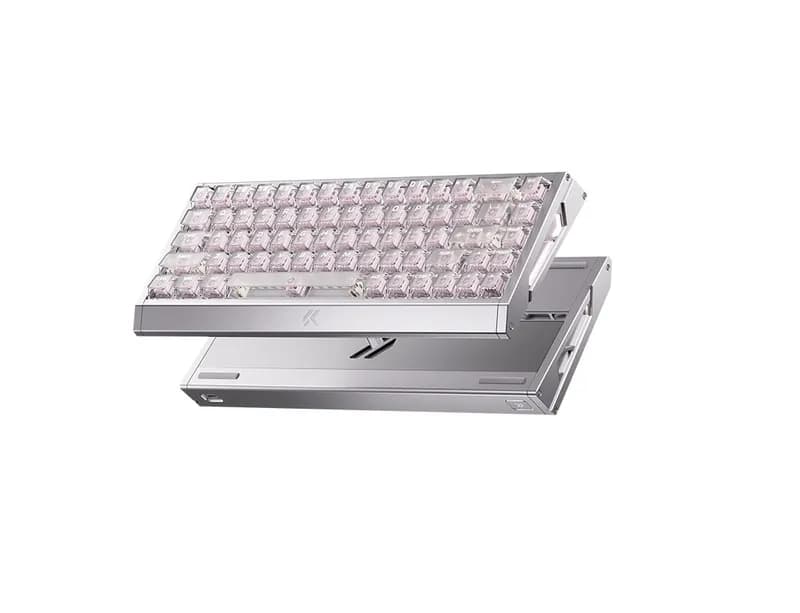
MCHOSE Ace 68 Turbo keyboard
The MCHOSE Ace 68 Turbo is a 65% Hall Effect gaming keyboard built around three main ideas: adjustable actuation, Rapid Trigger, and a full
¥559.21 (≈$78 USD)
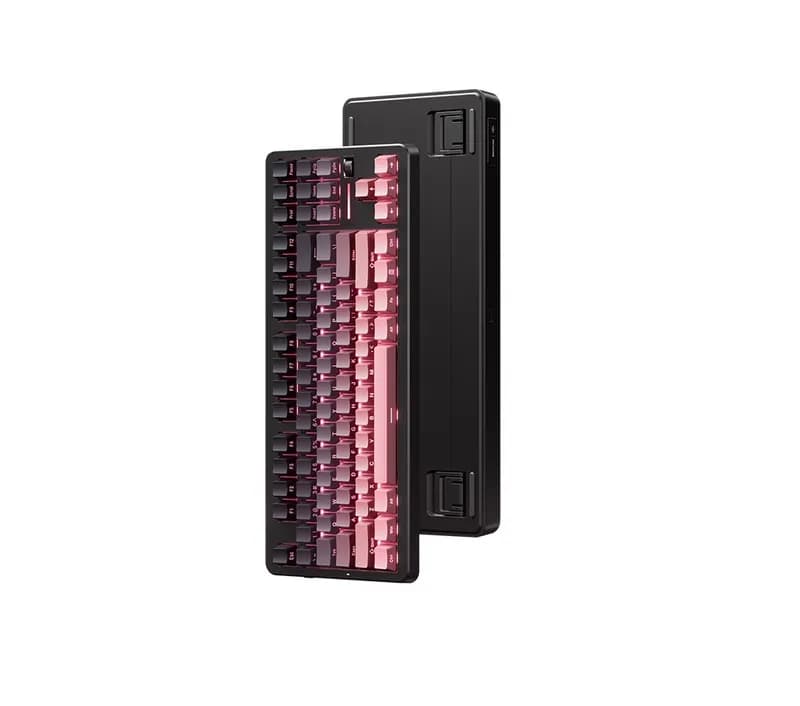 MCHOSE
MCHOSE G87 V2 keyboard
The MCHOSE G87 V2 is an 87-key TKL mechanical keyboard aimed at users who want a compact layout without giving up the function row, arrow ke
¥279.61 (≈$39 USD)
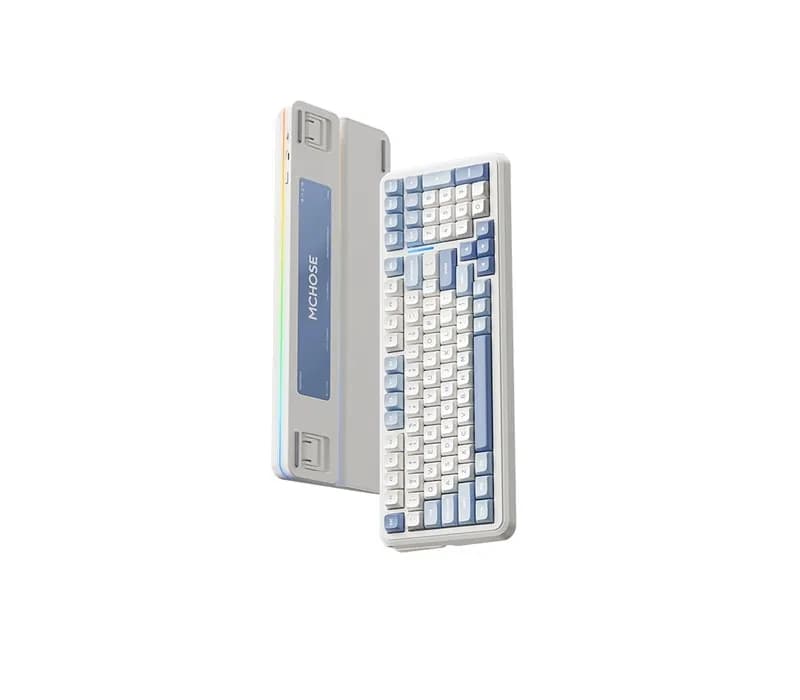
MCHOSE K99 V3 keyboard
The MCHOSE K99 V3 is a 98% mechanical keyboard designed for users who want one keyboard for both work and gaming. Its biggest strengths are
¥358.93 (≈$50 USD)
Related GuidesMore →

BYOMA Facial Cleansers Guide: Ingredients, Textures and Skin Types
BYOMA offers several facial cleansers designed around different cleansing needs, from the everyday Creamy Jelly Cleanser to richer Milky Oil and Melting Balm formulas and the salicylic acid Blemish Acne Clearing Cleanser. This guide compares their textures, ingredients, skin-type targeting, cleansing performance, and value to help you choose the BYOMA cleanser that best fits your skincare routine.

La Roche-Posay Cleanser Guide: Which One Is Right for You?
La Roche-Posay offers facial cleansers for dry, sensitive, normal, oily and acne-prone skin across its Toleriane and Effaclar families. This guide compares hydrating, milky, foaming, gel, cream and micellar formulas, explaining how their textures, ingredients and cleansing strength differ. It also covers salicylic acid options and helps shoppers choose based on skin type and individual tolerance.

CeraVe Facial Cleanser Buying Guide: Hydration, Acne and More
CeraVe offers a wide range of facial cleansers designed for different skin types, textures and concerns. This guide compares Hydrating, Foaming, Cream-to-Foam, Foaming Oil, SA and acne-focused cleansers, along with newer formats such as Air Foam and Cleansing Balm. Learn how their textures, active ingredients and intended uses differ so you can choose a cleanser that fits your routine.