Best Wooting Keyboard in 2026: Which Model Should You Buy?
Wooting makes Hall Effect keyboards designed for competitive gaming, with features such as Rapid Trigger, adjustable actuation, and customizable input behavior. This 2026 buying guide compares the 60HE v2, 60HE+, 80HE, 80HE+, TenZ Takeover, Two HE, and UwU macropad. Compare prices, layouts, switches, polling rates, and build differences to find the right model for your games, workspace, and budget.
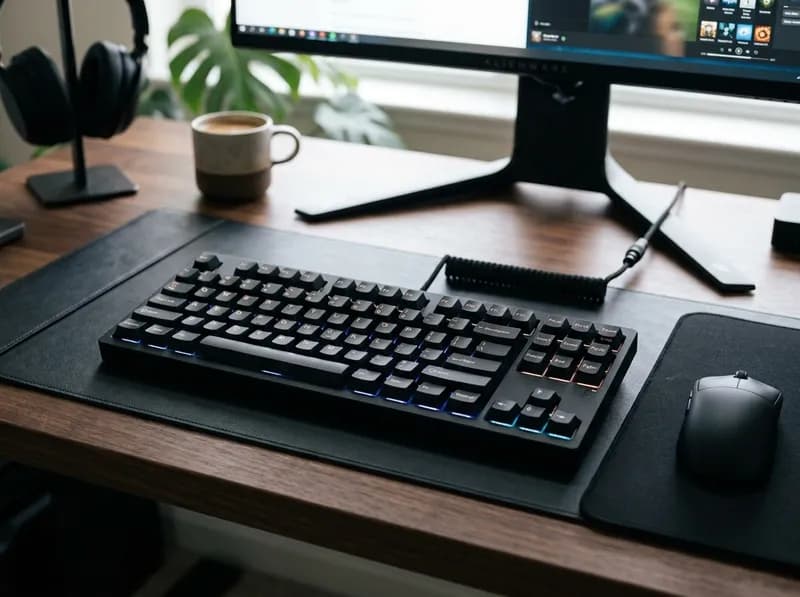
Wooting has built its reputation on a specific idea: a keyboard can do more than register a keypress. Its Hall Effect switches track how far each key travels, allowing features such as Rapid Trigger and adjustable actuation to change how quickly keys activate and reset. For competitive games like CS2 and Valorant, that level of control is the main reason to consider a Wooting over a conventional mechanical keyboard.
Choosing a model is less straightforward. The lineup includes compact 60% boards, 80% layouts, a full-size keyboard and a three-key macropad. Several models also have similar names, even though their switches, mounting systems and polling rates differ.
Prices range from around $155 for the 60HE+ to nearly $290 for the zinc 80HE+. The newest release, the 80HE+, entered preorder in September 2026, with broader availability expected no earlier than late October.
So which Wooting is worth buying, and when does it make more sense to save your money?
The best Wooting keyboards at a glance
If you want… | Recommended model | Why it makes sense |
|---|---|---|
One keyboard for gaming and everyday work | 80HE+ ABS — $199.99 | Keeps the arrow keys and function row while using Wooting's newer switches and FR4 plate |
A compact board for competitive FPS games | 60HE v2 plastic — $179.99 | Small footprint, True 8 kHz polling and an optional split-spacebar configuration |
The least expensive complete Wooting | 60HE+ — $154.99 | Includes Rapid Trigger and adjustable actuation at a lower entry price |
An upgrade for an existing 60HE+ or 80HE | Lekker Tikken Medium switches — $39.99 | Changes the typing feel and sound without replacing the entire keyboard |
A full-size layout with a number pad | Wooting Two HE | The only full-size keyboard in Wooting's lineup |
The newest hardware with independently verified performance | Wait before buying the 80HE+ | Its specifications are available, but independent testing has not yet established how it performs in practice |
There are two limitations worth knowing before buying. Every Wooting keyboard is wired; the company has not announced a wireless model. And although the 80HE+ is the newest release, it is not a completely new performance platform. It retains the original 80HE's True 8 kHz polling and software features, with changes to the switches, plate and internal sound treatment.
Wooting keyboard prices in 2026
Wooting sells directly to customers, with US prices depending on the configuration. An assembled keyboard includes the components needed to use it out of the box. A module, by contrast, contains the PCB and mounting hardware but requires a compatible case, switches and keycaps.
Model | US price | Layout | Switches | Polling rate |
|---|---|---|---|---|
60HE v2 aluminium | $239.99 | 60% | Lekker Tikken Medium | True 8 kHz |
60HE v2 plastic | $179.99 | 60% | Lekker Tikken Medium | True 8 kHz |
60HE v2 module | $139.99 | 60% | Not included | True 8 kHz |
60HE+ | $154.99 | 60% | Lekker L60 v2 | 1 kHz |
60HE+ module | $119.99 | 60% | Not included | 1 kHz |
80HE | $199.99 | 80% | Lekker L60 v2 | True 8 kHz |
80HE+ ABS | $199.99 | 80% | Lekker Tikken Medium | True 8 kHz |
80HE+ zinc | $289.99 | 80% | Lekker Tikken Medium | True 8 kHz |
80HE+ module | $149.99 | 80% | Not included | True 8 kHz |
80HE TenZ Takeover | $219.99 | 80%, ANSI only | TenZ TikkenZ | True 8 kHz |
Wooting Two HE | Not published in USD | Full size | Lekker L60s | Low latency |
Wooting UwU | Not published in USD | Three keys | Lekker Tikken Light | Low latency |
Lekker Tikken Medium, 70 switches | $39.99 | — | — | — |
Lekker L60 v2, 70 switches | $39.99 | — | — | — |
Prices reflect Wooting's published US figures as of October 2026 and may vary by configuration, region or promotion. The Two HE and UwU are sold through regional stores, so their prices may be listed in local currencies. Third-party listings for the Two HE start at around $204. Wooting uses the True 8 kHz designation for the 60HE v2, 80HE and 80HE+. The 60HE+ is specified at 1 kHz, while the Two HE and UwU are described as low-latency boards. Wooting quotes an input response time below 1 ms for the Two HE.
A few price differences are particularly useful when deciding between models.
The 80HE+ and 80HE have the same $199.99 list price. Wooting has reduced the original 80HE's price, and availability varies by configuration. If both are available at list price, the 80HE+ is the more appealing package because it includes the newer switches and plate.
The 60HE v2 costs only $25 more than the 60HE+. That extra money buys the newer Tikken Medium switches, a different plate and True 8 kHz polling. Whether those changes justify the difference depends on how much you care about sound and feel, but the price gap is small enough to make the newer board worth considering.
The zinc 80HE+ is a different kind of upgrade. At $289.99, it costs $90 more than the ABS version. The extra money gets you a 2.16 kg case, a large rotary knob and a different acoustic character, not faster input performance.
One qualification matters for the newest model: the 80HE+ has not yet been independently measured by reviewers. Independent testing is available for the 80HE, 60HE v2 and 60HE+, but claims about the 80HE+'s sound and feel remain manufacturer claims until reviewers can test retail units.
Which Wooting layout should you choose?
For most buyers, the choice comes down to a 60% or 80% keyboard. Performance is not the main difference; the layout is.
60%: more room for your mouse
A 60% keyboard removes the dedicated arrow keys, function row and number pad. For FPS players who use low mouse sensitivity, the smaller footprint leaves more room for wide mouse movements.
The compromise becomes obvious outside games. Navigation keys and function keys require shortcuts or layers, which can slow down everyday work. Some people adapt quickly; others find themselves reaching for missing keys long after the keyboard is supposed to feel familiar.
The 60HE v2 and 60HE+ are best suited to people who value desk space and are comfortable using function layers.
80%: a better balance for work and gaming
An 80% keyboard keeps the arrow keys and function row while removing the number pad. That makes it easier to use for spreadsheets, coding, writing and everyday navigation without giving up as much mouse space as a full-size board requires.
For someone who games and works at the same desk, the 80HE+ is the most straightforward choice. The original 80HE remains worth considering if it is discounted enough to compensate for its older switch and plate design.
Full size: when the number pad matters
The Wooting Two HE is the only full-size option in the lineup. It is an older design, but it includes the numeric keypad alongside the function row and navigation cluster.
If you regularly enter numbers, that layout may be more useful than the newer hardware found in the 60HE v2 and 80HE+. If you rarely use a number pad, the smaller 80HE+ is generally the more practical purchase.
Who should skip Wooting?
Wooting is not a good fit if wireless connectivity is a requirement. The current range is wired throughout.
It is also harder to justify the premium if you mainly play single-player games, browse the web or work in documents and have no interest in configuring actuation or Rapid Trigger. Those features are the central reason to pay more for a Wooting, and they offer little value if you leave the keyboard at its default settings.
One naming detail can prevent a confusing purchase: there is no official Wooting 80HE v2. The newer 80% model is called the 80HE+. The 60% model really is called the 60HE v2, which is why the names are sometimes mixed up in discussions.
What actually separates the Wooting models?
The main differences are the switches, plate and mounting system, polling rate, and software. The first two have changed more noticeably in the latest generation.
Switches: Lekker Tikken Medium vs L60 v2
The Lekker Tikken Medium is the standard switch in the 60HE v2 and 80HE+. It also replaces the L60 v2 in the newer 80HE+ generation.
The two switches have similar overall weight ratings but feel different through the press. Wooting rates the Tikken Medium at 42 gf at the start of the press and 54 gf at bottom-out. The L60 v2 starts at 40 gf and reaches 60 gf at bottom-out.
The Tikken's longer spring — approximately 22 mm compared with 15 mm for the L60 v2 — provides more resistance near the beginning of the travel. In theory, that can make unintended presses less likely when resting your fingers on the keys.
The switch construction also affects sound. The Tikken has a closed bottom, while the L60 v2 uses an open-bottom design. The Tikken's top housing uses a softer, less transparent plastic, and independent teardown reports describe its sound as deeper and more muted, with less of the hollow clack associated with the L60 v2.
There are trade-offs. The softer housing clips can bend more easily when the switch is opened, which matters if you intend to lubricate a full set yourself. The less transparent housing also reduces the apparent brightness of the RGB lighting.
Plate and mounting: FR4 vs steel
The 80HE+ replaces the original 80HE's polycarbonate plate with FR4, the same material used in the 60HE v2. FR4 is stiffer, which changes the feel at bottom-out. Wooting chose it over steel partly to avoid the metallic resonance that a steel plate can introduce.
The 60HE v2 also moves away from the 60HE+'s tray mount. Its friction-fit mounting system uses a silicone ring, which helps even out the sound and makes it easier to remove the PCB when changing cases.
Stabilisers are another difference. The assembled 60HE+ uses plate-mounted stabilisers, while the newer boards use screw-in stabilisers. Screw-in designs can provide a more secure mounting arrangement and reduce unwanted rattle, although the final result still depends on assembly and tuning.
These changes affect the typing experience rather than the keyboard's fundamental Hall Effect capabilities. A newer plate or mounting system does not automatically make a board faster.
Polling rate: 1 kHz vs True 8 kHz
Polling rate is one of the most prominent numbers in Wooting's specifications, but it is also easy to overestimate its practical importance.
A 1 kHz keyboard reports its state at intervals of 1 millisecond. At 8 kHz, that interval falls to 0.125 milliseconds. The newer boards therefore have an eightfold higher polling rate, and instrumented latency tests can measure the difference.
That does not mean every player will notice an eightfold improvement in responsiveness. Wooting's own comparison describes the advantage as incremental rather than transformative for most users. The company also acknowledges that some players may not consciously notice the difference between 1 ms and 0.125 ms.
On compatible 8 kHz models, you must enable Tachyon Mode in Wootility to use the full polling rate.
The more useful buying question is whether the newer board's complete package is worth the extra money. Switches, plate construction and sound may have a more noticeable effect on daily use than the polling-rate figure alone.
Wootility: the reason to buy a Wooting
Wootility is available as a browser-based tool and a desktop application. It controls adjustable actuation, Rapid Trigger, key remapping, lighting and several advanced input behaviours.
The software is a major part of Wooting's appeal. The hardware supports Hall Effect input, but Wootility lets you decide how each key behaves instead of accepting one fixed activation point for the whole keyboard.
That flexibility is also why two users can have quite different experiences with the same model. A carefully configured Wooting can suit a particular game or typing style; a board left entirely at its defaults offers fewer advantages over less expensive alternatives.
A cheaper upgrade for existing owners
Wooting sells Lekker Tikken Medium switches in 70-piece packs for $39.99, the same price as a pack of L60 v2 switches. The switches are hot-swappable.
If you already own a 60HE, 60HE+ or 80HE, replacing the switches can be a sensible alternative to buying another keyboard. Wooting's own guidance is that 80HE owners do not need to upgrade to the 80HE+ and that switching to Tikken Medium has a substantial effect on sound and feel.
A 70-switch pack covers a 60% board with spares and comes close to covering an 80% board. You will not get every change introduced by a newer model, but you can update one of the most noticeable parts of the typing experience without replacing the entire keyboard.
Wooting keyboard reviews: each model explained
Wooting 60HE v2 — $179.99 plastic, $239.99 aluminium
The 60HE v2 is a more substantial redesign than a routine refresh. It combines Lekker Tikken Medium switches, an FR4 plate, screw-in stabilisers, a friction-fit mount and True 8 kHz polling.
It is also the only Wooting keyboard offered as a standard prebuilt with a split spacebar option.
The split spacebar divides the spacebar area into three separately programmable keys. That gives your thumbs additional inputs within easy reach of WASD, which can be useful in games with multiple ability or movement bindings. If you do not need those extra inputs, the altered spacebar arrangement may simply take time to get used to.
Layout availability differs by configuration. On the aluminium version, an ISO layout with a split spacebar requires the module route. The plastic version offers ISO split as a complete keyboard.
The aluminium case is the main reason to spend $60 more. It weighs 945 g, compared with 606 g for the plastic version, and includes interchangeable strap mounts. You can position the strap on either side, use both sides or remove it. Wooting also supplies silicone and EPDM foam pads, allowing you to adjust the sound.
The plastic model comes with EPDM foam and a silicone wing instead of the strap. Both versions use the same switches and plate, so the aluminium case is primarily a choice about weight, materials and sound rather than performance.
Buy the 60HE v2 if you want Wooting's current compact platform and are comfortable using layers for navigation. The plastic version is the more economical choice for most people.
Look elsewhere if you regularly need dedicated arrow keys, a function row or a number pad.
Wooting 60HE+ — $154.99
The 60HE+ is the previous generation, but it remains the least expensive complete Wooting keyboard at the listed US price.
It uses Lekker L60 v2 switches on a steel plate with a tray-mount design and 1 kHz polling. It retains the features that make Wooting interesting in the first place: Rapid Trigger, adjustable actuation down to 0.1 mm, analog input and Wootility support.
The steel plate gives the keyboard a stiffer feel and a brighter, sharper sound than the FR4-based boards. That is a matter of preference rather than an automatic disadvantage.
The comparison between the 60HE+ and 60HE v2 is fairly simple. For an extra $25, the newer model provides different switches, a different plate and True 8 kHz polling. If you want to try Hall Effect input without spending much, the 60HE+ still makes sense.
If the price difference is only $25, however, the 60HE v2 is the more complete package, particularly if sound and switch feel matter to you.
Wooting 80HE+ — $199.99 ABS, $289.99 zinc
The 80HE+ is the newest model and the easiest Wooting to recommend for mixed gaming and everyday use. The main qualification is that independent testing has not yet established how the finished keyboard performs.
The known specifications are straightforward. It keeps the 80HE's 80% layout, LED bar, True 8 kHz polling and Wootility feature set, but moves to Lekker Tikken Medium switches, an FR4 plate and revised internal sound treatment.
Inside the case, a thin PET film sits above the PCB, alongside a painter's-tape layer intended to tighten the bottom-out sound. Wooting has also moved the JST connector closer to the USB-C daughterboard to improve cable routing.
The daughterboard now ships with the module rather than the case. That makes it easier to pair the module with a third-party case without sourcing an additional part.
The layout selection has also changed: the 80HE+ is available in ANSI and ISO, but not JIS.
A split spacebar is possible, but only with the module. Neither prebuilt ABS nor zinc version includes that option, so anyone who specifically wants the split layout should account for the extra assembly work before ordering.
For most buyers, the ABS version at $199.99 is the sensible choice. It provides the newer hardware without charging a premium for the case.
The zinc version is for people who want a heavier keyboard, a different acoustic character and the large rotary knob included. At 2.16 kg, it is a substantial board, but its extra weight does not make it faster.
Wooting 80HE — $199.99
The original 80HE is being phased out as the 80HE+ arrives. Wooting has reduced its price while stock lasts, although not every colour or configuration remains available.
It is still a capable gaming keyboard. The 80HE has True 8 kHz polling, Rapid Trigger, the LED bar and the same software platform as the newer model. Independent latency testing has also placed it among the strongest performers in its category.
The differences are mainly in the switches, plate and internal construction. The original 80HE lacks the Tikken Medium switches, FR4 plate and revised PET-film and tape treatment found in the 80HE+. It also does not offer the newer model's split-spacebar module option.
If you find the original 80HE at a meaningful discount, it remains a good buy. At the same price as the 80HE+, however, the newer model is more attractive. The choice is about feel and sound, not a major difference in headline performance.
Be careful when mixing modules and cases from different generations. Wooting does not recommend installing an 80HE+ Module in an original 80HE case. An internal rib in the older case can press against the repositioned JST connector cable and damage it.
Among the third-party cases Wooting has checked, the GT-80 supports both regular and split-spacebar layouts. The Holy80 supports the regular spacebar layout only.
Wooting 80HE TenZ Takeover — $219.99
The TenZ Takeover is a limited edition built around the preferences of Valorant player TenZ. Production is limited to 20,000 units, including 100 signed units, and the keyboard is available in ANSI layout only.
It combines a black and dark translucent case with dye-sublimated PBT keycaps, a red-and-black cable, an FR4 plate, a gasket mount and a foam-filled spacebar. TenZ's Wootility settings are preloaded.
The switches are a notable part of the package. TenZ TikkenZ switches are based on the Lekker Tikken design but use a lighter spring. Wooting rates them at 30–45 cN, compared with 40–60 cN for the standard L60 v2, and specifies a longer 21.3 mm spring.
That makes the TenZ version worth considering if you prefer a lighter initial press. It is not automatically better for every player; switch weight comes down to how you like your keys to feel and how you use them.
At $219.99, the premium over the original 80HE is relatively modest for a limited-edition keyboard with different tuning and accessories. Just do not confuse it with a newer hardware generation. The TenZ Takeover is based on the original 80HE platform, so it retains the older switch and plate generation beneath its special-edition components.
Wooting Two HE — full size
The Two HE is the choice for anyone who needs a number pad. It uses Lekker L60s switches, an aluminium plate and an ABS case, with a listed weight of 950 g.
Its layout includes the numeric keypad, navigation cluster and function row. Rapid Trigger, adjustable actuation and Wootility are supported, so it still offers the core Wooting experience.
The trade-off is age. The Two HE does not use the newer Tikken switches or FR4 plate, and it lacks some of the more recent hardware changes.
For users who enter numbers throughout the workday, the layout may be more important than those differences. There is no other full-size Hall Effect keyboard in Wooting's lineup. If you do not need the number pad, the 80HE+ costs less and takes up less desk space.
Wooting UwU — three-key macropad
The UwU is a three-key Hall Effect macropad, not a replacement for a full keyboard. It uses Lekker Tikken Light switches and supports Rapid Trigger and adjustable actuation.
Its most obvious use is a rhythm-game setup where two or three large, dedicated inputs can sit beside a main keyboard. It can also serve as an auxiliary input device for someone who wants extra keys within easy reach.
As a first keyboard purchase, it is difficult to recommend: three keys are not enough for normal typing. Think of it as an add-on for a setup you already have.
What is it like to use a Wooting every day?
Wootility is where the keyboard's main advantages come together, but it takes a little time to understand the settings. Alongside actuation, Rapid Trigger, remapping and RGB controls, it supports Mod Tap, Dynamic Keystroke and an analog controller mode for the WASD cluster.
Mod Tap assigns one action to a tap and another to a hold. Dynamic Keystroke lets a single key trigger different actions at different points in its travel. Analog mode allows compatible keys to behave more like a controller input rather than a simple on/off switch.
Rapid Trigger vs adjustable actuation
These two features are related, but they solve different problems.
Adjustable actuation determines how far a key must travel before the keyboard registers it. Wooting lets you set the actuation point from 0.1 mm to 4.0 mm in 0.1 mm increments, on a per-key basis.
Rapid Trigger changes the reset behaviour. Instead of waiting for a fixed reset point, the key can reset as it moves back up, allowing another press without lifting your finger as far.
A shallow actuation point can make movement inputs register quickly. Rapid Trigger can make repeated presses easier to perform. Used together, they provide more control over movement keys in games that reward quick directional changes.
That does not mean every key should be set to 0.1 mm. An extremely shallow setting can produce accidental inputs because your fingers naturally rest on the keyboard. A more practical starting point is to use shallow settings on movement keys and a deeper setting — perhaps around 1.5–2.0 mm — for keys used mainly for typing.
You can save up to four profiles to the keyboard itself, so your settings remain available without Wootility running. Version 5.4 also introduced App Linking, which can switch profiles automatically based on the active game or application.
How does a Wooting feel for typing?
The typing experience is conventional in the useful sense. These are linear switches with 4 mm of travel, and the switches are factory lubricated.
The biggest everyday adjustment is usually the layout, not the switch technology. The 60% models require more reliance on shortcuts and layers. The 80HE+ and Two HE are easier to leave on a desk for both work and gaming.
Check the rules for competitive games
Before enabling every available input feature, check the rules of the games and tournaments you play.
Rapid Trigger itself is permitted in CS2, Valorant and VCT events. The issue is hardware SOCD automation — features in the Snap Tap category that decide which of two opposing keys takes priority when both are pressed. Valve banned this type of automation in 2024.
Wooting's Rappy Snappy and Snappy Tappy fall into this area, so players in governed leagues should check the current competition rules rather than assume every keyboard feature is allowed.
Warranty, returns and support
Wooting offers a four-year warranty, excluding the LEDs, and a 30-day return window. Worldwide shipping is available.
The company also operates an outlet store with refurbished and older keyboards at reduced prices. At the time of writing, its refurbishment process covers the EU and international store rather than the US.
Wooting vs Razer, SteelSeries and Keychron
Wooting is not the only company making keyboards with adjustable actuation and Rapid Trigger. Razer's Huntsman V3 Pro range, SteelSeries' Apex Pro series and selected Keychron Hall Effect models are all alternatives worth considering.
The important comparison is how each specific model implements these features. Two keyboards can both advertise Rapid Trigger but differ in reset adjustment, calibration behaviour and how much configuration remains available without their software running.
Wooting's main advantage is the depth of Wootility and the range of behaviours that can be assigned to individual keys. It gives users substantial control over how the keyboard responds, which is particularly useful for competitive players who want to fine-tune movement inputs.
The disadvantages are price and product variety. Razer and SteelSeries offer features that Wooting does not necessarily match, including wireless options in some product lines, displays or dedicated volume controls. Their keyboards can also be easier to find on sale. Keychron generally offers lower-cost alternatives in many layouts, although its software and configuration experience varies by model.
If your priority is the cheapest possible Hall Effect keyboard, Wooting is not necessarily the best place to start. If you want detailed control over how individual keys activate and reset, it deserves a place on your shortlist.
Is a Wooting keyboard worth the price?
Spending $180–$290 on a keyboard makes sense only if you will use what it offers. Setting up Rapid Trigger, adjusting the actuation points on movement keys and saving different profiles can give a Wooting a purpose that a conventional $60 mechanical keyboard does not fulfil.
If you leave every setting at its default, the value proposition is much weaker. You still get a linear keyboard, but you are paying a substantial premium for features you are not using.
Competitive-player adoption provides some evidence that the technology is useful in demanding environments. Prosettings' June 2026 tracking listed the Wooting 60HE+ as the most-used keyboard among tracked Valorant professionals, at 20.6%. The 80HE led the tracked CS2 group at 27.5% and Fortnite at 15.4%.
Those figures show that Wooting has become a common choice among professional players. They do not prove that buying one will make an individual player better, but they are a more relevant signal than a specification sheet alone.
The 8 kHz polling rate is also worth putting in perspective. The difference between 1 kHz and 8 kHz is measurable, but most users should not expect a dramatic improvement they can immediately feel. If the 60HE+ is discounted and the 60HE v2 is not, the older model still provides the core features that define Wooting. What you give up is mainly the newer switch and plate design, the associated sound and feel changes, and the higher polling rate.
For most people who want one Wooting for gaming and work, the 80HE+ ABS is the best starting point at its $199.99 list price. The 60HE v2 plastic is the better fit for a compact FPS setup, while the 60HE+ remains an entry-level option if the lower price matters more than the latest hardware.
If you already own an 80HE, however, replacing the keyboard is difficult to justify on specifications alone. Consider the Tikken Medium switches first.
Wooting keyboard FAQ
Does Wooting work on a Mac?
Yes. Wootility is available through a browser and as a desktop application. Wooting also provides instructions for swapping the Option and Command keys to better match macOS conventions. Mac-specific keycaps are not included in the box.
Can you use a Wooting keyboard with PS5 or Xbox?
The keyboards connect over wired USB, but console compatibility is not as straightforward as PC use. Wooting publishes separate guidance for PlayStation, Xbox and PC BIOS use, including information about reduced key rollover modes. Check the instructions for your console and keyboard before buying specifically for console gaming.
Do I need special keycaps for a split spacebar?
Not necessarily. Wooting's double-shot PBT keycap sets include split-spacebar keys, while its dye-sublimated sets do not yet include them.
For third-party ANSI keycap sets, the left and right split keys are the same size as the left and right Shift keys, so Shift keycaps can be substituted. The profiles may not match perfectly, but the arrangement works.
Is the 60HE v2 better than the 80HE?
Neither is universally better. Both support True 8 kHz polling, and their practical performance is close enough that layout should drive the decision.
The 60HE v2 has fewer keys, which theoretically allows marginally faster scanning, but that is not a meaningful reason for most people to choose it. Pick the 60HE v2 if you want a compact keyboard; choose the 80HE if you need the arrow keys and function row and find it at an attractive price.
Do I need to keep Wootility open?
No. Settings are saved to the keyboard, and up to four onboard profiles can be used on another device without running Wootility. You only need to open the software when you want to change settings.
What is the difference between Rapid Trigger and adjustable actuation?
Adjustable actuation controls how far a key must travel before it registers. Rapid Trigger controls how the key resets as it moves back up, allowing it to register again without returning to a fixed reset point.
Actuation governs when a press begins to count. Rapid Trigger changes how quickly a key can reset for the next press. They work well together, but they are not the same feature.
Related GuidesMore →
Best Lenovo Legion Gaming Laptops in 2026: Which Model Should You Buy?
Lenovo Legion's 2026 lineup includes gaming laptops, handheld PCs, Android tablets, desktop towers, and gaming monitors. This guide explains the differences between the Legion 5, Pro 5, 7i, Pro 7i, and flagship 9i, along with the newer 7a models and the entry-level LOQ series. Compare GPU power, displays, upgrade options, U.S. prices, and independent test results to find the right system for your budget and gaming needs.
Best 75% Keyboards in 2026: Top Picks for Gaming, Work, and Everyday Use
Looking for the best 75% keyboard for gaming, work, or everyday typing? This guide compares six keyboards across different budgets and priorities, including the Keychron V1 Max, EPOMAKER x AULA F75, WOBKEY Rainy75, NuPhy Air75 V3, Wooting 80HE, and ASUS ROG Azoth. Compare dimensions, connectivity, switch compatibility, battery claims, customization, and approximate U.S. prices to find a keyboard that fits your workflow and desk.
How to Choose a JBL Bluetooth Speaker: Go, Clip, Flip, Charge, Xtreme, and Boombox Compared
Choosing a JBL Bluetooth speaker is easier when you match the model to how you actually listen. This guide compares the Go 5, Clip 5, Grip, Flip 7, Charge 6, Xtreme 5, Boombox 4, and PartyBox lineup by sound, portability, battery life, durability, and price. Find out which JBL speaker suits travel, everyday listening, outdoor gatherings, or parties, and when an older generation may offer better value than the newest model.