Best Lenovo Legion Gaming Laptops in 2026: Which Model Should You Buy?
Lenovo Legion's 2026 lineup includes gaming laptops, handheld PCs, Android tablets, desktop towers, and gaming monitors. This guide explains the differences between the Legion 5, Pro 5, 7i, Pro 7i, and flagship 9i, along with the newer 7a models and the entry-level LOQ series. Compare GPU power, displays, upgrade options, U.S. prices, and independent test results to find the right system for your budget and gaming needs.
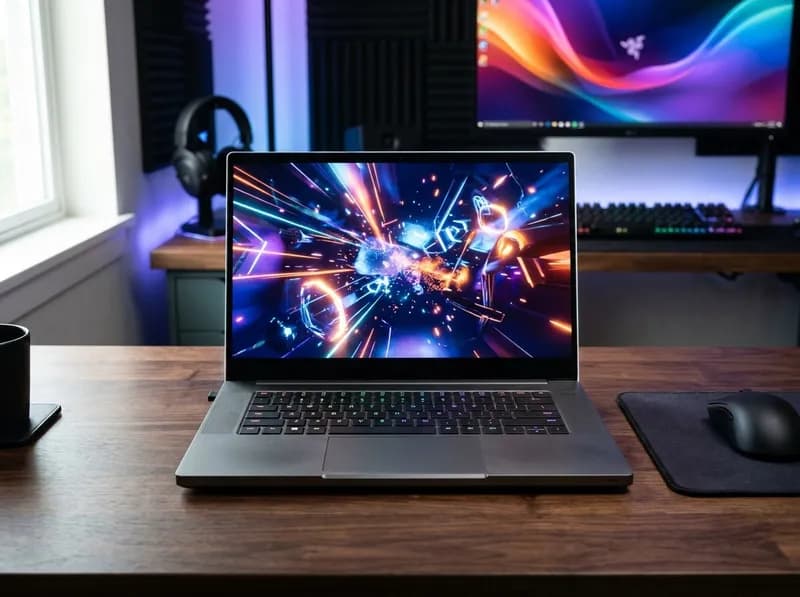
Lenovo's Legion lineup covers far more than gaming laptops. In 2026, the range includes high-performance notebooks, mainstream gaming laptops, Windows and SteamOS handhelds, Android gaming tablets, desktop towers, and gaming monitors. The more affordable LOQ series sits below Legion and deserves a look if your budget is under $1,200.
For most laptop buyers, the Legion Pro 5 Gen 10 is a strong starting point for performance and value. A discounted Legion 5 Gen 10 with an RTX 5070 can be an even better buy, while the Legion Pro 7i Gen 10 is the more obvious choice for high-end gaming. The standard Legion 7i Gen 10 suits buyers who want a premium screen and a more balanced design. The Legion 9i Gen 10 is aimed at enthusiasts who need its 18-inch display and unusually extensive memory and storage expansion—not shoppers simply looking for the most frames per dollar.
The newer Legion 7a Gen 11 also needs a closer look. Its 16-inch version combines an AMD processor with a discrete NVIDIA GPU, while the 15-inch version uses AMD's Strix Halo platform and integrated graphics. They share a family name but target different buyers.
Outside the laptop range, the Legion Go S is an attractive entry into handheld PC gaming, particularly in its SteamOS configuration. The Legion Go 2 adds an OLED display and a larger battery, while the Legion Tab runs Android games rather than the full Windows PC library. Desktop buyers should compare Legion Tower configurations, and monitor shoppers should look at the Legion Pro 27UD-10 and LP 27Q-10.
One rule applies across the entire range: buy the configuration, not the series name. GPU power limits, memory layout, display specifications, storage capacity, and the final checkout price can vary substantially between models that appear similar in a retailer's listing.
This guide covers the major Lenovo Legion product families, their differences, representative U.S. configurations, and the trade-offs worth checking before you buy. Prices and availability reflect the supplied October 2026 research and should be treated as snapshots rather than permanent pricing.
Quick Answer: Which Lenovo Legion Should You Buy?
What you need | Model to compare first | Why it stands out |
|---|---|---|
Flagship gaming laptop | Legion 9i Gen 10, 18-inch | Up to RTX 5090 Laptop GPU, four SODIMM slots, and four M.2 slots |
High-end gaming performance | Legion Pro 7i Gen 10 | Up to 175W GPU power on top configurations and a 16-inch OLED display up to 240Hz |
Performance for the money | Legion Pro 5 Gen 10 | RTX 5060 through RTX 5070 Ti configurations and substantial discounts |
Premium laptop for gaming and everyday work | Legion 7i Gen 10 | OLED display, RTX 5060 or 5070 options, and a slimmer design than the Pro 7i |
Lower-cost Legion laptop | Discounted Legion 5 Gen 10 | An RTX 5070 configuration can outperform a similarly priced newer model with an RTX 5060 |
AMD gaming laptop | Legion 5a Gen 11 or Legion 7a Gen 11 | Different price and performance options, from mainstream gaming to Strix Halo integrated graphics |
Gaming laptop under $1,200 | Standard Lenovo LOQ 15 | A 105W GPU configuration, dual M.2 slots, and a 165Hz display |
Windows handheld | Legion Go 2, Windows version | 8.8-inch OLED display, detachable controllers, and a 74Wh battery according to the cited platform specifications |
SteamOS handheld | Legion Go S SteamOS or Legion Go 2 SteamOS | The Go S costs less; the Go 2 adds an OLED screen and newer hardware |
Android gaming tablet | Legion Tab Gen 5 | Compact 8.8-inch high-refresh display and Snapdragon 8 Elite Gen 5 |
Upgradeable gaming desktop | Legion Tower 5i Gen 10 or Tower 7i Gen 10 | Desktop graphics, conventional upgrade options, and room for more storage |
4K OLED gaming monitor | Legion Pro 27UD-10 | 4K QD-OLED, 240Hz refresh rate, and strong review results |
These are starting points, not universal winners. A discounted older model can be a better purchase than a newer one at full price, and Lenovo's configurable product pages do not necessarily have every advertised configuration in stock. Check the selected GPU, memory, display, storage, and final price before ordering.
Lenovo Legion Lineup at a Glance
Lenovo's U.S. catalog mixes Gen 10 and Gen 11 laptops in 2026. That makes the lineup less straightforward than a simple progression from Legion 5 to Legion 9.
Family | Product type | Main appeal | Main compromise | 2026 buying context |
|---|---|---|---|---|
Legion 9i | Gaming laptop | Flagship performance, 18-inch display, extensive expansion | Expensive, large, and heavy | Gen 10 remains the documented flagship |
Legion Pro 7i | Gaming laptop | High sustained GPU power and advanced cooling | Fan noise, weight, and price | Gen 10 remains the high-performance option |
Legion 7i / 7a | Gaming laptops | Premium screens and more balanced designs | High prices; 7a configurations differ significantly | 7i Gen 10 and 7a Gen 11 serve different roles |
Legion Pro 5 / Pro 5i | Gaming laptops | Strong GPU options at discounted prices | Less portable than mainstream notebooks | Gen 10 is worth comparing closely during sales |
Legion 5i / 5a | Gaming laptops | Mainstream gaming and value | Specifications and reviews vary by generation and SKU | Gen 10 and Gen 11 coexist |
Legion Slim | Gaming laptops | Thinner designs | Older hardware and limited remaining stock | Treat as clearance inventory |
LOQ / LOQ Essential | Entry-level gaming laptops | Lower prices | Essential models make larger hardware compromises | Compare the standard LOQ 15 before buying Essential |
Legion Go / Go S / Go 2 | Handheld gaming PCs | Portable PC gaming | Battery life, compatibility, and pricing | Windows and SteamOS versions have different strengths |
Legion Tab | Android tablet | Mobile gaming and streaming | Cannot replace a Windows gaming PC | Gen 5 availability and pricing vary |
Legion Tower 5 / 5i / 7i | Desktop gaming PCs | Desktop GPU performance and upgrade potential | Requires a desk, monitor, and peripherals | Gen 10 configurations are documented |
Legion monitors | Gaming displays | High refresh rates and QD-OLED options | Availability varies by model | Some 2026 products are shipping; later models are planned |
What the Legion name tells you
Legion is Lenovo's broader gaming brand.
Legion Pro generally prioritizes sustained performance and higher GPU power limits over portability.
Legion Tower refers to desktop gaming PCs.
Legion Go identifies handheld gaming PCs. Windows and SteamOS versions can behave differently even when the hardware is similar.
Legion Tab refers to Android tablets, not Windows handhelds.
LOQ is Lenovo's separate entry-level gaming range.
The label narrows the search, but it does not tell you everything you need to know. Two Legion laptops with the same GPU name can deliver different gaming performance because of power limits and cooling. Likewise, two machines in the same family may have different panels, memory layouts, and upgrade options.
What's Changed in the Lenovo Legion Lineup in 2026?
Three developments matter most to buyers.
First, Lenovo's U.S. catalog now mixes newer Gen 11 mainstream laptops with Gen 10 performance models. The newer generation is not automatically the better value. Gen 10 RTX 5070 configurations have been discounted heavily, while some Gen 11 models have received mixed reviews and launched at higher prices.
Second, several products have moved beyond announcements. The Legion 7a Gen 11 has shipped in two distinct configurations, and the Legion Go 2 SteamOS version has been available since June 2026 according to the supplied research. The Legion Pro 27UD-10 has also moved into the shipping category. These products should be evaluated on their actual specifications and availability rather than treated as upcoming releases.
Third, higher memory and storage costs have complicated pricing. The supplied research points to a broader DRAM and NAND supply crunch, alongside rising prices in several gaming hardware categories. That makes discounted previous-generation products especially worth comparing against newer machines.
The practical lesson is simple: start with your budget and target performance, then compare complete configurations. Do not assume a Gen 11 model is better value simply because it is newer.
Lenovo Legion Gaming Laptops Explained
The laptop lineup is easier to understand as a set of performance classes than as a single ladder from Legion 5 to Legion 9.
Legion 9i Gen 10: The Flagship Desktop Replacement
The 18-inch Legion 9i Gen 10 is built for buyers who want a large gaming display, high-end graphics, and more internal expansion than most gaming laptops provide.
Lenovo's documented specifications include configurations up to the RTX 5090 Laptop GPU, with GPU power reaching 175W. The platform also supports up to 192GB of memory through four SODIMM slots and up to four M.2 drives, including a PCIe Gen 5 slot. Other listed features include a 99.9Wh battery, a 400W power adapter, 140W USB-C charging, a forged carbon-fiber lid, and dual Thunderbolt 5 ports.
That expansion capacity is the 9i's clearest distinction. Most gaming laptop buyers will never install 192GB of RAM or four SSDs, but people who run demanding creative applications, large local workloads, virtual machines, or extensive game libraries may appreciate the flexibility.
Reviews disagree on whether the machine justifies its price. Techaeris scored it 96%, PC Gamer gave it 88%, and How-To Geek rated it 70%. The lower score reflects concerns including the lack of an OLED option and average speakers. LaptopMedia also reported high temperatures under sustained CPU loads and found the IPS panel's contrast unremarkable.
Those findings point to a specific buying decision. The Legion 9i is not automatically the best Legion laptop just because it occupies the top tier. If you need its screen size and expansion options, it has a clear purpose. If you mainly play games at 2560 × 1600 and do not need multiple SSDs or unusually large amounts of memory, the Pro 7i is likely the more practical high-end choice.
Best for: buyers who need an 18-inch gaming laptop, extensive internal expansion, or a desktop-replacement setup.
Think twice if: you want OLED, prioritize portability, or mainly care about gaming performance per dollar.
Legion Pro 7i Gen 10: High-End Gaming Performance
The Legion Pro 7i Gen 10 is the performance-focused choice for buyers who want high GPU power in a 16-inch laptop.
Lenovo lists configurations with RTX 5070 Ti, RTX 5080, and RTX 5090 Laptop GPUs. The highest-tier configurations can reach 175W GPU power, and the machine offers a 2560 × 1600 OLED display with refresh rates up to 240Hz.
Notebookcheck's long-term retesting placed the RTX 5090 version around $3,800 and the RTX 5080 version around $3,300 at the time of its research. The publication continued to rate the machine highly for performance, while the OLED panel's peak brightness exceeded 1,000 nits in its testing.
GPU power matters more than the graphics name alone. In one set of cross-brand tests reported by PC Gamer, an RTX 5080 configuration in the Legion Pro 7i averaged 111 fps in Cyberpunk 2077 at the tested settings. The ROG Zephyrus G16 2026, with its RTX 5080 running at 135W, averaged 84 fps; an MSI Stealth 16 AI+ at 125W averaged 87 fps.
Those results do not establish a universal 30% advantage in every game. They do show why a high-power GPU in a well-cooled chassis can outperform the same GPU name in a thinner laptop. The trade-off is that the Legion Pro 7i needs room for cooling and comes with a substantial power adapter. The slimmer competitors may be quieter, easier to carry, and less expensive.
A separate practical consideration is airflow. Ultrabook Review found that its test unit failed a 3DMark stress test when placed flat on a desk but passed when elevated. The result makes ventilation worth taking seriously: use a hard surface and keep the intake unobstructed rather than gaming on bedding.
Configuration-specific results from framelimit also illustrate the performance available from the RTX 5070 Ti version. In its Cyberpunk 2077 test at 1440p Ultra, the laptop produced approximately 99.8 fps natively, 119 fps with DLSS Quality, and 164 fps with Frame Generation x4. Its Time Spy graphics score was around 23,003. These figures apply to that test configuration and should not be treated as guaranteed results for every Pro 7i.
Best for: demanding AAA games, high-refresh gaming, and buyers who want a powerful 16-inch system.
Think twice if: you need quiet operation, long unplugged gaming sessions, or an especially light laptop.
Legion 7i Gen 10: Premium Gaming Without the Pro 7i's Power Focus
The Legion 7i Gen 10 is the more balanced premium laptop. Documented U.S. configurations combine an Intel platform, a 16-inch OLED display, and RTX 5060 or RTX 5070 Laptop GPUs.
Its GPU power ceiling is around 115W, including boost, below the Pro 7i's top configurations. That does not make it a poor gaming laptop; it means buyers should not expect the same sustained performance as a higher-power Pro model with a more capable cooling system.
For someone who uses one laptop for gaming, school, work, and everyday tasks, the 7i's premium display and less performance-focused design may be a better fit than the larger, noisier Pro 7i. The price still matters, especially when a discounted Pro 5 or Legion 5 offers more graphics performance for less.
Best for: buyers who want a premium OLED gaming laptop for mixed gaming and everyday productivity.
Think twice if: you are paying a large premium for the 7i while a higher-power Pro model is available at a similar price.
Legion 7a Gen 11: Two Very Different AMD Laptops
The Legion 7a Gen 11 is easy to misunderstand because the family includes two distinct hardware platforms. One is a thin laptop with a discrete NVIDIA GPU. The other uses AMD's Strix Halo architecture and integrated Radeon graphics.
Legion 7a Gen 11 16-inch (AGP11)
The 16-inch version pairs an AMD Ryzen AI 9 HX 470 with an RTX 5060. The supplied U.S. listing showed a weight under 1.8 kg and a price of $2,279.
Ultrabook Review gave it 90%, but Notebookcheck highlighted two limitations. First, the RTX 5060 runs at 95W by default and reaches 115W only after the higher TGP mode is enabled manually. Second, the 32GB of memory is soldered and cannot be upgraded.
Notebookcheck also noted that a comparably fast Gen 10 Legion configuration had been available for less than $1,800 at the time of its review. That price comparison is important: a slim design and newer processor do not necessarily justify a substantial premium if gaming performance is the priority.
Legion 7a Gen 11 15-inch (15ASH11)
The 15-inch version uses AMD Strix Halo, with Ryzen AI Max+ 388 or, in some configurations, Ryzen AI Max+ 392 processors and Radeon 8060S integrated graphics. The supplied listings put its weight at approximately 1.55 kg, its battery at 84Wh, and its price around $1,793–$1,800.
This version is aimed at buyers who want powerful integrated graphics without a discrete GPU. Its unified-memory architecture can provide substantial graphics capability, but the memory is not user-upgradeable. Choose the capacity you need when ordering.
The two 7a versions therefore serve different purposes. The 16-inch AGP11 is a thin gaming laptop with a discrete RTX GPU; the 15-inch 15ASH11 is an AMD APU system built around integrated graphics and unified memory. Check the full model number before comparing prices or reviews.
Best for: buyers who specifically want either the 16-inch discrete-GPU design or the 15-inch Strix Halo platform.
Think twice if: you expect to upgrade RAM later or are comparing the 16-inch model against less expensive Gen 10 systems purely on gaming performance.
Legion Pro 5 and Pro 5i Gen 10: The Value Sweet Spot
For many buyers, the Legion Pro 5 Gen 10 and Pro 5i Gen 10 are the most compelling parts of the lineup. These 16-inch performance laptops offer RTX 5060 through RTX 5070 Ti options, depending on configuration, and have appeared at substantial discounts.
The supplied pricing research recorded an RTX 5060 configuration at $1,299.99 at Best Buy and $1,234.99 during Lenovo direct promotions. A Black Friday price sighting for an RTX 5070 configuration reached approximately $1,439, compared with a cited $1,999 MSRP. A higher-end configuration with a Ryzen 9 9955HX and RTX 5070 was listed at $2,099.99.
These are snapshots rather than guaranteed current prices. Still, they show why the Pro 5 Gen 10 deserves attention when shopping for a gaming laptop in the $1,200–$1,500 range.
The platform includes two SO-DIMM memory slots and two M.2 slots. The display supports variable refresh rate, although the cited specifications do not include G-SYNC. The chassis is heavier than a mainstream notebook, but that is a reasonable compromise if gaming performance matters more than carrying weight.
If you want high frame rates without paying flagship prices, start with the discounted Pro 5 Gen 10. Compare it with the standard Legion 5 Gen 10 before deciding: depending on the deal, either can offer better value.
Best for: buyers who prioritize gaming performance per dollar.
Think twice if: portability is your main concern or G-SYNC support is a requirement.
Legion 5i and 5a: Gen 10 vs. Gen 11
The mainstream Legion 5 family is where the difference between a newer model and a better buy becomes particularly clear.
Some Legion 5i Gen 11 reviews have been favorable, but others have criticized the configuration and pricing. Tech Guy Beau scored the laptop 88, Jarrod'sTech gave it 70, and Just Josh scored it 55, arguing that it was worse value than its 2025 predecessor.
The recurring concerns include single-channel memory in some base configurations, a short 2242-size secondary M.2 slot, above-average temperatures, mediocre Wi-Fi, and substantial standby battery drain. In one test, standby drain reached approximately 32% per day.
Tom's Guide provided a more positive counterpoint for an RTX 5070 configuration. Its tests found the machine competitive against the HP Omen and MSI Stealth, and recorded 7 hours and 3 minutes of web browsing. Even that review, however, criticized the pricing structure. The cited prices included a preconfigured RTX 5060 system at $1,899 and an estimated price of $2,355 for a base configuration with a 512GB SSD.
Reported Gen 11 prices vary significantly by source and configuration. Figures in the supplied research include $1,549, $1,899, and $2,959.99. They should not be treated as interchangeable prices for the same SKU. Confirm the selected configuration and checkout total before making a comparison.
The Gen 10 Legion 5 retains a clear value advantage when a discounted RTX 5070 model costs about the same as a Gen 11 RTX 5060 model. The newer generation may still make sense if its screen, processor, battery behavior, or other specific features suit your needs, but the generation number alone is not a reason to pay more.
The Legion 5a Gen 11 exception
The AMD-based Legion 5a Gen 11 is worth separate consideration. Notebookcheck reviewed it favorably, and Walmart listings in the supplied research showed a price of $1,249, described as 41% off.
The cited configuration includes a Ryzen 7 250, an RTX 5060 rated at 105W, a 15.3-inch 165Hz OLED display, an 80Wh battery, and approximately nine hours of WLAN battery life in the reported test.
At that price, the 5a Gen 11 is a strong candidate for buyers who want an OLED screen and a mainstream gaming configuration. Availability and promotions can change, so confirm the exact model before relying on the quoted price.
Buying rule: at comparable prices, a discounted Gen 10 Legion 5 with an RTX 5070 is generally the better gaming choice than a Gen 11 model with an RTX 5060. Consider Gen 11 at full price only when you have verified the exact configuration and have a reason to prefer it.
For both generations, check memory channel configuration, display type, GPU power, and cooling. Product photos rarely tell you enough.
Lenovo LOQ: The Alternative for Budgets Under $1,200
LOQ is not part of the Legion family, but it belongs in the same buying decision. It is Lenovo's entry-level gaming range, and it can make more sense than a low-end Legion configuration when money is tight.
The important distinction is between the standard LOQ 15 and LOQ Essential.
Feature | LOQ Essential | Standard LOQ 15 | Legion 5 Gen 10 |
|---|---|---|---|
GPU power in cited configurations | 55W RTX 5060 | 105W | Up to 140W+ in cited configurations |
Display | 144Hz | 165Hz | 165Hz OLED options |
M.2 storage | Single slot | Dual slots | Dual slots |
Memory | Single-channel common in cited configurations | Check exact SKU | Dual SO-DIMM |
Price context | Best Buy listings around $1,099–$1,200; deeper discounts reported | Varies by GPU and promotion | Approximately $1,234–$1,439 in cited discounted deals |
The LOQ Essential's low GPU power limit is its main weakness. Notebookcheck's testing found that its 55W RTX 5060 could lose to an older RTX 4060 laptop configuration. The single M.2 slot, common single-channel memory setup, and reported fan noise around 50dB under load add to the compromises.
At its full listed price, the LOQ Essential is difficult to justify against better-equipped alternatives. It becomes more interesting if a deep discount brings it well below the standard LOQ 15 or near the $700 mark. The supplied research also recorded a Black Friday price of $499.99 for an RTX 3050 Essential configuration, though that is a different GPU setup and should not be compared directly with an RTX 5060 model.
The standard LOQ 15 keeps the more useful 105W GPU configuration, dual M.2 slots, and Advanced Optimus. It is a better starting point for most shoppers under $1,200.
Before buying, compare the standard LOQ 15 with a discounted Legion 5 Gen 10. If the price gap is small, the Legion may offer the stronger overall platform.
What About Legion Slim?
Legion Slim models historically targeted buyers who wanted gaming performance in a thinner chassis. They are not current-generation releases in the 2026 lineup described here; remaining units should be treated as older inventory.
If you find a Legion Slim 5 or Slim 7 on sale, check the processor generation, GPU, display, battery, warranty, and final price. A discounted older Slim can still suit someone who values portability, but it should be compared with current products on actual hardware and price rather than its original positioning.
Legion 9i vs. Pro 7i vs. 7i: What's the Difference?
These three families overlap in gaming capability, but they are designed around different priorities.
Feature | Legion 9i Gen 10 | Legion Pro 7i Gen 10 | Legion 7i Gen 10 |
|---|---|---|---|
Screen size | 18 inches | 16 inches | 16 inches |
GPU options | Up to RTX 5090 Laptop GPU | RTX 5070 Ti, 5080, and 5090 options | RTX 5060 or 5070 |
Maximum GPU power in cited configurations | Up to 175W | Up to 175W on RTX 5080/5090; lower on RTX 5070 Ti | Up to 115W including boost |
Representative display | 3840 × 2400 IPS, 240Hz, 100% DCI-P3 | 2560 × 1600 OLED, up to 240Hz | 2560 × 1600 OLED, up to 240Hz |
Memory | Four SODIMM slots, up to 192GB | Varies by configuration; some use CSODIMM | SODIMM; verify exact configuration |
Storage | Four M.2 slots, including Gen 5 | Verify exact configuration | Verify exact configuration |
Main advantage | Screen size and expansion | Sustained gaming performance | Premium screen and more balanced design |
Main compromise | Cost, size, and heat under sustained CPU load | Cooling noise, weight, and price | Lower GPU power ceiling |
Specifications describe representative platforms and configurations, not every build-to-order SKU. Confirm the machine type and official specifications before buying.
How Much Does GPU Power Matter?
For demanding games, the GPU model and its power limit are among the most important specifications to compare.
An RTX 5080 running at 175W is not equivalent to the same GPU running at 125W or 135W. Nor should a laptop GPU be treated as equivalent to a desktop graphics card with the same model number.
PC Gamer's cross-brand RTX 5080 testing recorded 111 fps for the Legion Pro 7i, compared with 84 fps for the ROG Zephyrus G16 2026 and 87 fps for the MSI Stealth 16 AI+ at their respective tested power limits and settings. The result illustrates how chassis design, cooling, and power limits affect performance. It does not mean the Legion will be faster by the same percentage in every game.
The Pro 7i makes sense when sustained gaming performance is the priority. The 7i is a more balanced choice when you do not need the highest GPU power available. The 9i is worth its premium when you can use the larger display and extra expansion capacity.
Is the Legion 9i Worth More Than the Pro 7i?
The 9i's strongest reasons to buy are its 18-inch display, four M.2 slots, and support for up to 192GB of memory. Those are substantial features for users who need them, but they are not essential for most gamers.
Review scores ranging from 70% to 96% reflect different priorities. Some reviewers value the expansion and flagship design; others put more weight on the lack of OLED, average speakers, thermal behavior, and price.
If your main goal is playing games at 2560 × 1600, the Pro 7i is the more straightforward high-performance purchase. If an RTX 5070 configuration is enough for your games, the standard 7i may be the better value.
Lenovo Legion Laptop Prices in the U.S.
Lenovo frequently changes its promotional prices, and the amount displayed on a product page may not correspond to the configuration you have selected.
The supplied October 2026 research recorded these examples:
Model | Reported price snapshot | What to check |
|---|---|---|
Legion 9i Gen 10 | Estimated value $4,679.99; promotional price $3,890.01 | The page advertised configurations up to RTX 5090; verify the selected GPU |
Legion Pro 7i Gen 10 | Estimated value $4,199.99; promotional price $3,149.99 | The cited Lenovo listing advertised up to RTX 5080; other retail tracking placed RTX 5080 and 5090 models at different prices |
Legion 7i Gen 10 | Varies by selected configuration | Confirm GPU, storage, memory, display, and final checkout price |
Legion Pro 5 Gen 10 | Approximately $1,234–$1,439 for cited discounted configurations | Check the exact GPU and promotion |
Legion 5a Gen 11 | $1,249 in the cited Walmart listing | Confirm that the listing is for the OLED RTX 5060 configuration |
These figures are observed listings, not permanent MSRPs or guaranteed offers. The price of a configurable system can change as you select a GPU, storage capacity, memory, or warranty extension.
Compare final prices for equivalent configurations rather than comparing a manufacturer's estimated value with another retailer's sale price.
How to Decode Lenovo Legion Model Names
Lenovo's naming system is useful for narrowing the search, but the name alone is not a specification sheet.
Label | General meaning | What to verify |
|---|---|---|
i | Intel-oriented naming in the relevant families | Exact Intel processor and generation |
a | AMD-oriented naming in newer families such as 5a and 7a | Exact Ryzen processor and graphics platform |
Pro | Performance-focused family | GPU power, cooling, screen, and chassis |
Gen 10 / Gen 11 | Product generation | Actual hardware and value, not just the generation number |
9i / 7i / 5i | Family tier | GPU, display, memory, and price |
Machine type / part number | Specific hardware configuration | Official specifications and warranty terms |
Naming conventions have changed over time, particularly for AMD models. The Legion 7a Gen 11 is a good example: two products with the same family name use different hardware platforms and target different buyers.
When specifications matter, use the complete product name and machine type rather than relying on a shortened retailer title.
How to Check a Legion Laptop Before Buying
Find the full model name and part number. Retailer titles often omit configuration details.
Confirm the exact processor. Names such as Core Ultra 9 and Ryzen AI 9 cover multiple chips.
Check the GPU and power limit. The RTX 5060, 5070, 5070 Ti, 5080, and 5090 are different tiers, and power limits ranging from 55W to 175W can change performance substantially.
Read the display specifications. Confirm resolution, refresh rate, brightness, and whether the panel is OLED or IPS.
Check the memory configuration. Look at capacity, channel count, slot count, and whether the RAM is soldered. The 7a Gen 11 variants have non-upgradeable memory, while the 9i supports up to 192GB.
Check storage slots and drive sizes. The cited Legion 5i Gen 11 platform has a shorter 2242-size secondary M.2 slot, which may limit drive choices.
Verify U.S. availability. A global announcement or product page does not guarantee that the desired configuration is available to order.
Compare the final price. Include storage and memory upgrades, tax, and any warranty extension you plan to buy.
Lenovo's PSREF specification database is the key reference for machine types, platform specifications, and hardware limits. Use it alongside independent reviews of the same or a closely matched configuration.
Lenovo Legion Go: Which Handheld Should You Buy?
The Legion Go range consists of handheld gaming PCs rather than conventional gaming laptops. The most important choice in 2026 is often the operating system: Windows supports a broader range of PC software, while SteamOS can deliver better performance and battery life in some games.
Legion Go Models Compared
Model | Operating system | Processor | Display | Memory and storage | Battery | U.S. price context in supplied research |
|---|---|---|---|---|---|---|
Original Legion Go | Windows 11 | Ryzen Z1 Extreme | 8.8-inch 2560 × 1600 IPS, 144Hz | 16GB; up to 1TB | 49.2Wh | Clearance listings around $620–$945 |
Legion Go S | Windows 11 or SteamOS, depending on SKU | Z1 Extreme or Z2 Go | 8-inch 1920 × 1200 IPS, 120Hz | Up to 32GB; up to 1TB | 55.5Wh | SteamOS around $600; Windows around $730 |
Legion Go 2, Windows | Windows 11 | Ryzen Z2 or Z2 Extreme | 8.8-inch OLED, 144Hz | 16–32GB; up to 2TB | Listed as 74Wh in the cited platform specifications | Approximately $1,099–$1,350 in cited listings; some 2TB configurations were much higher |
Legion Go 2, SteamOS | SteamOS | Ryzen Z2 Extreme | 8.8-inch OLED, 144Hz | Verify the exact listing | Listed as 74Wh in the cited platform specifications | Shipping since June 2026; cited price $1,199 |
Important specification caveat: published Legion Go 2 figures conflict across the supplied sources, particularly for screen resolution and battery capacity. Some sources list 2560 × 1600 and approximately 60Wh, while others report 1920 × 1200 and 74Wh. Verify the exact SKU against Lenovo's current PSREF documentation before buying. Do not assume that every Go 2 listing describes the same configuration.
SteamOS vs. Windows: What the Testing Shows
Independent testing cited in the research found SteamOS delivering approximately 8–32% higher frame rates than Windows on the same handheld hardware in selected games. The difference varied by title, with larger gains reported in some demanding games.
Battery results can be even more striking in lighter games. PCWorld and Dave2D testing of the Legion Go S recorded the following results:
Game | Windows | SteamOS |
|---|---|---|
Hades | 1 hour 58 minutes | 4 hours 17 minutes |
Dead Cells | 2 hours 47 minutes | 6 hours 12 minutes |
These are results from particular tests, not universal battery-life guarantees. Settings, brightness, power mode, and game workload all affect runtime.
SteamOS also offers a more console-like experience, with suspend and resume behavior that reviewers found more reliable and lower sleep drain in the cited testing. Windows remains the better fit for buyers who depend on PC Game Pass, third-party launchers, Windows-only applications, or multiplayer games whose anti-cheat systems do not work properly through Proton.
Before choosing SteamOS, check the games you actually play. ProtonDB can help you assess compatibility, although compatibility reports can change with software updates.
For the Legion Go 2, the supplied handheld testing reported approximately 2.5–3.5 hours in demanding AAA games, around 2 hours 45 minutes in balanced mode, about 1 hour 20 minutes at full performance, and up to roughly seven hours at low-power settings. These figures illustrate the effect of power mode; they should not be treated as fixed results for every game.
Is the Legion Go 2 Worth Its Price?
The Legion Go 2's Windows pricing drew criticism in the cited reviews. PCWorld questioned whether the $1,099–$1,350 price range made sense compared with less expensive handhelds, while Lenovo positioned the device toward enthusiasts willing to pay for premium hardware.
The cited $1,199 SteamOS version improves the comparison for buyers who mainly play through Steam, but it is still an expensive handheld.
The broader price ladder in the supplied research looks roughly like this:
Steam Deck OLED: $549
Legion Go S with SteamOS: around $600
Original Legion Go on clearance: approximately $620–$945
ROG Ally X: around $799
Legion Go 2: $1,199 and up in the cited listings
Prices and availability change, and these devices do not have identical performance or features. Use the figures as a snapshot of the market rather than a current quote.
Legion Go vs. Legion Go S vs. Legion Go 2
The original Legion Go has an 8.8-inch high-resolution IPS display and detachable controllers. The Go S is smaller, with an 8-inch 120Hz IPS panel and an integrated design. Its processor depends on the SKU, so do not assume that every Go S is slower than the original Go.
The Go 2 adds an OLED display, newer Ryzen Z2 processors, and a larger listed battery. Whether those upgrades justify the price depends on how much you value screen quality, performance, and the operating system.
Buying recommendation:
Choose the Legion Go S SteamOS for a more affordable handheld with a console-like interface.
Choose the Legion Go 2 SteamOS if you want the OLED screen and prefer SteamOS.
Choose the Legion Go 2 Windows if you need Windows-specific software or games.
Consider the original Legion Go only when clearance pricing makes it meaningfully cheaper than newer alternatives.
Can a Legion Go Replace a Gaming Laptop?
It can cover portable gaming, emulation, cloud gaming, and some everyday desktop tasks. It is not a direct replacement for a Legion laptop with an RTX 5070 or RTX 5080 if you need high sustained graphics performance, a large built-in display, or substantial desktop multitasking.
The handheld's integrated graphics, cooling limits, and battery capacity put it in a different performance class. A dock and external display can make it more versatile, but they do not turn it into a high-power gaming laptop.
Legion Tab Gen 5: Android Gaming in a Compact Format
The Legion Tab Gen 5 is an Android gaming tablet rather than a handheld PC. Its appeal is a compact, high-refresh screen for Android games, mobile esports, streaming, and cloud gaming.
The supplied U.S. specifications list:
8.8-inch, 3040 × 1904 display with a 165Hz refresh rate
Snapdragon 8 Elite Gen 5 processor and Adreno A840 graphics
12GB LPDDR5T memory and 256GB UFS 4.1 storage
9,000mAh battery with 68W charging
Android 16
Dual USB-C ports and microSD expansion
Approximately 360g weight and no fan
Notebookcheck scored the tablet 88.3%, while reporting heat buildup and performance throttling under sustained load. The review also noted the absence of a 5G option. Mashable recorded 12 hours and 24 minutes of battery life and Geekbench results of 3,655 single-core and 10,758 multi-core, along with an intermittent touchscreen responsiveness complaint.
Pricing varies by source. The supplied research recorded Lenovo listings at $729.99 against an estimated value of $899.99, a Mashable price of $679.99, and European pricing of €899. The previous Legion Tab Gen 3 was listed at $549.99, making the newer model notably more expensive.
The price difference does not automatically make the Gen 5 a poor buy, but it raises the bar. Compare current prices and consider whether you will use the higher-resolution, high-refresh display enough to justify the premium.
Legion Tab vs. Legion Go 2
Feature | Legion Tab Gen 5 | Legion Go 2 |
|---|---|---|
Operating system | Android | Windows or SteamOS, depending on version |
Game library | Android games and cloud gaming | PC games, subject to compatibility |
Controls | Touchscreen; external controller optional | Integrated physical controllers |
Screen | 8.8-inch 3K IPS, 165Hz | 8.8-inch OLED, 144Hz |
Main limitation | Cannot run the full Windows PC game library | Heavier and less convenient as a general-purpose mobile tablet |
Choose the Legion Tab if your games are primarily Android titles or you want a tablet for streaming and mobile gaming. Choose the Legion Go if you want to play PC games on a handheld.
Lenovo Legion Tower 5, Tower 5i, and Tower 7i
The Legion Tower range is designed for buyers who want desktop gaming performance and more upgrade flexibility than a laptop offers. Desktop graphics cards can draw more power and use larger cooling systems, while a tower chassis gives you more room to replace components.
A documented Legion Tower 5i Gen 10 configuration combines an Intel Core Ultra 7 265F with a desktop RTX 5070 featuring 12GB of GDDR7 memory, 32GB of DDR5 RAM, a 2TB SSD, an 850W power supply, and a 240mm liquid cooler.
The AMD-based Legion Tower 5 Gen 10 offers Ryzen 7 and Ryzen 9 configurations with desktop RTX 5070 and RTX 5070 Ti graphics. The documented platform includes four memory slots supporting up to 128GB and two M.2 slots.
The Legion Tower 7i Gen 10 targets higher-end desktop gaming. The cited U.S. SKU, 90Y6001JUS, combines an Intel Core Ultra 7 265K with a desktop RTX 5080, 32GB of RAM, 2TB of storage, an 850W PSU, and 360mm liquid cooling in a 34-liter chassis. The supplied Lenovo listing showed $4,094.99, a 4.5-star rating across 228 reviews, and a one-year mail-in warranty.
Lenovo's documentation lists upgrade ceilings of up to 192GB of RAM and 16TB of storage for the Tower 7i platform. Those figures should be checked against the exact machine type before planning a build.
Desktop does not automatically mean unrestricted upgrades. Before replacing a GPU or adding drives, verify the motherboard's memory slots, PSU capacity and connectors, graphics card clearance, cooling layout, and supported storage. OEM chassis and motherboard designs can limit upgrades even when the headline specifications appear generous.
Best for: buyers who want desktop GPU performance, a larger cooling system, and the option to upgrade over time.
Think twice if: you need portability or the purchase price excludes a monitor, keyboard, mouse, and other peripherals.
Lenovo Legion Monitors: What's Available in 2026?
The monitor lineup includes high-refresh LCD and OLED models, but availability differs by product. The supplied research identifies two models as shipping and two later models as announced for January 2027.
Legion Pro 27UD-10
The Legion Pro 27UD-10 is a 26.5-inch 4K QD-OLED gaming monitor with a 240Hz refresh rate and a rated 0.03ms gray-to-gray response time. Other listed features include HDR True Black 400, Dolby Vision, and Penta Tandem OLED brightness enhancement with peak brightness in the 1,300-nit class under the relevant conditions.
The supplied research puts its price around $800, and Gizmodo scored it 4.5 out of 5. Monitor-focused coverage also placed it among Lenovo's stronger monitor options for 2026.
Its drawbacks are practical rather than deal-breaking: it has no built-in speakers or headphone jack, uses a glossy finish, and has a base with an integrated phone holder that cannot be removed. If you are comparing 4K OLED monitors, it is worth evaluating alongside Samsung and LG alternatives rather than dismissing it based on brand alone.
Legion Pro LP 27Q-10
The Legion Pro LP 27Q-10 is the QHD alternative, with an OLED panel and a 280Hz refresh rate. The supplied research lists it at $749.
It is the more relevant option for buyers who prioritize high-refresh competitive gaming but do not need a 4K display. As with any high-refresh monitor, the benefit depends on whether your GPU can produce the frame rates your games demand.
Legion 27Q-20 and 27U-20
Lenovo announced the Legion 27Q-20 and 27U-20 with expected U.S. availability in January 2027, according to the supplied research.
The 27Q-20 is a QHD 320Hz model. The 27U-20 is a dual-mode display offering UHD at 180Hz or FHD at 360Hz. Neither should be treated as a product available to buy in 2026 unless its U.S. launch status has changed.
A 320Hz monitor can display up to 320 refreshes per second, but it cannot make a game render at 320 fps by itself. Actual frame rates depend on the GPU, game, settings, and workload.
Legion Accessories
Lenovo's gaming accessories include mice, keyboards, headsets, backpacks, docks, and Legion Glasses.
Choose a mouse based on shape, weight, sensor performance, and how you hold it. For a keyboard, switch type, layout, and sound may matter more than branding. Headsets should be judged on comfort, microphone quality, and sound—not just advertised surround features.
Legion Glasses provide a personal display for compatible devices. They do not increase a handheld's performance, and compatibility depends on the device's video output and connection. Confirm USB-C video support for the specific laptop or handheld before buying.
Why Lenovo Legion Prices Rose in 2026
The supplied research points to rising DRAM and NAND costs as an important factor in 2026 gaming hardware pricing. Memory and storage are components across laptops, tablets, and handhelds, so changes in their cost can affect several product categories at once.
The cited examples include the Legion Tab moving from a $549.99 previous-generation price to $679.99–$729.99 for the Gen 5, unusually expensive 2TB Legion Go 2 listings, and higher laptop prices across multiple brands. The supplied research also cites increases of 20–40% across laptop pricing, though the size of any increase depends on the brand, configuration, and comparison period.
These examples do not establish that every price increase is caused by memory costs alone. Product refreshes, display upgrades, GPU costs, tariffs, promotions, and configuration differences also affect final prices.
For buyers, the more useful conclusion is that previous-generation hardware can offer better value when retailers discount existing inventory. A Legion Pro 5 Gen 10 or Legion 5 Gen 10 with an RTX 5070 may make more sense than a newer model with a lower-tier GPU at the same price. A discounted original Legion Go can also be worth considering, provided the price is low enough to compensate for its older hardware and smaller battery.
Compare current deals with current alternatives rather than relying on an old MSRP or assuming a sale price is necessarily good.
Lenovo Legion Warranty, Repairs, and Service Risks
The supplied U.S. documentation indicates a one-year base warranty for the cited Legion laptops and towers, with mail-in or carry-in service depending on the product. Premium Care extensions are available for eligible configurations, but service type and coverage vary by model and part number.
Three service disputes reported during 2026 in the supplied material illustrate why it is worth documenting a device before sending it away for repair:
One Legion 7i owner with an RTX 5090 configuration reported receiving the laptop back from depot repair with cosmetic scratches and a repair quote of roughly $400, or £300, for the damage.
In another case, a laptop reportedly returned from service with 32GB of RAM instead of the 64GB installed before repair. The situation was complicated by the fact that the upgrade had been installed by a third-party Best Buy partner.
An earlier Premium Care complaint involved a liquid-metal repair incident and a denied replacement request.
These are individual reports, not evidence that every Lenovo repair has the same problems. They do, however, support a sensible precaution: document your machine's condition and configuration before service.
Before shipping a laptop or desktop for repair:
Photograph and video the device, including its exterior, serial number, and visible condition.
Save screenshots of the original configuration and any upgrades you installed.
Record the RAM, SSDs, and other components in the machine.
Keep receipts and service correspondence.
Read the warranty terms for your exact part number, especially if you have installed third-party components.
Third-party upgrades can complicate service discussions, depending on the fault and warranty terms. Keep original components where practical and check Lenovo's policy before assuming that every upgrade will be covered.
A desktop tower may be easier to modify than a laptop, but upgradeability is not the same as warranty coverage. Confirm both before making changes.
How to Choose the Right Lenovo Legion
Use this checklist to narrow the lineup before comparing individual listings.
Start with the games you play. Competitive games reward high refresh rates and stable frame times. Demanding AAA games, especially with ray tracing, place more pressure on the GPU.
Set a resolution and frame-rate target. An RTX 5070 Laptop GPU can suit high-refresh 1600p gaming, depending on the title and settings. RTX 5080 and RTX 5090 configurations make more sense when you need higher settings, ray tracing, or performance in demanding workloads.
Check the GPU power limit. The same GPU name can represent very different performance at 55W and 175W. Read the exact machine's PSREF specifications and look for independent tests of the same configuration.
Avoid paying too much for the CPU. In GPU-limited games, graphics performance and power limits usually matter more than moving between already high-end processors.
Match the display to your use. Check resolution, refresh rate, brightness, and OLED versus IPS. Do not assume every configuration in a family has the same panel.
Choose enough memory and storage. For gaming plus multitasking, 32GB is a comfortable target. Confirm whether the memory is dual-channel, soldered, or upgradeable, and check the number and size of M.2 slots.
Account for cooling and noise. Higher power limits produce more heat. The Pro 7i needs adequate airflow, while the cited LOQ Essential testing reported fan noise around 50dB under load.
Be realistic about battery life. Gaming laptops generally perform best when plugged in. Battery results vary by workload, and handheld runtime can range from roughly 1 hour 20 minutes in a high-power mode to several hours at low power.
Verify upgrade options. Soldered memory, short M.2 slots, PSU limits, and GPU clearance can all constrain future upgrades. Towers offer more flexibility than laptops, but the exact platform still matters.
Compare total cost, not just the advertised price. A cheaper machine with 16GB of RAM and a 512GB SSD may need upgrades. Add warranty extensions and other required purchases before comparing it with a better-equipped model.
Check U.S. stock and warranty coverage. Global announcements do not guarantee that a configuration is available in the United States. Confirm the exact SKU and warranty terms at checkout.
Common Lenovo Legion Buying Mistakes
Buying by series number alone. A Legion 7i with a 115W RTX 5070 is not automatically faster than a Pro 5 with a more powerful GPU configuration.
Assuming the newest generation is always the best value. Discounted Gen 10 models can beat similarly priced Gen 11 systems in gaming performance.
Confusing a global announcement with U.S. availability. Check whether the exact configuration is shipping and can actually be ordered.
Treating all RTX 50-series GPUs as equivalent. GPU tier, power limit, and cooling all affect results.
Ignoring the display configuration. OLED and IPS differ in contrast, brightness behavior, and other characteristics. Panels can also vary within a family.
Paying for expansion you will never use. The Legion 9i's four M.2 slots and 192GB memory ceiling are valuable only if your workload benefits from them.
Comparing an MSRP with a promotional price. Use final prices for comparable configurations.
Assuming all Legion Go models use the same operating system. Windows and SteamOS differ in compatibility, battery life, and performance.
Buying the LOQ Essential at full price without comparing alternatives. Its low GPU power limit and limited expansion make the standard LOQ 15 or a discounted Legion a better choice in many cases.
Expecting a handheld to replace a high-power gaming laptop. The Legion Go is useful for portable PC gaming but occupies a different performance class.
Assuming every desktop upgrade will fit. Check PSU capacity, connectors, motherboard slots, cooling, and physical clearance.
Sending a machine for repair without documenting it. Save photos, serial numbers, configuration details, and receipts.
Using old prices as your benchmark. Compare today's actual deals with available alternatives, not only with historical MSRPs.
Frequently Asked Questions
What is the best Lenovo Legion gaming laptop in 2026?
For high-end gaming, start with the Legion Pro 7i Gen 10. For a premium laptop that balances gaming and everyday use, compare the Legion 7i Gen 10. For value, the Legion Pro 5 Gen 10 or a discounted Legion 5 Gen 10 with an RTX 5070 may be the better purchase. The exact configuration and current price matter more than the family name.
Is the Legion 7a Gen 11 available?
The supplied October 2026 research identifies two shipping variants. The 16-inch AGP11 combines a Ryzen AI 9 HX 470 with an RTX 5060 and was listed at $2,279. The 15-inch 15ASH11 uses AMD Strix Halo integrated graphics and was listed around $1,793–$1,800. Both have soldered memory, and the 16-inch version requires a manual change to reach its higher GPU power mode.
Should I buy a Legion 5 Gen 10 or Gen 11?
For gaming value, a discounted Gen 10 model is often the stronger choice, particularly if it has an RTX 5070 and costs about the same as a Gen 11 RTX 5060 configuration. Gen 11 has received mixed reviews and its listed prices vary substantially. The Legion 5a Gen 11 is a separate option worth checking if the cited $1,249 Walmart deal is available.
Should I buy the Legion Go 2 SteamOS or Windows version?
Choose SteamOS if you mainly play compatible Steam games and want a console-like experience. The cited testing found better frame rates and longer battery life in several games. Choose Windows if you need PC Game Pass, Windows-only software, third-party launchers, or multiplayer games that depend on Windows-compatible anti-cheat. Check compatibility before buying.
How long is the Lenovo Legion warranty?
The cited U.S. documentation shows a one-year base warranty for the covered laptops and towers, with service type varying by product. Eligible systems may have Premium Care extensions. Check the exact part number and coverage terms rather than assuming every Legion has identical service.
Is Lenovo LOQ worth buying instead of Legion?
The standard LOQ 15 can be a good gaming laptop under $1,200 when discounted. The LOQ Essential makes larger compromises, including a 55W RTX 5060 in the cited configuration and a single M.2 slot. At full price, compare it with the standard LOQ 15 and discounted Legion 5 models first.
Is the Legion 9i worth it over the Pro 7i?
Only if you need the 9i's specific advantages, particularly its 18-inch display, four M.2 slots, or memory capacity of up to 192GB. If you mainly want high-end gaming performance in a smaller chassis, the Pro 7i is usually the more straightforward choice.
Why are Lenovo Legion prices higher in 2026?
The supplied research points to rising DRAM and NAND costs as one factor affecting gaming hardware prices. Newer components, display changes, tariffs, configuration choices, and promotion timing can also affect pricing. The practical response is to compare current configurations and look for discounts on previous-generation hardware.
Should I buy the Legion Tab Gen 5 or Legion Go?
Choose the Legion Tab for Android games, mobile esports, streaming, and cloud gaming. Choose the Legion Go for compatible PC games. The Tab's high-refresh display and reported long battery life suit mobile gaming, but it cannot run the full Windows PC game library.
Are Lenovo Legion Tower desktops upgradeable?
Generally, towers offer more upgrade flexibility than laptops. The cited Tower 7i Gen 10 platform documents memory support up to 192GB and storage up to 16TB. Confirm the exact motherboard, power supply, connectors, cooling, and component clearance before buying parts.
Is the Legion Pro 27UD-10 a good gaming monitor?
The cited reviews are positive. It combines a 4K QD-OLED panel with a 240Hz refresh rate, Dolby Vision, and high peak-brightness potential. Its main drawbacks include the lack of speakers and a headphone jack, a glossy finish, and a fixed base with an integrated phone holder. The LP 27Q-10 is worth comparing if you prefer QHD at 280Hz.
Can you upgrade RAM in a Lenovo Legion laptop?
It depends on the model. The Legion 9i Gen 10 supports up to 192GB through four SODIMM slots, and the cited Pro 5 and 5i platforms use upgradeable SO-DIMM memory. Both Legion 7a Gen 11 variants have soldered memory, while configurations of other families can differ. Check PSREF for the exact machine type before planning an upgrade.
Is the original Legion Go still worth buying in 2026?
It can be worth considering at a deep discount. The supplied research recorded clearance prices around $620–$945. Near the lower end, it may suit budget-conscious buyers who accept its older hardware and 49.2Wh battery. At the higher end, compare it with the Legion Go S and other current handhelds.
How much GPU power do Lenovo Legion laptops use?
It varies by model and configuration. The supplied research cites 55W for the LOQ Essential, 95W by default and 115W in the higher mode for the 16-inch Legion 7a Gen 11, around 105–115W for some mainstream Legion models, and up to 175W for the Pro 7i and 9i. Always check the exact SKU: the power limit can make a substantial difference to performance.
Related GuidesMore →
Best 75% Keyboards in 2026: Top Picks for Gaming, Work, and Everyday Use
Looking for the best 75% keyboard for gaming, work, or everyday typing? This guide compares six keyboards across different budgets and priorities, including the Keychron V1 Max, EPOMAKER x AULA F75, WOBKEY Rainy75, NuPhy Air75 V3, Wooting 80HE, and ASUS ROG Azoth. Compare dimensions, connectivity, switch compatibility, battery claims, customization, and approximate U.S. prices to find a keyboard that fits your workflow and desk.

How to Choose a JBL Bluetooth Speaker: Go, Clip, Flip, Charge, Xtreme, and Boombox Compared
Choosing a JBL Bluetooth speaker is easier when you match the model to how you actually listen. This guide compares the Go 5, Clip 5, Grip, Flip 7, Charge 6, Xtreme 5, Boombox 4, and PartyBox lineup by sound, portability, battery life, durability, and price. Find out which JBL speaker suits travel, everyday listening, outdoor gatherings, or parties, and when an older generation may offer better value than the newest model.

2026 Smartwatch Innovations: Which New Features Are Worth Buying?
Smartwatches in 2026 bring new readiness scores, AI health coaches, dual-frequency GPS, sleep apnea notifications, and longer battery life—but not every upgrade is worth the money. This guide compares the latest Apple Watch, Samsung Galaxy Watch, and Google Pixel Watch models, separating manufacturer claims from independent testing. Find out which features justify an upgrade, which require a subscription, and when keeping your current watch is the smarter choice.