Logitech Mouse Lineup 2026: Which Model Should You Buy?
Looking for the best Logitech mouse for work, gaming, or travel? This guide compares the company's current mouse lineup, from the MX Master 4 and MX Anywhere 3S to the PRO X SUPERLIGHT 2 and G502 X. It explains which features justify the price, how Logitech's Logi Options+ and G HUB software differ, and why hand size, weight, and connectivity matter more than the number of features.
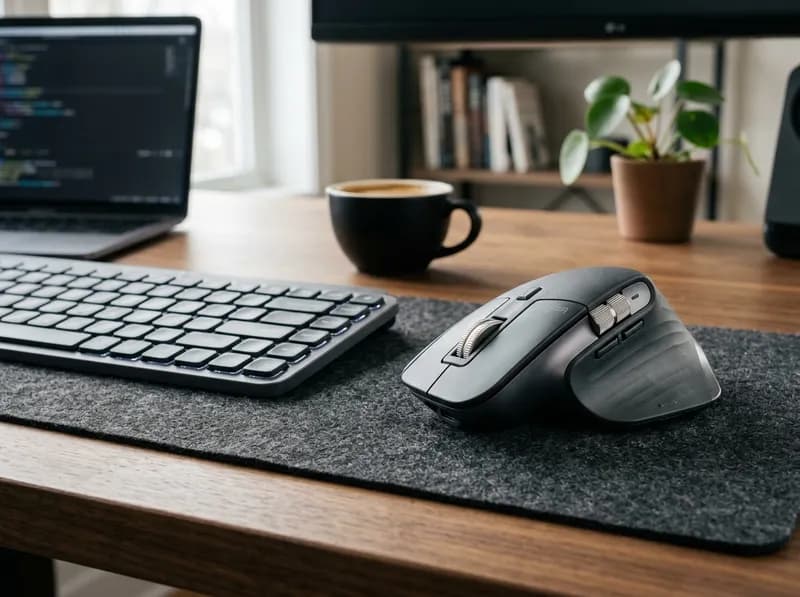
Logitech sells mice for almost every kind of user, from a $22.99 everyday mouse to a $199.99 competitive gaming model. The problem is figuring out which one is right for you. The company sells its mice across two websites, divides them into several product families, and gives some models names that differ by only a few letters.
The MX Master 4 and MX Master 3S look similar but differ in haptic feedback, shortcut controls, weight, and click feel. The G502 X and G502 X PLUS share most of their hardware, with RGB lighting accounting for much of the price difference. Meanwhile, the PRO X SUPERLIGHT 2 and PRO X3 SUPERSTRIKE are both premium esports mice, but they take different approaches to competitive performance.
Start with the kind of work you do. Office mice prioritize comfort, scrolling, shortcuts, and switching between devices. Gaming mice focus more on weight, response time, sensor performance, and programmable controls. After that, hand size, grip style, battery preference, and software compatibility help narrow the choice.
This guide covers the Logitech mouse models listed for sale in the United States as of October 2026, including older models that remain available through Logitech's own store. It compares their prices and specifications, explains the differences between similar models, and identifies where paying more makes a practical difference.
Quick Answer: Which Logitech Mouse Should You Buy?
If you want... | Model to consider | Why |
|---|---|---|
A premium mouse for everyday office work | MX Master 4 | Haptic feedback, Actions Ring shortcuts, MagSpeed scrolling, and up to 70 days of battery life |
Most of the MX Master experience for less | MX Master 3S | $99.99, with the same general shape and MagSpeed wheel but without haptics |
A compact mouse for travel | MX Anywhere 3S | 95 g, quiet clicks, USB-C charging, and tracking on glass |
A vertical mouse for smaller hands | Lift | 57° grip angle, small-to-medium hand fit, and a left-handed version |
A vertical mouse for larger hands | MX Vertical | A larger 57° design, rechargeable battery, and wired use while charging |
To reduce arm movement | MX Ergo S | Thumb-controlled trackball with adjustable tilt up to 20° |
Logitech's least expensive mouse | M325S | $22.99, with a 2.4 GHz nano receiver and one AA battery |
Competitive FPS gaming | PRO X SUPERLIGHT 2 | 60 g, LIGHTSPEED wireless, and a familiar symmetrical esports shape |
Lots of programmable buttons | G502 X | 11 buttons, 13 programmable controls, and a wired connection for $99.99 |
Wireless gaming with a replaceable AA battery | G309 LIGHTSPEED | 86 g, LIGHTSPEED and Bluetooth, and AA-battery power |
A Mac mouse without a USB receiver | MX Master 4 for Mac | The same core hardware as the standard model, with Bluetooth-only connectivity |
For most buyers, the shortlist is simpler than the full catalogue suggests. The MX Master 3S and 4 cover premium office work, the MX Anywhere 3S suits travel, the Lift and MX Vertical offer vertical grips, and the PRO and G families cover gaming.
Every Logitech Mouse on Sale in the US
The table below brings together the Logitech mouse lineup as of October 2026. Prices are approximate US prices observed on Logitech's own stores; promotions can change them.
Model | Family | Hand size or fit | Weight | Shape | Connectivity | Approx. US price | Best for |
|---|---|---|---|---|---|---|---|
MX Master 4 | Master | Larger hands | 150 g | Ergonomic, right-handed | Logi Bolt + Bluetooth | $119.99 | Premium office work with haptics |
MX Master 4 for Mac | Master | Larger hands | 150 g | Ergonomic, right-handed | Bluetooth | $119.99 | Mac users who prefer no receiver |
MX Master 3S | Master | Larger hands | 141 g | Ergonomic, right-handed | Logi Bolt + Bluetooth | $99.99 | Previous flagship at a lower price |
MX Anywhere 3S | Master | Compact fit | 95 g | Compact, symmetrical | Logi Bolt + Bluetooth | $89.99 | Travel and small desks |
MX Anywhere 3S for Mac | Master | Compact fit | 95 g | Compact, symmetrical | Bluetooth | $89.99 | Compact mouse for Mac |
MX Vertical | Ergo | Large to medium | 135 g | Vertical, 57° | Logi Bolt + Bluetooth | $99.99 | Vertical grip for larger hands |
Lift | Ergo | Small to medium | 125 g | Vertical, 57° | Logi Bolt + Bluetooth | $79.99 | Vertical grip for smaller hands |
Lift for Mac | Ergo | Small to medium | 125 g | Vertical, 57° | Bluetooth | $79.99 | Bluetooth-only Mac version |
MX Ergo S | Ergo | — | 164 g | Thumb trackball | Logi Bolt + Bluetooth | $119.99 | Trackball with adjustable tilt |
ERGO M575S | Ergo | — | 145 g | Thumb trackball | Logi Bolt + Bluetooth | $49.99 | Affordable trackball |
Signature M650 | Signature | Small to medium | 101 g | Symmetrical | Logi Bolt + Bluetooth | $39.99 | Quiet office work |
Signature Plus M750 | Signature | Small to medium; M750 L for larger hands | 101 g | Symmetrical | Logi Bolt + Bluetooth | $49.99 | Office work with SmartWheel scrolling |
Signature Comfort M840 L | Signature | Large | 105 g | Ergonomic, right-handed | Bluetooth, Bolt-ready | $39.99 | Fuller shape for larger hands |
Signature Comfort Plus M850 L | Signature | Large | — | Ergonomic, right-handed | Bluetooth, Bolt-ready | $49.99 | M840-style shape with palm cushion |
POP Mouse | Everyday | Small | 82 g | Compact, symmetrical | Bluetooth | $29.99 | Colour options and emoji shortcut |
Pebble Mouse 2 M350s | Everyday | Small | 76 g | Flat and compact | Bluetooth | $24.99 | Quiet, portable use |
M325S | Everyday | Small | 93 g | Compact, symmetrical | 2.4 GHz nano receiver | $22.99 | Low-cost everyday use |
Mobi Fold | Portable | Small | — | Folding compact | Bluetooth | $79.99 | A mouse that folds flat for travel |
Design Collection Limited Edition | Everyday | Small | — | Compact, symmetrical | 2.4 GHz nano receiver | $22.99 | M325S colour variation |
PRO X3 SUPERSTRIKE | PRO | — | 59 g | Symmetrical | Wired USB-C or LIGHTSPEED | $199.99 | 8,000 Hz polling and long battery life |
PRO X2 SUPERSTRIKE | PRO | — | 60 g | Symmetrical | LIGHTSPEED | $179.99 | Inductive switches with adjustable travel |
PRO X SUPERLIGHT 2 | PRO | — | 60 g | Symmetrical | LIGHTSPEED | $159.99 | Competitive FPS gaming |
PRO X SUPERLIGHT 2 SE | PRO | — | 60 g | Symmetrical | LIGHTSPEED, 1 kHz | $139.99 | Standard shell at a lower price |
PRO X SUPERLIGHT 2 DEX | PRO | — | 60 g | Asymmetrical, right-handed | LIGHTSPEED | $159.99 | Right-handed esports grip |
PRO X SUPERLIGHT 2 DEX SE | PRO | — | 60 g | Asymmetrical, right-handed | LIGHTSPEED, 1 kHz | $129.99 | DEX shape for less |
PRO X SUPERLIGHT 2c | PRO | — | 51 g | Compact, symmetrical | LIGHTSPEED | $149.99 | Smaller hands or fingertip grip |
PRO X SUPERLIGHT 2c SE | PRO | — | 51 g | Compact, symmetrical | LIGHTSPEED, 1 kHz | $129.99 | Smaller shell at a lower price |
PRO 2 LIGHTSPEED | PRO | — | — | Symmetrical | LIGHTSPEED | $149.99 | Previous-generation esports mouse |
G502 X PLUS | G | — | 106 g | Right-handed | LIGHTSPEED | $159.99 | G502 X with RGB lighting |
G502 X LIGHTSPEED | G | — | 102 g | Right-handed | LIGHTSPEED | $139.99 | Wireless G502 X without RGB |
G502 X | G | — | 89 g | Right-handed | Wired USB | $99.99 | Programmable buttons without a battery |
G502 LIGHTSPEED | G | — | 114 g | Right-handed | LIGHTSPEED | $119.99 | Previous-generation wireless G502 |
G502 | G | — | 121 g | Right-handed | Wired USB | $69.99 | Original wired G502 |
G309 LIGHTSPEED | G | — | 86 g | Symmetrical | LIGHTSPEED + Bluetooth | $89.99 | Dual wireless with an AA battery |
G305 | G | — | 99 g | Symmetrical | LIGHTSPEED | $59.99 | Entry-level wireless gaming |
G305 X SUPERLIGHT | G | — | — | Symmetrical | LIGHTSPEED | $79.99 | Lighter successor to the G305 |
G903 | G | — | 110 g | Ambidextrous | LIGHTSPEED | $139.99 | Ambidextrous gaming |
G703 | G | — | 107 g | Right-handed | LIGHTSPEED | $99.99 | Older wireless gaming model |
G203 | G | — | 85 g | Symmetrical | Wired USB | $39.99 | Low-cost wired gaming |
Prices reflect the observed US listings in October 2026, not guaranteed checkout prices. Logitech frequently discounts its mice. Weight figures are published specifications; a dash means the cited product information does not provide a figure. Likewise, a dash in the hand-size column means Logitech does not explicitly classify the model by hand size in its product copy.
Older Logitech Mice May Still Be Available
Logitech's category pages do not show every mouse it sells. The MX Master 3S, G703, and G203, for example, have had live product listings and have been offered directly by Logitech even when absent from the main category pages.
That matters if you are comparing buying guides or checking whether an older Logitech mouse has been discontinued. A missing category-page listing is not, by itself, proof that a model is no longer available. Check the individual product page and its current stock status before ruling it out.
Older models can still be worthwhile, particularly when they are discounted. But compare their actual prices with newer alternatives rather than assuming that a previous-generation model is automatically a bargain.
Logitech's Two Mouse Lines: MX, Ergo, Signature, G, and PRO
Logitech's catalogue is easier to navigate once you understand the split between its productivity and gaming products.
The main Logitech website carries office and ergonomic mice:
MX Master: Full-size productivity mice with advanced scrolling and shortcuts.
MX Anywhere: Compact mice aimed at laptop users and travel.
Ergo: Vertical mice and trackballs.
Signature: Everyday office mice with practical features such as quiet clicks.
Everyday and portable models: POP, Pebble, M325S, and Mobi Fold.
The Logitech G website carries gaming mice:
PRO: Lightweight designs aimed at competitive gaming.
G: A broader range that includes programmable buttons, different wireless options, and RGB lighting.
These are more than different marketing labels. The product lines have separate configuration software, and the features that matter in one category may be irrelevant in the other. A competitive player may care about weight and polling rate; someone working in spreadsheets all day may get more value from a thumb wheel and application-specific shortcuts.
Decide which group fits your use before comparing individual models.
Logi Options+ vs G HUB: Check the Software Before Buying
Logitech uses two main configuration apps, and they serve different mouse families.
Logi Options+ supports productivity mice such as MX, Ergo, Signature, POP, Pebble, and compatible M-series models.
G HUB supports Logitech G and PRO gaming mice.
The apps do not replace one another. An MX Master 4 will not appear in G HUB, and a G502 X will not appear in Logi Options+.
You can use a basic mouse without installing either app: connect it, move the cursor, scroll, and click. The software becomes important when you want to remap buttons, create application-specific profiles, configure gestures, adjust supported DPI settings, or customize other advanced functions.
That distinction can affect which model is worth buying. If you will never configure the mouse, some of the MX Master 4's headline features may have little value to you. Similarly, paying for a gaming mouse's programmable controls makes less sense if you do not intend to set them up.
Logi Bolt vs Unifying vs LIGHTSPEED vs Bluetooth
Logitech also uses several connection types, and its USB receivers are not interchangeable.
Logi Bolt is the receiver used with many current office and ergonomic mice. Unifying is an older Logitech receiver system. A Logi Bolt receiver does not pair with Unifying devices, and vice versa. LIGHTSPEED is Logitech's 2.4 GHz wireless connection for gaming. Bluetooth connects without a dedicated USB receiver.
The Mac versions of the MX Master 4, MX Anywhere 3S, and Lift are Bluetooth-only and do not include a Logi Bolt receiver. That is convenient if you want to keep your USB ports free, but it gives you fewer connection options if you later decide to use a receiver.
If you want the flexibility to use Logi Bolt, buy the standard version rather than assuming you can switch between receiver types later.
Logitech MX Master: MX Master 4 vs MX Master 3S
The MX Master family is Logitech's premium office-mouse range. Both current models have a pronounced right-handed shape, a thumb wheel, and MagSpeed scrolling. The main question is whether the MX Master 4's new controls justify paying about $20 more.
Logitech MX Master 4
The MX Master 4 costs around $119.99 and weighs 150 g. Its 8,000 DPI sensor tracks on glass, and the MagSpeed wheel switches between precise ratcheted scrolling and fast free-spinning scrolling.
The headline additions are haptic feedback and the Actions Ring. Haptics provide tactile feedback for supported actions, while the Actions Ring places shortcuts around the cursor so you can reach frequently used tools without moving to a toolbar. Logitech cites a study involving 37 MX Master users and eight desktop actions that found time savings of up to 33%. That is a manufacturer-reported result, not a guarantee that every user will work 33% faster.
Battery life is rated at up to 70 days, and Logitech says a one-minute charge can provide around three hours of use. The mouse supports Logi Bolt and Bluetooth and can pair with up to three devices.
Its main drawback is weight. At 150 g, it is a substantial mouse. That is not unusual for a full-size office model, but users who prefer fingertip control or frequent, fast movements may find a lighter mouse more comfortable.
Logitech MX Master 3S
The MX Master 3S remains a compelling alternative at around $99.99. It has the familiar Master shape, an 8,000 DPI sensor, the MagSpeed wheel, and a battery rating of up to 70 days.
It does not have the MX Master 4's haptic feedback or Actions Ring. In return, it retains the 3S's quieter click switches, which some users may prefer in a shared office or quiet workspace.
The newer model adds features rather than replacing the basic experience. If your daily work consists mainly of browsing, documents, spreadsheets, and ordinary desktop navigation, the MX Master 3S still covers the essentials.
MX Master 4 vs MX Master 3S: Is the Upgrade Worth It?
Feature | MX Master 3S — $99.99 | MX Master 4 — $119.99 |
|---|---|---|
Weight | 141 g | 150 g |
Sensor resolution | Up to 8,000 DPI | Up to 8,000 DPI |
Scroll wheel | MagSpeed | MagSpeed |
Haptic feedback | No | Yes |
Actions Ring | No | Yes |
Clicks | Quiet | Standard |
Battery rating | Up to 70 days | Up to 70 days |
Receiver included | Logi Bolt | Logi Bolt |
The extra $20 buys haptic feedback and the Actions Ring, not a different class of sensor or a radically different shape. The MX Master 4 is the more feature-rich model, but the 3S may be better value if those additions do not fit your workflow.
Choose the MX Master 3S if quiet clicks matter and you mainly want the familiar Master experience. Consider the MX Master 4 if you will actually use its shortcut ring and haptic controls throughout the day.
MX Master vs MX Anywhere
The MX Master and MX Anywhere differ mainly in size, weight, and controls.
The MX Master 4 weighs 150 g and has a larger body and thumb wheel. The MX Anywhere 3S weighs 95 g, has a compact shape, and is easier to carry in a laptop bag.
For a permanent desk setup, the MX Master offers more room for your hand and additional controls. For travel, the MX Anywhere is less cumbersome. Buying the larger model for a mobile setup means carrying extra weight; choosing the smaller one for a full-time desktop means giving up the thumb wheel and larger grip.
Logitech MX Anywhere 3S: Best for Travel
The MX Anywhere 3S costs around $89.99 and weighs 95 g. Its sensor tracks on glass at up to 8,000 DPI, it charges over USB-C, and it can pair with up to three devices. Logitech rates its battery life at up to 70 days.
It also has quiet clicks and a MagSpeed scroll wheel, giving it several of the features associated with the larger MX Master range.
The trade-off is its compact body. It does not have the MX Master's thumb wheel or palm-filling shape. For a laptop user working in cafés, on trains, or at temporary desks, the smaller design is a benefit. For long hours at a fixed desk, the MX Master may provide a more comfortable fit.
The MX Anywhere 3S for Mac has the same core hardware and costs the same, but connects over Bluetooth rather than including a Logi Bolt receiver.
Logitech Signature and Everyday Mice
You do not need to spend $100 or more to get a good Logitech mouse. The Signature line covers ordinary office work, while the POP, Pebble, and M325S focus on portability, appearance, or low cost.
Signature M650 vs Signature Plus M750
The Signature M650 costs around $39.99. It has quiet clicks, a shape suited to small-to-medium hands, and versions for different hand sizes, including left-handed users. The M650 L is the larger option, with a left-handed variant also available.
The Signature Plus M750 costs around $49.99 and adds Logitech's SmartWheel, which shifts between precise scrolling and faster movement depending on how you turn the wheel. It comes in standard and larger M750 L sizes.
Both models use a single AA battery, with battery life rated at up to 24 months, and support Logi Bolt and Bluetooth. If you want a straightforward mouse for documents, browsing, and office applications, the M650 is the cheaper choice. If you scroll through long documents or spreadsheets frequently, the M750's wheel may justify the extra $10.
Signature Comfort M840 L vs M850 L
The Signature Comfort M840 L and Signature Comfort Plus M850 L are newer models aimed at users who prefer a fuller, right-handed shape. Their listed prices are around $39.99 and $49.99, respectively.
The M840 L weighs about 105 g and uses a Pluto sensor with a 400–4,000 DPI range. The M850 L adds a palm cushion; that is the main distinction between the two.
Both support Bluetooth and are Logi Bolt-ready, but a receiver may need to be purchased separately. If you specifically want a receiver connection, check the package contents before ordering.
These models are worth considering if the symmetrical shape of the M650 or M750 does not fit your hand. They are not necessarily better mice for everyone; the larger, right-handed shape is the point.
POP Mouse vs Pebble Mouse 2 vs M325S
These three affordable Logitech mice serve different needs.
POP Mouse — $29.99: A colourful Bluetooth mouse weighing 82 g, with silent switches, SmartWheel scrolling, and a top button that can be assigned to an emoji panel.
Pebble Mouse 2 M350s — $24.99: A flat, compact Bluetooth mouse weighing 76 g. Its low profile makes it easy to slip into a laptop bag.
M325S — $22.99: A compact mouse weighing 93 g, using a 2.4 GHz nano receiver rather than Bluetooth. It runs at 1,000 DPI and is rated for up to 18 months on one AA battery.
The M325S is the least expensive option, but it is not the right choice if you need Bluetooth and have no free USB-A port. In that situation, the Pebble Mouse 2 is a better fit. Choose the POP Mouse if you prefer its design and want the extra shortcut.
The Design Collection Limited Edition is a colour variation of the M325S, not a different mouse with different core hardware.
Best Logitech Mouse Under $50
The best option depends on what you want from a budget mouse.
Need | Model | Approx. price |
|---|---|---|
Lowest price with a receiver | M325S | $22.99 |
Flat, portable Bluetooth design | Pebble Mouse 2 | $24.99 |
Quiet office work | Signature M650 | $39.99 |
Fuller shape for larger hands | Signature Comfort M840 L | $39.99 |
Thumb-controlled trackball | ERGO M575S | $49.99 |
More versatile scrolling | Signature Plus M750 | $49.99 |
For general office use, the Signature M650 is a sensible starting point. It has quiet clicks and comes in different fits without making you pay for premium controls you may never use.
Which Logitech Mouse Is Best for Mac?
All of the mice in this guide can work with a Mac, provided the model's connection is supported, and Logitech offers macOS versions of Logi Options+ and G HUB.
The MX Master 4 for Mac, MX Anywhere 3S for Mac, and Lift for Mac are Bluetooth-only versions. They cost the same as their standard counterparts and have essentially the same core hardware, but do not include a Logi Bolt receiver. The Lift for Mac is also available in white only and does not offer a left-handed version.
If Bluetooth is all you need, the Mac version keeps things simple. If you want the option of using a Logi Bolt receiver, the standard version is more flexible at the same price.
Logitech Ergonomic Mice: Lift vs MX Vertical
Logitech's ergonomic mice come in two broad designs: vertical mice that change the angle of your hand and trackballs that let you control the cursor without moving the mouse body.
The Lift and MX Vertical share a 57° angle, but they differ in size, power, and price. Hand fit is the main consideration.
Logitech Lift
The Lift costs around $79.99 and weighs 125 g. Logitech rates it for small-to-medium hands, and it is available in a left-handed version.
Its 57° vertical grip is intended to keep your hand in a more handshake-like position instead of resting flat on the mouse. The Lift has quiet clicks and runs on one AA battery, with Logi Bolt and Bluetooth connectivity.
A vertical mouse is a different way to hold a pointing device, not a medical treatment. Some users may find the position more comfortable, but the fit and feel matter more than the product label. If possible, try one before committing to a shape you have never used.
Logitech MX Vertical
The MX Vertical costs around $99.99, down from a listed price of $119.99, and weighs 135 g. It uses the same 57° concept but is designed for medium-to-large hands.
Unlike the Lift, it has a rechargeable 260 mAh battery rated for up to four months. It charges over USB-C and can be used as a wired mouse while charging.
The MX Vertical dates to 2018 and has no direct successor in this lineup. It remains an option for users who want a larger vertical mouse, but the Lift costs $20 less and may be the better choice for smaller hands.
Lift vs MX Vertical: Which Should You Buy?
Feature | Lift | MX Vertical |
|---|---|---|
Price | $79.99 | $99.99, previously $119.99 |
Logitech's hand-size guidance | Small to medium | Large to medium |
Weight | 125 g | 135 g |
Grip angle | 57° | 57° |
Left-handed version | Yes | No |
Power | One AA battery | Rechargeable, USB-C |
Use while charging | No wired mode | Yes |
The Lift is the more practical option for smaller hands or left-handed users. The MX Vertical makes more sense if you need the larger shape and prefer a rechargeable battery with wired use while charging. The price difference is less important than whether the mouse fits.
Best Logitech Mouse for Small Hands
For office work, start with the Lift if you want a vertical grip. Logitech explicitly rates it for small-to-medium hands, and it has a left-handed version. If you prefer a conventional shape, the Signature M650 is a less expensive option at around $39.99. The Pebble Mouse 2 is another compact choice at $24.99.
For gaming, look at the PRO X SUPERLIGHT 2c. Its 51 g weight and smaller symmetrical body make it a candidate for smaller hands or fingertip grips. The 2c SE costs less if a 1,000 Hz receiver is sufficient for your needs.
Best Logitech Mouse for Large Hands
The MX Master 4 is a good place to start if you want a full-size office mouse with a pronounced right-handed shape. For a vertical design, consider the MX Vertical. The Signature Plus M750 L and Signature Comfort M840 L are lower-cost alternatives with larger fits.
Do not assume that you can adapt to any compact mouse. If your fingers have to stretch for the buttons or your thumb cannot reach the side controls naturally, the shape may be wrong for you.
Logitech Trackballs: MX Ergo S vs ERGO M575S
Both Logitech trackballs use a ball controlled by your thumb. Instead of moving the whole mouse across the desk, you roll the ball to move the pointer. That can be useful when desk space is limited or you want to reduce arm movement.
MX Ergo S
The MX Ergo S costs around $119.99 and weighs 164 g. It has six customizable buttons, USB-C charging, and battery life rated at up to 120 days. Logitech says a one-minute charge can provide roughly 24 hours of use.
Its defining feature is an adjustable tilt of up to 20°, allowing you to change the angle of the mouse body. If you want a trackball and care about hand position, that adjustability is the main reason to choose the MX Ergo S.
ERGO M575S
The ERGO M575S costs around $49.99 and weighs 145 g. It uses the same basic thumb-controlled trackball approach, with five buttons, silent switches, and one AA battery rated for up to 18 months.
It lacks the MX Ergo S's adjustable tilt and rechargeable battery. In return, it costs $70 less and requires no charging cable.
MX Ergo S vs ERGO M575S
Choose the MX Ergo S if adjustable tilt, USB-C charging, and extra controls are worth the additional cost. The M575S is a better starting point if you simply want to try a trackball or keep your arm stationary while working.
Is a Trackball Better Than a Regular Mouse?
Not universally. A trackball changes where the movement comes from: your thumb moves the ball while the mouse body stays still.
That can help if reaching across a desk is uncomfortable or you have limited space. But if thumb movement itself is uncomfortable, a thumb-controlled trackball may not be the best fit.
Also note that Logitech's trackballs are thumb-controlled. Some other manufacturers sell finger-controlled trackballs, which use a different movement pattern and can feel quite different in practice.
Logitech G and PRO Gaming Mice
Logitech's gaming range divides into two main groups. PRO mice prioritize lightweight designs for competitive gaming, while the G series includes mice with more buttons, lighting, and different wireless options.
The wireless gaming models use Logitech's LIGHTSPEED connection. All PRO and G gaming mice in this guide are configured through G HUB rather than Logi Options+.
Logitech PRO Gaming Mice
The PRO range includes lightweight standard models, compact and right-handed variants, and the SUPERSTRIKE models with more specialized switch technology.
PRO X3 SUPERSTRIKE and PRO X2 SUPERSTRIKE
The PRO X3 SUPERSTRIKE costs around $199.99, while the PRO X2 SUPERSTRIKE costs around $179.99. Both are listed with polling rates of up to 8,000 Hz.
The X3 weighs 59 g, uses the HERO 2 sensor, and is rated for more than 135 hours of battery life. Logitech specifies 8 kHz operation in both wired and wireless modes. The X2 weighs 60 g and uses adjustable-travel inductive analog switches, with battery life rated at up to 90 hours.
These are specialist options for players who want the higher polling rate or adjustable switch behaviour. The price premium is harder to justify if you mainly want a lightweight mouse with a familiar shape.
PRO X SUPERLIGHT 2 and Its Variants
The standard PRO X SUPERLIGHT 2 costs around $159.99 and weighs 60 g. It is the straightforward choice for competitive FPS players who want a light symmetrical mouse without paying extra for specialized switch features.
The family includes several alternatives:
PRO X SUPERLIGHT 2 DEX — $159.99: A right-handed, asymmetrical shape.
PRO X SUPERLIGHT 2c — $149.99: A smaller symmetrical body weighing 51 g.
PRO X SUPERLIGHT 2 SE — $139.99: The standard shape with a 1,000 Hz receiver.
PRO X SUPERLIGHT 2 DEX SE — $129.99: The DEX shape with a 1,000 Hz receiver.
PRO X SUPERLIGHT 2c SE — $129.99: The smaller 2c body with a 1,000 Hz receiver.
The SE versions cost less because they use a 1,000 Hz receiver. For buyers who do not need a higher polling rate, that can be a sensible way to save money.
The PRO 2 LIGHTSPEED, at around $149.99, is an older esports design. Compare its price carefully with the newer SUPERLIGHT 2 SE before buying; an older model is not necessarily the better deal.
One naming detail can save some confusion: SUPERLIGHT refers to the lightweight design, while SUPERSTRIKE identifies a different switch and trigger approach. They are not two versions of the same mouse.
PRO X3 SUPERSTRIKE vs PRO X SUPERLIGHT 2
Feature | PRO X SUPERLIGHT 2 | PRO X3 SUPERSTRIKE |
|---|---|---|
Price | $159.99 | $199.99 |
Weight | 60 g | 59 g |
Sensor | HERO 2 | HERO 2 |
Polling rate | LIGHTSPEED | Up to 8,000 Hz wired and wireless |
Battery rating | Up to 95 hours | More than 135 hours |
Main selling point | Lightweight, familiar shape | Higher polling rate and trigger system |
The two mice are almost identical in weight. The $40 difference pays for the X3's higher polling rate and switch system, not a different sensor or a major weight reduction.
For most players, the PRO X SUPERLIGHT 2 is the more straightforward choice. The shape is something you feel throughout a gaming session, while the benefits of 8,000 Hz polling depend on the rest of your setup and how sensitive you are to the difference. Consider the X3 if you specifically want its higher polling rate and trigger features.
Logitech G502 Line: G502 X vs G502 X PLUS
The G502 range is one of the more complicated parts of Logitech's catalogue because several generations remain on sale.
The models share the familiar right-handed shape, 11 buttons, 13 programmable controls, and a scroll wheel with fast-scrolling and tilt functions. The main differences are wired versus wireless operation, weight, generation, and lighting.
Model | Approx. price | Weight | Connection | Main difference |
|---|---|---|---|---|
G502 X | $99.99 | 89 g | Wired USB | Current wired model |
G502 X LIGHTSPEED | $139.99 | 102 g | LIGHTSPEED | Wireless current model |
G502 X PLUS | $159.99 | 106 g | LIGHTSPEED | Adds eight RGB lighting zones |
G502 LIGHTSPEED | $119.99 | 114 g | LIGHTSPEED | Previous-generation wireless model |
G502 | $69.99 | 121 g | Wired USB | Original wired model |
The wired G502 X is the best-value option if you want the programmable controls without a battery. If you want wireless, the G502 X LIGHTSPEED is the current version to compare against the older G502 LIGHTSPEED.
The G502 X PLUS vs G502 X comparison is simpler. The PLUS adds RGB lighting and weighs 4 g more. If you do not care about lighting, you can save money by choosing the standard G502 X or, for wireless use, the G502 X LIGHTSPEED.
G305 vs G305 X SUPERLIGHT vs G309 LIGHTSPEED
These three models are worth comparing if you want wireless gaming without relying on a sealed rechargeable battery.
The G305 costs around $59.99 and weighs 99 g with its AA battery. It has been a long-running entry-level wireless option. Logitech's listings indicate limited inventory, so availability may vary.
The G305 X SUPERLIGHT costs around $79.99 and is positioned as the lighter successor, retaining the symmetrical shape. If both models are available at their listed prices, compare the actual weight and package specifications before choosing the older G305.
The G309 LIGHTSPEED costs around $89.99 and weighs 86 g. It supports both LIGHTSPEED and Bluetooth, making it the most flexible of the three if you want to switch between a gaming PC and a laptop. It also uses an AA battery, although its inventory may be limited.
The trade-off is simple: the G305 is the budget choice, the G305 X SUPERLIGHT emphasizes lower weight, and the G309 adds Bluetooth. If a replaceable battery is important to you, these are more relevant than the rechargeable PRO range.
G703, G903, and G203: Older Models Still on Sale
The G703, G903, and G203 are older designs, but they remain worth knowing about when comparing Logitech gaming mice.
The G703 costs around $99.99 and weighs 107 g. It is a right-handed wireless mouse with a comfortable, fuller shape and a listed battery life of around 30 hours without lighting. Its individual product page may remain available even when the model is absent from the main category page.
The G903 costs around $139.99 and weighs 110 g. Its ambidextrous shape makes it especially relevant to left-handed gamers, since Logitech's newer DEX model is right-handed rather than ambidextrous. However, the G903 is an older design, so check its features and price against newer alternatives before paying full price.
The G203 is a wired 85 g gaming mouse at around $39.99. It is the least expensive way into Logitech's gaming range and remains an option for buyers who want a simple wired mouse rather than advanced wireless features.
Older does not automatically mean unsuitable, but the price needs to reflect the age of the design. The G203 is easier to justify on a budget than an older premium wireless model selling close to the price of a newer alternative.
Best Logitech Gaming Mouse
There is no single best Logitech gaming mouse for every player. The right choice depends on whether you prioritize competitive performance, shape, buttons, or price.
Gaming need | Model to consider | Approx. price |
|---|---|---|
Competitive FPS with a conventional esports shape | PRO X SUPERLIGHT 2 | $159.99 |
Up to 8,000 Hz polling | PRO X3 SUPERSTRIKE | $199.99 |
Adjustable-travel inductive switches | PRO X2 SUPERSTRIKE | $179.99 |
Smaller hands or fingertip grip | PRO X SUPERLIGHT 2c | $149.99 |
Compact esports shape at a lower price | PRO X SUPERLIGHT 2c SE | $129.99 |
Many programmable buttons | G502 X | $99.99 |
Wireless G502 with RGB | G502 X PLUS | $159.99 |
Wireless gaming under $100 | G309 LIGHTSPEED | $89.99 |
Wired gaming on a tight budget | G203 | $39.99 |
For competitive FPS, start with the PRO X SUPERLIGHT 2 unless you have a specific reason to pay for the SUPERSTRIKE features. For games that benefit from additional controls, the G502 X is the more natural choice. For a wireless mouse under $100, the G309 offers a useful combination of LIGHTSPEED and Bluetooth.
What Matters Most When Choosing a Logitech Mouse
Specs are useful, but a few practical considerations determine whether a mouse will suit you over long sessions.
Weight
Logitech's listed models range from 51 g to 164 g. That is a substantial difference, especially for users who move the mouse frequently.
Gaming mice tend to prioritize lower weight for quick movements. Office mice are often heavier because they offer larger bodies, additional controls, or other features. Trackballs are heavier still, but their bodies stay in place during normal use.
If you use a fingertip grip or make frequent rapid movements, weight may be a major consideration. If you rest your palm on the mouse and make smaller movements, shape and support may matter more. Neither a heavy nor a light mouse is automatically better for everyone.
Shape and Hand Size
A mouse can have excellent specifications and still feel wrong in your hand. Before buying, consider the distance from the crease below your palm to the tip of your middle finger, then check whether the buttons, wheel, and side controls are easy to reach.
Your fingers should rest on the main buttons without stretching. Your thumb should reach the side buttons naturally, and your palm should receive the support you want. If your little finger drags against the desk or your thumb has to stretch for the controls, try a different size or shape.
Logitech's own guidance identifies the Lift as an option for smaller hands, the MX Vertical for medium-to-large hands, and the MX Master range for larger hands. Those recommendations are a starting point rather than a substitute for trying the mouse.
Software cannot fix a poor physical fit. Prioritize shape before extra buttons or sensor specifications.
Connection and Battery
Logitech's connection options serve different purposes:
Logi Bolt: A receiver-based connection used by many current productivity mice.
Unifying: An older receiver system that is not interchangeable with Logi Bolt.
LIGHTSPEED: Logitech's wireless gaming connection.
Bluetooth: Useful for laptops and devices where you do not want to use a USB receiver.
Battery type is another practical distinction. Models such as the M325S, Pebble, POP, M650, M750, Lift, M575S, G305, and G309 use replaceable AA batteries. Rechargeable models need to be charged periodically but do not require spare batteries.
Among the figures listed for this lineup, the M750 and certain Signature Comfort models are rated for up to 24 months on one AA battery, while the M325S is rated for up to 18 months. The rechargeable MX Ergo S is rated for up to 120 days, and the MX Master 3S and 4 for up to 70 days. The PRO X3 SUPERSTRIKE's 135-plus-hour figure is a different category of battery-life claim, reflecting a gaming mouse with a much higher polling-rate capability.
These figures are manufacturer ratings, not guarantees of real-world runtime. Usage, settings, and connection type can affect battery life.
Buttons and Controls
The range varies from simple everyday mice to models with a large number of programmable controls.
The G502 X family has 11 buttons and 13 programmable controls. The MX Master 4 offers several additional controls, including its thumb wheel and Actions Ring. The MX Ergo S has six customizable buttons, while budget models generally have fewer.
Extra controls are useful when they shorten tasks you perform frequently. For spreadsheets, creative software, CAD, and digital audio workstations, programmable buttons can be valuable. If you mainly browse websites and write documents, a simpler mouse may be easier to use.
Logitech vs Razer, SteelSeries, Pulsar, and Other Brands
Logitech is not the only brand worth considering. The closest alternative depends on the type of mouse you want.
Razer competes directly with Logitech in gaming, including lightweight wireless mice and high-polling-rate models. Both brands offer a broad range of shapes and price points, so comparing specific models is more useful than assuming one brand is always better.
SteelSeries is another alternative for competitive gaming. When comparing a SteelSeries mouse with the PRO X SUPERLIGHT 2, pay particular attention to shape, weight, and button placement. Those differences are often more noticeable than small changes in headline specifications.
Pulsar and Finalmouse are worth exploring if minimum weight is your priority. Logitech's PRO X SUPERLIGHT 2c is a lightweight option at 51 g, but players chasing the lightest available mouse may want to compare the broader market.
Kensington offers trackballs with different designs, including finger-controlled models. Logitech's MX Ergo S and M575S use thumb control, so the two approaches can feel very different.
Evoluent and Kinesis make vertical mice that may suit users who find the Lift or MX Vertical too small or prefer a different grip shape.
One reason to choose Logitech is the breadth of its catalogue: it offers compact travel mice, multi-device office models, ergonomic designs, trackballs, and gaming mice across a wide price range. Some productivity models also support pairing with multiple devices and switching between them. Whether that ecosystem is useful depends on the devices you own and the features you actually use.
When a Logitech Mouse May Not Be the Right Choice
There are a few situations where Logitech's current range has clear limitations.
You want a modern ambidextrous gaming mouse: The G903 remains the main option in this lineup, despite its age. The DEX is designed for right-handed users.
You want 8,000 Hz polling on a lower budget: The listed SUPERSTRIKE models cost $179.99 or more, so they are not budget choices.
You want a lightweight wireless mouse with a replaceable battery: These requirements are difficult to combine in Logitech's current range. The PRO models use internal rechargeable batteries, while the AA-powered gaming mice are heavier.
You want one mouse for work and competitive gaming: Logitech separates its productivity and gaming families into different configuration apps. A mouse from one family will not gain the other family's software features simply by changing settings.
You do not want to install configuration software: You can use a basic mouse without it, but features such as the MX Master 4's Actions Ring and advanced button customization require supported software.
The best reason to spend more is a feature you know you will use. If you cannot name that feature, a less expensive model may be the better purchase.
Frequently Asked Questions
Which Logitech mouse should I buy?
For office work, consider the MX Master 3S at around $99.99 or the MX Master 4 at $119.99. The MX Anywhere 3S is better suited to travel, while the Lift and MX Vertical offer vertical grips for different hand sizes. For competitive gaming, start with the PRO X SUPERLIGHT 2; for programmable buttons, consider the G502 X.
What is the difference between Logitech MX and G series mice?
The MX family focuses on productivity, with features such as scrolling controls, shortcuts, and multi-device connectivity. The G and PRO families focus on gaming, including lightweight designs, LIGHTSPEED wireless, and gaming-specific configuration options. MX and Ergo mice use Logi Options+ where supported, while G and PRO mice use G HUB.
Which Logitech mouse has the best battery life?
Among the models listed here, several AA-powered Signature models are rated for up to 24 months on one battery, and the M325S is rated for up to 18 months. Among rechargeable mice, the MX Ergo S is rated for up to 120 days, while the MX Master 3S and MX Master 4 are rated for up to 70 days. The PRO X3 SUPERSTRIKE is rated for more than 135 hours.
These are manufacturer estimates. Actual battery life depends on usage and settings.
Are Logitech mice good for gaming?
Yes. The G and PRO lines are designed for gaming, with options for competitive FPS, programmable buttons, and wireless play. The PRO X SUPERLIGHT 2 is a straightforward choice for competitive gaming, while the G502 X suits players who want more controls.
Office mice can also be used for casual gaming, but their weight, controls, and software are designed around different priorities.
Which Logitech mice have quiet clicks?
Quiet-click options include the MX Master 3S, MX Anywhere 3S, Lift, ERGO M575S, Signature M650, Signature Plus M750, POP Mouse, and Pebble Mouse 2. Check the exact model if quiet clicks are important: the MX Master 4 uses standard clicks rather than the MX Master 3S's quieter switches.
Is the MX Master 4 better than the MX Master 3S?
The MX Master 4 adds haptic feedback and the Actions Ring, but costs about $20 more and weighs 9 g more. The MX Master 3S retains MagSpeed scrolling, a similar shape, quiet clicks, and a battery rating of up to 70 days. Choose the 4 if you expect to use its extra controls; otherwise, the 3S may be better value.
What is the difference between the G502 X and G502 X PLUS?
The G502 X PLUS adds RGB lighting across eight zones and weighs about 4 g more than the wired G502 X. The models share the core G502 X design and programmable controls, but they differ in connection and lighting options. If you want wireless without RGB, compare the G502 X LIGHTSPEED.
Does Logitech make a mouse for left-handed users?
Yes, but the available options depend on the type of mouse. The Lift has a left-handed version, and some Signature models also offer left-handed variants. For gaming, the G903 has an ambidextrous design, while the PRO X SUPERLIGHT 2 DEX is right-handed rather than ambidextrous.
Do Logitech mice work with Mac?
Yes, provided the mouse's connection is compatible with your Mac. Logitech offers macOS versions of its configuration software. The MX Master 4 for Mac, MX Anywhere 3S for Mac, and Lift for Mac are Bluetooth-only versions that do not include a Logi Bolt receiver. Standard versions offer more connection flexibility if you want receiver support.
Does Logitech offer a warranty in the United States?
Logitech offers a limited hardware warranty, but the term varies by product. Some Signature models, for example, are documented with a two-year warranty. Check the specific model's US product page for the applicable terms. A retailer's return window is separate from Logitech's manufacturer warranty.
Related GuidesMore →
Best Lenovo Legion Gaming Laptops in 2026: Which Model Should You Buy?
Lenovo Legion's 2026 lineup includes gaming laptops, handheld PCs, Android tablets, desktop towers, and gaming monitors. This guide explains the differences between the Legion 5, Pro 5, 7i, Pro 7i, and flagship 9i, along with the newer 7a models and the entry-level LOQ series. Compare GPU power, displays, upgrade options, U.S. prices, and independent test results to find the right system for your budget and gaming needs.
Best 75% Keyboards in 2026: Top Picks for Gaming, Work, and Everyday Use
Looking for the best 75% keyboard for gaming, work, or everyday typing? This guide compares six keyboards across different budgets and priorities, including the Keychron V1 Max, EPOMAKER x AULA F75, WOBKEY Rainy75, NuPhy Air75 V3, Wooting 80HE, and ASUS ROG Azoth. Compare dimensions, connectivity, switch compatibility, battery claims, customization, and approximate U.S. prices to find a keyboard that fits your workflow and desk.
How to Choose a JBL Bluetooth Speaker: Go, Clip, Flip, Charge, Xtreme, and Boombox Compared
Choosing a JBL Bluetooth speaker is easier when you match the model to how you actually listen. This guide compares the Go 5, Clip 5, Grip, Flip 7, Charge 6, Xtreme 5, Boombox 4, and PartyBox lineup by sound, portability, battery life, durability, and price. Find out which JBL speaker suits travel, everyday listening, outdoor gatherings, or parties, and when an older generation may offer better value than the newest model.