Keychron Keyboard Lineup Explained: V vs Q vs K vs HE vs Lemokey (2026)
Not sure whether to buy a Keychron V, Q, or K keyboard? This buying guide breaks down the lineup by budget, construction, layout, wireless connectivity, and customization needs. It also covers low-profile models, magnetic Hall Effect keyboards, and Lemokey’s gaming-focused range. Practical comparisons and buyer-specific recommendations help you narrow down the options without paying extra for features you may never use.
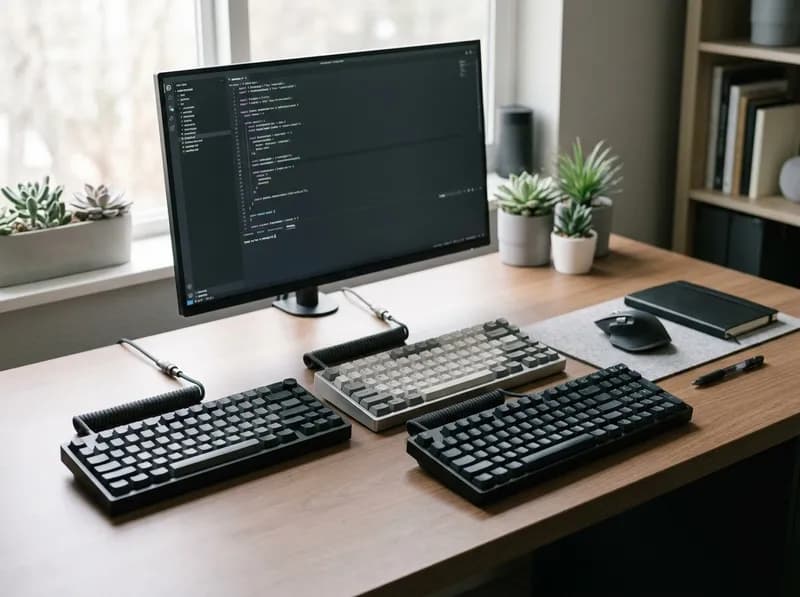
Choosing a Keychron keyboard sounds straightforward until you start comparing models. The V1 Max, Q1 Max, K2 HE, and Lemokey P1 HE may all look like reasonable choices for a compact desk, but they are built around different priorities. Case construction, wireless connectivity, switch technology, firmware, and customization options can vary considerably—even when two keyboards share a similar layout or model number.
The trick is to stop treating the catalog as a simple ranking from entry-level to premium. Keychron's product families overlap, and the most expensive model is not necessarily the best fit for your setup.
Start with five decisions:
Keyboard family: V, Q, K, HE, or Lemokey.
Layout: Full-size, 96%, TKL, 75%, 65%, 60%, or an alternative such as Alice.
Switch technology: Conventional mechanical, low-profile mechanical, or magnetic Hall Effect.
Connectivity: Wired USB, Bluetooth, 2.4 GHz wireless, or a combination.
Exact model and generation: Including the Pro, Max, Ultra, and HE distinctions.
Each decision answers a different question. The family helps narrow the field, the layout determines which keys you keep, and the switch and connectivity choices affect how the keyboard feels and behaves. The exact model determines whether the features you want are actually included.
This guide explains the differences between Keychron's main keyboard families, when their upgrades are worth paying for, and which specifications deserve a closer look before you buy. It also covers several easy-to-miss details: the firmware change from Max to Ultra, the limited compatibility of magnetic switches, the differences between K3 generations, and the limitations of Bluetooth for gaming and FileVault-protected Macs.
1. Keychron Keyboard Lineup: Which Family Should You Consider?
The quickest way to narrow your search is to identify what you want the keyboard to do. Keychron's families are useful starting points, but they are not rigid performance tiers.
Family | General positioning | Main reason to consider it | Main trade-off |
|---|---|---|---|
V | Value-oriented mechanical keyboards | Enthusiast features without automatically paying for premium case construction | Materials and internal designs vary by model |
Q | Premium mechanical keyboards | More substantial construction and extensive customization on many models | Higher cost and often greater weight |
K | Broad mechanical keyboard range | Low-profile designs, wireless configurations, and specific form factors | Features differ substantially across generations |
HE | Magnetic Hall Effect keyboards | Adjustable actuation and gaming-focused input features | Specialized features may add little value for ordinary typing |
Lemokey | Gaming-oriented keyboard brand | Gaming-focused combinations of construction, connectivity, and input features | Each model needs to be evaluated individually |
These categories overlap. A K-series keyboard may offer wireless features that a particular V model lacks. A Q HE is a premium magnetic keyboard, while a conventional Q model uses mechanical switches. Lemokey includes both conventional mechanical and magnetic gaming keyboards.
There are also other Keychron families worth knowing about. The C series includes straightforward wired mechanical keyboards, including entry-level options and selected gaming-oriented models. The B series focuses on slim, quiet office keyboards rather than the conventional mechanical experience associated with much of the catalog. Newer families may also appear as the lineup develops, so check Keychron's official catalog if you are looking for a specific category.
The quick recommendation
Best starting point for value: V series.
Best place to look for premium mechanical construction: Q series.
Best family to investigate for low-profile or particular wireless configurations: K series.
Best starting point for adjustable magnetic actuation: HE models.
Best route for gaming-focused alternatives: Lemokey, compared model by model with conventional Keychron and HE keyboards.
These recommendations help you choose where to look. They do not replace checking the exact model, switch option, layout, firmware, and connection modes.
2. How to Read Keychron Model Names
Keychron's naming system is useful once you understand its limits. The name often identifies the family and model, while a suffix points to a particular generation or configuration. It does not reliably tell you every hardware or software specification.
Consider three examples.
Keychron V1 Max: V identifies the family, 1 identifies the model, and Max identifies a particular configuration. You still need the product page to confirm its connectivity, switch options, firmware support, and other features.
Keychron Q1 Max: Q identifies the premium mechanical family. The 1 identifies the model and its 75% layout, while Max identifies the relevant generation and configuration. The published specifications include an aluminum body, hot-swappable mechanical switches, and wired, Bluetooth, and 2.4 GHz connectivity.
Keychron K2 HE: K2 identifies the model within the K family, while HE identifies its Hall Effect magnetic-switch design. It is not simply another version of the conventional mechanical K2 Max. Its adjustable actuation and Rapid Trigger features come from a different switch system.
Six details to check before buying
Naming or specification detail | What it helps identify | What you still need to verify |
|---|---|---|
Series | The broad product family | Materials, connectivity, and specific features |
Model number | The product within that family | Actual layout and dimensions |
Layout | Approximate key arrangement and footprint | Which keys are missing or relocated |
Switch technology | Mechanical, low-profile mechanical, or magnetic HE | Exact switch model and compatibility |
Suffix and generation | A particular revision or configuration | Firmware, wireless modes, and hardware changes |
Purchase configuration | Switch choice, color, keycaps, and regional layout | Whether the listing is assembled, barebones, or otherwise configured |
What do Pro, Max, and Ultra mean?
Treat these suffixes as clues, not universal specification labels.
Pro: Often identifies a generation with QMK/VIA support and, on many models, hot-swap capability. Features still vary by model.
Max: Often identifies a wireless configuration that adds 2.4 GHz alongside Bluetooth and wired connectivity. The exact feature set depends on the keyboard.
Ultra: Used on newer generations that can introduce a different firmware platform, higher polling rates, and longer rated battery life. It is not simply a faster Max.
HE: Identifies a Hall Effect magnetic-switch design. It changes the switch technology and introduces compatibility rules that do not apply to conventional mechanical boards.
The official Keychron comparison pages list multiple generations side by side. Shared model numbers and similar names are not enough to establish that two keyboards have the same hardware or software.
K2 Pro vs. K2 Max vs. K2 HE
The K2 family illustrates why reading the full model name matters.
Feature | K2 Pro | K2 Max | K2 HE |
|---|---|---|---|
Switch technology | Conventional mechanical | Conventional mechanical | Magnetic Hall Effect |
Connection modes | Bluetooth and wired | Bluetooth, 2.4 GHz, and wired | Bluetooth, 2.4 GHz, and wired |
Firmware or configuration | QMK/VIA | QMK/VIA | Keychron Launcher |
Hot-swap | Available on specified configurations | Available on specified configurations | Magnetic-switch-specific |
Barebones option | Listed for selected configurations | Check the current listing | Not generally offered as a conventional barebones kit |
Key distinction | Customization and build options | Adds 2.4 GHz wireless | Adjustable magnetic actuation |
For wireless gaming with conventional mechanical switches, the K2 Max is the more relevant comparison because it includes 2.4 GHz connectivity. The K2 Pro's Bluetooth and wired modes serve different needs.
If you want to assemble a keyboard using your own compatible mechanical switches and keycaps, check the K2 Pro's barebones availability. If you want adjustable magnetic actuation, the K2 HE belongs to a separate switch ecosystem. It is not just a K2 Pro or Max with different firmware.
Always check the current official listing before purchasing: options and specifications can differ by configuration and market.
3. Keychron Max vs. Ultra: Why Firmware Matters More Than the Polling-Rate Headline
The Ultra suffix can be misleading if you compare keyboards by their marketing specifications alone. The headline change from 1,000 Hz to 8,000 Hz is easy to understand, but firmware, customization tools, and battery life can have a greater impact on everyday ownership.
Max and Ultra compared
Feature | Max generation | Ultra generation |
|---|---|---|
Firmware | QMK, with VIA support on supported models | ZMK, configured through Keychron Launcher |
Polling rate | Commonly up to 1,000 Hz | Up to 8,000 Hz on specified Ultra 8K models |
Rated battery life | Varies by model; some are rated around 190–300 hours with backlighting off | Some current models are rated up to 660 hours with backlighting off |
Remapping workflow | VIA and/or Launcher, depending on model | Launcher-based configuration |
Barebones availability | Offered on many models | Generally less common |
Customization ecosystem | Established QMK/VIA tools and community resources | ZMK ecosystem, with a different configuration workflow |
These are generation-level tendencies, not guaranteed specifications for every keyboard. Confirm the exact model's product page and manual.
The important difference: QMK/VIA vs. ZMK
For someone buying their first Keychron keyboard, the firmware distinction may not matter much. For an enthusiast who has spent time configuring layers, macros, and shortcuts in VIA, it can be decisive.
Max models that support QMK/VIA fit into an established customization workflow. Ultra models using ZMK require a different configuration process through Keychron Launcher. Existing VIA layouts and familiarity with VIA do not automatically transfer to an Ultra board.
That is not a judgment that one firmware platform is universally better. It means the Ultra generation changes the software experience as well as the hardware specifications.
Keychron Launcher is browser-based. Its documented configuration workflow is designed for supported Chromium-based browsers, including Chrome and Edge. If you normally use Safari, check current compatibility guidance and be prepared to use another browser for configuration. Once settings are saved to the keyboard, you generally do not need to leave the configurator open.
Is 8,000 Hz polling worth paying for?
The difference is measurable. A 1,000 Hz polling rate corresponds to a reporting interval of 1 millisecond; 8,000 Hz corresponds to 0.125 milliseconds. The interval is therefore reduced by 0.875 milliseconds.
That is the theoretical difference between polling intervals, not a guarantee that every keystroke will arrive at the computer 0.875 milliseconds sooner. End-to-end input latency also depends on the keyboard's internal processing, connection, operating system, game, and other parts of the system.
For typing, office work, and most gaming, a 1,000 Hz Max model is already responsive. Most buyers are unlikely to notice a meaningful difference from polling rate alone.
An Ultra model makes more sense if you are a competitive player who wants the highest available polling specification, you want the newer generation's rated battery life, or you simply prefer its overall configuration. The combination of high polling and 2.4 GHz wireless is also relevant to buyers who want a wireless setup without relying on Bluetooth for gaming.
For many enthusiasts, however, firmware compatibility is the more practical decision. If your existing shortcuts and macros live in VIA, the Max generation may be the better purchase even when an Ultra model advertises a higher polling rate.
4. Keychron V vs. Q: Value or Premium Construction?
For buyers who want a conventional mechanical keyboard, the V-versus-Q comparison is often the most useful place to start.
The difference is not that every Q keyboard is automatically better than every V keyboard. It is that the Q family generally puts more emphasis on construction, while the V family aims to deliver useful enthusiast features at a more accessible price.
What changes when you move from V to Q?
V series: practical features without automatically paying for a premium case.
Many V models offer compact layouts, switch customization, remapping support, and selected wireless configurations. They are aimed at buyers who want more control over their typing experience without making premium materials the main part of the purchase.
Construction varies across the range. Mounting style, case materials, acoustic behavior, and wireless support should all be checked at the model level. It is not accurate to assume that every V keyboard uses the same mounting system or sounds the same.
Q series: a greater emphasis on case construction and customization.
Many Q models use machined aluminum cases and enthusiast-oriented internal designs. The Q1 Max, for example, has an aluminum body and a PC plate, with an assembled weight of approximately 1.72 kg according to its published specifications.
That weight can be an advantage if you want a substantial keyboard that stays planted on the desk. It is less appealing if you regularly carry your keyboard between workspaces.
The case is only one part of the typing experience. Switches, keycaps, stabilizers, plate design, and the exact mounting system all affect how a keyboard feels and sounds.
Everyday differences between V and Q
Consideration | V series | Q series | What it means in practice |
|---|---|---|---|
Case construction | Generally value-oriented; varies by model | Many models emphasize premium metal construction | Q can feel more substantial, but material alone does not guarantee a better typing experience |
Weight | Model-dependent | Often heavier, especially aluminum models | Q is usually less convenient to carry |
Typing sound | Depends on the complete design | Some models offer more elaborate internal construction | Compare actual models rather than relying on the series name |
Hot-swap | Available on selected models | Available on many models | Verify the supported switch type and socket |
Firmware and remapping | Supported on many models | Supported on many models | Both can offer extensive customization |
Wireless | Available on selected generations | Available on selected generations | Check wired, Bluetooth, and 2.4 GHz modes separately |
Barebones kits | Available on selected models | Available on many models | Useful if you want to choose your own compatible switches and keycaps |
Price | Usually the value-oriented option | Usually more expensive | The upgrade is worthwhile only if the additional features matter to you |
Is the Q series worth the extra money?
Consider a Q model if you specifically want an aluminum case, prefer a heavier keyboard, or value the construction and customization options available on that particular model. It can also be appealing if building and modifying keyboards is part of the hobby.
The V series is usually the more practical choice if your main priorities are typing, a useful layout, remapping, and the option to replace compatible switches. A less expensive board with switches and keycaps that suit your hands can be more satisfying than a premium keyboard whose extra construction features you barely notice.
This is why the V series remains a sensible starting point for many buyers: it focuses on features that are useful without requiring everyone to pay for a premium case.
Can you upgrade a V-series keyboard later?
Yes, within the limits of its design. Replacing compatible switches or keycaps can change the feel, sound, and appearance. Depending on the model, stabilizer adjustments or other modifications may also be possible.
But modifications have limits. They cannot turn a plastic case into an aluminum one or add wireless modes or firmware features that the hardware does not support. Some modifications may also affect warranty coverage.
Start with the stock keyboard. If you find a specific problem with the typing feel or sound, decide whether a modification is likely to solve it before buying additional parts.
My recommendation: Compare a V and Q model with the same layout and similar connectivity. If the Q's construction is something you actively want, the upgrade may be worthwhile. If you mainly care about layout, switch feel, and remapping, a V may give you everything you need for less.
5. Keychron K vs. V vs. Q: Where Does the K Series Fit?
The K series is harder to summarize because it covers a broad range of keyboards. Depending on the generation, you may find conventional mechanical models, low-profile designs, older wireless configurations, and newer Max or Ultra variants.
That makes K less of a middle tier between V and Q and more of a family to explore when a particular form factor or feature set catches your eye.
Two common reasons to choose K
Standard-height mechanical keyboards. Models such as the K2 Max combine a compact 75% layout with wired, Bluetooth, and 2.4 GHz connectivity. They can suit users who want a conventional mechanical keyboard that also works across multiple devices. Specified K2 Max configurations offer hot-swap and QMK-based customization.
Low-profile mechanical keyboards. Models such as the K3 Max use slimmer switches and keycaps. They are worth considering if you prefer a lower keyboard profile, use a laptop-style setup, or want something less bulky than a conventional mechanical board.
Low-profile does not mean universally more ergonomic. Wrist position, desk height, key travel, and personal preference still matter. Low-profile switches and keycaps also do not automatically fit standard-height mechanical keyboards.
K3 Version 2 vs. Version 3 vs. K3 Max
The K3 name is particularly easy to misread because different generations have different firmware and connectivity features.
K3 Version 2: An older low-profile design using Keychron's proprietary firmware rather than QMK/VIA. Its keycap compatibility is also more restricted than that of many conventional mechanical keyboards.
K3 Version 3 / K3 QMK: A QMK-based revision that adds a more open remapping workflow. Check the exact product name and manual because listings may use different naming conventions.
K3 Max: A newer wireless generation that adds 2.4 GHz connectivity alongside its other supported modes.
Marketplace titles and search results can mix these versions together. If you want VIA support, 2.4 GHz wireless, or a particular keycap set, confirm the generation rather than assuming that all K3 keyboards share the same features.
The same rule applies to the broader K family. K2, K2 Pro, K2 Max, and K2 HE are distinct configurations, not interchangeable names.
How K compares with V and Q
Choose K when a particular low-profile design, wireless configuration, or form factor is the main attraction.
Choose V when you want a value-oriented conventional mechanical keyboard with enthusiast features.
Choose Q when premium construction and a more substantial case are priorities.
There is considerable overlap. A wireless K Max may be more useful to someone who switches between devices than a wired V model. A wireless V Max may offer many of the same connection modes. A Q Max can combine wireless functionality with a premium case.
Which Keychron is best for Mac and office work?
Several V, Q, and K models support macOS, but you should still check the operating-system switch, modifier-key arrangement, included Mac keycaps, and remapping support. macOS compatibility does not mean every model offers identical shortcuts or firmware features.
One limitation matters if you plan to use a wireless keyboard with a Mac protected by FileVault: Bluetooth cannot be relied on to unlock the Mac at the FileVault pre-boot login screen. The Bluetooth environment may not be available at that stage. Keep a USB-C cable available and use a wired connection when necessary.
For office work, prioritize the layout and switch feel before the family name. Noise level, key feel, and access to the navigation keys you use every day can matter more than case material.
For a setup that moves between a laptop, desktop, and tablet, the right Bluetooth multi-device support may be more valuable than a heavier premium keyboard.
Do not assume every K-series model is wireless, low-profile, hot-swappable, or compatible with the same remapping software. Check the exact product documentation.
6. Keychron HE Explained: What Hall Effect Changes
HE stands for Hall Effect. A conventional mechanical switch registers a keypress through physical electrical contacts. A Hall Effect keyboard instead detects changes in a magnetic field as the switch moves.
This allows supported HE keyboards to measure key travel and offer adjustable actuation or dynamic reset behavior. Those features can be useful in certain games, but they do not automatically make a magnetic keyboard better for typing.
What do adjustable actuation and Rapid Trigger actually do?
Adjustable actuation lets you choose how far a key must travel before it registers, within the supported range. A shallower setting can register a press earlier, while a deeper setting can require more deliberate movement. The best setting depends on the player, game, and individual key.
Rapid Trigger changes how a key resets based on its movement instead of requiring it to return to a fixed reset point. This can help with repeated inputs in games where quick directional changes or repeated key presses matter.
Dynamic keystrokes and related functions can assign different actions to different points in a key's travel on supported models. These features are not universal to all magnetic keyboards, and their availability depends on the hardware and configuration software.
Keychron's official HE documentation explains how to configure actuation distance and Rapid Trigger through Keychron Launcher. Check the guide for your exact model before assuming that a feature shown in a general HE overview is supported.
Which Keychron HE models should you compare?
HE is a switch technology, not a single construction tier. Keychron offers magnetic models in different families, including K HE and Q HE variants.
Keychron K2 HE is a 75% magnetic keyboard with wired, Bluetooth, and 2.4 GHz connectivity. Its published specifications include adjustable actuation from 0.2–3.8 mm, Rapid Trigger, and a 1,000 Hz polling rate over wired and 2.4 GHz connections. Bluetooth is listed at 125 Hz. It is a useful starting point if you want magnetic gaming features without committing to a wired-only design.
Keychron Q1 HE 8K targets a different buyer. It combines a premium aluminum body with magnetic switches and wired connectivity, with an 8,000 Hz polling-rate mode and adjustable actuation listed from 0.1–3.35 mm. It is more relevant if you want that construction and performance specification than if wireless convenience is your main priority.
These specifications are model-specific. Other HE keyboards can have different actuation ranges, polling rates, connection modes, and switch compatibility.
Magnetic-switch compatibility: check before buying spares
One of the costliest mistakes in the HE category is assuming that all magnetic switches are interchangeable.
They are not. An ordinary MX-style mechanical switch will not work in a magnetic HE socket, and two Keychron HE keyboards may not accept the same magnetic switches even if both are hot-swappable.
The Q6 HE family illustrates the problem:
Keyboard | Published switch family | Compatibility to verify |
|---|---|---|
K2 HE | Gateron double-rail magnetic switches | Confirm supported double-rail magnetic replacements; ordinary MX switches and incompatible magnetic families will not work |
Q6 HE wireless | Gateron Double-Rail Magnetic Nebula | Check for supported double-rail magnetic switches; do not assume Jade or KS-20 compatibility |
Q6 HE 8K wired | Keychron Ultra-fast Lime Magnetic | Published compatibility includes the Lime and Gateron Jade magnetic families; do not assume compatibility with the wireless Q6 HE's Nebula switches |
The precise compatibility list should always come from the current manual or official product documentation. Do not rely on the phrase “magnetic switch” alone.
Owner discussions about other HE models, including the K4 HE, also point to a smaller selection of supported switch options than the conventional MX ecosystem. If trying different switch weights or stocking spare switches is part of the appeal, investigate the available options for the exact keyboard before buying.
The case against HE: what the marketing leaves out
Magnetic keyboards offer real capabilities, but they also involve compromises. The benefits are most apparent when you use the features they were designed for.
For ordinary typing, the difference may be small. Long-form reviews of models such as the Q1 HE have described their everyday typing experience as broadly similar to that of conventional mechanical alternatives. Adjustable actuation can change when a key registers, but it does not necessarily make the physical typing feel better.
The switch selection is much smaller. The conventional mechanical ecosystem offers a wide range of linear, tactile, and clicky switches. Magnetic options are far more limited and tend to focus on linear designs. If you want a pronounced tactile bump or a clicky switch, HE is a much narrower category to shop in.
Sound is model-dependent, and stock HE boards are not automatically quieter or better sounding. Magnetic switch construction can change the mass and acoustics of the moving components. The resulting sound depends on the switch, case, plate, stabilizers, keycaps, and internal design. A well-tuned mechanical keyboard can still be the more appealing option for someone who cares mainly about typing sound.
Competitive input features can create rule issues. Some SOCD-style functions, including features marketed under names such as Snap Tap, have been restricted or banned in certain competitive games. Rules differ by title, tournament, and update. If you compete, check the current rules for your specific game before relying on these functions.
The performance advantage is not equally useful to every player. Adjustable actuation can help some players, but changing the actuation point may also require them to relearn how much key travel they expect. For someone who plays casually or mainly types, that adjustment may offer little practical benefit.
Rated lifespan is not a guarantee. Category-level claims sometimes put magnetic switches at around 100–150 million actuations and conventional mechanical switches at around 50–100 million. Such estimates are not directly comparable guarantees for individual products. A contact-free sensing design reduces certain wear points, but it does not eliminate wear in every part of the switch or keyboard.
None of this makes HE a poor choice. It makes it a specialized choice. If adjustable actuation and Rapid Trigger address a real gaming need, HE is worth considering. If you primarily want a comfortable, customizable keyboard for writing, the extra cost may be better spent on the layout, switches, keycaps, or construction you actually prefer.
7. Lemokey vs. Keychron: How to Compare Them
Lemokey is Keychron's gaming-focused brand, launched in 2023. It is not a separate switch technology. Its range includes conventional mechanical keyboards as well as magnetic HE models.
The useful question is therefore not whether Lemokey is better than Keychron in general. It is whether a particular Lemokey model offers a better combination of construction, connectivity, gaming features, and price than the closest Keychron alternative.
The main Lemokey product types
Lemokey P1: conventional mechanical. The P1 is a wireless customizable mechanical keyboard with QMK/VIA support. It has been offered in ANSI and multiple ISO layouts, including barebones configurations. It is an example of a gaming-oriented keyboard that does not require magnetic switches. Compare it with a suitable Q, K, or V model based on the case, layout, connectivity, and customization features you need.
Lemokey P1 HE: magnetic gaming. This model combines a gaming-oriented design with magnetic switches and wireless connectivity. It is a more direct comparison with wireless Keychron K HE models than with a conventional mechanical board.
Lemokey L series: premium wireless gaming. The L3 is a CNC aluminum TKL keyboard with a double-gasket design, a dedicated macro column, 2.4 GHz wireless at a listed 1,000 Hz polling rate, and QMK/VIA support. The L1 offers a related TKL design aimed at low-latency wireless gaming. These are worth comparing with Q-series keyboards when premium construction and gaming connectivity are both important.
Lemokey X series: straightforward wired options. The X series includes wired mechanical keyboards at different price points and layouts. It is relevant if you want a gaming-oriented keyboard without paying for a premium wireless configuration.
Product names and specifications can change across generations, so confirm the current listing before treating these features as universal to the range.
Which Lemokey models should you compare?
Your priority | Models or families to compare |
|---|---|
Premium conventional mechanical construction | Lemokey P1 or L3 vs. a comparable Q or K model |
Wireless conventional mechanical keyboard | Lemokey P1 vs. K Max or V Max, depending on construction and budget |
Wireless magnetic gaming keyboard | Lemokey P1 HE vs. Keychron K2 HE |
Premium wired magnetic gaming keyboard | Relevant Lemokey HE models vs. Q HE models |
Lower-cost wired gaming keyboard | Lemokey X series vs. entry-level Keychron C or other wired models |
Lemokey is worth a look when its particular mix of features and price fits your setup. Do not assume every Lemokey is wireless, that every model uses magnetic switches, or that a gaming-focused product necessarily performs better than a similarly priced Keychron.
8. Keychron Family Comparison: Features at a Glance
The following table summarizes broad tendencies rather than guaranteeing the specifications of every model.
Feature | V | Q | K | HE | Lemokey |
|---|---|---|---|---|---|
Main positioning | Value-oriented enthusiast | Premium mechanical | Broad mechanical and low-profile range | Magnetic-switch category | Gaming-focused brand |
Typical price range | Lower to midrange | Midrange to premium | Broad range | Varies by construction and connectivity | Broad range |
Construction | Often plastic-based | Many metal-bodied models | Varies, including slim designs | Depends on the specific HE model | Includes metal and other designs |
Conventional mechanical switches | Yes, on standard models | Yes, on standard models | Yes, on standard models | Not the defining switch technology | Yes, on non-HE models |
Magnetic Hall Effect switches | Not a defining feature | Available in Q HE variants | Available in K HE variants | Core category | Available on selected models |
Low-profile options | Not a defining feature | Not a defining feature | Available on selected models | Depends on the model | Depends on the model |
Bluetooth | Selected wireless models | Selected wireless models | Available on many models | Model-dependent | Model-dependent |
2.4 GHz | Selected Max/Ultra models | Selected Max/Ultra models | Available on many Max/Ultra models | Model-dependent | Available on selected models |
Polling-rate ceiling | Up to 8K on specified Ultra models | Up to 8K on specified Ultra and HE 8K models | Model-dependent | Up to 8K on specified wired HE 8K models | Model-dependent |
Firmware | QMK/VIA on supported models; ZMK on Ultra | QMK/VIA on supported models; ZMK on Ultra | Varies by generation | Keychron Launcher configuration | QMK/VIA on supported P and L models |
Hot-swap | Selected models | Many models | Selected models | Magnetic-switch-specific compatibility | Model-dependent |
Gaming features | Model-dependent | Model-dependent | Includes HE variants | Adjustable actuation and other supported features | Varies, including HE options |
Customization | Good on supported models | Often extensive | Varies by model | Depends on magnetic switch and software support | Varies by model |
Best-fit buyer | Value-conscious typist | Construction-focused enthusiast | Buyer seeking a particular form factor or connection | Gamer who wants magnetic input features | Buyer seeking a gaming-oriented design |
The central point is that a family name is only a filter. A K Max and a K HE can use different switch technology. A Q Max and Q HE can differ in connectivity, input behavior, and intended use.
For exact model comparisons, use Keychron's official keyboard comparison tool and manual library. Manuals are particularly useful for checking connection modes, key combinations, firmware procedures, and model-specific limitations.
9. Choose the Layout Separately From the Series
The family tells you what kind of keyboard you are looking at. The layout determines which keys are available and how much desk space the keyboard occupies.
Common keyboard layouts
Full-size (100%). Includes a dedicated number pad. It suits spreadsheets, accounting, and people who enter numbers frequently, but it takes up the most horizontal desk space.
96% / compact full-size. Retains the number pad while compressing the layout. The tighter spacing and relocated keys can take some adjustment.
TKL / 80%. Removes the number pad while retaining a function row and dedicated navigation keys. It is a good general-purpose option for office work and gaming if you rarely use a numpad.
75%. Usually retains the function row, arrow keys, and a compact navigation cluster. For many users, it offers a useful balance between desk space and dedicated keys.
65%. Reduces the footprint further, typically removing the function row while retaining dedicated arrow keys and a smaller navigation arrangement.
60%. Prioritizes a minimal footprint. Many functions are accessed through layers or key combinations, so it is best for people comfortable with shortcuts.
Alice and split layouts. Keychron also offers Alice-style keyboards in formats such as 75% and 96%. The angled layout changes finger reach and hand positioning. Some users find it more comfortable, but it takes adjustment and should be treated as a personal preference rather than a guaranteed ergonomic improvement.
Which layout makes sense for your work?
Primary use | Layout to start with | Main trade-off |
|---|---|---|
Spreadsheets and numerical entry | Full-size or 96% | Takes more desk space |
Office work and programming | 75% or TKL | Some dedicated keys may be omitted |
Competitive gaming | 75%, TKL, or 65% | Depends on the game and preferred controls |
Small desk | 65% or 75% | Smaller layouts may require more shortcuts |
Minimalist setup | 60% | Greater reliance on function layers |
Frequent function-key use | 75% or TKL | Preserves a dedicated function row |
Percentages are approximate layout conventions, not exact measurements. Check the product's dimensions and key arrangement, particularly for 96%, Alice, and other less conventional designs.
If you regularly use the function row, arrow keys, or navigation cluster, do not choose a smaller keyboard solely because it looks cleaner. The space saved may not be worth the extra shortcuts.
10. Choose Connectivity and Switch Type
Once you have narrowed the family and layout, decide how you want the keyboard to connect and feel. These choices can have more impact on everyday use than the difference between a plastic and aluminum case.
Wired vs. Bluetooth vs. 2.4 GHz
Connection | Best suited to | Trade-offs |
|---|---|---|
Wired USB | Desktop gaming, charging-free operation, simple setups | Uses a cable and a USB port |
Bluetooth | Switching between supported computers, tablets, and other devices | Lower polling rates on many models |
2.4 GHz wireless | Wireless desktop use and gaming on supported models | Requires a compatible receiver and battery charging |
Multiple connection modes | Users switching between work and personal devices | The number of devices and supported modes varies by model |
For gaming, distinguish Bluetooth from 2.4 GHz. A wireless keyboard is not automatically unsuitable for gaming, but Bluetooth is generally the less appropriate mode for competitive play on these models.
Keychron's published specifications list Bluetooth polling rates such as 90 Hz or 125 Hz on some keyboards, compared with 1,000 Hz for many wired and 2.4 GHz modes and up to 8,000 Hz on specified Ultra or HE 8K configurations.
Those numbers vary by model and connection. Check the specification for the exact keyboard rather than assuming every wireless mode behaves the same way.
For competitive play, use wired USB or the keyboard's 2.4 GHz receiver when supported. Bluetooth is often perfectly adequate for office work, browsing, and multi-device convenience.
Linear, tactile, clicky, low-profile, or magnetic?
Conventional mechanical switches come in different feel and sound profiles. Linear switches move without a pronounced tactile bump. Tactile switches have a noticeable bump, while clicky switches add an audible click. There is no universally best option: actuation force, noise, travel, and personal preference all matter.
Low-profile mechanical switches use a slimmer switch and keycap design. They can suit people who prefer a lower keyboard or a laptop-like setup, but their components are not necessarily interchangeable with standard-height mechanical parts. Some low-profile families also have more restricted keycap compatibility.
Magnetic Hall Effect switches support adjustable actuation and other features on compatible keyboards. Their sockets and switch designs are not interchangeable with ordinary mechanical hot-swap sockets. Even two Keychron HE boards may accept different magnetic switch families.
Why hot-swap and firmware support matter
Hot-swap lets you replace compatible switches without soldering. It is useful if you want to experiment with switch feel or replace a failed switch, but it does not mean that every switch will fit. The limitation is especially important with HE boards.
Firmware matters if you want custom shortcuts, macros, layers, or application-specific layouts. Keychron models use different combinations of QMK, VIA, and Keychron Launcher. Ultra models using ZMK introduce a different configuration workflow, so existing VIA layouts will not simply carry over.
Check the official product page and manual before buying for a specific customization feature.
If this is your first mechanical keyboard, a preassembled model with the right layout and switches is usually the easiest starting point. You can explore modifications later if you find a feature you genuinely need.
11. Which Keychron Should You Buy? Recommendations by Buyer Profile
Instead of trying to rank every keyboard in the catalog, start with your main priority and compare the models that meet it.
Buyer profile | Best starting point | Alternative | Why |
|---|---|---|---|
Everyday typing on a budget | V series | K series | Useful features without automatically paying for premium construction |
Premium mechanical setup | Q series | Premium Lemokey P model | More emphasis on construction and customization |
Mac and office use | K Max or V Max | Q Max | Compare macOS support, connectivity, noise, and layout |
Wireless multi-device use | K Max or V Max | Q Max or Lemokey P1 | Check device switching and connection modes |
Competitive gaming with magnetic features | HE models | Lemokey HE models | Adjustable actuation may help with specific game mechanics |
Competitive gaming with conventional mechanical switches | Supported 2.4 GHz Max or Ultra models | Lemokey L series | Low-latency wireless without moving to magnetic switches |
Low-profile typing | K3 Max or K3 QMK generation | Other current low-profile models | Confirm the generation and firmware |
Small desk | 65% or 75% in a suitable family | Low-profile K model | Layout and dimensions matter more than the family name |
Customization enthusiast | Q or V Max with suitable barebones availability | K Pro or Lemokey P | Match firmware, mounting, and parts availability |
Existing VIA user | A supported QMK/VIA model | Compatible V, K Max, or Lemokey P/L | Avoid switching to ZMK unless you are comfortable with the new workflow |
Beginner | Preassembled V or K model | Conventional wired model | Easier to use without paying for features you may not need |
Still undecided | Compare V, K, and Q models first | Add HE or Lemokey if relevant | Budget, connection, and layout narrow the field quickly |
Three practical buying scenarios
Scenario A: A daily work keyboard on a moderate budget
Start by comparing the V1 Max and K2 Max. Both offer compact 75% layouts and, in the relevant configurations, hot-swap, remapping, and wireless connectivity.
The choice comes down to the exact construction, feature set, price, and switch options. The K2 Max belongs to the broader K family, while the V1 Max is positioned as a value-oriented enthusiast board. Compare the current complete configurations rather than relying on the model names alone.
Scenario B: A premium mechanical keyboard for writing and programming
Start with the Q1 Max if you want an aluminum case, wireless connectivity, and a substantial build. Then compare it with the V1 Max at its current price.
If the heavier case and premium construction matter to you, the Q1 Max may justify the extra cost. If your main requirements are a suitable layout, comfortable switches, and remapping, the less expensive model may be just as useful for your work.
Scenario C: A gaming keyboard with adjustable actuation
Compare the K2 HE and Q1 HE 8K. The K2 HE combines magnetic features with Bluetooth and 2.4 GHz wireless. The Q1 HE 8K pairs a premium aluminum body with wired connectivity and an 8,000 Hz polling-rate mode.
Decide whether wireless convenience or the Q model's construction and performance specification matters more. If you choose an HE keyboard, also check its supported magnetic switch family before buying spares.
These are starting points, not claims that one model wins every test. Prices, stock, configurations, and available switch options can change.
12. A Simple Decision Tree for the Keychron Lineup
If you are still unsure, work through these questions in order.
1. What matters most?
Value and everyday typing → Start with V; compare K if its form factor or connectivity is attractive.
Premium construction → Start with Q.
Competitive gaming features → Compare HE and gaming-focused Lemokey models.
Low-profile design → Explore K, paying attention to the generation.
2. Which connection modes do you need?
Wired only → Consider suitable V/Q base models, C series, or Lemokey X.
Bluetooth and 2.4 GHz → Look at supported Max or Ultra configurations.
Bluetooth multi-device convenience → Compare K Max, V Max, and relevant older wireless K models.
3. Which layout works for you?
Need a number pad → Full-size or 96%.
Want dedicated navigation keys without a numpad → TKL or 75%.
Want a smaller footprint → 65% or 60%.
Prefer an Alice layout → Check current V and Q Alice models.
4. Which firmware ecosystem do you want?
Need QMK/VIA or want to keep existing VIA layouts → Choose a model whose official specifications explicitly confirm support.
Comfortable using ZMK and Launcher → Consider compatible Ultra models.
Do not need custom mappings → Firmware may be a secondary consideration, but check any model-specific limitations.
5. Which switch technology do you want?
Conventional mechanical → V, Q, K, or non-HE Lemokey.
Low-profile mechanical → Relevant K models and other compatible low-profile designs.
Magnetic switches with adjustable actuation → HE models; confirm the compatible switch family for the exact board.
The broad logic is simple: choose HE when magnetic input features solve a real problem; Q when premium construction matters; V when value and conventional customization lead; K when a particular form factor or wireless configuration is the deciding factor; and Lemokey when its gaming-focused design offers the right combination of features and price.
13. Common Mistakes When Buying a Keychron Keyboard
Most buying mistakes come from assuming that two similarly named keyboards share the same features. These are the details worth checking before placing an order.
Choosing by series name alone. A K HE and K Max may use different switch technologies and serve different purposes. Read the exact product specification.
Assuming every model is wireless. Wired V, Q, C, and Lemokey products exist alongside wireless variants. Check Bluetooth and 2.4 GHz support separately.
Confusing magnetic and conventional switches. A mechanical hot-swap socket is not the same as an HE magnetic socket.
Assuming all Keychron magnetic switches are interchangeable. The wireless Q6 HE and wired Q6 HE 8K use different magnetic switch families. Buy replacements for the exact board.
Treating Ultra as a faster Max. Ultra can change the firmware to ZMK and the configuration workflow to Launcher. If you depend on VIA, this may matter more than the polling rate.
Assuming every model supports QMK or VIA. Firmware varies by model and generation. The K3 line is a good example: older versions do not have the same QMK support as later revisions.
Paying for construction you do not need. An aluminum case can feel substantial, but it is not automatically more comfortable or better for every typist.
Choosing a compact layout without checking the missing keys. A 65% keyboard may save desk space but require function-layer shortcuts for tasks you previously handled with dedicated keys.
Assuming wireless is bad for gaming. The important distinction is the connection mode and its specifications. Supported 2.4 GHz modes can be suitable for gaming; Bluetooth is generally the less appropriate choice for competitive play.
Using every magnetic gaming feature without checking the rules. Certain input functions have been restricted in some competitive titles. Verify the current rules for your game or tournament.
Comparing sale prices with regular prices. A barebones kit, a fully assembled keyboard, and a different switch configuration are not equivalent purchases. Compare the complete configuration you actually want.
Confusing model generations. K2, K2 Pro, K2 Max, and K2 HE are not interchangeable names. The same applies to K3 Version 2, K3 QMK/Version 3, and K3 Max.
Assuming a higher price guarantees a better typing experience. Switch feel, keycap profile, stabilizers, layout, sound, and personal preference all affect the experience. Construction is only one part of the equation.
14. Keychron Arrival Inspection: What to Check Before the Return Window Closes
A new keyboard should not require extensive troubleshooting, but checking it soon after delivery makes it easier to resolve any problems while the return or exchange window is open.
Set aside about 20 minutes for these basic checks.
Test every key. Use a keyboard tester to confirm that every key registers. Check for missed inputs, repeated characters, and chattering, where a single press registers more than once.
Listen to the stabilizers. Test the spacebar, Shift, Enter, and Backspace. Some rattle can be adjusted, depending on the design, but severe or distracting noise on a premium board is worth documenting before the return period expires.
Test the connection modes you plan to use. Check wired operation, Bluetooth pairing, and 2.4 GHz connectivity if your model supports them. Reconnect after sleep or a restart to make sure the keyboard behaves as expected.
Confirm charging and battery behavior. For a wireless model, check that it charges correctly and that the battery indicator behaves as described in the manual.
Inspect the case and keycaps. Look for visible damage, gaps, unusual flex, damaged keys, or missing parts.
Check the accessories. Confirm that the receiver, cable, keycap puller, spare keycaps, and other advertised items are present.
Verify the exact configuration. Make sure the box contains the assembled or barebones version, switch type, color, and regional layout you ordered.
Save your documentation. Keep the packaging, order details, and photos of any visible defects until you are satisfied with the keyboard.
If you notice a problem, document it and contact the seller or manufacturer rather than assuming you need to repair it yourself. Do not open or modify the keyboard while deciding whether to return it.
These checks are not a reason to avoid Keychron. They are a sensible way to protect any keyboard purchase, especially when multiple configurations look similar in online listings.
15. Frequently Asked Questions
What is the difference between Keychron V and Q?
The V series generally emphasizes value and enthusiast features, while the Q series puts more emphasis on premium construction, often including metal cases. Both have customizable models, but switch compatibility, firmware, and connectivity depend on the exact keyboard.
Is Keychron K better than V?
Neither is universally better. K is a broad family that includes low-profile and wireless-oriented keyboards. V is a more focused value-oriented mechanical family. Compare the models by layout, connectivity, switch compatibility, firmware, and construction.
Is the Keychron Q series worth the extra money?
It can be if you value the case construction, weight, and customization options of a particular Q model. If you mainly need a good layout, comfortable switches, and remapping, a V-series keyboard may be better value.
What does Ultra mean on a Keychron keyboard? Is it just faster than Max?
No. Ultra models can move from QMK/VIA to ZMK with Keychron Launcher configuration, while offering features such as 8,000 Hz polling on specified models and longer rated battery life. If your existing layouts and macros rely on VIA, the firmware change may be more important than the higher polling rate.
Is an 8,000 Hz polling rate worth it?
For most users, it is not a necessary upgrade. The theoretical difference between 1,000 Hz and 8,000 Hz polling intervals is 0.875 milliseconds, but this is not a guarantee of the same reduction in total input latency. High-level competitive players may value the specification, while most typists and casual gamers are unlikely to notice a meaningful difference.
What does HE mean on a Keychron keyboard?
HE stands for Hall Effect. These keyboards use magnetic sensing and can support adjustable actuation, Rapid Trigger, and other gaming-oriented functions. The available features and compatible switches depend on the model.
Are Keychron HE keyboards worth it for typing rather than gaming?
They can work well for typing, but magnetic actuation is not automatically a typing upgrade. HE switch options are more limited than the conventional mechanical market and tend to favor linear designs. If your priorities are typing feel, sound, and switch variety, compare a conventional mechanical model before paying extra for HE features.
Which switches work in a Keychron HE keyboard?
Only magnetic switches that the particular board supports. Ordinary MX mechanical switches will not work, and two Keychron HE keyboards may accept different magnetic switch families. For example, the wireless Q6 HE and wired Q6 HE 8K use different published switch families. Check the current compatibility documentation before buying replacements.
Is the Keychron K2 HE good for gaming?
The K2 HE is worth considering if you want adjustable magnetic actuation, Rapid Trigger, and wireless connectivity in a 75% layout. Its published specifications list an actuation range of 0.2–3.8 mm and a 1,000 Hz polling rate over wired and 2.4 GHz connections, with Bluetooth listed at 125 Hz. Use wired or 2.4 GHz for competitive play, and check your game's rules before relying on specialized input features.
What is the difference between Keychron K2 Pro and K2 Max?
The K2 Max adds 2.4 GHz wireless to Bluetooth and wired connectivity, while the K2 Pro is limited to its listed Bluetooth and wired modes. Both support QMK/VIA in the relevant configurations, but barebones availability and other details should be confirmed on the current product pages.
What is the difference between K3 Version 2, Version 3, and K3 Max?
K3 Version 2 is an older low-profile design using proprietary firmware rather than QMK/VIA. The K3 QMK/Version 3 revision offers QMK-based remapping, while the K3 Max is a newer wireless generation with 2.4 GHz connectivity. Check the exact model and manual because online listings may use inconsistent naming.
Can a wireless Keychron keyboard unlock a Mac protected by FileVault?
Do not rely on Bluetooth at the FileVault pre-boot login screen. Bluetooth may not be available at that stage, so keep a USB-C cable available and use a wired connection when needed. A keyboard that works wirelessly after macOS loads may not work for every pre-boot login step.
Do all Keychron keyboards support QMK and VIA?
No. Support varies by model, generation, and sometimes configuration. Many V, Q, K Max, and Lemokey P/L models offer QMK-based customization with VIA or other supported tools. Ultra models using ZMK follow a different workflow, while older K models may use proprietary firmware. Confirm the exact product's official documentation.
What is the difference between Lemokey and Keychron?
Lemokey is Keychron's gaming-focused brand. It includes conventional mechanical and magnetic keyboards, so the difference is mainly in product positioning and the features of individual models—not a universal difference in switch technology. Compare a Lemokey keyboard with the closest Keychron alternative.
Which Keychron series is best for Mac?
Several V, Q, and K models support macOS. Check the operating-system switch, included Mac keycaps, modifier-key arrangement, and connectivity options. Also remember the FileVault limitation with Bluetooth at the pre-boot login screen. Choose based on the complete configuration rather than the family name alone.
What should I check when my Keychron keyboard arrives?
Test every key for missed or repeated inputs, listen for stabilizer rattle, check the connection modes and charging, inspect the case and keycaps, and confirm that the accessories and configuration match your order. Keep the packaging until you are satisfied with the keyboard and the return window has passed.
16. Final Recommendation: Choose the Family, Then the Exact Model
The Keychron lineup becomes much easier to navigate once you stop treating it as a single ladder from budget to premium.
V: Start here for value-oriented conventional mechanical keyboards with useful customization features.
Q: Consider this family when premium construction and a more substantial case are worth paying for.
K: Explore it for low-profile designs, wireless configurations, and particular form factors—but check the generation.
HE: Choose magnetic keyboards when adjustable actuation and related gaming features solve a real problem. Confirm switch compatibility before buying spares.
Lemokey: Compare its gaming-focused models with the closest Keychron alternatives, whether conventional mechanical or magnetic.
After choosing a family, settle on the layout, connection modes, and switch type. Then check the exact model's firmware, compatibility, included configuration, and current price.
For some buyers, the right choice will be a Q-series aluminum keyboard. For others, a V-series board will deliver the same practical value where it matters most. A K-series model may be the better fit for a low-profile setup, while an HE keyboard makes sense when its magnetic input features are genuinely useful.
The best Keychron keyboard is not necessarily the most expensive or the newest. It is the one whose layout, switches, connectivity, and software fit the way you actually work or play.
Related GuidesMore →
Best Lenovo Legion Gaming Laptops in 2026: Which Model Should You Buy?
Lenovo Legion's 2026 lineup includes gaming laptops, handheld PCs, Android tablets, desktop towers, and gaming monitors. This guide explains the differences between the Legion 5, Pro 5, 7i, Pro 7i, and flagship 9i, along with the newer 7a models and the entry-level LOQ series. Compare GPU power, displays, upgrade options, U.S. prices, and independent test results to find the right system for your budget and gaming needs.
Best 75% Keyboards in 2026: Top Picks for Gaming, Work, and Everyday Use
Looking for the best 75% keyboard for gaming, work, or everyday typing? This guide compares six keyboards across different budgets and priorities, including the Keychron V1 Max, EPOMAKER x AULA F75, WOBKEY Rainy75, NuPhy Air75 V3, Wooting 80HE, and ASUS ROG Azoth. Compare dimensions, connectivity, switch compatibility, battery claims, customization, and approximate U.S. prices to find a keyboard that fits your workflow and desk.
How to Choose a JBL Bluetooth Speaker: Go, Clip, Flip, Charge, Xtreme, and Boombox Compared
Choosing a JBL Bluetooth speaker is easier when you match the model to how you actually listen. This guide compares the Go 5, Clip 5, Grip, Flip 7, Charge 6, Xtreme 5, Boombox 4, and PartyBox lineup by sound, portability, battery life, durability, and price. Find out which JBL speaker suits travel, everyday listening, outdoor gatherings, or parties, and when an older generation may offer better value than the newest model.