eero Router Buying Guide 2026: eero 7 vs. Pro 7 vs. Max 7
Choosing an eero mesh Wi-Fi system in 2026 means weighing more than Wi-Fi generations. This guide compares the eero 7, Pro 7, Max 7, PoE 7, Outdoor 7, Pro 6E, and older eero 6 models using official specifications, independent test results, and current U.S. prices. Find the right system for your internet speed, home layout, Ethernet wiring, and budget, while understanding warranty differences and subscription costs.
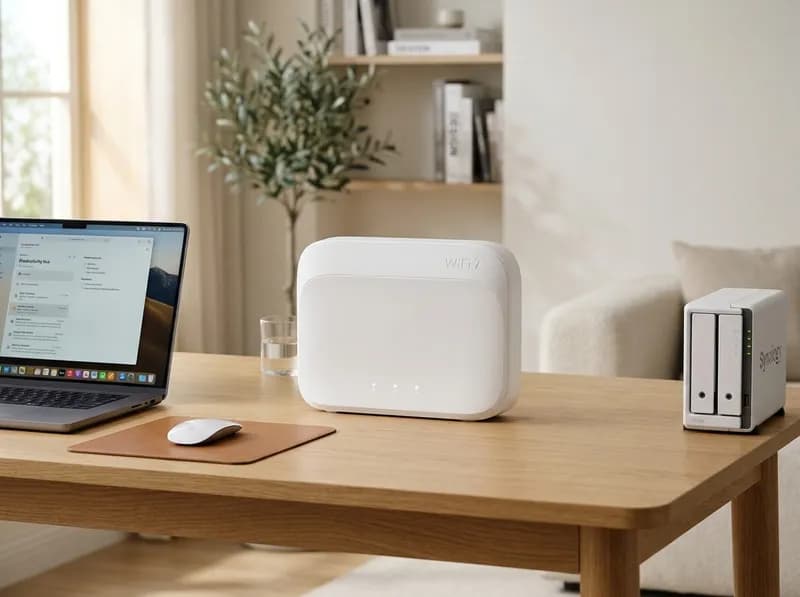
For most U.S. households, the eero 7 at $169.99 is the sensible starting point. The eero Pro 7 at $269.99 street price makes more sense if you need 6 GHz Wi-Fi and 5GbE ports. The eero Max 7 at $529.99 is worth considering when your network can take advantage of 10GbE connections and high-end wireless performance.
But the newest model isn't always the best buy. If you already own an eero 6+, upgrading to the eero 7 may deliver only a modest improvement. WIRED found the newer model only slightly faster than its predecessor and rated the older eero Pro 6E more favorably on value. And if your home has Ethernet wiring, connecting mesh nodes by cable can improve performance more than spending hundreds of dollars on a more expensive router.
The rest of the lineup serves more specific needs. The eero PoE 7 is designed for wired wall or ceiling installations, while the Outdoor 7 extends coverage to patios, yards and detached buildings. Older models such as the eero 6+ and Pro 6E remain worth considering when discounts make them substantially cheaper.
This guide compares every major eero model available in the U.S., including official specifications, independent test results, current listed prices, warranty differences and subscription costs. It also covers the installation requirements and network limitations that can make a seemingly good purchase less appealing.
Quick verdict: Which eero should you buy?
Your situation | Recommended model | Price to look for | Why it makes sense |
|---|---|---|---|
Most households | eero 7 | $169.99 | Affordable Wi-Fi 7, two 2.5GbE ports and a three-year warranty |
Multi-gigabit internet and 6 GHz devices | eero Pro 7 | $269.99 street | Tri-band Wi-Fi 7 and two 5GbE ports |
10GbE networking or demanding wired setups | eero Max 7 | $529.99 street | Two 10GbE ports, two 2.5GbE ports and excellent measured performance |
Home with Ethernet cabling | eero PoE 7 | $499.99 | Wall- or ceiling-mounted Wi-Fi 7 access point |
Yard, patio or detached garage | eero Outdoor 7 | $319 street | Weather-resistant design and outdoor coverage |
Affordable 6 GHz Wi-Fi | eero Pro 6E | $179.99–$199.99 | Tri-band Wi-Fi 6E, especially attractive in discounted multipacks |
Lowest-cost gigabit-class setup | eero 6+ | Around $139.99 | Mature Wi-Fi 6 hardware and a large review base |
Prices are U.S. reference prices checked October 29, 2026. Retail promotions and multipack pricing change frequently.
Three things matter more than the model name:
6 GHz is not included in every Wi-Fi 7 eero. The eero 7 and Outdoor 7 are dual-band models. The Pro 7 and Max 7 add 6 GHz.
Wired backhaul can outperform a more expensive wireless mesh. If you can run Ethernet between nodes, prioritize that before upgrading the hardware.
Warranty coverage differs by generation. eero's Wi-Fi 7 products carry a three-year limited warranty, including retroactive coverage for earlier purchases under the announced policy. Older models generally carry one year.
1. The complete eero lineup in 2026
eero's current range includes conventional mesh routers, a high-end Wi-Fi 7 model, a wired access point, an outdoor unit and older Wi-Fi 6 and Wi-Fi 6E systems. The right choice depends on the network you want to build, not simply how recently a model launched.
Model | Wi-Fi generation | Ethernet ports per unit | Official coverage | Limited warranty | Listed price |
|---|---|---|---|---|---|
eero 7 | Wi-Fi 7, dual-band | 2 × 2.5GbE | Up to 2,000 sq ft | 3 years | $169.99 |
eero Pro 7 | Wi-Fi 7, tri-band | 2 × 5GbE | 2,000–2,500 sq ft, depending on eero's documentation | 3 years | $299.99 |
eero Max 7 | Wi-Fi 7, tri-band | 2 × 10GbE, 2 × 2.5GbE | Up to 2,500 sq ft | 3 years | $599.99 |
eero PoE 7 | Wi-Fi 7, tri-band | 2 × 10GbE, one with PoE+ | Up to 2,000 sq ft | 3 years | $499.99 |
eero Outdoor 7 | Wi-Fi 7, dual-band | 1 × 2.5GbE PoE+ | Up to 15,000 sq ft in eero's support documentation | 3 years | $399.99 |
eero Pro 6E | Wi-Fi 6E, tri-band | 1 × 2.5GbE, 1 × 1GbE | Depends on configuration | 1 year | $199.99 |
eero 6+ | Wi-Fi 6, dual-band | 2 × 1GbE | Up to 1,500 sq ft | 1 year | Check current offer |
eero 6 | Wi-Fi 6, dual-band | 2 × 1GbE on router | Up to 1,500 sq ft | 1 year | $89.99 |
A few specifications deserve particular attention.
First, the eero PoE 7 is listed at $499.99, not $599.99. That distinction matters when comparing it with ceiling-mounted access points from other networking brands.
Second, the Pro 6E has one 2.5GbE port and one Gigabit Ethernet port. It does not have two Gigabit ports. Its published wireless-rate figures also vary between eero's product and support pages, so those figures should not be treated as directly interchangeable.
Third, eero's own documentation gives different coverage figures for the Pro 7 and different connected-device figures for the Max 7. Those inconsistencies are worth acknowledging rather than treating the larger number as a guarantee.
Wi-Fi 6, Wi-Fi 6E and Wi-Fi 7: what's the practical difference?
Wi-Fi 6 uses the 2.4 GHz and 5 GHz bands. Wi-Fi 6E adds 6 GHz, while Wi-Fi 7 introduces features such as Multi-Link Operation (MLO) and wider channels.
However, the eero 7 is a dual-band Wi-Fi 7 router, so it does not offer a 6 GHz connection. The Pro 7 and Max 7 do.
The 6 GHz band can provide faster connections and more available spectrum, particularly in crowded environments. Its shorter range, however, makes placement important. A laptop in the same room as a Pro 7 may benefit considerably more than a phone several walls away.
MLO can let compatible devices use multiple supported links, but it does not mean every phone or laptop automatically combines every available band.
Finally, advertised wireless speeds are theoretical maximums, not promises of single-device download speeds. Actual performance depends on client hardware, distance, interference, backhaul and the internet connection itself.
2. What independent reviews say about eero performance
Specifications explain what a router supports. Independent testing helps establish whether those capabilities translate into better performance or value.
eero Max 7: the performance leader
RTINGS rated the Max 7 as the best-performing Wi-Fi 7 router it had tested at the time of its review. Its measurements exceeded 3 Gbps at close range and remained above 1 Gbps at 100 feet, with consistent latency across satellite connections.
That is a strong result, but it doesn't automatically make the Max 7 the best router for everyone. RTINGS also described it as extremely expensive and excessive for ordinary streaming use. It is not a dedicated solution for competitive gaming latency, either.
The practical conclusion is straightforward: the Max 7 is most compelling when its Ethernet ports and wireless performance will actually be used.
eero 7: capable, but not a dramatic upgrade
RTINGS found strong close-range performance from the eero 7, although its lack of 6 GHz limits its appeal for users seeking higher multi-gigabit wireless throughput.
WIRED found that it performed only slightly better than the eero 6+ and that the Pro 6E delivered better value in its comparison. WIRED also criticized the lack of QoS and band-separation controls, along with the limited number of Ethernet ports.
For shoppers comparing discounted older models with new Wi-Fi 7 hardware, these findings matter more than the generation number on the box.
eero Pro 7: the strongest mainstream choice
PCMag awarded the Pro 7 its Best Wi-Fi 7 Mesh System designation with a 4.0/5 rating. It combines 6 GHz connectivity, wider channels and 5GbE ports without the Max 7's premium price.
That makes it the strongest step-up choice for many multi-gigabit households. The qualification is that advanced controls remain limited, and its faster Ethernet ports are of little immediate benefit if every device and the internet connection are limited to 1Gbps.
Older models remain competitive
PCMag selected the Pro 6E as its Best Wi-Fi 6E option and the eero 6+ as its Best Budget Wi-Fi 6 model. BroadbandNow also named the 6+ its top pick, citing its value and substantial owner-review base.
Meanwhile, WIRED selected the Netgear Orbi 770 as its overall mesh-system pick. ASUS's ZenWiFi BQ16 Pro also scored well in PCMag's large-home category.
Taken together, the reviews point to a divided lineup: the Max 7 leads on high-end performance, the Pro 7 offers the most convincing newer-generation balance, and the discounted 6+ and Pro 6E can still win on price.
3. eero 7: the best starting point for most households
<text>Listed price: $169.99 for one unit; $284.99 for two; $399.99 for three. eero's store has offered the three-pack for $349.99.</text>
Best for: Households with gigabit-or-slower internet that want a current eero system without paying for hardware they may never use.
The eero 7 offers dual-band Wi-Fi 7, MLO support and two 2.5GbE ports. eero rates a single unit for coverage of up to 2,000 square feet and more than 120 connected devices.
Its biggest limitation is easy to miss: Wi-Fi 7 does not mean 6 GHz. The eero 7 uses 2.4 GHz and 5 GHz, so buyers who specifically want the additional 6 GHz band need to step up to the Pro 7 or Max 7.
The two Ethernet ports also deserve a closer look. In a typical gateway setup, one connects to the modem and the other may be used for a wired backhaul or another wired device. If both are occupied, you'll need an Ethernet switch to connect additional equipment.
What to consider before buying
Your existing hardware: If you already have a working eero 6+ system, the improvement may not justify replacing it.
Your internet plan: The eero 7 is a reasonable match for plans up to around 1Gbps, but it is not the best fit for shoppers specifically seeking 6 GHz or higher-end multi-gigabit wireless performance.
Your network controls: There is no traditional QoS configuration or full manual band separation.
Your budget: The eero 6+ can deliver a similar everyday experience for less, while a discounted Pro 6E may provide 6 GHz at an attractive price.
Buy it if: You are building your first mesh system, want modern Ethernet ports and prefer eero's straightforward app.
Skip it if: You already own a capable 6+ system or need 6 GHz and faster wired networking.
Verdict: The eero 7 is the default recommendation at $169.99. The three-pack becomes more appealing at $349.99, but don't buy three units before confirming that your home needs mesh coverage.
4. eero Pro 7: the sweet spot for multi-gigabit homes
<text>Listed price: $299.99 for one unit; $549.99 for two; $799.99 for three. Street price: around $269.99.</text>
Best for: Homes with Wi-Fi 6E or Wi-Fi 7 devices, multi-gigabit internet and a genuine reason to use 6 GHz.
The Pro 7 is a tri-band Wi-Fi 7 system with 2.4 GHz, 5 GHz and 6 GHz connectivity. It supports 320 MHz channels and has two auto-sensing 5GbE Ethernet ports.
Those features give it a more convincing upgrade case than the standard eero 7. The extra band can improve performance for compatible nearby devices, while the 5GbE ports support faster wired connections than the Gigabit ports found on older eero models.
PCMag's 4.0/5 rating and Best Wi-Fi 7 Mesh System award make it a strong choice among mainstream eero products.
There is one documentation wrinkle: eero lists coverage as 2,000 square feet on its product page and 2,500 square feet in its support comparison. Treat either figure as a planning estimate rather than a guaranteed coverage area.
Where the Pro 7 falls short
Limited network controls: There is no conventional QoS or manual band-separation interface.
Two Ethernet ports: A modem and wired backhaul can use both, leaving no spare port for other equipment.
6 GHz range: The additional band is most useful near the node. Distant rooms may rely primarily on 5 GHz.
Price: At $299.99 list, it is harder to justify than at its reported $269.99 street price.
The 5GbE ports also need a compatible modem, switch and client before they can deliver a benefit beyond a conventional Gigabit connection.
Buy it if: You have a multi-gigabit plan, compatible 6 GHz devices or a network that can make use of 5GbE.
Skip it if: Your internet plan is below 1Gbps and your devices mostly use Wi-Fi 6. The standard eero 7 or a discounted 6+ will often be sufficient.
Verdict: The Pro 7 is the most balanced high-end eero for many households. Look for the lower street price rather than assuming the listed price represents its normal selling price.
5. eero Max 7: when the flagship is worth the money
<text>Listed price: $599.99 for one unit; $1,149.99 for two; $1,699.99 for three. Street price: around $529.99.</text>
Best for: Homes with 10GbE equipment, multi-gigabit wired backhaul, network storage or other demanding wired connections.
The Max 7 has tri-band Wi-Fi 7 and four Ethernet ports: two 10GbE and two 2.5GbE. That port selection is its clearest practical advantage over the Pro 7.
For a household with a NAS, workstation, multi-gigabit switch or several high-bandwidth wired devices, the extra ports can simplify the network. Its high-end wireless performance is also backed by strong RTINGS test results.
RTINGS measured more than 3 Gbps at close range and over 1 Gbps at 100 feet in its testing. Those results make the Max 7 an impressive performer, although they should not be interpreted as guaranteed internet speeds in every home.
The price problem
A three-pack listed at $1,699.99 is difficult to justify for a household that mainly streams video, browses the web and uses ordinary smart-home devices.
TP-Link's Deco BE85 has been offered as a three-pack for around $1,199.99, substantially less than the Max 7's listed multipack price. That alternative deserves consideration if you don't need eero's ecosystem or its specific app experience.
eero's documentation also differs on the Max 7's supported device count, listing 250-plus devices on its product page and 200-plus in its support table.
Buy it if: You will use 10GbE, need several high-speed wired ports or want the lineup's strongest tested wireless performance.
Skip it if: Your network is limited to Gigabit Ethernet and ordinary household use. The additional hardware may deliver little noticeable improvement over a Pro 7.
Verdict: The Max 7 is the performance pick, not the default recommendation. Buy it for its capabilities, not simply because it sits at the top of the lineup.
6. eero PoE 7 and PoE Gateway: for wired installations
<text>PoE 7 listed price: $499.99 per access point.</text>
PoE Gateway bundles: $1,399.97 with two access points; $1,899.96 with three.
Best for: New builds, renovations and other properties with Ethernet cabling where wall- or ceiling-mounted access points make more sense than tabletop routers.
The PoE 7 is a tri-band Wi-Fi 7 access point designed for permanent installation. It has two 10GbE ports, one of which supports PoE+ power, and eero rates it for coverage of up to 2,000 square feet.
The price is worth checking carefully. eero lists the PoE 7 at $499.99, despite the $599.99 figure that appears in some buying guides.
The related PoE Gateway combines a wired router with a 10-port PoE+ switch: two 10GbE ports and eight 2.5GbE ports, with a 100W PoE budget. eero says it can power up to six PoE 7 access points.
The Gateway and access points have different warranty terms. The PoE 7 carries three years of limited coverage, while the Gateway falls into eero's older one-year warranty group.
What the installation involves
You'll need Ethernet runs to the access-point locations, suitable PoE+ power and a plan for mounting the units. Without the Gateway, you can use a compatible PoE+ switch and separate router, but that reduces the simplicity of an integrated eero installation.
The PoE 7 is not automatically faster than a tabletop Pro 7 just because it mounts to the ceiling. Its advantages are installation flexibility, wired networking and integration into a structured network.
Buy it if: Your home or business already has Ethernet cabling and you want discreet access points.
Skip it if: You have no wired infrastructure and want a simple wireless mesh. A tabletop Pro 7 is easier to deploy and costs less.
Verdict: The PoE 7 makes sense when the building's wiring determines the network design. It is a specialist product, not a direct replacement for every tabletop eero.
7. eero Outdoor 7: extend Wi-Fi beyond the house
<text>Listed price: $399.99. Reported street price: around $319.</text>
Best for: Patios, yards, pools, garages, workshops and detached offices that need a dedicated outdoor access point.
The Outdoor 7 is a dual-band Wi-Fi 7 device with 2.4 GHz and 5 GHz connectivity. It does not support 6 GHz. Its hardware includes an IP66-rated enclosure, one 2.5GbE PoE+ port and a stated operating range of −40°F to 131°F.
eero's support documentation advertises coverage of up to 15,000 square feet and a point-to-point wireless bridge reaching up to 1,000 feet under suitable conditions. These are manufacturer figures, not guarantees that a single unit will provide strong coverage across that area in every property.
The result depends on obstacles, mounting position, the signal feeding the Outdoor 7 and the equipment at the other end of a wireless bridge.
The installation detail that can void the warranty
The Outdoor 7 must be mounted vertically on a wall or pole, with its ports facing down, according to eero's installation guidance. eero states that installing it flat on a surface voids the limited warranty.
That rules out a seemingly convenient arrangement: leaving the unit lying on a patio table or shelf.
Other considerations include:
PoE+ power: The unit requires 802.3at PoE+ or better. Standard 802.3af PoE is insufficient.
Lightning protection: The Outdoor 7 does not provide direct lightning-strike protection. Follow eero's grounding guidance for exposed installations.
Backhaul: A wired connection to the outdoor unit is preferable when practical. Exterior walls can weaken the signal from an indoor node.
Network compatibility: Check eero's guidance before mixing the Outdoor 7 with older hardware.
Buy it if: You have a real outdoor coverage problem and can install the unit correctly with suitable power and backhaul.
Skip it if: Your main issue is weak Wi-Fi inside the house. Improve node placement and backhaul before adding an outdoor access point.
Verdict: The Outdoor 7 is useful for properties that need outdoor coverage, but its mounting requirements and power needs should be checked before purchase.
8. eero Pro 6E: the discounted alternative to Wi-Fi 7
<text>Listed price: $199.99. Typical reported street range: $179.99–$199.99. Promotional three-packs have dropped below $400.</text>
Best for: Buyers who want tri-band Wi-Fi and 6 GHz connectivity without paying Pro 7 prices.
The Pro 6E uses Wi-Fi 6E and supports 2.4 GHz, 5 GHz and 6 GHz. Its Ethernet configuration is one 2.5GbE port plus one 1GbE port per unit.
eero's published wireless-rate figures vary between its product page and support comparison, so it is better to compare real-world reviews and port specifications than to rely on a single headline number.
The most compelling reason to buy the Pro 6E is price. WIRED found it performed better than the eero 7 in its comparison and considered it the better buy when the three-pack was available below $400.
That doesn't make it the better long-term purchase in every situation. The Pro 6E has a one-year warranty, compared with three years for eero's Wi-Fi 7 range. Its wired connectivity is also more limited, and it belongs to an older product generation.
Buy it if: You want tri-band 6 GHz Wi-Fi and find a substantial discount, particularly on a three-pack.
Skip it if: The Pro 7 is only about $90 more per unit at the prices you're seeing. The newer model's 5GbE ports, Wi-Fi 7 features and longer warranty may justify the difference.
Verdict: The Pro 6E is a good deal when discounted, but much less compelling at full price. Compare the actual checkout price of both generations before deciding.
9. eero 6+ and eero 6: are older models still worth buying?
eero 6+: the budget option that hasn't become obsolete
The eero 6+ remains a sensible choice for households that want dependable Wi-Fi 6 performance without paying for newer hardware.
Its main specifications include dual-band Wi-Fi 6, 160 MHz channel support, two 1GbE ports and coverage rated for up to 1,500 square feet per unit. It also includes a smart-home hub.
The 6+ has received favorable reviews from PCMag and BroadbandNow. A large owner-review base and frequent discounts make it particularly attractive to first-time mesh buyers.
Reported pricing includes a $139.99 street price and a Walmart three-pack offer at $189.95. Verify the current offer and pack contents before buying.
The trade-offs are straightforward: no 6 GHz, 1GbE Ethernet ports and a one-year limited warranty.
eero 6: for the lowest upfront cost
The standard eero 6 is the more basic Wi-Fi 6 option. Reported U.S. prices include $89.99 for a router, $99.99 for a two-pack and $199.99 for a three-pack.
Check the exact configuration before purchasing. Some eero 6 multipacks combine one router with two extenders, and those extenders do not have Ethernet ports. That matters if you want wired backhaul or need to connect equipment directly.
The eero 6 is best treated as a budget option rather than a long-term multi-gigabit solution.
Should you upgrade from the 6+ to the eero 7?
Usually, not if your current system works well.
WIRED found only a modest performance improvement from the eero 7 over the 6+. If your internet plan and devices are already well served by the 6+, replacing the system solely for the Wi-Fi 7 label is unlikely to be the best use of your money.
If you have dead zones, a wired backhaul or better node placement may make a more meaningful difference.
Buy the 6+ if: You need an affordable system for Gigabit Ethernet or slower.
Skip the 6 and 6+ if: You need 6 GHz connectivity, multi-gigabit wired networking or more future-proof Ethernet ports.
10. How much eero coverage do you actually need?
Coverage figures are among the easiest specifications to misread. eero's advertised square footage is an estimate under suitable conditions, not a guarantee that every corner of your home will receive a strong signal.
Wall construction, floor layout, interference, device placement and the distance between mesh nodes all affect the result.
A practical starting point is to plan around 1,000–1,500 square feet per node in a typical U.S. home, then adjust for layout and construction. Dense brick, concrete or plaster walls can require more nodes or a wired access point.
Home or property | Where to start | What to consider |
|---|---|---|
Small apartment | One eero 7 or 6+ | A single well-placed router may be enough |
Typical 2,000 sq ft home with drywall | One capable router first | Add a mesh node only if coverage testing shows a need |
Multi-story home | Two or three nodes, if necessary | Place satellites where they still receive a strong signal |
Large home with Ethernet wiring | A suitable eero tier with wired backhaul | Wired connections can outperform more expensive wireless mesh configurations |
Yard or detached garage | Indoor mesh plus Outdoor 7, if needed | Plan for outdoor power, mounting and backhaul |
Why wired backhaul matters so much
A mesh system needs to move traffic between its nodes. With wireless backhaul, that traffic uses the available wireless links. With Ethernet backhaul, the nodes can communicate over a wired connection instead.
In one documented two-node test through two walls, throughput dropped from 240 Mbps with the wired configuration to 110 Mbps with wireless backhaul. That's a substantial reduction, although the exact difference varies by placement, interference and equipment.
CableCanyon's broader testing also found that wired backhaul can deliver roughly twice the mesh performance of wireless backhaul in its test conditions.
The practical lesson is more important than any individual result: a less expensive eero with Ethernet backhaul can outperform a more expensive model relying on a weak wireless connection between nodes.
Satellite placement matters, too. A node placed at the edge of a dead zone may receive an already weak signal and simply repeat it. Moving it closer to the main router can improve the connection to the satellite and the performance of devices connected to it.
Don't buy a three-pack simply because your home is large. Start with the minimum number of units that provides good coverage, then add another node if measurements show that it is needed.
11. Does eero require a subscription?
No. Basic eero networking works without a paid subscription. Routing, mesh networking, firmware updates, WPA3 security, guest networks, device pausing and basic parental controls are included.
The optional eero Plus plan adds more security and management features, along with bundled services.
Feature | Free eero service | eero Plus |
|---|---|---|
Router and mesh management | Included | Included |
Automatic firmware updates | Included | Included |
WPA3 and guest network | Included | Included |
Device pausing and basic parental controls | Included | Included |
Advanced parental controls | — | Included |
Ad and tracker blocking | — | Included |
Dynamic DNS | — | Included |
Hotspot backup and VIP support | — | Included |
Malwarebytes, 1Password and Guardian VPN | — | Included, with service-specific limits |
The reported U.S. price is $9.99 per month or $99.99 per year. The annual plan saves $19.89 compared with paying for 12 months individually. Trial periods may vary by billing option.
At the monthly rate, five years costs $599.40. That's approximately the listed price of a Max 7 router.
That doesn't mean the subscription is poor value for everyone. If you would otherwise pay for the bundled security and password-management services, the package may make sense. If you only want ad blocking, however, free alternatives are available.
Pi-hole and AdGuard DNS can block many ads and trackers without an eero Plus subscription. They require their own configuration and won't necessarily reproduce every feature in eero Plus.
Guardian VPN also shouldn't be confused with a VPN running across your entire home network. eero supports VPN passthrough, while the bundled VPN service applies to supported individual devices.
What about eero Signal?
eero Signal is a cellular-backup companion designed to provide a 4G or 5G connection when the primary internet service fails. It is intended to work with compatible USB-C-powered Wi-Fi 6 and newer eero devices.
The reported eero Plus annual plan includes 10GB of backup data per year, while a separate eero Plus 100 option offers 100GB per month. Check the current plan terms and device compatibility before buying Signal specifically for outage protection.
Subscribe if: You would use several of the bundled services and prefer one integrated plan.
Skip it if: Basic routing is all you need. The free eero service is sufficient for many households.
12. eero privacy: cloud management and network telemetry
eero's app-based simplicity comes with a trade-off: the system depends on Amazon's cloud infrastructure for setup, management and updates.
A September 2026 How-To Geek investigation described telemetry that includes performance statistics, device temperatures, MAC and IP addresses, and device types. Such information can reveal patterns about a household's network activity, including when devices appear and disappear from the network.
eero told CNET that it does not have the capability to track customers' internet browsing activity. That is a separate question from what network-management telemetry the system collects.
The distinction matters. Device metadata is not the same as a record of every website a household visits, but it can still be sensitive information. The extent of data collection, account-linking practices and the available controls should all be considered when choosing a router ecosystem.
Linking an Amazon account creates another connection between the network product and the account used to manage it. Buyers concerned about that relationship should read the current privacy policy before setup.
There is a legitimate benefit to the cloud architecture, too. It enables remote management, centralized updates and cross-generation eero compatibility. Those features are part of what makes the system easy to operate.
The practical takeaway: If you require local-only management or want to minimize cloud dependency, eero may not be the right ecosystem. If you value remote management and a simple app, understand the telemetry trade-off before buying.
13. Reliability, firmware updates and advanced controls
eero prioritizes ease of use over detailed network configuration. That makes it approachable for many households but limiting for people who want to manage every part of their network.
The system does not provide a traditional web interface, full VLAN configuration, conventional QoS controls or extensive static-routing options. Firmware updates are managed automatically, and users cannot independently roll back an update through the normal interface.
Firmware rollback is not a normal user feature
A documented eeroOS v7.16.x case involved changes to reported 6 GHz signal levels, with an apparent difference of roughly 18 dB. The issue reportedly affected how some Apple devices selected nearby versus distant nodes. Support subsequently rolled an affected unit back to v7.15.1.
That is a specific reported incident, not evidence that every eero update creates roaming problems. It does illustrate the limitation: if a firmware update causes trouble, the user may need support rather than a simple rollback button.
Setup can also be sensitive to the internet provider's equipment. Reports from 2025–2026 describe cases in which an eero stalled during setup with an ISP optical network terminal that did not provide it with an external IP address.
These reports should be treated as troubleshooting evidence rather than proof of a widespread defect. Before setup, confirm whether your ISP requires a particular modem configuration, VLAN setting or authentication method.
What if you want more control?
The UniFi Dream Router 7 is worth considering if you want VLANs, network segmentation, more advanced configuration and local management options. ASUS's ZenWiFi systems are another alternative for buyers who want more control over their home network.
RTINGS' comparison found eero competitive on wireless performance and range, while UniFi offered substantially more software flexibility.
eero does have an advantage for households that value simplicity: older models have continued receiving software updates for years, and compatible generations can be combined within the same system.
Choose eero for: Simple setup, app-based management, cross-generation mixing and straightforward household networking.
Look elsewhere for: Detailed VLANs, extensive QoS controls, local administration or the ability to manage firmware versions yourself.
14. eero vs. TP-Link Deco, Netgear Orbi and UniFi
eero's main strengths are its easy-to-use app, cross-generation compatibility, smart-home integration and strong high-end wireless performance. Its main compromises are the subscription upsell, limited advanced controls and reliance on cloud management.
These alternatives are worth comparing before committing to the ecosystem.
Alternative | Reported U.S. price | Best reason to consider it | Main trade-off |
|---|---|---|---|
TP-Link Deco 7 Pro (BE63) | $330 for two; $396 for three | Strong Wi-Fi 7 value | Advanced features and security services may involve a subscription |
TP-Link Deco XE75 | Around $250 for two | Lower-cost tri-band Wi-Fi 6E | Older Wi-Fi generation |
Netgear Orbi 770 | $699.99 for three | WIRED's overall mesh pick | More expensive than many mainstream eero configurations |
TP-Link Deco BE85 | Around $1,199.99 for three | Flagship Wi-Fi 7 at a lower reported multipack price than Max 7 | Different app and ecosystem |
ASUS ZenWiFi BQ16 Pro | Varies by configuration | Strong large-home performance; PCMag rated it 4.5/5 | Premium pricing |
UniFi Dream Router 7 | Varies by configuration | VLANs, segmentation and advanced network control | More configuration work than eero |
Prices are reference figures and should be checked against current listings. Review awards and measurements reflect the specific models and testing conditions, not every product from a brand.
The best alternative for each type of buyer
For a cheaper Wi-Fi 7 mesh: Compare the Deco 7 Pro with the standard eero 7. RTINGS found the Deco 7 Pro offered better performance per dollar, and WIRED also highlighted it as a budget Wi-Fi 7 option.
For inexpensive 6 GHz coverage: The Deco XE75 is worth comparing with the eero Pro 6E. Its reported two-pack price of around $250 can undercut eero's tri-band options.
For a larger home: The Orbi 770 and ASUS ZenWiFi BQ16 Pro deserve a look. WIRED selected the Orbi 770 as its overall mesh pick, while PCMag favored the BQ16 Pro in its large-home category.
For a flagship Wi-Fi 7 system: Compare the Deco BE85 with the Max 7 using the same number of units. A reported $500 difference between three-packs is significant if you don't need eero-specific features.
For advanced networking: UniFi is the more natural fit if network segmentation, VLANs and local control are requirements.
For a fair comparison, use the same number of nodes, account for Ethernet ports and backhaul, and include subscription costs over the period you expect to own the system.
15. Which eero should you buy? Recommendations by household
Buyer profile | Best starting point | Reason |
|---|---|---|
Apartment or small home | eero 7 | Affordable Wi-Fi 7 with 2.5GbE ports |
Most households | eero 7 | Good balance of price and features |
Gigabit internet | eero 7 or eero 6+ | The 6+ can save money with similar everyday performance |
Multi-gigabit internet up to 5Gbps | eero Pro 7 | 6 GHz Wi-Fi and 5GbE Ethernet |
10GbE network | eero Max 7 | Four Ethernet ports, including two 10GbE |
Home with Ethernet cabling | Suitable eero plus wired backhaul | Better node-to-node connectivity without paying for the highest tier |
Existing eero 6+ owner | Keep the current system if it works | The performance gain from upgrading may be small |
Affordable 6 GHz | Discounted eero Pro 6E | Attractive when a three-pack drops below $400 |
Outdoor Wi-Fi | eero Outdoor 7 | Dedicated outdoor hardware, subject to installation requirements |
Wall- or ceiling-mounted access points | eero PoE 7 | Designed for structured Ethernet installations |
Smart-home household | eero 7 or Pro 7 | Integrated Thread and Zigbee capabilities |
Advanced networking user | UniFi or ASUS ZenWiFi | More configuration and management options |
Final verdict
For most households, start with the eero 7 at $169.99 and add mesh nodes only if you need them. It offers Wi-Fi 7, two 2.5GbE ports and a three-year warranty without the price premium of the more specialized models.
Move up to the eero Pro 7 at around $269.99 if you need 6 GHz Wi-Fi and 5GbE connectivity. Choose the Max 7 at around $529.99 if you have real 10GbE requirements or want its high-end measured performance. The PoE 7 at $499.99 makes sense for wired access-point installations, while the Outdoor 7 at around $319 addresses a genuine outdoor coverage problem.
Don't overlook the older models. A discounted eero 6+ can be excellent value for a gigabit household, and the Pro 6E can be attractive when its tri-band hardware is substantially cheaper than the Pro 7.
If you already own a working eero 6+ system, keep it unless you have a specific reason to upgrade. And if Ethernet cabling is available, prioritize wired backhaul before spending more on a router.
Finally, remember that an eero subscription is optional. The free service covers the basic needs of many households, and five years of monthly eero Plus payments would total $599.40. Consider the cost of the subscription alongside the hardware, rather than treating it as an afterthought.
FAQ: eero mesh systems in 2026
1. Which eero is best in 2026?
The eero 7 at $169.99 is the best starting point for most households. The Pro 7 is a stronger choice for multi-gigabit plans and 6 GHz devices, while the Max 7 is the performance pick for networks that can use its 10GbE ports. The right model depends on your internet speed, client devices and home layout.
2. What is the difference between the eero 7 and eero Pro 7?
The eero 7 is dual-band, supporting 2.4 GHz and 5 GHz, with two 2.5GbE ports. The Pro 7 adds 6 GHz, tri-band Wi-Fi 7, wider 320 MHz channels and two 5GbE ports. The Pro 7 is worth the additional cost if you have compatible devices or multi-gigabit networking needs.
3. Is the eero Max 7 worth the money?
It is worth considering if you need 10GbE connectivity, multiple high-speed wired ports or the lineup's strongest tested wireless performance. RTINGS measured more than 3 Gbps at close range in its testing. For ordinary streaming and Gigabit Ethernet, a Pro 7 is usually a more economical choice.
4. Is the eero 7 a meaningful upgrade over the eero 6+?
Not necessarily. WIRED found the eero 7 only slightly outperformed the 6+. If your existing system provides good coverage and speed, upgrading just for Wi-Fi 7 is unlikely to offer enough benefit. Better node placement or wired backhaul may be a smarter investment.
5. Does eero require a subscription?
No. Basic networking, automatic updates, WPA3, guest networks, device pausing and basic parental controls are included. eero Plus adds advanced parental controls, ad blocking, Dynamic DNS, backup features and bundled third-party services.
6. How much does eero Plus cost over five years?
At $9.99 per month, five years costs $599.40 before any applicable price changes or taxes. The annual plan is reported at $99.99. If you only need basic networking, the free tier may be sufficient.
7. How long is the eero warranty?
The Wi-Fi 7 models—eero 7, Pro 7, Max 7, PoE 7 and Outdoor 7—carry a three-year limited warranty under eero's announced policy, including retroactive coverage for earlier purchases. Older models such as the eero 6, 6+, Pro 6E and PoE Gateway generally carry one year. Check the applicable terms for your exact product.
8. How many eero units do I need?
Start with one unit and check the coverage. Many homes around 2,000 square feet with conventional drywall may not need a mesh system at all. For larger or multi-story homes, add nodes where measurements show weak coverage. Avoid relying on advertised coverage figures alone.
9. Is wired backhaul worth it?
Yes, if Ethernet is available. Wired backhaul avoids relying entirely on wireless connections between mesh nodes. In one documented test, throughput fell from 240 Mbps with wired backhaul to 110 Mbps with wireless backhaul through two walls. Actual results vary, but a wired connection can make a substantial difference.
10. Is the eero Outdoor 7 worth buying?
It is a good candidate for yards, patios and detached buildings that need dedicated outdoor Wi-Fi. eero advertises coverage of up to 15,000 square feet and a point-to-point bridge of up to 1,000 feet under suitable conditions. The unit requires PoE+ power and vertical mounting with the ports facing down; eero says flat installation voids the limited warranty.
11. What are the eero PoE 7 and PoE Gateway?
The PoE 7 is a $499.99 wall- or ceiling-mounted Wi-Fi 7 access point with two 10GbE ports, one supporting PoE+ power. The PoE Gateway is a wired router with a 10-port PoE+ switch. Reported bundles cost $1,399.97 with two access points or $1,899.96 with three. The Gateway has a different, generally one-year warranty.
12. Is eero good for gaming?
eero is suitable for everyday online gaming, but it is not the strongest choice for users who need detailed latency controls. Mesh connections can add latency, and eero lacks conventional QoS configuration. For competitive gaming, connect the gaming PC or console by Ethernet where possible and use wired backhaul between nodes.
13. Does eero collect personal data?
eero collects network-management telemetry, according to reporting that describes information such as device types, network addresses and performance statistics. eero has said it cannot track customers' internet browsing activity. If cloud telemetry is a concern, review the current privacy policy and consider a system with more local management options.
14. Can you roll back eero firmware?
Users cannot normally roll back firmware themselves. Updates are managed automatically, and a downgrade may require support intervention. If a firmware update causes problems, contact eero support and document the affected devices, software version and symptoms.
15. Is a discounted eero 6 or 6+ still worth buying?
The eero 6+ can be a good budget choice for Gigabit Ethernet or slower, especially at around $139.99. The standard eero 6 is more suitable when minimizing the upfront cost is the main priority. Neither offers 6 GHz, and both have more limited Ethernet connectivity and shorter warranties than the Wi-Fi 7 models.
16. Should you choose eero, TP-Link Deco, Orbi or UniFi?
Choose eero for its straightforward app, cross-generation compatibility and smart-home integration. Compare TP-Link Deco if price and performance per dollar are priorities, Netgear Orbi if you want a competing premium mesh system, and UniFi if you need more advanced network controls. Compare complete configurations and subscription costs rather than relying on brand reputation alone.
Related GuidesMore →

Best Lenovo Legion Gaming Laptops in 2026: Which Model Should You Buy?
Lenovo Legion's 2026 lineup includes gaming laptops, handheld PCs, Android tablets, desktop towers, and gaming monitors. This guide explains the differences between the Legion 5, Pro 5, 7i, Pro 7i, and flagship 9i, along with the newer 7a models and the entry-level LOQ series. Compare GPU power, displays, upgrade options, U.S. prices, and independent test results to find the right system for your budget and gaming needs.

Best 75% Keyboards in 2026: Top Picks for Gaming, Work, and Everyday Use
Looking for the best 75% keyboard for gaming, work, or everyday typing? This guide compares six keyboards across different budgets and priorities, including the Keychron V1 Max, EPOMAKER x AULA F75, WOBKEY Rainy75, NuPhy Air75 V3, Wooting 80HE, and ASUS ROG Azoth. Compare dimensions, connectivity, switch compatibility, battery claims, customization, and approximate U.S. prices to find a keyboard that fits your workflow and desk.
How to Choose a JBL Bluetooth Speaker: Go, Clip, Flip, Charge, Xtreme, and Boombox Compared
Choosing a JBL Bluetooth speaker is easier when you match the model to how you actually listen. This guide compares the Go 5, Clip 5, Grip, Flip 7, Charge 6, Xtreme 5, Boombox 4, and PartyBox lineup by sound, portability, battery life, durability, and price. Find out which JBL speaker suits travel, everyday listening, outdoor gatherings, or parties, and when an older generation may offer better value than the newest model.