Best DACs for Gaming in 2026: Top Picks for PC, FPS, and Headphones
Looking for the best DAC for gaming in 2026? This guide compares portable DAC/amps, desktop models, and gaming-focused USB interfaces, including the FiiO KA13, FiiO K11, Schiit Fulla E, Creative Sound BlasterX G6, Fosi Audio K7, Qudelix-5K, and iFi hip-dac 3. Learn which features matter for headphone power, microphone support, positional audio, and console compatibility before choosing a device.
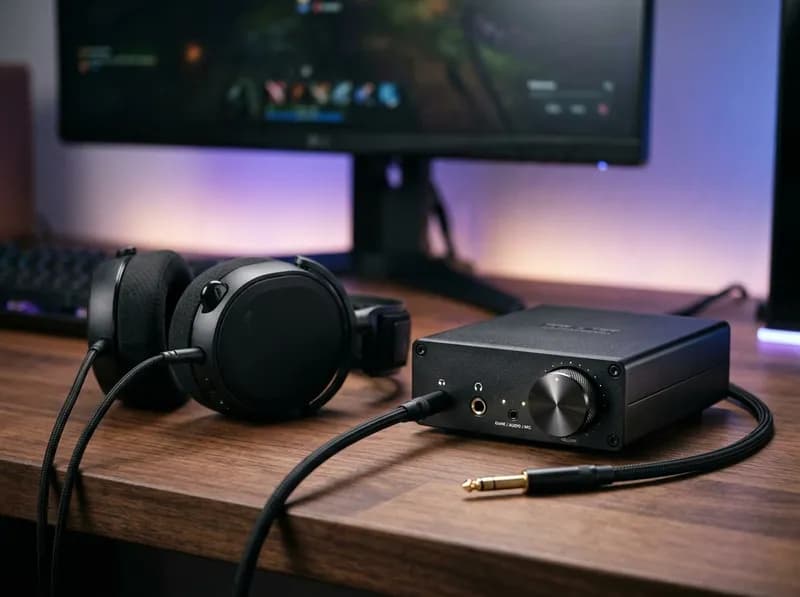
A gaming DAC is worth buying when your current audio setup has a problem to solve. Maybe your motherboard output produces audible hiss, your headphones never get loud enough, or you need a physical volume knob and a microphone input for voice chat. In those situations, an external DAC/amp can make a real difference.
If your PC already delivers clean audio at a comfortable volume, however, a dedicated DAC may not sound noticeably better. It also won't automatically make footsteps easier to locate in competitive FPS games.
The better approach is to match the device to your headphones, microphone, and gaming platform. Some players need a compact USB DAC/amp that works with a desktop and a phone. Others need a desktop amplifier for demanding headphones or a gaming interface with microphone support, virtual surround, and console connectivity.
This guide compares the best DACs for gaming in 2026, including the FiiO KA13, FiiO K11, Schiit Fulla E, Creative Sound BlasterX G6, Fosi Audio K7, Qudelix-5K, and iFi hip-dac 3. It covers headphone power, positional audio, microphone compatibility, and the specifications that matter when comparing gaming DAC/amps.
Do You Actually Need a DAC for Gaming?
Your motherboard already has a DAC, or digital-to-analog converter, along with an output stage that drives your headphones. If both work properly, replacing them may not produce an audible improvement.
Before buying a gaming DAC, check whether your current setup has a specific limitation.
Audible hiss or electrical noise: A separate USB device may help if the noise comes from the motherboard's audio circuitry or electrical interference. Identify the source first, since an external DAC won't necessarily fix noise introduced elsewhere.
Insufficient volume: Your headphones may need more voltage or current than the existing output can provide.
Distortion at loud peaks: An amplifier running out of headroom can distort when demanding audio passages arrive.
Output impedance issues: A high source impedance can affect frequency response with some headphones, particularly models whose impedance varies across frequencies.
Missing connections or controls: An external device can add a microphone input, optical connection, physical volume knob, gain control, or easier input switching.
If none of these problems applies, upgrading your headphones may deliver a more noticeable improvement than buying a separate DAC.
The same principle applies to gaming-specific features. A device with virtual surround, EQ, and chat controls may be useful even when its underlying DAC offers no audible advantage over your motherboard. The key is to pay for the features you will actually use.
Best DACs for Gaming: Quick Recommendations
These picks serve different needs rather than forming a universal ranking of sound quality. The best gaming DAC depends on your headphones, the connections you need, and whether you use voice chat or a console.
Prices are indicative U.S. prices from the cited product listings where available. Availability, promotions, and street prices can change, so check the current listing before buying.
Category | DAC/amp | Why consider it? |
|---|---|---|
Best portable DAC/amp | FiiO KA13 | Compact USB device with a Desktop Mode switch and substantial rated balanced output |
Best straightforward desktop DAC/amp | FiiO K11 | External 12 V power supply, display, physical controls, and high rated balanced output |
Best compact option for voice chat | Schiit Fulla E | Dedicated microphone input, physical volume knob, and a $109 listed price |
Best gaming-focused feature set | Creative Sound BlasterX G6 | Virtual 7.1 processing, optical input, microphone connectivity, and broad platform support |
Worth considering for an all-in-one setup | Fosi Audio K7 | Multiple digital inputs, Bluetooth, microphone input, and high manufacturer-claimed output power |
Best portable option for extensive EQ | Qudelix-5K | 20-band parametric and graphic EQ, USB audio, and Bluetooth |
Best battery-powered portable alternative | iFi hip-dac 3 | Internal 2,200 mAh battery and separate single-ended and balanced outputs |
Maximum wattage alone is not a reliable way to choose between these devices. Output voltage, current capability, headphone sensitivity, distortion at the rated output, and the measurement conditions all matter. A device with fewer features may be the better purchase if it meets your requirements without adding unnecessary complexity.
Best Portable DAC/Amp for Gaming: FiiO KA13
<text-placeholder> </text-placeholder>
The FiiO KA13 is a compact USB DAC/amp for people who want one device to use with a desktop PC, laptop, and compatible mobile device. Its physical Desktop Mode switch increases the available output power, while the 3.5 mm single-ended and 4.4 mm balanced connections accommodate different headphone cables.
FiiO rates the KA13's 4.4 mm balanced output at more than 550 mW per channel into 32 ohms with Desktop Mode enabled. The 3.5 mm output is rated at more than 170 mW per channel into the same load and mode. Those are useful figures for a bus-powered dongle, although the actual result depends on the connected headphones and USB power available from the host.
Best for: PC gamers who also use their headphones with a laptop or phone and want more output power than a basic USB dongle may provide.
Skip it if: You need a dedicated analog microphone input, convenient game/chat mixing, or confirmed PS5 and Nintendo Switch USB compatibility. FiiO's documentation states that the KA13 does not support USB Audio Class 1.0 and cannot connect by USB to those two consoles.
The KA13 is primarily a headphone-playback device. If you use a headset microphone, make sure you have a separate compatible input path.
Its full output specifications and Desktop Mode limitations are covered in the dedicated section below.
Best Straightforward Desktop DAC/Amp: FiiO K11
The FiiO K11 is designed for a permanent desktop setup. It uses an external 12 V power supply and includes a display, physical controls, a 6.35 mm headphone output, and a 4.4 mm balanced output.
FiiO rates the 6.35 mm output at 520 mW per channel into 32 ohms and the balanced output at 1,400 mW per channel into 32 ohms. Both figures are specified at less than 1% THD+N under the stated high-gain conditions.
The external power supply and desktop layout make the K11 a straightforward choice if your headphones need more amplification than a typical motherboard output provides. It can also serve a mixed gaming-and-music setup without requiring gaming-specific processing.
Best for: Desktop PC users who want a dedicated headphone amplifier, convenient controls, and substantial rated output power.
Skip it if: You need a portable device, an analog headset-microphone input, or built-in game/chat mixing.
One important detail: the K11's higher balanced rating only applies when you have compatible balanced headphones and a correctly wired cable. A balanced connection is not automatically better for gaming, and the higher output rating is irrelevant if your current headphones already reach the required level through the 6.35 mm output.
Best Compact DAC for Gaming and Voice Chat: Schiit Fulla E
The Schiit Fulla E is worth considering when microphone support matters as much as headphone playback. Unlike a playback-only USB DAC/amp, it provides a dedicated microphone input and a physical volume knob.
Schiit lists the Fulla E at $109, with maximum output figures of 200 mW RMS into 32 ohms and 40 mW RMS into 300 ohms. These specifications make it suitable for many conventional headphones, but they do not guarantee enough headroom for every high-impedance or low-sensitivity model.
Best for: Gamers who use conventional headphones with a separate analog microphone, or a compatible headset arrangement, and want a compact device with physical controls.
Skip it if: You want extensive virtual-surround processing, dedicated game/chat mixing, or very high output power for particularly demanding headphones.
For a simple PC gaming setup, the Fulla E's microphone input may be more useful than a higher maximum wattage rating. If your headphones already work well but you want a cleaner way to manage voice chat and volume, connection options deserve as much attention as amplifier specifications.
Best Gaming-Focused DAC: Creative Sound BlasterX G6
The Creative Sound BlasterX G6 is a gaming-oriented USB audio interface rather than a basic DAC/amp. Its feature set includes virtual 7.1 playback, optical connectivity, microphone support, and software-based audio processing.
Creative lists headphone compatibility from 16 to 600 ohms and a headphone output impedance of 1 ohm. The device was listed at $129.99 when that price was observed.
The G6 makes more sense when you want gaming features beyond digital-to-analog conversion. Its processing options and connectivity can be useful for players who switch between PC gaming, voice chat, and compatible consoles.
Best for: Gamers who want virtual surround, audio processing, optical input, and microphone connectivity in one device.
Skip it if: You only need a clean headphone output and do not plan to use its gaming controls or processing.
Virtual surround can change how a game sounds, but it does not guarantee more accurate positional cues. Results depend on the game's audio rendering, the processing mode, your headphones, and personal preference. Try the available modes rather than assuming that enabling every feature will improve localization.
Console support also depends on the specific platform and connection method. Check Creative's current compatibility documentation before purchasing the G6 for a console-first setup.
Worth Considering for an All-in-One Setup: Fosi Audio K7
The Fosi Audio K7 combines desktop DAC/amp functionality with a broad selection of connections. Its listed features include USB-C, optical, coaxial, Bluetooth, a 3.5 mm microphone input, a 4.4 mm balanced headphone output, and RCA outputs.
Fosi advertises output power of up to 2,100 mW at 32 ohms. The device uses an AK4493S DAC chip, an XMOS XU208 USB processor, and TPA6120 amplification, according to its product specifications. It is also marketed for use with PC, PS5, and Nintendo Switch without requiring drivers.
The combination of microphone support and multiple inputs makes the K7 worth considering if you want one desktop box for headphone playback, voice chat, and more than one audio source.
Best for: Gamers who want several input options, Bluetooth, a microphone connection, and a desktop DAC/amp in one unit.
Skip it if: You do not need the extra connections or microphone input and would rather buy a simpler device.
Two qualifications matter when evaluating the K7. First, the headline 2,100 mW figure is a manufacturer claim, and it should not be compared directly with another product's rating unless the load, gain, output connection, and distortion conditions are comparable. Second, the feature list does not establish that the K7 delivers more accurate positional audio than a simpler DAC/amp.
Its appeal is the combination of connections and controls, not the assumption that more advertised power automatically produces better sound.
Best Portable DAC for Extensive EQ: Qudelix-5K
The Qudelix-5K is a portable Bluetooth and USB DAC/amp with 3.5 mm single-ended and 2.5 mm balanced outputs. Its main attraction is its extensive equalization functionality, including 20-band parametric and graphic EQ.
The specifications list up to 80 mW per channel from the single-ended output and 240 mW per channel from the balanced output. These ratings should be checked against the manual's load and operating conditions before being compared with other devices. The Qudelix-5K also supports USB microphone functionality with the appropriate settings.
The EQ options make it particularly interesting for people who use different headphones and want to adjust their frequency response rather than rely entirely on a game's built-in audio settings.
Best for: Users who move between PC and mobile devices, want detailed EQ control, or listen over both USB and Bluetooth.
Skip it if: You want a permanently powered desktop control center with easy-to-reach controls, or you would rather not manage battery charging and Bluetooth settings.
The manufacturer page showed limited availability when checked, so confirm current stock before choosing it over a readily available alternative.
Best Battery-Powered Portable Alternative: iFi hip-dac 3
The iFi hip-dac 3 offers a different approach to portable audio. It has an internal 2,200 mAh battery, a USB-C connection, and 3.5 mm single-ended and 4.4 mm balanced headphone outputs.
iFi rates the 3.5 mm output at 280 mW into 32 ohms and the balanced output at 400 mW into 32 ohms. Its internal battery means the device does not rely entirely on the connected computer or phone for operating power.
Best for: Gamers who also listen to music on the move and prefer a portable DAC/amp with its own battery.
Skip it if: You need a dedicated microphone input, game/chat mixing, or a permanent desktop interface. If you only need wired headphone playback at your desk, a simpler USB-powered dongle may be easier to manage.
The hip-dac 3 and KA13 solve slightly different problems. The KA13 emphasizes compact size and USB-powered flexibility, while the hip-dac 3 offers battery operation. Neither is automatically better; the choice depends on how you plan to use it.
What Does a DAC Do for Gaming?
A DAC converts digital audio data into an analog signal that headphones can reproduce. A headphone amplifier supplies the voltage and current needed to drive those headphones.
The basic signal path is straightforward:
Game audio: Footsteps, dialogue, music, and effects are generated by the game.
Digital output: The audio is sent through USB, motherboard audio, or another digital connection.
DAC: The digital samples are converted into an analog signal.
Headphone amplifier: The signal is supplied at a suitable electrical level for the headphones.
Headphones: The electrical signal is converted into sound.
Many products combine the DAC and headphone amplifier in one device, which is why they are commonly called DAC/amps.
A DAC does not independently create new directional information or make a game render more detailed audio. Its job is to convert the digital signal. The amplifier's job is to drive the headphones. Features such as EQ, virtual surround, and game/chat mixing are separate functions that may be included in a gaming interface.
Does a DAC Improve Footsteps and Positional Accuracy in FPS Games?
Usually, not by itself.
Three factors have a much greater influence on whether you can locate an enemy or distinguish nearby footsteps:
The game's audio rendering: The game determines how sound direction, distance, obstruction, and reflections are represented.
The headphones: Frequency response, fit, imaging characteristics, and channel performance affect how those cues reach your ears.
The playback chain: The DAC and amplifier need to reproduce the signal cleanly and provide enough output for the headphones.
A separate DAC/amp can help if your current output has audible noise, clips at your preferred volume, or cannot drive your headphones properly. It does not automatically improve a headphone's imaging, and it cannot recover directional information that the game did not render.
For example, someone using a sensitive gaming headset with clean motherboard audio may hear little difference after adding an expensive DAC. Adjusting the game's headphone mode, checking the headset's fit, or choosing headphones with a more suitable frequency response may produce a more noticeable change.
The opposite situation is also possible. If an amplifier runs out of headroom during loud peaks, the audio may become distorted. A better-matched amplifier can address that limitation.
Be cautious with claims that a DAC alone provides a competitive advantage. Footstep boosting and surround simulation are processing features, not inherent properties of digital-to-analog conversion.
Stereo, Virtual Surround, and Spatial Audio
Stereo headphones can convey direction through differences in timing, level, and frequency response between the ears. Games may render these cues directly or use spatial-audio systems to simulate sounds around the listener.
Windows supports Windows Sonic for Headphones. Dolby Atmos for Headphones and DTS Headphone are additional options, with different availability and licensing requirements. Microsoft's documentation explains how to enable supported spatial audio through Windows settings.
These technologies perform a different job from a DAC. Spatial-audio processing changes how the sound is rendered or presented; the DAC converts the resulting digital signal into analog.
For the most useful comparison, try the game's native headphone mode alongside the spatial-audio options available to you. Use familiar in-game sounds and keep the volume consistent when comparing results.
Avoid stacking multiple virtual-surround systems unless the game or device specifically requires it. Extra processing can change the tonal balance and perceived location of sounds, sometimes helping and sometimes making localization less reliable.
There is no universal best spatial-audio mode for every game, headphone, and listener. Choose a DAC for its electrical performance and practical features rather than its gaming branding.
DAC vs. DAC/Amp vs. Gaming USB Interface
The terms overlap, so the connections and actual features matter more than the label printed on the box.
Device type | Main advantage | Main limitation | Best use |
|---|---|---|---|
Basic USB DAC | Simple digital-to-analog conversion | May offer limited power and few controls | Efficient headphones and straightforward setups |
Portable DAC/amp | Compact, versatile, often works with phones and laptops | USB power limits and variable microphone support | Desktop and mobile use |
Desktop DAC/amp | External power supply, physical controls, potentially higher output | Takes up desk space and usually needs external power | Permanent PC setups and demanding headphones |
Gaming USB interface | Microphone input, audio processing, and chat-related features | Extra features do not necessarily improve basic audio performance | FPS gaming, headsets, streaming, and voice chat |
A portable DAC/amp is not automatically weaker than a desktop device. The KA13, for example, advertises substantial balanced output for its size. A desktop model can still be more convenient for stationary use because it has a dedicated power supply and places controls within easy reach.
Likewise, a gaming interface is not necessarily a better DAC. Its advantage may be virtual surround, EQ, sidetone, microphone gain, or game/chat controls.
For the devices covered here, the practical distinctions are clear:
Creative Sound BlasterX G6: Emphasizes gaming-oriented processing, optical connectivity, and platform flexibility.
Fosi Audio K7: Combines a microphone input with several digital inputs, Bluetooth, and desktop controls.
FiiO K11: Focuses on headphone amplification and desktop listening, without a dedicated microphone path.
Schiit Fulla E: Offers a compact headphone-and-microphone solution with a physical volume knob.
FiiO KA13: Prioritizes portability and output power in a small USB device.
Choose the device that fits your connections and workflow. The longest feature list is not necessarily the most useful one.
How Much Power Do Your Gaming Headphones Need?
Headphone matching is one of the most important parts of choosing a DAC/amp. The two specifications to check first are impedance and sensitivity.
Impedance Is Only Half the Story
Impedance, measured in ohms (Ω), describes how a headphone resists alternating current. Sensitivity indicates how much sound pressure the headphone produces for a given electrical input.
Manufacturers commonly express sensitivity in one of two ways:
dB SPL/mW: Sound pressure level produced with 1 milliwatt of electrical power.
dB SPL/V: Sound pressure level produced with 1 volt RMS applied.
These units are not directly interchangeable. Converting between them requires the headphone's impedance.
A high-impedance headphone may need more voltage than a low-impedance model, but high impedance alone does not mean a headphone is difficult to drive. A low-impedance planar headphone with low sensitivity can demand substantial current instead.
Consider a few familiar examples. The Sennheiser HD 600 has a nominal impedance of 300 ohms, so voltage capability matters when matching it to an amplifier. The Beyerdynamic DT 990 Pro is available in different impedance versions, including 80-ohm and 250-ohm models. The HiFiMan Sundara is a lower-impedance planar headphone for which sensitivity and current capability also matter.
Do not assume that a device capable of driving one of these headphones will drive all of them equally well. Check the exact headphone version and amplifier specifications.
Estimate the Required Power
If headphone sensitivity is expressed in dB SPL per milliwatt, a simplified power estimate is:
P(mW) = 10^((L − S) / 10)
Here, (L) is the target sound pressure level in dB SPL, and (S) is the headphone's sensitivity in dB SPL/mW.
Consider three hypothetical headphones at a theoretical peak target of 110 dB SPL:
Hypothetical headphone | Sensitivity | Estimated power for 110 dB SPL |
|---|---|---|
A | 100 dB SPL/mW | 10 mW |
B | 90 dB SPL/mW | 100 mW |
C | 86 dB SPL/mW | About 251 mW |
A 10 dB difference in sensitivity means that ten times as much power is required to reach the same theoretical sound pressure level. That is why a dongle that works well with one headphone may struggle with another.
These calculations are estimates, not recommended listening levels. They assume the sensitivity figure is accurate, the units are correctly identified, and the headphone behaves approximately as specified. Actual peaks, frequency response, fit, measurement variation, and desired headroom all affect the result.
Sustained loud listening can cause permanent hearing damage. A theoretical maximum output level is not an appropriate everyday listening target.
Voltage and Current Both Matter
Two basic electrical relationships explain why a single wattage figure can be misleading:
P = V² / R and I = V / R
Where:
(P) is electrical power in watts.
(V) is voltage in volts RMS.
(R) is load resistance in ohms.
(I) is current in amperes.
A high-impedance headphone needs sufficient voltage to reach the desired level. A low-impedance headphone can demand more current. A good matching decision considers both.
When a manufacturer publishes maximum output power, check the load impedance, output connector, gain mode, and distortion limit. A rating measured at 32 ohms does not guarantee the same power at 300 ohms.
What Is Output Impedance, and Why Does It Matter?
An amplifier's output impedance can interact with a headphone's impedance curve. Because some headphones have different impedance at different frequencies, this interaction can change frequency response.
For many modern headphones, a low-output-impedance source is a sensible default. The actual significance depends on the headphone's electrical design and impedance curve, not just its nominal impedance.
Also check whether the manufacturer publishes separate output-impedance figures for the 3.5 mm and balanced connections. Do not assume that both outputs have the same characteristics.
FiiO KA13: Is Desktop Mode Enough for Full-Size Headphones?
The FiiO KA13 is a compact USB DAC/amp with a physical Desktop Mode switch, volume controls, a 3.5 mm single-ended output, and a 4.4 mm balanced output. Its appeal is the amount of rated output power it offers in a small, bus-powered device.
The qualification is important: the headline 550 mW figure applies to a specific output, load, and operating mode. It is not a universal rating for every headphone connected to the KA13.
FiiO KA13 Output Power Specifications
FiiO's official specifications list the following per-channel output figures:
Output | Load | Desktop Mode on | Desktop Mode off |
|---|---|---|---|
3.5 mm single-ended | 16 Ω | More than 290 mW/channel | At least 70 mW/channel |
3.5 mm single-ended | 32 Ω | More than 170 mW/channel | More than 50 mW/channel |
3.5 mm single-ended | 300 Ω | More than 19.5 mW/channel | More than 5 mW/channel |
4.4 mm balanced | 16 Ω | More than 500 mW/channel | At least 170 mW/channel |
4.4 mm balanced | 32 Ω | More than 550 mW/channel | More than 260 mW/channel |
4.4 mm balanced | 300 Ω | More than 78 mW/channel | More than 20 mW/channel |
These are manufacturer-published figures, with THD+N specified below 1% for the stated power measurements.
The 550 mW per-channel rating applies to the 4.4 mm balanced output at 32 ohms with Desktop Mode enabled. It does not describe the 3.5 mm output or establish the device's performance with every headphone.
FiiO's documentation also lists a peak output voltage of at least 4.2 V at 32 ohms for the balanced output under the specified condition. That helps explain why the KA13 can outperform many basic USB dongles, but its voltage and current limits still vary with the connected load.
What Does Desktop Mode Actually Do?
Desktop Mode is activated by moving the physical D.MODE switch to ON. According to FiiO, the mode increases output power and gain and is intended for high-impedance or otherwise difficult-to-drive headphones.
The KA13 remains USB bus-powered. Desktop Mode does not turn it into an externally powered desktop amplifier.
That distinction matters because the USB port and cable must provide enough power for stable operation. FiiO warns that insufficient USB power can cause problems, particularly with hosts that restrict accessory power. The device can also become warm during use; FiiO's support documentation describes some warmth as normal for this compact, high-output design.
For desktop use, connect it to a reliable USB port and enable Desktop Mode only when your headphones need the extra output. Check for dropouts or other power-related issues, and start at a low volume when changing gain or connecting headphones.
Can the KA13 Drive Full-Size Headphones?
It can be a good match for many full-size headphones, but impedance and sensitivity determine the result. The examples below are simplified electrical calculations, not measured listening tests.
Hypothetical headphone | Sensitivity | Estimated power for 110 dB SPL | What the KA13 specifications suggest |
|---|---|---|---|
32 Ω | 100 dB/mW | 10 mW | The published 32 Ω ratings provide substantial theoretical headroom |
300 Ω | 100 dB/mW | 10 mW | The voltage requirement still needs checking; the 300 Ω power rating is useful but not the whole story |
32 Ω | 86 dB/mW | About 251 mW | The published 3.5 mm rating is below this estimate, and the balanced rating is also below it |
300 Ω | 86 dB/mW | About 251 mW | The published 300 Ω ratings are well below this estimate; a higher-voltage desktop amplifier may be needed |
The calculations illustrate why a high maximum wattage at 32 ohms does not settle every headphone-matching question. A low-sensitivity 300-ohm headphone may need more voltage than the KA13 can supply, even though its headline power rating looks impressive at lower impedances.
The estimates also assume a 110 dB SPL peak target, which is not necessary for every listener or every headphone. At lower listening levels, the power requirement falls substantially.
Is the KA13's Balanced Output Worth Using?
The balanced output is where the KA13's highest published power rating is available. That can be useful if your headphones support a compatible balanced connection and need the extra output.
It does not mean balanced output automatically sounds better or improves positional audio. A 4.4 mm connector is not a universal upgrade for ordinary 3.5 mm headphones, and an improvised cable that shorts amplifier outputs together can damage equipment.
If your headphones are already easy to drive through the 3.5 mm jack, buying a new cable solely to access the balanced output may provide no practical benefit.
Microphone Support and Console Limitations
The KA13 is primarily designed for headphone playback. Its headphone outputs do not establish that it supports an analog headset microphone.
If you use a separate USB microphone, it can remain connected directly to the PC while the KA13 handles headphone output. For an analog headset microphone, verify that you have a compatible input path or use a separate audio interface.
FiiO's support documentation also states that the KA13 does not support USB Audio Class 1.0 and cannot connect by USB to the PS5 or Nintendo Switch. Do not buy it on the assumption that it is a universal console DAC.
KA13 verdict: A strong candidate for PC gamers who want a compact DAC/amp with useful output power, especially if they also use their headphones with a laptop or phone. It is less suitable if you need a microphone input, game/chat mixing, straightforward console compatibility, or more high-impedance voltage output than its published specifications provide.
Choosing a DAC for Different Gaming Setups
The right gaming DAC depends on how you play. A competitive FPS setup has different priorities from a desktop used for single-player games, music, and voice chat.
Competitive FPS Gaming
For competitive FPS games, start with headphones that present directional cues clearly to you. Then make sure your output is clean, your amplifier has sufficient headroom, and your volume control is easy to use.
An external DAC/amp makes sense if your current output has audible noise or cannot drive your headphones properly. Otherwise, check the game's audio configuration and your headphone fit before spending money.
Voice chat introduces a separate requirement. A playback-only DAC does not replace a microphone input, so you may need to keep a USB microphone connected to another port or choose an interface that supports your headset.
Single-Player and Immersive Games
For cinematic games, adequate dynamic headroom, low noise, and convenient volume control may matter more than maximum specifications.
A desktop DAC/amp can be useful if you switch between gaming, music, and movies. However, a higher sample-rate rating or balanced output does not inherently create a wider soundstage. Focus on clean playback, comfortable controls, and compatibility with your headphones.
PC Gaming Plus Music
A general-purpose DAC/amp may be preferable to a gaming-specific interface if you do not need virtual surround or chat controls.
Consider which connections you use now, whether you may upgrade your headphones later, and whether you want the same device to work with a phone. The KA13 emphasizes portability; the K11 provides a more conventional desktop setup.
Gaming With a Microphone or Headset
Before buying, distinguish between three different connections:
Headphone output: Sends audio to the headphones.
Microphone input: Receives analog microphone audio.
USB microphone connection: Connects the microphone to the computer as a separate digital audio device.
A 3.5 mm jack does not automatically support all three. Some devices have a four-pole TRRS combo jack, others provide separate headphone and microphone connections, and some handle playback only.
A headset with separate plugs may need a compatible splitter if the interface has a single combo jack. A TRRS headset may need an adapter when the device has separate inputs. Check the wiring standard and supported microphone type before ordering an adapter.
For this type of setup, the differences between the recommended devices matter:
The Schiit Fulla E provides a dedicated microphone input and a physical volume knob.
The Creative Sound BlasterX G6 offers headset connectivity, a separate microphone input, and gaming-oriented processing.
The Fosi Audio K7 combines a microphone jack with several desktop audio connections.
The FiiO K11 is focused on headphone playback and amplification rather than microphone routing.
If you use a USB headset, remember that it already contains its own DAC and amplifier. An external DAC/amp is mainly relevant if you switch to analog headphones, need different connections, or want controls that the headset does not provide.
Laptop or Portable Gaming
A portable DAC/amp makes sense if you move between a desktop, laptop, and phone. Check whether the device draws power from USB or has its own battery, supports your operating system, and includes the cables you need.
A bus-powered dongle is convenient but depends on the host's available USB power. A battery-powered unit reduces that dependence but needs charging.
Handheld gaming devices deserve particular attention because their USB power limits may differ from those of a desktop PC. If you plan to run a high-output dongle at maximum power, check the manufacturer's compatibility and power guidance rather than assuming that every USB-C port behaves the same way.
Demanding Full-Size Headphones
Use the exact headphone model's impedance and sensitivity to estimate its requirements, then compare the result with the amplifier's specifications at the relevant load.
If the headphone needs substantial voltage at high impedance, a desktop amplifier may be the better choice. If it is low impedance but insensitive, current capability matters as well.
A balanced output can help when the amplifier actually provides more power through that connection. The FiiO K11, for example, has substantially different published output ratings for its single-ended and balanced connections.
Choose the output based on electrical requirements and compatible wiring, not the prestige of the connector.
How to Compare DAC Specifications Without Getting Misled
Manufacturer specifications are useful, but only when you understand the conditions behind the numbers.
Specification | Why it matters | What to check |
|---|---|---|
Output power | Indicates whether the amplifier can drive the headphones | Power at the relevant impedance, output, gain, and distortion limit |
Maximum output voltage | Particularly important for high-impedance headphones | Voltage available at the intended load |
Current capability | Matters for demanding low-impedance headphones | Performance into the actual load |
Output impedance | Can affect frequency response with some headphones | Manufacturer's figure for the specific output |
THD+N | Measures distortion plus noise under stated conditions | Load, output level, frequency, and measurement method |
Signal-to-noise ratio | Describes noise relative to a reference signal | Weighting and reference conditions |
Sample rate and bit depth | Determines supported digital formats | Actual device and software compatibility |
Microphone support | Determines whether voice chat can use the interface | Analog input, USB microphone support, headset wiring, and routing |
Controls and software | Affects everyday usability | Volume, gain, EQ, chat mixing, sidetone, and driver support |
Sample Rate and Bit Depth
Sample rate describes how frequently the digital signal is sampled. Bit depth describes the precision of each sample.
These specifications matter for format compatibility and some production workflows, but higher maximum figures do not inherently make footsteps easier to hear. For gaming, cleanly handling the actual audio format is more important than supporting an unusually high maximum sample rate.
THD+N and Signal-to-Noise Ratio
THD+N, or total harmonic distortion plus noise, combines two forms of unwanted signal content. Signal-to-noise ratio compares the desired signal with background noise.
Both measurements depend on how the test was conducted. A THD+N figure measured at low output power cannot be compared directly with one measured near maximum output. Noise figures with different weightings or reference levels are also not equivalent.
For practical use, the goal is clean output at the volume and power your headphones require. Extremely low distortion figures do not, by themselves, establish an audible gaming advantage.
Why Maximum Output Power Can Be Misleading
The KA13 and K11 both illustrate the importance of measurement conditions. Their manufacturers publish different output ratings at 16, 32, and 300 ohms, and available power changes with the output connection and operating mode.
A fair comparison requires similar load impedance, distortion limits, and definitions of output power. When a specification does not disclose the relevant conditions, treat those conditions as unknown rather than trying to infer them from the headline number.
This is especially important when comparing the Fosi K7's advertised 2,100 mW with figures published for other DAC/amps. Without comparable measurement conditions, the numbers do not establish which device is more powerful for your headphones.
Gaming DAC Compatibility: PS5, Xbox, and Nintendo Switch
Console compatibility is easy to overlook when buying a DAC for PC gaming. A device that works through USB on a Windows PC may not work the same way with a PlayStation, Xbox, or Nintendo Switch.
PS5
The PS5 supports compatible USB audio devices, but not every USB DAC/amp implements the required audio mode. FiiO explicitly states that the KA13 does not support USB Audio Class 1.0 and cannot connect to the PS5 over USB.
An optical connection can provide another route when the source and device support it, but the PS5 does not have a built-in optical audio output. Any alternative connection method must be checked against the console's available ports and the device's instructions.
Xbox Series X|S
Xbox compatibility is more restrictive than simply having a USB connection. Many third-party USB DACs do not work because of platform-specific support and certification requirements.
Creative lists the Sound BlasterX G6 as compatible with Xbox systems, but connection methods and voice-chat functionality can vary. Check Creative's current support documentation for your exact Xbox model and intended connection.
Nintendo Switch
The Nintendo Switch supports many USB DACs in docked mode, but compatibility is not universal. FiiO explicitly rules out a USB connection between the KA13 and Nintendo Switch.
If you plan to use a DAC with multiple consoles, choose a model with confirmed support for each one rather than relying on general claims such as “USB compatible.”
The SteelSeries GameDAC Gen 2 is another option to investigate if your priority is a gaming-focused headset interface and switching between supported systems. Check its current compatibility list and connection requirements before buying.
Common Gaming DAC Buying Mistakes
A few common mistakes can lead to an expensive device that does little for your setup.
Buying a DAC before identifying a problem. If the motherboard already provides clean output and enough power, your money may be better spent on headphones or a microphone.
Assuming a gaming brand guarantees better positional audio. Virtual surround and EQ can be useful, but branding alone does not establish more accurate imaging.
Comparing wattage without checking impedance. A 32-ohm rating does not tell you how much power the same device can supply at 300 ohms.
Judging headphone difficulty by impedance alone. Sensitivity and the amplifier's voltage and current limits matter just as much.
Treating balanced output as inherently superior. Its practical benefit often comes from higher available output power, depending on the device.
Assuming a headphone jack supports a microphone. Verify the input, headset wiring, and audio-routing specifications.
Ignoring the game's audio settings. An unsuitable output mode or stacked spatial processing can make localization less reliable.
Paying for specifications that do not solve your problem. A high sample-rate rating or an elaborate DAC-chip name is not a substitute for proper headphone matching.
Overlooking USB power requirements. Bus-powered devices may not sustain their highest output with every host or cable.
Treating the KA13's 550 mW rating as universal. It applies to the 4.4 mm balanced output at 32 ohms in Desktop Mode.
Buying for a console without checking compatibility. USB audio class, platform support, and certification can determine whether the device works at all.
Final Recommendations: Which Gaming DAC Should You Buy?
The most useful way to choose a gaming DAC is to work through your actual requirements.
Check your current audio output. If it is quiet, loud enough, and compatible with your headphones, you may not need another device.
Identify your exact headphones. Find the impedance and sensitivity, including the unit used for the sensitivity rating.
Estimate the amplifier requirements. Consider voltage, current, and the output ratings at the relevant load.
Decide whether you need gaming features. Microphone input, game/chat mixing, sidetone, EQ, and virtual surround may matter more than maximum power.
Choose the right form factor. A portable dongle suits a multi-device setup, a desktop DAC/amp suits a permanent desk, and a gaming interface suits users who need routing and processing.
Compare the complete package. Check current price, warranty, software support, included cables, and compatibility with your PC or console.
For portable use, the FiiO KA13 is worth considering if its published output meets your headphones' requirements. For a permanent desktop setup, the FiiO K11 offers a conventional DAC/amp layout with substantial rated output. If you want several inputs and a microphone connection in one box, compare the Fosi Audio K7. For a compact voice-chat setup, the Schiit Fulla E is a straightforward option, while the Creative Sound BlasterX G6 is worth considering when gaming processing and console support are priorities.
There is no single best DAC for every gaming setup. A more powerful amplifier can solve a headphone-drive problem, a gaming interface can simplify voice chat, and a separate DAC may be unnecessary if your existing audio output already works well.
Buy for the limitation you actually have, not the most impressive specification on the box.
Frequently Asked Questions
What Is the Best DAC for Gaming in 2026?
There is no universal winner. The FiiO KA13 is a strong portable option, the FiiO K11 suits a stationary desktop setup, the Fosi Audio K7 combines a microphone input with several connections and high claimed output power, and the Creative Sound BlasterX G6 is worth considering for gaming-oriented processing and supported console setups.
Your headphones, microphone requirements, and platform should determine which is best for you.
Is a DAC Worth It for Gaming?
A dedicated DAC/amp is worth considering if it fixes a specific limitation, such as audible noise, distortion, insufficient headphone power, or missing connections.
If your motherboard already produces clean audio at a comfortable volume and drives your headphones properly, a separate DAC may make little audible difference.
Does a DAC Make Footsteps Easier to Hear?
Not inherently. Footstep audibility depends on the game's audio mix, headphone frequency response, spatial processing, and listening volume.
A DAC/amp can help when the existing output is inadequate, but it cannot add directional information the game did not render. It also does not guarantee better positional accuracy.
Does a DAC Reduce Gaming Audio Latency?
A wired DAC/amp is generally not a meaningful source of latency for gaming. Bluetooth can introduce more noticeable delay, which is one reason competitive players often prefer wired headphones.
Codecs marketed as low-latency options can reduce wireless delay under supported conditions, but actual latency depends on the codec, transmitter, receiver, and device implementation. Low-latency Bluetooth should not be assumed to match a wired connection.
Do I Need a DAC for Competitive FPS Games?
No. Many modern PCs can drive efficient gaming headsets adequately.
Consider an external DAC/amp if you have a specific issue with noise, volume, distortion, or connectivity. If your current setup works properly, adjusting the game's audio settings or choosing headphones that suit your needs may be more useful than upgrading the DAC.
Do I Need a DAC if I Use a USB Headset?
Usually not. A USB headset already contains its own DAC and amplifier.
An external DAC/amp becomes relevant if you switch to analog headphones, need different connections, or want controls that your current headset does not provide.
Can a Gaming DAC Support My Headset Microphone?
Only if it has a suitable microphone input or explicitly supports your headset's connection.
Some devices use a TRRS combo jack, others have separate headphone and microphone connections, and some support headphone playback only. Check the exact model's documentation and confirm adapter wiring before buying.
Do I Need an Amplifier for High-Impedance Headphones Like the Sennheiser HD 600?
The HD 600 has a nominal impedance of 300 ohms, so sufficient voltage is important. Some motherboard outputs and portable dongles may not provide enough headroom for every listening level, making a dedicated amplifier useful.
The exact requirement still depends on sensitivity and desired volume. Low-impedance, low-sensitivity planar headphones can present a different challenge because current capability becomes important.
How Much DAC Power Do Gaming Headphones Need?
There is no single required wattage. Efficient headphones may need only a few milliwatts for ordinary listening, while less sensitive models can require substantially more power for loud peaks.
Use impedance, sensitivity, your intended listening level, and the amplifier's voltage and current capabilities to estimate what you need.
Is a Balanced DAC Output Worth It for Gaming?
Sometimes. A balanced output can provide more power on devices designed that way, which can be useful if your headphones need it.
Balanced output is not inherently better for gaming, and it requires compatible headphones and correctly wired connections. If your headphones already reach the required volume through a single-ended output, changing cables may not provide a practical benefit.
Why Won't My FiiO KA13 Connect to the PS5 or Nintendo Switch?
FiiO's documentation states that the KA13 does not support USB Audio Class 1.0 and explicitly rules out USB connection to the PS5 and Nintendo Switch.
If console use is essential, choose a device with confirmed support for the exact platform and connection method you intend to use.
Is a Desktop DAC/Amp Better Than a Portable Dongle?
Not automatically. A desktop model may offer more output power, a dedicated power supply, and convenient controls. A portable model can be equally suitable for headphones within its output limits and is easier to move between devices.
The better choice depends on your headphones, desk space, and whether you need portability.
What Matters More for Positional Audio: Headphones or DAC?
Headphone imaging, frequency response, fit, and the game's spatial-audio implementation usually matter more than small differences between competent DACs.
The DAC/amp becomes important when the existing output introduces audible noise or distortion, or when the amplifier cannot supply enough power for the headphones.
Do I Need a DAC if My Motherboard Already Has Good Audio?
Probably not, provided the output is quiet, reaches a comfortable volume without distortion, and works well with your headphones.
Test for a specific limitation before spending money. If there is no problem to solve, a separate DAC is unlikely to be the most useful upgrade.
Related GuidesMore →
Best 75% Keyboards in 2026: Top Picks for Gaming, Work, and Everyday Use
Looking for the best 75% keyboard for gaming, work, or everyday typing? This guide compares six keyboards across different budgets and priorities, including the Keychron V1 Max, EPOMAKER x AULA F75, WOBKEY Rainy75, NuPhy Air75 V3, Wooting 80HE, and ASUS ROG Azoth. Compare dimensions, connectivity, switch compatibility, battery claims, customization, and approximate U.S. prices to find a keyboard that fits your workflow and desk.
How to Choose a JBL Bluetooth Speaker: Go, Clip, Flip, Charge, Xtreme, and Boombox Compared
Choosing a JBL Bluetooth speaker is easier when you match the model to how you actually listen. This guide compares the Go 5, Clip 5, Grip, Flip 7, Charge 6, Xtreme 5, Boombox 4, and PartyBox lineup by sound, portability, battery life, durability, and price. Find out which JBL speaker suits travel, everyday listening, outdoor gatherings, or parties, and when an older generation may offer better value than the newest model.
2026 Smartwatch Innovations: Which New Features Are Worth Buying?
Smartwatches in 2026 bring new readiness scores, AI health coaches, dual-frequency GPS, sleep apnea notifications, and longer battery life—but not every upgrade is worth the money. This guide compares the latest Apple Watch, Samsung Galaxy Watch, and Google Pixel Watch models, separating manufacturer claims from independent testing. Find out which features justify an upgrade, which require a subscription, and when keeping your current watch is the smarter choice.