Logitech Mouse Guide: Choosing Between MX, ERGO, Signature and G
Logitech’s mouse lineup spans productivity, ergonomics, portability and gaming, but the differences between series are not always obvious. This guide breaks down the MX, ERGO, Signature, Pebble and Logitech G families, comparing their designs, controls, connectivity, software and performance. It also explains which features matter for office work, travel, competitive gaming and everyday computing.
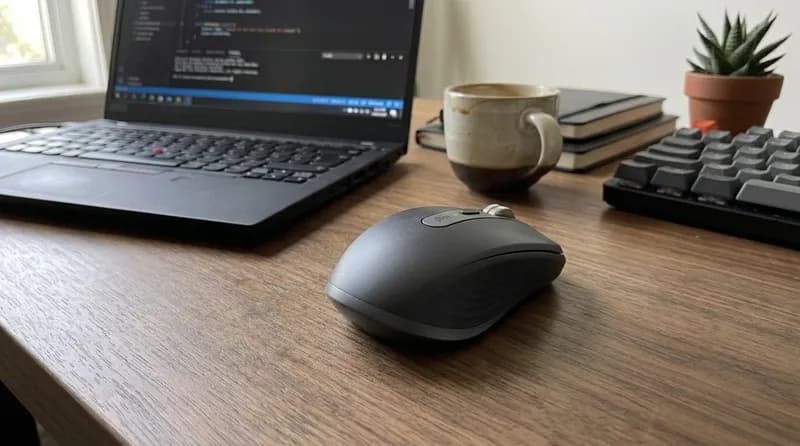
Logitech’s mouse lineup is broad enough to cover very different kinds of users, from someone who simply wants a quiet wireless mouse for a laptop to competitive players looking for an ultralight gaming model with high polling rates. The biggest mistake is to treat all of these products as variations of the same device.
The MX line is focused on advanced productivity, with features such as multi-device control, sophisticated scrolling, customizable controls and, with the MX Master 4, haptic feedback and an Actions Ring. The ERGO family takes a different approach, using vertical or trackball designs to change how the hand interacts with the mouse. Signature models sit closer to conventional office mice, adding comfort, quiet clicks and smarter scrolling without the complexity of the MX range. Pebble products prioritize slimness and portability.
Then there is Logitech G, where the priorities change completely. Gaming models emphasize sensor performance, weight, wireless latency, polling rate, switch technology and shape rather than multi-computer productivity.
That separation makes the lineup easier to understand: Logitech is not really selling dozens of interchangeable mice. It is building several families around different workflows.
Logitech Mouse Series Explained
MX: Advanced Productivity
The MX family is Logitech’s high-end productivity line. The current flagship is the MX Master 4, while the MX Anywhere 3S remains the compact alternative.
The MX Master 4 is designed for people who spend substantial time working at a computer and can actually take advantage of its additional controls. It combines an 8,000 DPI sensor, MagSpeed electromagnetic scrolling, a thumb wheel, gesture controls, an Actions Ring and customizable haptic feedback. Logitech lists eight buttons, including the Actions Ring control, and supports customization through Logi Options+.
The defining feature, however, is not its DPI rating. It is the combination of scrolling, thumb controls, multi-device workflow and software customization.
The MagSpeed wheel is particularly useful for spreadsheets, long web pages and documents. It can switch between precise ratcheted scrolling and fast free-spinning movement, making it one of the features that can genuinely change everyday productivity rather than simply looking impressive on a specification sheet.
The MX Master 4 is also considerably more feature-heavy than a conventional mouse. If you mostly browse the web, write documents and occasionally edit photos, many of its advanced controls may go unused.
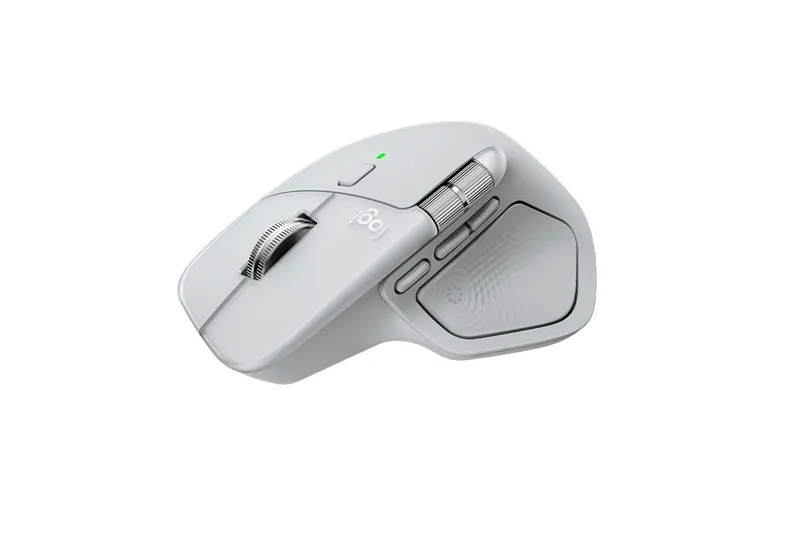
The MX Anywhere 3S makes more sense when portability matters. It keeps the premium tracking and productivity philosophy but uses a smaller, more travel-friendly design. Logitech lists it as a compact wireless performance mouse and sells both standard and Mac-specific versions.
ERGO: Different Shapes, Different Interaction
The ERGO family is easier to distinguish because its products fundamentally change the way you hold or move the mouse.
The Lift is a vertical mouse with a 57-degree angle, designed for small-to-medium hands. Its upright shape, thumb rest and quiet clicks make it particularly relevant to people who find a traditional mouse uncomfortable during long work sessions. Logitech also offers a left-handed version.
The MX Vertical takes the same basic concept and targets larger hands, while adding a more premium MX-style feature set. Logitech lists Bluetooth, a receiver and wired connectivity, along with rechargeable power and support for multiple devices.
Then there is the MX Ergo S, which is fundamentally different again. Instead of moving the entire mouse, you control a trackball with your thumb. It has a 20-degree tilt, six customizable buttons and a DPI control, and Logitech positions it for medium-to-large hands.
The important thing is that these products are not automatically more comfortable for everyone. A vertical mouse changes hand and forearm positioning, while a trackball dramatically reduces the amount of desk movement required. Whether either feels better depends heavily on hand size, grip and personal preference.
Signature: Conventional Shape With Useful Extras
The Signature range is aimed at people who want a familiar mouse shape without moving into MX-level pricing or complexity.
The Signature M650 and Signature Plus M750 add features such as SilentTouch clicks, customizable side buttons and SmartWheel scrolling. Logitech says SilentTouch reduces click noise by 90%, while Logi Options+ allows the side buttons to be assigned to common actions.
The M750 is particularly interesting for office environments because it sits between a basic wireless mouse and an MX-style productivity device. It provides useful customization without requiring the user to learn a large number of controls.
The newer Signature Comfort M840 and Signature Comfort Plus M850 push the design toward additional palm support. These products are more about conventional comfort than the specialized ergonomics of Lift or MX Ergo S.
This is also where Logitech's lineup starts to overlap. For many office users, an M650, M750 or newer Signature Comfort model can accomplish much of what they actually need. The differences become more about shape, scrolling, size and specific comfort features than dramatically different performance.
Pebble and Portable Mice
The Pebble Mouse 2 M350s represents the opposite philosophy from the MX Master 4. It is slim, compact and designed to be easy to carry. Logitech describes it as a slim Bluetooth mouse with a customizable button.
The newer Mobi Fold takes portability even further with a foldable design. Logitech positions it as an ultra-portable mouse that can connect to multiple devices, including laptops, tablets and compatible phones.
These mice are not trying to compete with an MX Master on ergonomics or control count. Their advantage is that they take up very little space in a bag.
For frequent travelers, that can matter more than having six programmable buttons.
Representative Logitech Mouse Experiences
MX Master 4: A Productivity Tool Rather Than Just a Mouse
The MX Master 4 has a large, sculpted shape designed around a palm-oriented grip. It is substantial compared with slim travel mice, but that is intentional: the design provides space for a thumb rest, thumb wheel, gesture controls and the new Haptic Sense Panel.
Its 8,000 DPI sensor can track on virtually any surface, including glass under Logitech's stated conditions. For office work, however, extremely high DPI is not the main reason to buy it. The more useful advantage is consistent tracking across large displays and unusual surfaces.
The biggest improvement is the interaction system around the scroll wheel and thumb controls. The MagSpeed wheel can move quickly through long spreadsheets and documents while retaining a precise ratcheted mode for smaller movements.
The Actions Ring adds another layer of customization. Logitech says it can bring shortcuts and tools directly to the cursor, with support for third-party plugins through Logi Options+.
This makes the MX Master 4 particularly suited to programming, spreadsheets, creative applications and multi-window workflows. It can be excessive for basic browsing.
Lift: Ergonomics Without a Trackball
Lift is a better fit for someone who wants a vertical mouse but does not want the bulk of a larger ergonomic design.
Its 57-degree angle puts the hand into a more upright “handshake” position. The shape is specifically intended for small-to-medium hands, and the mouse includes a thumb rest and quiet scrolling.
It uses a SmartWheel and supports customizable buttons through Logi Options+. Logitech lists up to two years of battery life from a single AA battery, although actual results vary with usage and computing conditions.
The main adjustment is simply learning to use the mouse. Someone accustomed to a conventional horizontal mouse may need time to adapt, while users who naturally prefer the upright shape may find it easier to use for long sessions.
MX Ergo S: Minimal Desk Movement
The MX Ergo S is aimed at a very different type of user.
Instead of physically moving the mouse across the desk, you move the thumb-operated trackball. That makes it particularly useful on small desks or crowded workspaces.
It has six customizable buttons, a 20-degree tilt, a precision-control button and support for Logi Options+. Logitech lists a rechargeable battery and USB-C charging.
The learning curve is higher than with a conventional mouse. Cursor control feels different, particularly for precise movements, but once adapted, the trackball can be very efficient for navigating large screens without repeatedly repositioning the mouse.
It is also one of the clearest examples of a product where the question is not “Is this mouse better?” but “Do I prefer this method of controlling a cursor?”
Signature M750: The Practical Office Option
The Signature Plus M750 sits in a much more conventional category.
Its main strengths are quiet clicking, SmartWheel scrolling and customizable side buttons. Logitech's SilentTouch technology is designed to reduce click noise, while Options+ provides customization for common tasks.
That makes it particularly suitable for shared offices, libraries and home workspaces where loud clicking can become annoying.
It lacks the MX Master 4's thumb wheel, advanced haptics and extensive workflow controls, but that is not necessarily a disadvantage. A simpler design can be preferable when the goal is simply to have a comfortable wireless mouse that works reliably throughout the day.
Productivity vs. Gaming Mice
The difference between Logitech's regular mice and Logitech G gaming mice is not simply that gaming models have higher DPI.
Productivity mice emphasize comfort, scrolling, quiet operation, multi-device connectivity, shortcuts and battery life.
Gaming mice emphasize weight, sensor performance, latency, polling rate, switch response, shape and gaming software.
The PRO X SUPERLIGHT 2, for example, weighs 60 g and uses the HERO 2 sensor with support for up to 44,000 DPI. Logitech lists LIGHTSPEED wireless with up to 8 kHz polling, along with LIGHTFORCE hybrid switches.
Those specifications matter much more in competitive gaming than they do in Excel or web browsing.
At the other end, the G502 X PLUS is considerably heavier but offers a much larger control set and RGB lighting. Logitech lists it at 106 g, with up to 25,600 DPI and a large programmable-button layout.
That makes the G502 family fundamentally different from the ultralight PRO mice. Neither approach is inherently better. A player who needs multiple commands readily available may prefer the heavier design, while an FPS player who makes large, fast mouse movements may prioritize low weight.
The current G lineup also includes products such as the G305 LIGHTSPEED, G309 LIGHTSPEED, PRO 2 LIGHTSPEED, PRO X SUPERLIGHT 2 DEX, PRO X SUPERLIGHT 2c, and PRO X2 SUPERSTRIKE, giving Logitech a broad range of shapes, weights and performance levels.
Connectivity, Battery and Software
Wireless connectivity is one of Logitech's strongest differentiators across its productivity lineup.
Many productivity models combine Bluetooth with a Logitech receiver, while selected products can switch between multiple devices. That is particularly useful if one mouse needs to move between a desktop, laptop and tablet.
Lift, for example, can connect to up to three devices, while the MX family adds more advanced workflow capabilities through Logitech's software ecosystem.
Battery strategies vary considerably. Lift uses a replaceable AA battery with a rated life of up to 24 months, while MX Ergo S uses a rechargeable battery. The original MX Ergo is rated for up to four months per charge.
Gaming models generally use rechargeable batteries because performance-oriented users are more likely to accept regular charging in exchange for lower weight and higher wireless performance.
Software also matters more than it initially appears. Logi Options+ is primarily useful for productivity mice, allowing button remapping, app-specific controls, Smart Actions and workflow customization. G HUB is the relevant ecosystem for gaming mice, where users can configure sensitivity, buttons and gaming-specific settings.
How to Choose the Right Logitech Mouse
If you want a feature-rich productivity mouse, the MX Master 4 makes the most sense when you will actually use its thumb controls, advanced scrolling and customization.
If you regularly switch between multiple computers, prioritize models with Easy-Switch and multi-device support. The MX and selected Signature and ERGO models are particularly relevant.
If you want a vertical ergonomic design, Lift is a natural starting point for small-to-medium hands, while larger-handed users may prefer the MX Vertical.
If you want to minimize physical desk movement, the MX Ergo S is the more distinctive option because of its thumb-controlled trackball.
If you want a simple office mouse, the Signature range is easier to justify than an MX model when advanced productivity features are unnecessary.
If you want something compact for travel, Pebble Mouse 2 M350s or Mobi Fold are more appropriate than larger productivity mice.
If you want competitive gaming performance, the PRO X SUPERLIGHT family is built around low weight, high-end tracking and low-latency wireless performance.
If you want more programmable controls, the G502 family is more appropriate than the ultralight PRO designs.
And if you want a basic wireless mouse at a lower price, products such as the G305, M196 and entry-level Signature models provide simpler alternatives. Logitech's current store lists the M196 at $14.99, Pebble Mouse 2 M350s at $24.99 and Signature M550 at $29.99, although retail pricing can change.
Bottom Line
Logitech's mouse lineup makes more sense when viewed as a collection of different design philosophies rather than a long list of competing models.
The MX family is built around productivity and advanced control. ERGO focuses on alternative hand positions and trackball interaction. Signature provides familiar shapes with useful office features, while Pebble and Mobi Fold prioritize portability. Logitech G shifts the focus toward gaming performance, weight, latency and sensor behavior.
The most important buying decision is therefore not the highest DPI number or the largest feature list. It is the physical design and workflow you actually prefer.
For an office mouse, pay particular attention to shape, comfort, scrolling, button placement, connectivity and software. For gaming, weight, sensor performance, latency, polling rate, switch behavior and shape become more important. For travel, size and battery convenience can outweigh almost everything else.
There is also considerable overlap within Logitech's lineup. In some cases, the difference between two nearby models comes down mainly to shape, size, scrolling, connectivity or price. That is why choosing according to your actual workflow is more useful than simply moving up the product hierarchy.
The right Logitech mouse is ultimately the one whose shape, controls, connectivity and performance match the way you spend your time at the computer.
Products in this guide
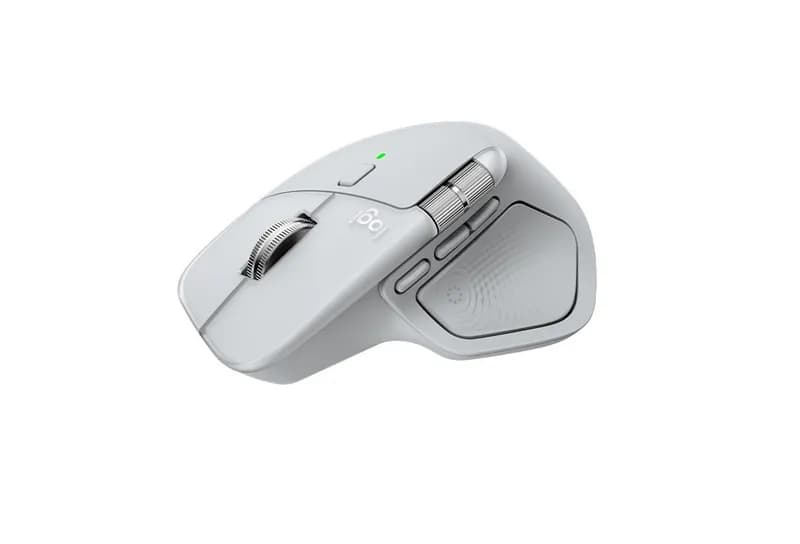
Logitech MX Master 4 Mouse
The Logitech MX Master 4 is a premium wireless productivity mouse built around a simple premise: give frequent computer users more control o
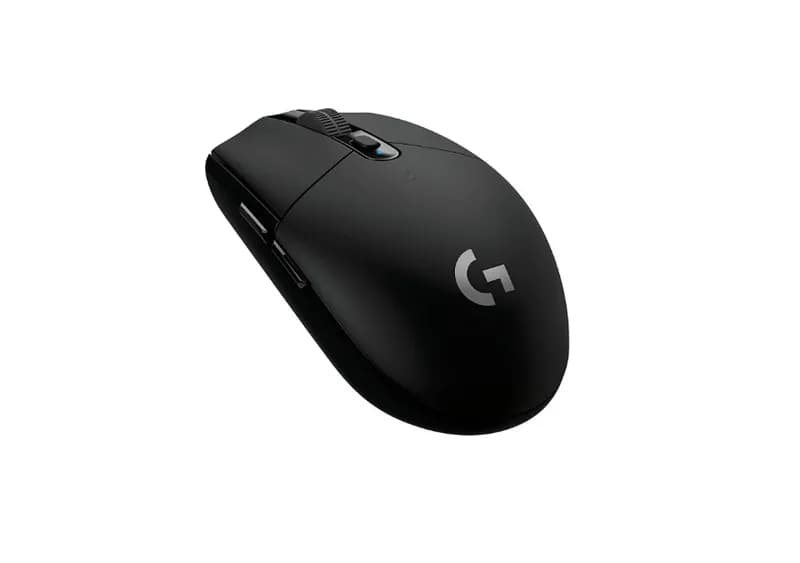
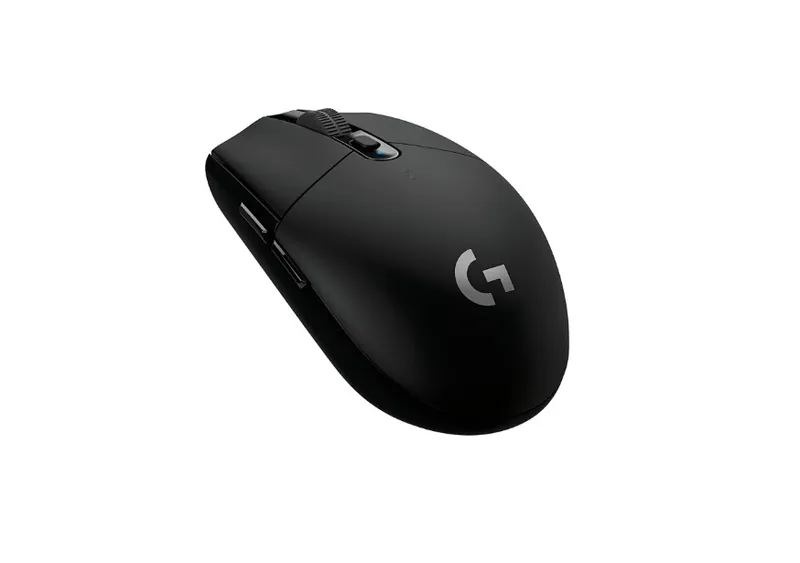
Logitech G305 LIGHTSPEED Mouse
The Logitech G305 LIGHTSPEED is a wireless gaming mouse that has stayed relevant by focusing on the fundamentals: a reliable sensor, low-lat
Related GuidesMore →

BYOMA Facial Cleansers Guide: Ingredients, Textures and Skin Types
BYOMA offers several facial cleansers designed around different cleansing needs, from the everyday Creamy Jelly Cleanser to richer Milky Oil and Melting Balm formulas and the salicylic acid Blemish Acne Clearing Cleanser. This guide compares their textures, ingredients, skin-type targeting, cleansing performance, and value to help you choose the BYOMA cleanser that best fits your skincare routine.

La Roche-Posay Cleanser Guide: Which One Is Right for You?
La Roche-Posay offers facial cleansers for dry, sensitive, normal, oily and acne-prone skin across its Toleriane and Effaclar families. This guide compares hydrating, milky, foaming, gel, cream and micellar formulas, explaining how their textures, ingredients and cleansing strength differ. It also covers salicylic acid options and helps shoppers choose based on skin type and individual tolerance.

CeraVe Facial Cleanser Buying Guide: Hydration, Acne and More
CeraVe offers a wide range of facial cleansers designed for different skin types, textures and concerns. This guide compares Hydrating, Foaming, Cream-to-Foam, Foaming Oil, SA and acne-focused cleansers, along with newer formats such as Air Foam and Cleansing Balm. Learn how their textures, active ingredients and intended uses differ so you can choose a cleanser that fits your routine.