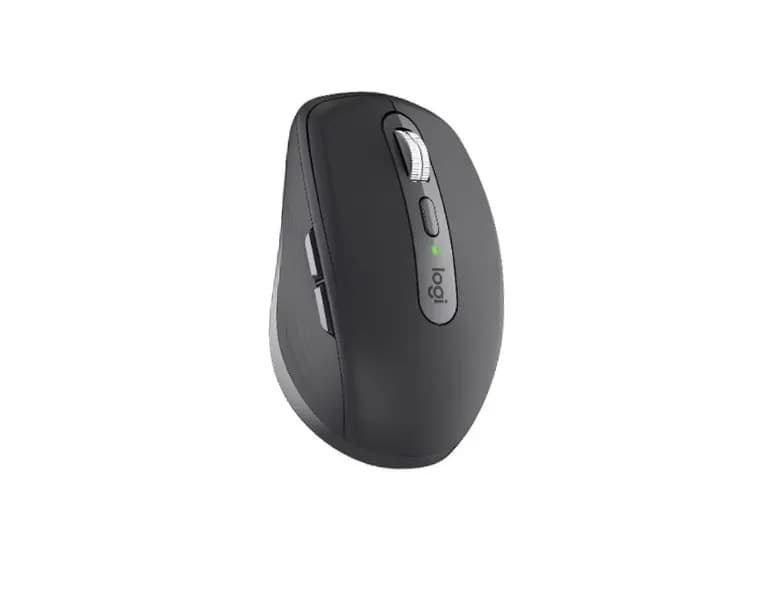
Key Specifications
Specification | Value |
Model | Logitech MX Anywhere 3S |
Sensor | Darkfield High Precision Sensor |
Resolution | 200 – 8,000 DPI (Adjustable in 50 DPI increments) |
Buttons | 6 buttons (Left/Right-click, Back/Forward, Wheel mode-shift, Middle click) |
Click Type | Quiet Clicks |
Scroll Wheel | MagSpeed Electromagnetic Scroll Wheel (Smart-shift, Ratchet, Free-spin) |
Connectivity | Bluetooth Low Energy (BLE) & Logi Bolt USB Receiver (sold separately) |
Wireless Range | Up to 10 meters |
Multi-Device Support | Easy-Switch for up to 3 devices |
Battery Type | Rechargeable Li-Po (500 mAh) |
Battery Life | Up to 70 days on a full charge (3 hours usage from 1-minute quick charge via USB-C) |
Dimensions (H x W x D) | 100.5 mm x 65 mm x 34.4 mm |
Weight | 99 g |
Software | Logi Options+ |
Compatibility | Windows 10/11, macOS 11+, iPadOS 14+, iOS 14+, ChromeOS, Linux, Android 9.0+ |
ReviewFull Review →
The Logitech MX Anywhere 3S is a compact productivity mouse built around portability rather than maximum ergonomics or maximum control count. Its 100.5 × 65 × 34.4 mm body and roughly 99g weight make it substantially easier to carry than the larger MX Master 4, while the symmetrical shape makes it more adaptable to different hand positions. It uses Logitech’s Darkfield sensor with up to 8,000 DPI and can track across a wide range of surfaces, including glass.
Its strongest features are the MagSpeed scroll wheel, quiet main clicks, USB-C charging, and support for up to three paired devices. Logitech rates the battery for up to 70 days, with a one-minute charge providing up to three hours of use.
The biggest appeal of the MX Anywhere 3S is that it delivers much of the productivity functionality associated with Logitech’s larger MX mice in a genuinely portable form. It is particularly useful for laptop users, programmers, office workers, and people who regularly move between workspaces. The trade-offs are equally clear: there is no horizontal scroll input, the mouse is still fairly dense for its size, and its 125Hz polling rate makes it a poor choice for competitive gaming. Independent testing also confirms its excellent build quality and accurate sensor, while noting those performance limitations.