Which Yale Smart Lock Should You Buy? Every Model Compared (2026)
Yale's smart lock lineup includes more than the Assure Lock 2. This 2026 buying guide compares every major U.S. model, including the Assure Lock 2, Touch, Plus, Yale Smart Lock with Matter, Approach and legacy products. Learn how keyed and key-free designs, fingerprint access, Apple Home Key, Wi-Fi, Z-Wave and Matter differ, and which configuration makes sense for your home.
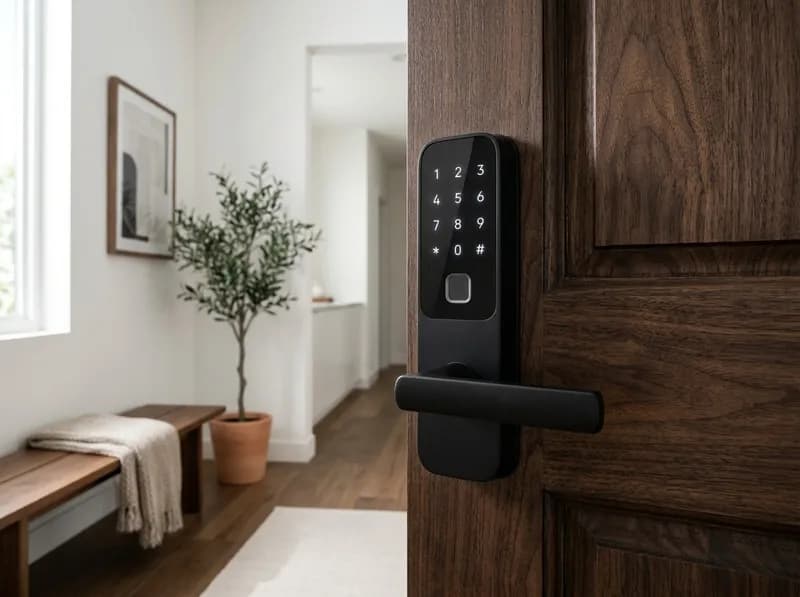
Yale makes a smart lock for almost every kind of front door, but choosing one isn't as simple as picking a model and a finish. The Assure Lock 2 family comes in keyed and key-free versions, push-button and touchscreen designs, fingerprint models, and several connectivity options. Then there are the Apple Home Key-equipped Assure Lock 2 Plus, the retrofit Yale Approach, and a newer deadbolt with Matter built in.
Those differences affect more than convenience. They determine whether you can unlock the door remotely, how often you'll replace batteries, whether the lock works with your smart home, and what happens if the electronics fail.
For most households, the keyed Yale Assure Lock 2 is the best place to start. Choose Bluetooth if local phone control is enough, add Wi-Fi if you need remote access, and consider Z-Wave if you already have a compatible hub. There are two important exceptions: the Yale Smart Lock with Matter (YRD510-MT1) is the better choice for a native Matter setup, while the Assure Lock 2 Plus deserves closer scrutiny if Apple Home Key is your main reason for buying.
Three developments make the 2026 lineup different from older Yale buying advice:
Yale now sells a dedicated Matter deadbolt. The YRD510-MT1 launched in June 2025 with Matter over Thread built in. Buyers no longer need to track down the discontinued Nest x Yale or rely on an older Assure Lock SL and a separate Matter module.
The Yale Approach still lacks its promised Matter update. It launched in April 2024 with Matter support expected later that year. As of November 2026, it still does not support Matter or Apple HomeKit, according to the available independent coverage and Yale documentation.
The Assure Lock 2 Plus has a mixed physical-security record. Consumer Reports' 2026 testing found a significant difference between the regular Assure Lock 2 and the Plus in resistance to drilling. The Plus also has a less reassuring owner-review profile than its price would suggest.
The sections below explain which Yale smart lock makes sense for different doors, households and smart-home systems, including the older models that are still relevant.
Yale Smart Locks Compared: The 2026 Lineup
The table covers Yale's U.S. residential lock families, including current products and older models that remain available or have a specific compatibility role.
Prices combine Yale's official store listings with retailer prices and historical price records found during research in October and November 2026. A historical low is not a price guarantee, and availability varies by finish and configuration.
Model | Lock type | Physical key | Official price | Verified street price or history |
|---|---|---|---|---|
Assure Lock 2 (YRD410/420/430/450) | Replacement deadbolt, keypad or touchscreen | Yes or no | $169.99–$189.99 | YRD410 Wi-Fi reached $122.28 in Dec. 2024; YRD450 Bluetooth reached $127.20 |
Assure Lock 2 Touch (YRD420-F/450-F) | Fingerprint deadbolt | Yes or no | $209.99 | Bluetooth version reached $147.50 in Aug. 2026; recent prices around $163.75–$169.28 |
Assure Lock 2 Plus (YRD450-N) | Apple Home Key deadbolt | No | $219.99 Bluetooth; $309.99 Wi-Fi | Wi-Fi version around $189.98–$202.99 at Amazon; $209.99 at Home Depot and $219.99 at Best Buy |
Assure Lock 2 with Wi-Fi | Deadbolt with Wi-Fi module | Yes or no | From about $279.99 | Discounts vary by configuration |
Yale Smart Lock with Matter (YRD510-MT1) | Native Matter over Thread deadbolt | Yes | $189.99 | Amazon $169.98; refurbished around $153.65; historical low $149.04 |
Yale Approach | Retrofit for an existing deadbolt | Keeps existing key | About $129 for lock alone | Wi-Fi and keypad bundles advertised at $179.99 |
Assure Lever (YRL216/226/236/256) | Electronic lever handle | Yes or no, depending on model | Varies | Legacy-style platform still listed by Yale |
Yale Code | Standalone keypad deadbolt | — | $99.99 | Budget option without app connectivity |
A few qualifications matter when comparing these prices:
Yale sells multiple hardware and connectivity combinations under similar product names. Always check the complete SKU, not just the product-family name.
Street prices can differ substantially from Yale's official list price. Some historical lows in the table came from individual retailers, not an industry-wide average.
Claims about an Assure Lock 3 or an Assure Lock 3 Ultra UWB at $349 appear on low-trust roundup sites, without a corresponding official Yale product listing. Those models are not included as confirmed products here.
Assure Lock 2: The Best Starting Point for Most Homes
The Assure Lock 2 is the core of Yale's current deadbolt range. It replaces a standard single-cylinder deadbolt and lets you choose the hardware and connectivity separately.
There are three main decisions:
Whether you want a physical key.
Whether you prefer physical buttons or a touchscreen.
Whether you need Bluetooth, Wi-Fi or Z-Wave.
The most expensive combination isn't automatically the best one. A keyed Bluetooth model may be a better everyday lock than a more expensive Wi-Fi touchscreen version if you rarely need remote access.
The Four Main Assure Lock 2 Configurations
The four core model numbers describe the exterior hardware:
Model | Exterior interface | Physical key | Best fit |
|---|---|---|---|
YRD410 | Push-button keypad | Yes | Traditional keypad entry with mechanical backup |
YRD420 | Touchscreen | Yes | Cleaner appearance with a physical key |
YRD430 | Push-button keypad | No | Key-free keypad entry |
YRD450 | Touchscreen | No | Key-free design with a flat touchscreen |
These model numbers do not tell you which wireless connection is included. A complete SKU provides that information. For example:
YRD410-BLE-BSP: keyed, push-button, Bluetooth.
YRD450-WF1-BSP: key-free, touchscreen, Wi-Fi.
This distinction is easy to miss on retailer listings. Two locks may look almost identical while offering different connectivity and selling at very different prices.
Common U.S. finishes include Satin Nickel, Black Suede and Oil Rubbed Bronze, although not every finish is available for every configuration.
Keyed vs. Key-Free: Is Removing the Key Cylinder Worth It?
The YRD410 and YRD420 retain a conventional key cylinder. If the batteries run out, you can still unlock the door with a physical key.
The YRD430 and YRD450 remove the keyway entirely. If the batteries are depleted, you need to use the external 9V battery terminals to temporarily power the lock and enter a code.
Key-free looks cleaner and removes the possibility of someone picking the cylinder. But it also removes a simple mechanical backup.
For a main entrance, the keyed version is the safer practical choice unless you have a specific reason to eliminate the keyway. A physical key is an uncomplicated fallback during a battery failure, especially when the weather is bad or you need to get inside quickly.
Key-free is reasonable when you are comfortable keeping a 9V battery accessible and understand how the emergency terminals work.
Push-Button Keypad vs. Touchscreen
The choice between physical buttons and a touchscreen is mostly about daily use.
Push-button models (YRD410 and YRD430) provide tactile feedback. You can feel each press, which makes them straightforward for children, older family members and guests. They are also a sensible choice for rental properties where different people may use the lock.
Touchscreen models (YRD420 and YRD450) have a smoother, more modern appearance. The screen wakes when touched and leaves a relatively clean exterior when inactive. The trade-off is that wet fingers, surface condition and strong sunlight can make the display harder to use. Some owners report that the screen is difficult to read in direct sun.
Neither interface has a meaningful security advantage over the other. Choose buttons for usability and touchscreen for appearance.
Assure Lock 2 Touch: Is the Fingerprint Reader Worth Paying For?
The Assure Lock 2 Touch adds a fingerprint reader integrated into the Yale logo on the exterior. It is a hardware difference, not a feature that can be enabled on a standard Assure Lock 2.
There are two versions:
YRD420-F: keyed touchscreen with fingerprint access.
YRD450-F: key-free touchscreen with fingerprint access.
Yale specifies storage for up to 20 fingerprints, with one fingerprint per user. Fingerprint data stays locally on the lock and is protected by 128-bit AES encryption. The manufacturer's stated recognition accuracy is 99%, with recognition in under half a second.
Those specifications are appealing, but the practical experience depends on the people using the lock.
Fingerprint enrollment takes approximately 12 scans per finger. Yale also publishes troubleshooting instructions for enrollment and recognition problems. That does not establish a defect rate, but it is worth understanding before paying extra for the feature.
Like other capacitive fingerprint readers, the sensor can struggle with wet, cold, dirty or damaged fingers. People who garden, work outdoors or live in cold climates may find that a PIN is sometimes more dependable.
The other consideration is how many people will use it. Fingerprint access is useful for regular household members, particularly when their hands are full. Guests, contractors, dog walkers and short-term rental visitors will generally need access codes anyway.
Buy the Touch if several people in your household will use fingerprint entry every day. If most users will unlock the door with a PIN or phone, the standard Assure Lock 2 is better value.
Assure Lock 2 Plus: Apple Home Key, With Important Trade-Offs
The Assure Lock 2 Plus is Yale's Apple Home Key model. Instead of opening an app or entering a PIN, you can tap a compatible iPhone or Apple Watch against the lock.
Home Key is included in both the Bluetooth and Wi-Fi versions. You do not need to buy a separate module for the Wallet-based tap-to-unlock feature.
Supported devices include:
iPhone XS or newer running iOS 15 or later.
Apple Watch Series 4 or newer running watchOS 8 or later.
The Plus is a key-free touchscreen model. It does not have a fingerprint reader or a mechanical key cylinder.
Remote Yale-app access requires the Wi-Fi version. Remote Apple Home control requires an Apple home hub, such as an Apple TV or HomePod.
Home Key Is Not the Same as HomeKit
These two Apple features are often confused.
Apple HomeKit connects the lock to the Apple Home app, where you can manage it, use Siri and create automations.
Apple Home Key stores a digital access credential in Apple Wallet. You unlock the door by tapping your iPhone or Apple Watch against the reader.
The Assure Lock 2 Plus supports both. Home Key is the more convenient everyday feature because it does not require you to open an app or enter a code.
Consumer Reports Found a Significant Drilling Difference
The Plus deserves more scrutiny than a typical premium smart lock.
Consumer Reports' 2026 smart-lock coverage found that the regular Assure Lock 2 performs excellently against drilling, while the Assure Lock 2 Plus scores poorly in the same test. Consumer Reports attributes the difference to the Plus's different internal hardware design.
The results are not uniformly negative. The Plus performs well against kick-in attacks, and its key-free construction means there is no keyway to pick.
That creates an unusual security trade-off: the Plus removes the traditional cylinder as an attack point but performs less well in the reported drilling test.
Anyone choosing the Plus primarily for its Apple Home Key convenience should consider both results rather than assuming the premium model is automatically the more secure one.
Owner Reviews Raise Another Concern
At the time of research, the Plus's Amazon listing had approximately 3.6 stars across 137 reviews, with roughly 23% one-star ratings.
Negative reviews repeatedly mention two problems:
Auto-lock failing to engage within the first year, sometimes with the app indicating that the door is locked when it is not.
Wi-Fi disconnections and unreliable remote access.
Amazon ratings are not controlled reliability tests. People with problems may be more likely to leave reviews, and the review sample is relatively small. Even so, a one-star share of roughly one-quarter is worth taking seriously on a premium-priced lock.
Should You Buy the Plus or Schlage Encode Plus?
If Apple Home Key is essential, compare the Yale Plus with the Schlage Encode Plus before purchasing.
The Schlage includes Home Key, a mechanical key, built-in alarm and BHMA Grade 1 AAA certification. It has recently sold for about $284.99 against a $329 list price, below Yale's $309.99 official price for the Wi-Fi Plus.
The Schlage costs more than the Yale Plus Bluetooth version, but it offers a stronger physical-security specification and retains a mechanical key. The full comparison appears later in this guide.
Yale Smart Lock Connectivity: Bluetooth, Wi-Fi, Z-Wave or Matter?
Connectivity is one of the most important decisions when buying a Yale smart lock. It affects remote access, smart-home compatibility and battery life.
The Assure Lock 2 has a swappable module bay. Bluetooth is built in, while Wi-Fi and Z-Wave are available through compatible modules or preconfigured SKUs.
The newer YRD510-MT1 is different: Matter over Thread is built directly into the lock.
Connection | Yale hardware | What it does |
|---|---|---|
Bluetooth | Built in | Local app control when your phone is within range |
Wi-Fi | AYR-MOD-WF1-USA or pre-installed configuration | Internet-based remote access through the Yale app |
Z-Wave Plus | AYR-MOD-ZW2-USA / ZW3 | Hub-based control through compatible systems such as SmartThings and Ring Alarm |
Matter over Thread | Assure Lock SL YRD256 with compatible module | Matter integration on the older Assure Lock SL |
Native Matter over Thread | Built into YRD510-MT1 | Matter integration without a separate module |
Three common buying mistakes are worth avoiding.
1. Bluetooth does not provide remote access.
Installing the Yale app does not turn a Bluetooth-only lock into a Wi-Fi lock. Bluetooth control works locally, when your phone is within range. If you want to lock or unlock the door from work, you need a supported remote-access setup.
2. The Assure Lock 2 module bay accepts only one module at a time.
You cannot install Wi-Fi and Z-Wave modules simultaneously. The Matter module route documented by Yale applies to the original Assure Lock SL (YRD256), not the Assure Lock 2.
3. Check the wireless frequency before setup.
The Assure Lock 2 Wi-Fi configurations and Yale Approach use 2.4 GHz Wi-Fi. If your router or mesh system separates 2.4 GHz and 5 GHz into different network names, make sure the lock joins the 2.4 GHz network.
A weak signal can cause more than connection problems. The lock may use more battery power while trying to maintain a connection.
Z-Wave buyers should also check the module generation. Yale has different Z-Wave module families, and a module advertised as Z-Wave Plus is not necessarily compatible with every Yale lock generation.
Yale Smart Lock Battery Life: How Often Will You Replace Batteries?
Battery life is easy to overlook when comparing smart locks. It can become one of the biggest differences between configurations.
Yale's official estimate for the Assure Lock 2 with Wi-Fi enabled is approximately three months per set of four AA batteries. That is substantially shorter than the expected life of a Bluetooth-only or Z-Wave configuration.
Connectivity | Expected battery life | Basis |
|---|---|---|
Assure Lock 2 with Wi-Fi | About 3 months; Wirecutter's longer-term framing for Wi-Fi locks is 4–6 months | Manufacturer estimate and independent reporting |
Bluetooth only | About 9–12 months | Yale support documentation and owner reports |
Z-Wave through a hub | About 12–18 months | Yale support documentation |
Matter over Thread (YRD510) | About 6–12 months; Yale rates it for up to 12 months | Manufacturer rating |
Nest x Yale | About 12 months | Manufacturer estimate |
These are estimates, not guarantees. Door alignment, deadbolt friction, temperature, how often the lock operates and wireless signal strength can all change actual battery life.
A few practical rules make the choice easier:
Choose Bluetooth if you only need local phone control. It avoids the shorter battery life associated with Wi-Fi.
Choose Z-Wave if you already have a compatible hub and want smart-home automation without relying on the lock's Wi-Fi connection.
Choose Wi-Fi when remote access is important enough to justify more frequent battery changes.
Replace batteries when the low-battery warning appears. Waiting until the motor struggles is an unnecessary risk for a device that controls your front door.
For a Wi-Fi Assure Lock 2, budget for regular battery replacement rather than assuming one set will last a year.
Yale Smart Lock with Matter (YRD510-MT1): The Better Choice for Matter Homes
The Yale Smart Lock with Matter launched on June 24, 2025. It is the direct successor to the discontinued Nest x Yale in Yale's residential lineup and the most straightforward option for buyers who want native Matter support.
Unlike the Assure Lock 2, the YRD510-MT1 does not rely on a replaceable radio module. Matter over Thread is built into the lock.
What the YRD510-MT1 Includes
Native Matter over Thread connectivity.
Compatibility with Apple Home, Google Home, Alexa and SmartThings through supported Matter controllers.
Push-button keypad.
Physical key backup.
DoorSense door-state hardware.
Four AA batteries, with a rated life of up to 12 months.
Snow, Ash and Matte Black finishes.
A body containing 60% post-consumer recycled plastics.
Its official price is $189.99. During the research period, the Snow version was available at Amazon for about $169.98, refurbished stock at Best Buy was around $153.65, and the historical low was $149.04. Amazon's rating was approximately 4.0 stars across 75 reviews.
What It Does Not Include
The YRD510 is not a replacement for every Assure Lock 2 configuration.
It has:
No fingerprint reader.
No Apple Home Key.
No built-in Wi-Fi.
Matter support does not mean the lock can connect directly to a Wi-Fi router. Thread requires a compatible Thread border router in the home.
Examples include:
Smart-home platform | Compatible border-router examples |
|---|---|
Apple Home | Apple TV 4K or HomePod (2nd generation) |
Google Home | Google TV Streamer, Nest Hub (2nd generation) or Nest Wifi Pro |
Without a Thread border router, the lock has no network path for Matter control.
Matter Compatibility Does Not Guarantee Identical Features
The YRD510 works with major Matter ecosystems, but the available features are not necessarily identical across Apple Home, Google Home, Alexa and SmartThings.
Entry-code management and activity history, for example, can vary by platform. Matter provides a common connectivity standard; it does not guarantee that every app exposes every Yale feature in the same way.
Yale's August 2026 Yale Access app update improved the experience by allowing lock settings and activity history to coexist with Matter control.
The YRD510-MT1 is the strongest Yale choice for buyers who already have a Thread border router and want native Matter without a separate module. It is also the natural replacement for an aging Nest x Yale.
Yale Approach: A Retrofit Smart Lock That Keeps Your Existing Key
The Yale Approach takes a different approach from the Assure range. Rather than replacing the entire deadbolt, it motorizes the existing interior thumb-turn.
The exterior lock and physical key remain in place. That makes Approach attractive to renters and homeowners who want smart-lock functionality without changing the visible exterior hardware.
Installation involves removing the interior thumb-turn, mounting the Approach mechanism, connecting it to the deadbolt tailpiece and pairing it with the Yale Access app. A separate keypad accessory can be added for PIN entry.
The lock uses four AA batteries. The separate keypad uses four AAA batteries.
Check Deadbolt Compatibility Before Buying
Approach does not work with every deadbolt.
It is designed for compatible single-cylinder deadbolts. Yale excludes several types, including:
Mortise locks.
Double-cylinder deadbolts.
Single-sided deadbolts.
Certain high-security cylinders, including specified Medeco and Mul-T-Lock configurations.
Yale publishes a tested-compatible list covering selected models from Fortune Brands brands and other manufacturers.
Do not assume that a deadbolt is compatible simply because it looks like a standard U.S. deadbolt. Check the exact model against Yale's list before ordering.
The Matter Update Has Not Arrived
When Yale announced Approach in April 2024, it said a Matter over Thread firmware update would follow later that year.
As of November 2026, that update has not been released. Available independent coverage and Yale's current documentation indicate that Approach still does not support Matter or Apple HomeKit.
Some 2026 buying guides describe Approach as having native Matter over Thread. That conflicts with the more detailed independent reporting and current product documentation, so buyers should not rely on those claims.
Instead, Approach uses a Yale Connect Bridge for cloud-routed integrations with Alexa, Google Home, SmartThings and Hue. The bridge operates over 2.4 GHz Wi-Fi and has a stated range of roughly 30 feet. Bluetooth remains available for local control.
If Matter or Apple HomeKit is the reason you're shopping, choose another lock. If keeping the existing exterior hardware is the priority, Approach remains a useful retrofit option.
Is the Approach Keypad Worth Buying?
Yale offers a basic keypad and a Keypad Touch with fingerprint recognition.
The fingerprint-equipped Keypad Touch has a less convincing owner-review record than the lock itself. Its Amazon rating was around 3.8–3.9 stars across approximately 81–87 ratings during the research period.
Recurring complaints include:
Missed or repeated keypresses.
Fingerprint recognition that requires multiple attempts.
An enrollment process that requires fingerprints to be associated with an email account, which can be awkward for children and guests.
The basic keypad avoids the fingerprint hardware and is the simpler choice for households that mainly need PIN entry.
Approach pricing depends on the bundle. The lock alone has sold for around $129, while Wi-Fi and keypad bundles have been advertised at $179.99. Check exactly what is included before comparing headline prices.
Older Yale Smart Locks: Assure, Assure SL, Assure Lever and Yale Code
Yale's pre-Assure Lock 2 products are still relevant in a few situations, particularly when replacing an existing lock or finding a compatible module.
Model | Design | Physical key |
|---|---|---|
YRD216 | Push-button deadbolt | Yes |
YRD226 | Touchscreen deadbolt | Yes |
YRD246 | Touchscreen deadbolt | No |
YRD256 (Assure Lock SL) | Key-free touchscreen deadbolt | No |
YRD416/426/446 | Push-button or touchscreen variants | Varies |
Original Assure Modules Are Not Interchangeable With Assure Lock 2 Modules
The original Assure generation has its own module ecosystem.
For example, the AYR202-ZWV-USA Z-Wave module belongs to the original Assure platform, while AYR-MOD-ZW2-USA is part of the Assure Lock 2 module family.
Do not buy a replacement module based only on its wireless standard. Confirm that the exact module is compatible with the lock's generation and model number.
Why the Assure Lock SL YRD256 Still Matters
The original Assure Lock SL (YRD256) has one specific role in Yale's current compatibility documentation: it is the Assure-family platform named for Yale's Matter module route.
That makes it relevant to buyers who specifically want Matter over Thread through a module rather than the newer YRD510's built-in Matter implementation.
For most new purchases, however, the YRD510 is the more current solution. It includes native Matter, retains a physical key and has a lower official price than many premium Assure configurations.
Assure Lever Is Not a Deadbolt
The Assure Lever family (YRL216/226/236/256) uses an electronic lever handle rather than a deadbolt.
It can make sense for interior doors and secondary entrances where a lever is the existing hardware type. It should not be treated as a direct security equivalent to a deadbolt on a main entrance.
Yale Code: A Keypad Lock Without an App
Yale Code is a standalone keypad deadbolt priced at $99.99.
It has no app connectivity or remote-access features. That limitation is also its appeal: if you only need PIN entry for a shed, gate or rental unit, you do not need to pay for Wi-Fi or smart-home integration.
Choose a connected Assure Lock 2 instead if you want to manage access codes through an app or check the lock remotely.
Nest x Yale: Discontinued, With a Clear Successor
The Nest x Yale Lock (RB-YRD540-WV) was a collaboration between Yale and Google. It used a key-free touchscreen deadbolt, Nest Weave connectivity and a Nest Connect accessory for remote access. Yale estimated battery life at approximately 12 months, and the lock carried Grade 2 certification.
Yale's U.S. product page now lists it as sold out.
Existing owners should know two things:
Google ended Nest Secure support on April 8, 2024. Owners who used Nest Guard as their bridge needed to move to Nest Connect to retain remote access.
If the lock loses its Nest Connect connection, keypad entry continues to work, but app control is unavailable until connectivity returns.
For new buyers, the replacement is the Yale Smart Lock with Matter (YRD510-MT1). It fills the same general place in Yale's lineup, but replaces the older Nest Weave connection with native Matter over Thread and adds a physical key.
Existing owners with a working Nest Connect setup can continue using their lock. There is no need to replace a functioning unit simply because the product has been discontinued.
Yale Smart Lock Compatibility: Apple Home, Google Home, Alexa and SmartThings
The following table summarizes the main integration routes. Compatibility depends on the exact lock configuration, module, hub and smart-home platform.
Yale configuration | Apple Home | Google Home | Alexa | SmartThings | Matter |
|---|---|---|---|---|---|
Assure Lock 2 Bluetooth | HomeKit on supported configurations | No remote route without a module | Limited without a module | Module dependent | No |
Assure Lock 2 Wi-Fi | Yes | Yes | Yes | Yes | No |
Assure Lock 2 Z-Wave | Through hub integration | Hub dependent | Hub dependent | Yes | No |
Assure Lock 2 Plus (Bluetooth/Wi-Fi) | HomeKit and Home Key | Wi-Fi version only | Wi-Fi version only | Wi-Fi version only | No |
Assure Lock SL YRD256 + Matter module | Yes | Yes | Yes | Yes | Yes |
Yale Smart Lock with Matter (YRD510) | Yes, through Matter | Yes, through Matter | Yes, through Matter | Yes, through Matter | Yes, native |
Yale Approach (Wi-Fi bundle) | No HomeKit or Home Key | Through Yale Connect Bridge | Through bridge | Through bridge | No |
Nest x Yale | No | Nest ecosystem | Through Nest ecosystem | No | No |
Two distinctions are important.
First, a checkmark does not guarantee identical features. Matter provides cross-platform connectivity, but entry-code management and activity history can differ between Apple Home, Google Home, Alexa and SmartThings.
Second, the Assure Lock 2 Plus's Home Key feature does not depend on its Wi-Fi module. The module is for Yale-app remote access and additional integrations; the Wallet-based tap-to-unlock credential is a separate feature.
Apple households should also compare Yale with the Schlage Encode Plus, Level Lock+, Aqara U100/U400 and Kwikset Halo Select Plus. These products offer different combinations of Home Key, Matter, fingerprint access and mechanical backup.
Before You Buy: Door Fit, Installation, Outages and Ownership
A smart lock can have excellent features and still be a poor purchase if it does not fit the door or cannot maintain a reliable connection.
Door Measurements and Installation
The Assure Lock 2 family is designed for standard U.S. deadbolt preparations. Yale's published fit dimensions include:
Measurement | Supported dimension |
|---|---|
Door thickness | 1⅜–2¼ inches |
Cross-bore diameter | 2⅛ inches |
Edge-bore diameter | 1 inch |
Backset | 2⅜ or 2¾ inches |
Measure the door rather than assuming the existing deadbolt is correctly installed.
Before ordering, check:
Door thickness.
Backset.
Cross-bore diameter.
Edge-bore diameter.
Bolt alignment with the strike plate.
The last item is particularly important. If the deadbolt binds against the strike plate when you operate it manually, fix the alignment before installing a motorized lock. A smart lock should not have to fight the door every time it locks.
Most standard Assure Lock 2 installations require only basic tools. Owner reports of installation taking one to two hours are common, although unusual door preparations, frame modifications or nonstandard hardware may require a locksmith.
What Happens if the Internet Goes Down?
A Wi-Fi outage does not normally prevent someone from entering the house.
The keypad continues to work, keyed models retain their mechanical key, and Bluetooth provides local phone access. Yale specifically confirms that Wi-Fi-equipped Assure Lock 2 models remain accessible over Bluetooth during a home Wi-Fi outage.
What stops working is cloud-based remote access. You may lose the ability to lock or unlock the door from work, receive cloud notifications or use integrations that depend on an internet connection.
For households that mainly use PINs and local access, this is one reason not to pay extra for Wi-Fi.
A Temporary Entry Code Bug Rental Hosts Should Check
Yale's support documentation identifies a firmware issue affecting Assure Lock 2 firmware version 1.3.15 and older.
On affected firmware, Temporary Entry Codes can become invalid before their scheduled expiration time. A guest may arrive expecting a working code only to find that it has already stopped working.
Yale's documented fix is to update the lock to firmware 1.3.16 through a Bluetooth-initiated update and re-edit affected code end times. A one-minute adjustment to the end time is also documented as a workaround.
For Airbnb hosts and other rental operators, checking firmware should be one of the first steps after installation. Do not assume that a newly installed lock already has the latest software.
Buying a Used Yale Smart Lock
A second-hand Yale lock can be cheaper, but account transfer and factory-reset procedures create a potential problem.
Yale's reset authorization process can involve a wait of up to 30 days after an account transfer. That can leave a buyer with a lock that cannot be fully configured immediately.
Yale's own store also treats installed products as non-returnable, although unopened products can be returned within 30 days under its stated policy.
If buying used, ask the seller to confirm in writing that the lock has been removed from the previous owner's account and is ready for a new owner to set up. Do not rely on a low price alone.
Yale Smart Lock Warranty
Yale's current U.S. limited warranty provides:
Two years of electronic coverage.
Lifetime mechanical and finish coverage for the original consumer purchaser living at the original single-family installation address.
Three years of mechanical and finish coverage for non-consumer use, including multifamily properties and vacation rentals.
The distinction between consumer and non-consumer installations matters to landlords and short-term rental operators. Check the warranty terms for the exact product and installation before buying.
Who Owns Yale Smart Locks?
Yale's ownership has changed, which can make older articles confusing.
Fortune Brands Innovations acquired the U.S. and Canadian Yale and August residential smart-lock businesses from ASSA ABLOY in June 2023. Yale and August now sit under the same parent company.
The shopyalehome.com store is operated by Master Lock Company LLC. This corporate structure helps explain why Yale and August products appear in overlapping retail channels and why their product documentation sometimes cross-references one another.
Older descriptions saying that ASSA ABLOY owns Yale's U.S. and Canadian residential smart-lock business no longer reflect the current ownership arrangement.
Which Yale Smart Lock Should You Buy? Recommendations by Buyer Type
The right choice depends on how you use the door and which smart-home features you actually need.
Buyer | Recommended Yale model | Why |
|---|---|---|
Most homeowners | Assure Lock 2 YRD420, keyed touchscreen | Balanced design with a mechanical key backup |
Best value | Assure Lock 2 YRD410 Bluetooth | Physical buttons, local app control and no Wi-Fi premium |
Fingerprint access | Assure Lock 2 Touch YRD420-F | Convenient for regular household members |
Apple Home Key | Assure Lock 2 Plus YRD450-N | Wallet-based tap-to-unlock, but consider its security record |
Matter smart home | Yale Smart Lock with Matter YRD510-MT1 | Native Matter over Thread and physical key |
Z-Wave household | Assure Lock 2 with compatible Z-Wave module | Works with a compatible hub and existing automations |
Google Home or Alexa remote access | Assure Lock 2 Wi-Fi | Straightforward remote access through Yale's supported integrations |
Renter or homeowner keeping exterior hardware | Yale Approach | Retrofit design preserves the existing exterior deadbolt |
Landlord or short-term rental host | Assure Lock 2 Wi-Fi or Approach Wi-Fi | Remote code management, depending on door compatibility |
No smart-home features needed | Yale Code | Simple keypad entry without app connectivity |
Secondary entrance with lever hardware | Assure Lever | Electronic lever for doors that do not use deadbolts |
Existing original Assure owner | Compatible replacement module or Assure Lock 2 | Depends on the existing lock and module generation |
A few recommendations deserve extra context.
For most homeowners: The keyed Assure Lock 2 YRD420 is a balanced choice if you prefer a touchscreen. The YRD410 is the better alternative if you want physical buttons. Start with Bluetooth and add Wi-Fi only if remote access becomes important.
For buyers focused on value: The YRD410 Bluetooth is a straightforward keypad lock. Its Wi-Fi sibling, YRD410-WF1, has reached a historical low of $122.28, but check the current price and exact SKU before assuming that deal is available.
For Apple Home Key users: The Plus provides the tap-to-unlock experience, but it is not an automatic recommendation at its price. Compare its drilling-test results, owner reviews and lack of a mechanical key with the Schlage Encode Plus.
For Matter households: The YRD510-MT1 is the obvious Yale choice if you already have a Thread border router. It costs less than many premium Assure configurations and does not require a separate radio module.
For renters: Approach is attractive because it keeps the exterior deadbolt and key. However, confirm compatibility and obtain the landlord's permission. Preserving the exterior hardware does not automatically mean the installation is allowed under a lease.
For rental operators: Check firmware before issuing guest codes. The temporary-code issue on Assure Lock 2 firmware 1.3.15 and older makes this an especially important step.
Yale vs. Schlage, Kwikset, August and Aqara
Yale's biggest advantage is the breadth of its lineup. It offers keyed and key-free deadbolts, fingerprint access, Apple Home Key, retrofit locks, Wi-Fi, Z-Wave and native Matter.
That flexibility also makes the range harder to navigate. On some specific features, competing brands offer a more convincing package.
Yale vs. Schlage: Better Physical Security and a Mechanical Key
The Schlage Encode Plus is the strongest alternative to the Assure Lock 2 Plus for buyers who prioritize physical security.
Its main features include:
Apple Home Key.
Built-in Wi-Fi.
A conventional mechanical key.
An integrated alarm.
BHMA Grade 1 AAA certification.
The Encode Plus carries a higher security certification than the Assure family's Grade 2 rating. Its recent Amazon price was approximately $284.99 against a $329 list price.
Schlage rates its battery life at about six months with Wi-Fi enabled. The Verge has also reported Schlage's statements that Thread operation through HomeKit can extend battery life to as much as a year.
For a buyer comparing the Encode Plus with Yale's Wi-Fi Plus at $309.99, Schlage has a strong case: it costs less at the cited street price, includes a mechanical key and carries the higher certification.
Yale still has advantages elsewhere in the range, particularly fingerprint hardware, lower entry pricing and the flexibility of its module-based Assure Lock 2 platform.
Yale vs. Kwikset: Matter and Home Key in One Lock
The Kwikset Halo Select Plus combines Matter over Thread, Apple Home Key and Wi-Fi in one lock body. Its price has been around $280–$309, and it carries a BHMA AAA rating.
For buyers who want both Matter and Home Key, it offers a combination that the Yale YRD510 does not provide. The YRD510 supports Matter but does not have Home Key; the Yale Plus has Home Key but does not support Matter.
Consumer Reports named the Halo Select Plus its Best Smart Lock with Matter in its 2026 coverage.
One limitation is its lack of a Ring Alarm integration path. Ring-focused households may find a Yale Assure Lock 2 with a compatible Z-Wave module more suitable.
Yale vs. August: Two Retrofit Locks Under One Parent Company
The August Wi-Fi Smart Lock (4th generation) is a direct alternative to the Yale Approach. Both motorize an existing deadbolt from the inside rather than replacing the exterior hardware.
August's lock has sold for roughly $129–$150. Its more compact interior design may appeal to buyers who want to keep the existing key and exterior cylinder.
Since June 2023, Yale and August's U.S. and Canadian residential smart-lock businesses have shared the Fortune Brands parent company. The choice between the two is therefore largely about physical size, bridge requirements, compatibility and the features included in each package.
Yale vs. Aqara: Fingerprint and Home Key at a Lower Price
The Aqara U100 combines a fingerprint reader and Apple Home Key at around $190. It also supports Matter through the Aqara ecosystem.
For buyers who want fingerprint access and Home Key without paying for a premium Yale Plus configuration, the U100 is worth comparing.
The trade-off is ecosystem dependence. Buyers may need to account for Aqara hubs and the way its devices integrate with their existing smart-home setup.
Where Yale Has the Advantage
Yale remains a strong choice for buyers who want options rather than one fixed feature package.
Its advantages include:
Lower entry pricing, with the YRD410 reaching a historical low below $130.
A module bay that lets compatible Assure Lock 2 owners change connectivity later.
The unusual combination of a physical key and native Matter in the YRD510.
A wide range of keypad, touchscreen, fingerprint and retrofit designs.
Detailed official product and support documentation.
The best Yale lock is not necessarily the one with the most features. It is the one whose physical design, radio and backup-entry method fit the door.
Final Verdict: Which Yale Smart Lock Is Best?
For most buyers, the keyed Assure Lock 2 is the sensible starting point. Choose the YRD410 if you prefer physical buttons or the YRD420 if you want a touchscreen. Both retain a mechanical key for emergencies.
The rest of the range is easier to navigate once you match the features to a specific need:
Best everyday choice: Assure Lock 2 YRD410 or YRD420 in a keyed Bluetooth configuration.
Best for fingerprint access: Assure Lock 2 Touch, if several household members will use the reader regularly.
Best for Apple Home Key: Assure Lock 2 Plus, but compare its drilling-test result and owner-review record with the Schlage Encode Plus first.
Best for Matter: Yale Smart Lock with Matter YRD510-MT1, provided your home has a Thread border router.
Best retrofit: Yale Approach, if your existing deadbolt is compatible and you do not need Matter or HomeKit.
Best basic keypad lock: Yale Code, if app control and remote access are unnecessary.
The biggest mistake is paying extra for connectivity you will rarely use. Bluetooth is enough for many households. Wi-Fi is useful when remote access matters, but it comes with shorter battery life. Z-Wave makes sense when a compatible hub is already part of the home.
Check the complete SKU, battery expectations and physical backup before ordering. Those details matter more than whether the exterior has a touchscreen or a premium finish.
Frequently Asked Questions About Yale Smart Locks
Which Yale smart lock should I buy in 2026?
For most homes, start with a keyed Assure Lock 2. Choose the YRD420 for a touchscreen or the YRD410 for physical buttons. Bluetooth is enough for local phone control; add Wi-Fi only if you need remote access.
Choose the Touch for regular fingerprint users, the Plus for Apple Home Key, and the YRD510-MT1 for native Matter over Thread. Renters and homeowners who want to preserve their existing exterior hardware can consider the Approach after checking deadbolt compatibility.
Does the Yale Assure Lock 2 support Matter?
No. Standard Assure Lock 2, Touch and Plus configurations do not have native Matter support.
Yale's Matter module route applies to the older Assure Lock SL YRD256. For a current Yale lock with Matter built in, choose the YRD510-MT1.
Do not assume that an Assure Lock 2 supports Matter simply because a retailer describes it as compatible with smart-home systems.
Does the Yale Approach support Matter or Apple HomeKit?
No. Yale announced Approach in April 2024 with a Matter update planned for later that year, but as of November 2026, the update has not arrived.
Approach instead uses the Yale Connect Bridge for cloud-routed integrations with Alexa, Google Home, SmartThings and Hue. It does not provide native Matter or Apple HomeKit support.
What is the difference between Apple Home Key and HomeKit?
HomeKit connects a smart lock to the Apple Home app, allowing app control, Siri commands and automations.
Home Key is the Wallet-based tap-to-unlock feature. You can use a compatible iPhone or Apple Watch to unlock the door without opening an app or entering a code.
The Assure Lock 2 Plus supports both features. Its Home Key function does not require the Wi-Fi module.
How long do Yale smart lock batteries last?
Battery life depends heavily on connectivity:
Assure Lock 2 Wi-Fi: about three months by Yale's estimate, with Wirecutter's longer-term framing for Wi-Fi locks around four to six months.
Bluetooth-only: approximately nine to 12 months.
Z-Wave through a hub: approximately 12 to 18 months.
YRD510 Matter over Thread: up to 12 months by Yale's rating.
Nest x Yale: approximately 12 months by the original estimate.
Actual battery life varies with usage, door alignment, temperature and wireless signal strength.
Is the Yale Assure Lock 2 Plus secure?
Its test results are mixed.
Consumer Reports' 2026 coverage found that the Plus performs poorly against drilling compared with the regular Assure Lock 2, which performed excellently. The Plus does better against kick-in attacks and has no keyway to pick.
Owner reviews also raise concerns about auto-lock reliability and Wi-Fi disconnections. At the time of research, its Amazon rating was approximately 3.6 stars, with around 23% one-star reviews.
Buyers who prioritize physical security should compare it with the BHMA Grade 1 AAA-rated Schlage Encode Plus.
Is the Yale Assure Lock 2 Touch fingerprint reader reliable?
Yale rates the reader at 99% recognition accuracy, with unlocking in under half a second. It stores up to 20 fingerprints.
Enrollment takes approximately 12 scans per finger. Wet, cold, dirty or damaged fingers can still cause recognition problems, as with other capacitive fingerprint readers.
The feature is most useful for household members who unlock the door frequently. Guests and temporary visitors will generally use PIN codes.
Which deadbolts work with the Yale Approach?
Approach works with compatible single-cylinder deadbolts. It does not support mortise locks, double-cylinder deadbolts, single-sided deadbolts or certain high-security cylinders, including specified Medeco and Mul-T-Lock configurations.
Yale publishes a tested-compatible list. Check the exact deadbolt model before purchasing rather than relying on appearance alone.
Yale Assure Lock 2 vs. Schlage Encode Plus: Which is better?
The Schlage Encode Plus is the stronger choice for buyers who prioritize physical security and want Apple Home Key in a keyed lock.
It offers BHMA Grade 1 AAA certification, a mechanical key, an integrated alarm and built-in Wi-Fi. Its recent street price was approximately $284.99, compared with a $329 list price.
The Yale Assure Lock 2 family offers lower entry prices, fingerprint options and a replaceable connectivity module. The Plus provides Home Key, but its key-free design and drilling-test results deserve consideration.
Choose Schlage for the stronger physical-security package. Choose Yale for broader configuration options and a lower-cost entry into smart-lock ownership.
Why does my Yale smart lock keep disconnecting from Wi-Fi?
The Assure Lock 2 Wi-Fi configurations and Yale Approach use 2.4 GHz Wi-Fi. If your router separates 2.4 GHz and 5 GHz networks, make sure the lock is connected to the 2.4 GHz network.
Distance from the router can also cause problems. A weak signal may lead to repeated disconnections and faster battery drain.
Approach has an additional limitation: its Yale Connect Bridge has a stated range of roughly 30 feet.
Do Yale smart locks work during an internet outage?
Yes, local entry generally continues to work.
Keypads remain functional, keyed models retain their mechanical key, and Bluetooth can provide local phone access. Yale confirms that Wi-Fi-equipped Assure Lock 2 models remain accessible through Bluetooth during a home internet outage.
Cloud-based remote access and integrations that depend on the internet will stop working until the connection returns.
What happened to the Nest x Yale lock?
The Nest x Yale is discontinued, and Yale's U.S. store lists it as sold out.
Google ended Nest Secure support on April 8, 2024. Existing owners who used Nest Guard as their bridge needed to switch to Nest Connect to retain remote access.
The current successor in Yale's lineup is the Smart Lock with Matter (YRD510-MT1), which replaces Nest Weave with native Matter over Thread and includes a physical key.
Can I buy a used Yale smart lock?
You can, but check the account-transfer and reset status first.
Yale's factory-reset authorization process can take up to 30 days after an account transfer. A lock that remains associated with the previous owner's account may not be ready for immediate setup.
Ask the seller to confirm in writing that the lock has been removed from the previous account and can be registered by a new owner.
What warranty do Yale smart locks carry?
Yale's current U.S. limited warranty provides two years of electronic coverage.
Mechanical and finish coverage lasts for the lifetime of the original consumer purchaser at the original single-family installation address. Non-consumer installations, including multifamily properties and vacation rentals, have a three-year mechanical and finish term.
Check the exact warranty documentation for the model and intended installation.
Is there a bug with Yale temporary entry codes?
Yes. Yale documents an issue affecting Assure Lock 2 firmware version 1.3.15 and older. Temporary Entry Codes can stop working before their scheduled expiration time.
The documented fix is to update the lock to firmware 1.3.16 through a Bluetooth-initiated update and re-edit affected code end times.
Rental hosts should check the firmware immediately after installation and before issuing guest codes.
Is the Yale Assure Lock 3 real?
There is no confirmed official Yale product listing for an Assure Lock 3 in the available U.S. product information.
Claims about an Assure Lock 3, including an Ultra UWB version priced at $349, appear on low-trust roundup sites without a corresponding Yale announcement or product page.
Until Yale confirms such a product through its official channels, buyers should compare the models that can actually be verified.
Related GuidesMore →
Which Roborock Should You Buy in 2026? Saros, Qrevo, and Q Series Explained
Choosing a Roborock in 2026 means looking beyond advertised suction and comparing navigation, brush design, mop systems, dock features, and real-world test results. This guide covers the Saros, Qrevo, Q, and legacy S8 families, with recommendations for carpet-heavy homes, pet owners, hard floors, low furniture, and tighter budgets. It also examines current U.S. pricing, maintenance costs, warranty terms, app privacy, and the implications of new FCC rules.
Which Ergotron Monitor Arm Should You Buy? LX, LX Pro, HX, and More
Ergotron makes monitor arms for everything from lightweight office displays to large curved gaming monitors, but the models aren't interchangeable. This guide compares the Ergotron LX, LX Pro, HX, MXV, and TRACE to help you choose the right arm for your display. Learn how weight capacity, screen depth, desk-clamp compatibility, adjustment range, and current U.S. pricing affect the decision, with independent testing and owner feedback providing additional context.
Levoit Humidifiers Explained: Models Compared, Features, Prices, and What to Know Before Buying
Levoit’s humidifier lineup includes several distinct families, from budget-friendly Classic and NeoClassic models to warm-mist OasisMist units and mist-free Superior evaporative humidifiers. This guide compares tank capacities, humidity controls, app connectivity, cleaning requirements, water recommendations, and verified U.S. prices. Independent test results from Wirecutter, Good Housekeeping, RTINGS, Better Homes & Gardens, and Popular Mechanics help you choose a model based on real-world performance rather than specifications alone.