Petcube Camera Buying Guide 2026: Cam, Cam 360, Bites 2 Lite and Play 2
Petcube makes several pet cameras with different purposes, from basic live monitoring to remote treat dispensing and interactive laser play. This 2026 Petcube buying guide compares the Cam, Cam 360, Bites 2 Lite and Play 2, covering video quality, features, pricing, subscription plans and real-world reliability. Find out which model suits your dog, cat, home layout and budget before buying.
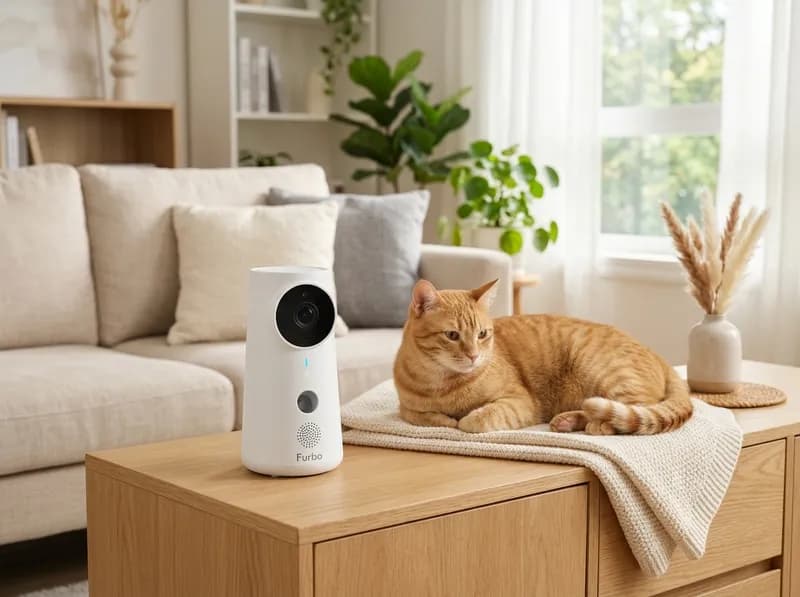
Petcube makes several types of pet cameras, but they serve different purposes. The Cam series focuses on remote monitoring, Bites adds a treat dispenser, and Play combines a camera with an interactive laser toy.
That distinction matters more than the camera specifications. If you simply want to check whether your dog is sleeping or your cat is on the sofa, a basic Cam may be enough. If you want to reward your dog remotely or give your cat something to chase, the Bites and Play models offer features that ordinary indoor cameras don't.
There is another consideration: Petcube's cameras provide free live streaming, but cloud video history, AI-powered alerts and other advanced monitoring features require a Petcube Care subscription. The initial hardware price can therefore be misleading if you intend to use the camera for several years.
Independent testing also raises some questions worth considering before buying. Wirecutter reported reliability problems with the Bites product family, while WIRED found shortcomings in Play 2's automatic laser mode. Even the Cam 360's advertised tracking capabilities have attracted conflicting reports.
Here's how the current Petcube lineup compares, what each camera actually offers, and when a conventional indoor security camera may be a better purchase.
Quick Verdict: Which Petcube Should You Buy?
Category | Recommended model | November 2026 price |
|---|---|---|
Best overall | Petcube Cam 360 | $39.99 |
Best budget camera | Petcube Cam | $29.99 |
Best for dogs and treat dispensing | Petcube Bites 2 Lite | $81.99 |
Best for interactive cat play | Petcube Play 2 | $64.99 |
Best without a subscription | Petcube Cam | $29.99 |
Best overall: Petcube Cam 360. Its 1080p video, remote pan-and-tilt movement, night vision, two-way audio and physical privacy mode make it the most versatile camera-only option. CNET also named it the best pan-and-tilt pet camera in its 2026 roundup.
Best budget option: Petcube Cam. At $29.99, it covers the basics without charging extra for mechanical movement or interaction features. It's a sensible choice if your pet usually stays in one room or near a particular resting area.
Best for dogs: Petcube Bites 2 Lite. The treat dispenser lets you reward your dog remotely, and the 1.5 lb hopper holds enough treats for repeated sessions. CNET selected it as its best pet camera for dogs in 2026. However, Wirecutter's experience with the discontinued Bites 2 raises questions about the newer Lite's long-term reliability.
Best for cats: Petcube Play 2. The built-in Class 3R laser provides an additional way to engage cats remotely. It's less suitable for dogs, and WIRED found that the automatic laser mode did not always work as expected.
Best without recurring fees: Petcube Cam. All current Petcube cameras offer live viewing without Care, but none provides built-in microSD storage or free cloud video history. If you want recordings without a monthly subscription, Eufy, Wyze and TP-Link Tapo are worth comparing.
Prices above are promotional prices displayed on Petcube's official U.S. store on November 2, 2026. They are not guaranteed retail prices.
One distinction is particularly important: Bites 2 Lite is not the same camera as the discontinued Bites 2. Although their specifications look similar, Wirecutter removed the original Bites 2 from its recommended products after reporting inconsistent treat dispensing, app problems and spontaneous disconnections. Its reviewers also expressed concern that the Lite's plastic hopper might experience similar problems.
Petcube Product Lineup Explained
Petcube is a connected pet-care brand specializing in remote monitoring and interaction. Its current U.S. camera selection is relatively small, with three product families.
Product family | Models | Main purpose |
|---|---|---|
Cam | Petcube Cam, Cam 360 | Indoor monitoring |
Bites | Petcube Bites 2 Lite | Monitoring and remote treat dispensing |
Play | Petcube Play 2 | Monitoring and interactive laser play |
Petcube also sells products outside its camera lineup, including a GPS tracker and a water fountain. These serve different purposes and shouldn't be confused with indoor monitoring cameras.
Current and discontinued Petcube cameras
Model | November 2026 status |
|---|---|
Petcube Cam | Current |
Petcube Cam 360 | Current |
Petcube Bites 2 Lite | Current |
Petcube Play 2 | Current; stock availability fluctuates |
Petcube Bites 2 | Discontinued |
Original Petcube Bites | Legacy |
Original Petcube Play | Legacy |
Original Petcube Camera | Legacy |
Petcube Cam 2 | No separately verified current U.S. model |
Petcube Cam Indoor | No separately verified current U.S. model |
Petcube Bites 2 Play | No verified official product |
The presence of a support page or old product listing doesn't necessarily mean a camera is still sold or receives the same level of software support as a current model.
For new purchases, the four models worth comparing are the Cam, Cam 360, Bites 2 Lite and Play 2.
Petcube Cam Series: Basic Indoor Monitoring
The Cam family is designed for owners who primarily want to see and hear what's happening at home. The main decision is whether a fixed camera angle is sufficient or whether remote rotation would be useful.
Petcube Cam
$29.99 · MSRP $34.99 · Current model
Petcube Cam is the simplest and least expensive camera in the lineup. It provides 1080p live video, night vision and two-way audio in a compact design.
There's no mechanical rotation, treat dispenser or laser. What you get is a straightforward indoor camera for checking on your pet.
Specification | Petcube Cam |
|---|---|
Video resolution | 1080p HD |
Frame rate | Not officially published |
Lens | 110° wide angle |
Pan and tilt | Fixed |
Night vision | Automatic IR, up to 30 ft advertised |
Digital zoom | 8x |
Two-way audio | Yes |
Motion detection | Yes |
Sound detection | Yes |
Bark/meow recognition | Care Smart Alerts (paid) |
Pet/human recognition | Care Smart Alerts (paid) |
Treat dispenser | No |
Laser toy | No |
Wi-Fi | 2.4 GHz |
Local storage | No |
Cloud recording | Paid Care plan |
Power | USB cable and adapter |
Dimensions | 2.39 × 2.13 × 3.22 in |
Warranty | 1 year |
WIRED's testers described the Cam as an inexpensive, dependable basic camera. It doesn't offer much beyond the essentials, but that is also the reason it costs less than the other models.
What works well
Low purchase price.
Compact design that doesn't take up much space.
Free live video streaming.
Night vision for checking on pets in dark rooms.
Two-way audio for listening and speaking.
What you give up
No remote pan-and-tilt movement.
A 110° viewing angle may not cover a large room.
No treat dispensing or interactive play.
Cloud recordings and AI-powered alerts require Care.
No local storage.
Who should buy it: Owners of apartments, small homes or households where pets spend most of their time in a predictable location. It's also a reasonable choice if you only want to check whether your cat is sleeping or your dog is moving around.
If you need to monitor several areas of a room, the Cam 360 is worth the relatively small price difference.
Petcube Cam 360
$39.99 · MSRP $52.99 · Current model
The Cam 360 adds motorized movement to the basic Cam design. You can rotate the camera horizontally and vertically through the Petcube app, making it easier to check different parts of a room without installing multiple cameras.
Its name can be slightly misleading: the camera offers a broad panoramic viewing range through mechanical movement, rather than a continuously rotating 360° lens.
Specification | Petcube Cam 360 |
|---|---|
Video resolution | 1080p HD |
Frame rate | Not officially published |
Lens | 105° |
Horizontal rotation | 350° |
Vertical rotation | 55° |
Night vision | Automatic IR, up to 30 ft advertised |
Digital zoom | 8x |
Two-way audio | Yes |
Motion detection | Yes |
Sound detection | Yes |
AI pet/human recognition | Care Smart Alerts (paid) |
Treat dispenser | No |
Local storage | No |
Wi-Fi | 2.4 GHz |
Power | USB power adapter |
Dimensions | Approximately 3.70 × 2.60 × 4.65 in |
Privacy mode | Closed-lens mode |
Warranty | 1 year |
The 350° horizontal and 55° vertical movement figures come from Petcube's technical documentation. Its official store also highlights the motorized pan-and-tilt mechanism and physical privacy mode.
Petcube's product page displays a 4.6/5 rating from more than 19,000 reviews, although aggregated customer ratings should not be treated as a substitute for controlled testing.
Does the Petcube Cam 360 automatically track pets?
This is one of the more confusing aspects of the product.
Source | Reported capability |
|---|---|
CNET (2026 roundup) | Describes pan/tilt with tracking and automatic pet tracking |
Digital Camera World | Reports that automatic motion tracking is not available |
AllPetsPetCare | Says the camera does not track motion independently |
Petcube official documentation | Describes remote pan-and-tilt control but does not clearly promise automatic pet tracking |
The safest interpretation is to treat Cam 360 as a remotely controlled pan-and-tilt camera, not an automatic tracking camera.
Petcube's official documentation describes the ability to move the camera through the app. Two independent hands-on reviews also report that it does not automatically follow a moving pet. CNET's description is therefore not consistent with the more detailed testing reports.
If automatic tracking is essential, look at cameras such as the Eufy Indoor Cam E30, which advertises AI tracking without requiring a paid cloud subscription.
Is Cam 360 worth the extra money over Cam?
For most owners who want more flexible room coverage, yes.
Imagine your dog moving between a sofa, a food bowl and a doorway. A fixed camera may only capture one of those locations. Cam 360 lets you change the viewing angle remotely.
It is particularly useful when:
Your pet regularly moves around the room.
You want to check several resting areas.
You don't want to install multiple fixed cameras.
You want a physical privacy mechanism.
The closed-lens privacy mode is another useful feature. Rather than simply turning off notifications, it physically blocks the camera's view.
However, mechanical rotation should not be confused with AI tracking. You still need to move the camera yourself.
Who should buy Cam 360: Owners with active dogs, pets that move between different parts of a room, and people who want a wider monitoring area.
Who should choose the regular Cam instead: Anyone monitoring a crate, pet bed or small room where a fixed viewing angle is sufficient.
Petcube Cam vs Cam 360
Feature | Cam | Cam 360 |
|---|---|---|
Price | $29.99 | $39.99 |
Resolution | 1080p | 1080p |
Lens | 110° | 105° |
Remote rotation | No | Yes, 350°/55° |
Night vision | Yes | Yes |
Two-way audio | Yes | Yes |
AI alerts | Care subscription | Care subscription |
Physical privacy mode | No equivalent feature verified | Yes |
Best use | Fixed viewing area | Larger or changing viewing area |
At the observed promotional prices, Cam 360 costs only $10 more. That is a relatively inexpensive upgrade if you value remote room coverage.
The regular Cam remains a perfectly reasonable purchase when your pet stays in one place.
Petcube Bites Series: Cameras With Treat Dispensers
Bites is the most distinctive Petcube camera family. Instead of simply letting you watch your pet, it allows you to reward your dog remotely by dispensing treats through the camera.
That extra hardware makes it more useful for interaction, but also introduces mechanical components that can malfunction.
Petcube Bites 2 Lite
$81.99 · MSRP $149.99 · Current model
Bites 2 Lite combines a 1080p camera with a treat dispenser. The device has a built-in hopper that holds up to 1.5 lb of dry treats, allowing owners to toss rewards remotely through the Petcube app.
It also supports scheduled dispensing, which can help establish a predictable reward routine.
Specification | Bites 2 Lite |
|---|---|
Video resolution | 1080p HD |
Frame rate | Not officially published |
Lens | 160° wide angle |
Pan and tilt | Fixed |
Night vision | Automatic IR, up to 30 ft advertised |
Digital zoom | 8x |
Two-way audio | Yes |
Motion/sound detection | Yes |
AI pet/human recognition | Care (paid) |
Treat dispensing | Yes |
Treat container | Up to 1.5 lb |
Treat inserts | Small, medium, large |
Laser toy | No |
Wi-Fi | 2.4 GHz |
Local storage | No |
Power | USB cable and adapter |
Dimensions | 5.7 × 3 × 10.6 in |
Mounting | Table/shelf or wall |
Warranty | 1 year |
One specification worth checking is the viewing angle. Some third-party websites list 110°, but Petcube's official product page and support documentation consistently specify 160°. The official specification is the more reliable reference.
How the Bites 2 Lite treat dispenser works
The device stores dry treats in an internal hopper. When you activate the dispenser through the app, its mechanism releases and tosses treats toward your pet.
You can also configure automatic dispensing, including the schedule, dispensing power and number of servings.
This is useful for owners who want to reward a dog during the day or establish short, predictable interaction sessions.
Treat compatibility is important. Petcube recommends:
Dry, hard and crunchy treats.
Approximately 0.3–1 inch in size.
Uniform shapes, preferably spherical.
Treats that are not sticky, greasy, soft or crumbly.
The included inserts accommodate different treat sizes.
Insert | Treat size |
|---|---|
Small | Under 12 mm / 0.47 in |
Medium | 12–16 mm / 0.47–0.63 in |
Large | Above 16 mm / 0.63 in |
Irregularly shaped treats may need a larger insert. The size, shape and consistency of the treats all affect how reliably they move through the dispenser.
Soft or sticky treats are more likely to cause problems, so it's worth testing your preferred treats before relying on the device.
Is the Bites 2 Lite treat dispenser reliable?
This is the biggest question surrounding the Bites lineup.
Independent reviewers have reported both positive experiences and recurring problems.
Positive findings
WIRED found the video quality clear and liked the adjustable treat-tossing volume and distance.
The removable 1.5 lb hopper was considered convenient to clean.
CNET named Bites 2 Lite its best pet camera for dogs in its 2026 roundup.
Digital Camera World found that treat tossing worked with suitable treats and that dogs responded positively.
Critical findings
Wirecutter removed the discontinued Bites 2 from its recommended products after retesting revealed inconsistent treat dispensing, an unintuitive app and frequent spontaneous disconnections.
Wirecutter also expressed concern that the Bites 2 Lite's plastic hopper might experience similar problems.
Digital Camera World reported that the app sometimes failed to recognize treats even when the hopper was full.
The same review found that a determined dog could knock the device over and recommended wall mounting or placing it at least three feet above the floor.
Other review aggregations have highlighted problems with soft treats becoming stuck in the chute.
The results do not establish that every Bites 2 Lite will malfunction. They do, however, make reliability an important consideration rather than something to assume.
A few precautions make sense:
Use treats that match Petcube's size and consistency recommendations.
Test dispensing repeatedly before leaving your pet alone.
Place the device somewhere stable or use its wall-mounting option.
Clean the hopper regularly.
Test the camera's connectivity after unplugging and reconnecting it.
Petcube's own user guide also acknowledges a software issue in which Bites 2 Lite may display a "no treats" warning even when the hopper is full. Its suggested solution is to ignore the warning and restart the device.
Treat dispensing should be considered a reward feature, not a replacement for regular meals or medication administration. Introduce unfamiliar treats carefully and consider choking risks, particularly for pets that eat quickly.
Who should buy Bites 2 Lite
Owners of dogs that respond well to food rewards.
People who want to reinforce training remotely.
Pets that enjoy short reward sessions.
Owners who want monitoring and interaction in one device.
Who should avoid it
Pets with food guarding or treat-related aggression.
Dogs that become excessively excited around food.
Owners who need to monitor several rooms.
People who don't want to refill and clean a treat hopper.
Buyers who are uncomfortable with the reliability concerns reported by Wirecutter.
Petcube Bites 2 vs Bites 2 Lite
Petcube Bites 2: Discontinued · Historical listing around $169 · Original MSRP $249
Bites 2 is the predecessor to Bites 2 Lite. Both combine a camera and treat dispenser, but there are some meaningful hardware differences.
Feature | Bites 2 | Bites 2 Lite |
|---|---|---|
Camera | 1080p | 1080p |
Lens | 160° | 160° |
Digital zoom | 4x | 8x |
Night vision | Yes | Yes |
Treat dispenser | Yes | Yes |
Hopper | 1.5 lb | 1.5 lb |
Construction | Aluminum | Hard plastic |
Wi-Fi | 2.4/5 GHz | 2.4 GHz |
Built-in Alexa | Yes, older generation | No |
Availability | Discontinued/out of stock | Current |
Petcube's documentation confirms the differences in construction and Wi-Fi support. Its product listings also distinguish the older model's 4x digital zoom from the Lite's advertised 8x zoom.
Should you buy a secondhand Bites 2?
For most people, no.
The aluminum construction and 5 GHz Wi-Fi support are attractive, but the model is discontinued and Wirecutter removed its previous recommendation after identifying reliability problems during retesting.
The newer Lite is still subject to concerns about the product family's dispensing and connectivity performance. Buying old inventory doesn't solve those issues and introduces additional uncertainty around warranty and support.
Original Petcube Bites
The first-generation Petcube Bites is an older camera and treat-dispenser design.
Historical specifications include:
1080p HD video.
138° viewing angle.
Two-way audio.
Night vision.
2.4 GHz Wi-Fi.
Treat hopper.
Scheduled and on-demand dispensing.
Alexa skill integration.
Aluminum base.
Its historical dimensions were 7.2 × 3 × 12.9 inches.
This is a legacy product rather than a recommended new purchase. If you're considering one secondhand, check device registration, firmware compatibility, app support and replacement-part availability before paying.
Petcube Play Series: Interactive Pet Cameras
The Play family replaces the treat dispenser with a built-in laser toy.
Its main appeal is interactive play, particularly for cats that enjoy chasing moving objects. It isn't a necessary upgrade for owners who only want to monitor their pets.
Petcube Play 2
$64.99 · MSRP $99 · Current model
Play 2 combines a fixed-view camera with an integrated laser. You can watch your pet, communicate through two-way audio and control the laser remotely through the Petcube app.
An automatic play mode is also available, allowing the laser to move without continuous manual control.
Specification | Play 2 |
|---|---|
Video resolution | 1080p HD |
Frame rate | Not officially published |
Lens | 160° wide angle |
Pan and tilt | Fixed |
Digital zoom | 8x on store listing; 4x on support specification |
Night vision | Automatic IR, up to 30 ft advertised |
Two-way audio | Yes |
Motion/sound detection | Yes |
AI pet/human recognition | Care (paid) |
Laser toy | Yes |
Laser class | Class 3R in U.S. documentation |
Automatic play | Yes |
Treat dispenser | No |
Wi-Fi | 2.4–5 GHz in support specification; verify exact SKU |
Local storage | No |
Power | USB cable and adapter |
Dimensions | 3.6 × 3.2 × 3.6 in |
Warranty | 1 year |
Two inconsistencies in Petcube's documentation deserve attention.
Digital zoom: The support specification lists 4x digital zoom, while the current store listing advertises 8x. Buyers should not assume the higher figure represents a verified improvement in image quality.
Wi-Fi: The support specification lists 2.4–5 GHz compatibility, while other marketing materials indicate 2.4 GHz only. Check the requirements for the exact SKU before ordering.
Some third-party websites also list a $199 price or describe the laser as Class II. Neither figure matches the manufacturer's documentation reviewed here.
How Play 2 laser play works
You can operate the laser manually through the Petcube app. The camera also supports automatic play sessions.
Historical Play 2 user-guide instructions describe three laser games per hour, with individual sessions lasting approximately 30–60 seconds. Because app features and scheduling options can change, check the current app before relying on those exact limits.
The more important question is whether the laser works well in everyday use.
WIRED's 2026 hands-on testing found several shortcomings:
Automatic laser sessions frequently failed to start as scheduled.
Manual laser control had noticeable lag.
High shelf placement could direct the laser across ceilings or upper walls, making it difficult for cats to reach.
The tester found that cats were sometimes more confused than engaged.
Petcube's official store displays a 4.2/5 rating from around 800 reviews, lower than the Cam 360's displayed rating.
Play 2's appeal therefore depends heavily on your pet's interest in laser toys and your willingness to supervise how they're used.
Is Play 2 better for cats or dogs?
Generally, cats.
Many cats enjoy chasing moving objects, and the laser can provide an additional source of stimulation when their owners are away. However, individual responses vary. Some cats quickly lose interest, while others become highly focused on the moving light.
Dogs are a less straightforward case.
Some dogs become frustrated when they repeatedly chase something they can never catch. Others develop persistent interest in lights, reflections and shadows.
Laser play and pet behavior: What owners should know
The behavioral concerns surrounding laser toys are more significant than a simple question of whether a pet enjoys chasing them.
The main issue is that a laser doesn't provide a physical reward. A dog can follow the target, chase it and attempt to catch it, but the game never ends with an actual object being captured.
Veterinary behaviorist Dr. Nicholas Dodman has discussed how this lack of closure can contribute to compulsive chasing behavior.
Behaviorist Karen B. London has also described cases involving dogs that continued searching for laser light long after play sessions ended.
This type of behavior is commonly referred to as laser pointer syndrome. Dogs with strong chasing instincts, including some herding breeds and terriers, may be particularly vulnerable.
The Merck Veterinary Manual also discusses compulsive disorders in dogs, although it should not be interpreted as establishing that every laser-playing dog will develop a behavioral problem.
Wirecutter's consulting experts, including ASPCA-affiliated behaviorist Laura Linneman and UC Davis researcher Mikel Delgado, have also urged caution about remote interaction with pets. Audio and play features may not be equally comfortable for every animal.
Petcube recommends ending laser sessions by moving the dot onto a physical toy or a hidden treat. This gives the pet something tangible to catch or eat after chasing the light.
If you use Play 2:
Keep laser sessions short.
Never point the laser into your pet's eyes.
Avoid prolonged direct eye exposure.
End play with a physical toy or treat.
Stop using the laser if your pet begins obsessively searching for lights or shadows.
Avoid laser play for dogs already showing light-related fixation.
The laser should be an occasional activity, not a replacement for physical exercise or interactive play.
Who should buy Play 2: Cat owners whose pets enjoy chasing moving objects and who want an additional way to interact remotely.
Who should avoid it: Owners of dogs with light fixation, pets that become frustrated by laser play, or anyone expecting a fully reliable automatic toy.
Original Petcube Play
The original Petcube Play was an earlier generation of laser-enabled camera.
Its historical specifications included:
1080p video.
138° lens.
3x digital zoom.
Two-way audio.
Night vision.
Integrated laser.
2.4 GHz Wi-Fi.
It is no longer part of Petcube's current U.S. store lineup.
As with the original Bites, a secondhand purchase should be evaluated carefully. Check whether the camera can still be registered, whether the current app supports it and whether its firmware can be updated.
Other Petcube Products
Petcube's broader product catalog includes devices that serve different pet-care needs.
Petcube GPS Tracker
$29.99 promotional hardware price · MSRP $52.99
The Petcube GPS Tracker is designed for locating dogs outdoors. It is not an indoor camera.
Its advertised features include:
Real-time GPS location.
Lost Pet mode.
Virtual fences.
Location history.
Activity and wellness tracking.
Built-in LED light.
Built-in buzzer.
IP67-rated construction.
Petcube advertises up to 30 days of battery life in low-power mode. Actual battery life depends on tracking settings and usage.
The GPS service requires an active subscription because the tracker uses cellular connectivity.
Plan | Billing period | Price |
|---|---|---|
Basic | Monthly | $12 |
Basic | Annual | $84 |
Basic | 2 years | $120 |
Premium | Annual | $96 |
Premium | 2 years | $144 |
Premium | 5 years | $300 |
Basic includes live GPS tracking, seven days of location history and coverage for one pet.
Premium adds unlimited location history and activity/wellness history, with multi-pet coverage according to the product page.
Some third-party reviews quote GPS service at approximately $5 per month. That does not match the official plan prices above. Petcube's own blog cites Basic at $12 monthly, while the Premium annual plan works out to $8 per month.
The hardware price is only part of the purchase. Calculate the required GPS service over the period you intend to use the tracker.
Petcube Water Fountain
$69.99 historical listing · Currently out of stock
Petcube's U.S. catalog includes a water fountain and replacement filters, but both were marked out of stock in the store information reviewed for this guide.
It is therefore better treated as an existing Petcube ecosystem product than a readily available alternative.
There is also no verified evidence that a smart feeder belongs to Petcube's active U.S. camera lineup.
Petcube Care Subscription Plans Explained
Petcube Care is one of the most important factors when comparing the cameras.
The hardware provides live video and its basic interaction features without a subscription. However, video history, AI-based alerts and several additional monitoring features require a paid plan.
If you only want to open an app and check on your pet, Basic may be sufficient. If you want the camera to record events while you're away, the subscription becomes much more relevant.
Petcube Care pricing in 2026
Petcube Care pricing has changed across different sales channels and product bundles. The following figures show the differences reported by various sources.
Source (2026) | Optimal | Premium |
|---|---|---|
Petcube U.S. Care page, November 2 snapshot | $59.88/year or $9.99/month | $143.88/year or $16.99/month |
Digital Camera World | $47.88/year or $5.99/month | $119.88/year or $9.99/month |
Amazon Cam 360 listing | $3.99/month billed annually | Not listed |
Petcube Care bundle pages | Camera bundles from $5.99/month | Bites bundles around $9.99/month |
These figures are not directly interchangeable. Some refer to promotional bundles, some to annual billing and others to month-to-month subscriptions.
CNET reported in March 2026 that Petcube had redesigned its app into a broader pet health platform, introducing free health profiles and AI assistant features while packaging AI and veterinary chat into a service costing roughly $100 per year.
The subscription structure has therefore been changing. Check the checkout page for the exact plan, billing interval and renewal price rather than relying on an older review.
Basic vs Optimal vs Premium
As of November 2, 2026, Petcube's U.S. Care page lists three tiers: Basic, Optimal and Premium.
Feature | Basic (Free) | Optimal | Premium |
|---|---|---|---|
Live streaming | Yes | Yes | Yes |
Cloud video history | No | 3 days | 90 days |
Event video clips | No Care history | 30 seconds | 30 seconds |
Smart alerts | No | Yes | Yes |
Pet recognition | No Care alerts | Yes | Yes |
Human recognition | No Care alerts | Yes | Yes |
Barking detection | No Care alerts | Yes | Yes |
Meowing detection | No Care alerts | Yes | Yes |
Smart video filters | No | Yes | Yes |
Daily Diary | No | Yes | Yes |
Web interface | No | Yes | Yes |
Video downloads | No Care history | 10 | Unlimited |
Cameras covered | Live use | 1 per subscription | Unlimited |
Hardware warranty | 1 year | 1 year | 2 years |
Online vet | No | No | Yes |
This reflects the current U.S. plan information reviewed for this guide. Older plan names such as Care Lite and Care Standard should not be assumed to describe the current subscription structure.
Petcube advertises a 14-day Care trial with camera purchases. Check the checkout terms to see when the trial converts into a paid subscription and how cancellation works.
What do Petcube Smart Alerts detect?
Smart Alerts use visual and audio recognition to identify events involving pets and people.
Documented detection categories include:
Dogs barking.
Cats meowing.
Pets appearing in the camera's view.
People appearing in the camera's view.
These features are different from ordinary motion detection.
Motion detection identifies movement. Pet recognition attempts to distinguish animals from other objects. Human recognition identifies people, while bark and meow detection classifies particular sounds.
The advantage is more targeted notifications and the ability to review recorded events without constantly watching a live stream.
However, Petcube does not publish a universal detection-accuracy rate. Smart Alerts should not be treated as emergency monitoring or a replacement for someone physically checking on your pet.
Can Petcube cameras work without a subscription?
Yes.
Petcube's Basic plan allows you to use the camera's live-streaming functions without paying for Care.
Depending on the model, you can:
Watch live video.
Listen and speak through two-way audio.
Use Bites 2 Lite's treat dispenser.
Control Play 2's laser.
Move Cam 360 remotely.
These are hardware functions and do not require a Care subscription.
What you lose is cloud video history and subscription-based Smart Alerts, including pet/human recognition and bark/meow detection.
There is no microSD slot in the current camera lineup, so you cannot simply insert a memory card to enable local continuous recording.
For owners who only want live viewing, this may not matter. For anyone who wants to review what happened while away, it is a substantial limitation.
Can you download Petcube recordings?
Yes, with an eligible Care plan.
Optimal includes 10 video downloads, while Premium advertises unlimited downloads. The Care web interface also supports managing and downloading recordings.
If you want to keep particular moments, download them before your subscription expires. Do not assume the entire cloud archive will remain available permanently after cancellation.
Does one Petcube subscription cover multiple cameras?
The answer depends on the plan.
Plan | Camera coverage |
|---|---|
Basic | Live access for registered cameras |
Optimal | One camera per subscription |
Premium | Unlimited cameras |
This can make Premium more economical for households with several Petcube cameras.
Using the November 2 price snapshot:
Three Optimal subscriptions: 3 × $59.88 = $179.64 per year.
One Premium subscription: $143.88 per year.
For three cameras, Premium saves $35.76 annually while also providing longer video history.
The calculation changes if Petcube updates its prices or offers different bundle promotions.
Is Petcube Care worth paying for?
Basic is sufficient if:
You mainly want live video.
You check your pet manually.
You don't need historical recordings.
You want to avoid recurring charges.
Optimal makes sense if:
You are away during working hours.
You want to know when your dog barks.
You want three days of event history.
You own one camera.
Premium is worth considering if:
You have multiple Petcube cameras.
You travel frequently.
You want 90-day video history.
You value the extended warranty.
You want access to the included online veterinary service.
Online veterinary chat is not an emergency service and cannot replace an in-person examination when one is needed.
What happens when you cancel Petcube Care?
Canceling stops automatic renewal. It does not automatically refund an already-paid subscription period.
After Care expires:
Live streaming remains available.
Cloud video history stops.
Smart Alerts stop.
Subscription-dependent web and download features are no longer available.
Download any recordings you want to keep before cancellation.
Some Trustpilot reviewers have also reported difficulty removing stored payment information after canceling. Other individual reports describe inconsistent Premium features, including digital zoom during laser operation, automatic laser scheduling and cameras appearing offline or asleep despite being powered.
These are customer reports rather than controlled tests, but they are worth keeping in mind when evaluating the subscription experience.
Petcube's 45-day return policy
Petcube's official U.S. store offers a 45-day money-back guarantee on eligible hardware purchases.
This is useful for products such as Bites 2 Lite and Play 2, where the pet's response can be difficult to predict.
A dog may ignore the treat dispenser, or a cat may show little interest in the laser. Testing the product within the return period gives you a chance to discover those problems before committing to long-term use.
Keep the original packaging, document any defects and contact Petcube support within the return window.
Purchases from Amazon, Chewy, Best Buy and other retailers follow their own return policies.
Complete Petcube Camera Comparison
The following tables compare the major current and legacy Petcube cameras.
Main specifications
Model | Resolution | Lens | Pan/tilt | Night vision | Audio | Treats | Laser |
|---|---|---|---|---|---|---|---|
Cam | 1080p | 110° | Fixed | Yes | 2-way | No | No |
Cam 360 | 1080p | 105° | 350°/55° | Yes | 2-way | No | No |
Bites 2 Lite | 1080p | 160° | Fixed | Yes | 2-way | Yes | No |
Bites 2 | 1080p | 160° | Fixed | Yes | 2-way | Yes | No |
Play 2 | 1080p | 160° | Fixed | Yes | 2-way | No | Yes |
Original Bites | 1080p | 138° | Fixed | Yes | 2-way | Yes | No |
Original Play | 1080p | 138° | Fixed | Yes | 2-way | No | Yes |
Connectivity, AI and storage
Model | Wi-Fi | AI alerts | Cloud recording | Local storage | Status |
|---|---|---|---|---|---|
Cam | 2.4 GHz | Care | Care | No | Current |
Cam 360 | 2.4 GHz | Care | Care | No | Current |
Bites 2 Lite | 2.4 GHz | Care | Care | No | Current |
Bites 2 | 2.4/5 GHz | Care | Care | No | Discontinued |
Play 2 | 2.4/5 GHz in support specification | Care | Care | No | Current |
Original Bites | 2.4 GHz | Legacy Care support | Care-dependent | No verified support | Legacy |
Original Play | 2.4 GHz | Legacy Care support | Care-dependent | No verified support | Legacy |
A few details are worth remembering:
Petcube does not publish verified frame-rate figures for the current cameras in the technical specifications reviewed.
None of the current models has a built-in microSD slot or documented local continuous recording.
Digital zoom is not equivalent to optical zoom.
Play 2's digital zoom specifications differ between its support and store pages.
Play 2's Wi-Fi documentation also contains inconsistencies.
Third-party listings that describe Bites 2 Lite as having a 110° lens, Play 2 as costing $199 or its laser as Class II conflict with the manufacturer's documentation.
When a specification is inconsistent, it's better to check the exact model documentation than to assume the higher advertised number is correct.
Which Petcube family is best?
Family | Main purpose | Best for | Main advantage | Main limitation |
|---|---|---|---|---|
Cam | Basic monitoring | Budget-conscious owners | Low price and simplicity | Fixed view |
Cam 360 | Room monitoring | Active pets | Remote pan/tilt | No interaction hardware |
Bites | Treat dispensing | Food-motivated dogs | Remote rewards | Treat compatibility and reliability concerns |
Play | Interactive play | Cats | Integrated laser | Not suitable for every pet |
Does higher resolution matter?
Not particularly when comparing the current Petcube cameras.
All four current models advertise 1080p HD video. Paying more for Bites 2 Lite or Play 2 does not give you a higher-resolution image than the basic Cam.
The additional cost pays for different hardware:
Cam 360 adds motorized movement.
Bites 2 Lite adds treat dispensing.
Play 2 adds an integrated laser.
For everyday pet monitoring, 1080p is generally adequate for checking whether a dog is sleeping, seeing whether a cat is on the sofa, observing general movement or checking whether a pet is eating.
Other factors can matter more than resolution:
Lens viewing angle.
Camera placement.
Night vision.
Room lighting.
Mechanical movement.
Whether you need recorded footage.
A 160° fixed camera may show more of a room than a narrower lens, but it still cannot see behind furniture or around corners. A rotating camera can change its viewing direction, but that doesn't automatically mean its image quality is better.
The sensible approach is to pay for useful coverage and interaction features rather than camera terminology alone.
Which Petcube Camera Is Best for Your Pet?
The best Petcube depends on what you expect the camera to do.
Best Petcube camera overall: Cam 360
For most households, Cam 360 offers the strongest balance of price and monitoring features.
It provides 1080p video, remote rotation, night vision, two-way audio and a physical privacy mode for $39.99 at the observed promotional price.
Its main limitations are the lack of local recording and the uncertainty surrounding automatic tracking. Buy it as a remotely controlled camera, not as a guaranteed AI tracking device.
Best Petcube for cats: Play 2
Play 2 is the only current Petcube camera with an integrated laser.
It makes sense for cats that enjoy chasing moving objects, but laser play should remain a short, supervised activity. End sessions with a physical toy or treat.
If your cat doesn't enjoy lasers, Cam 360 is a better monitoring purchase.
Best Petcube for dogs: Bites 2 Lite
Bites 2 Lite is the natural choice if your dog responds positively to food rewards.
The ability to dispense treats remotely makes it more interactive than a standard camera. However, the treat mechanism introduces reliability concerns, and Wirecutter's experience with the Bites family deserves attention.
Test your chosen treats and the dispensing mechanism thoroughly before relying on it.
Best treat dispenser: Bites 2 Lite
Bites 2 Lite is the current Petcube model to consider if treat tossing is your priority.
Its main advantage is combining monitoring and rewards in one device. Its main disadvantages are a fixed camera angle, the need to use compatible treats and questions about mechanical reliability.
Best interactive play camera: Play 2
Play 2 is worth considering when you specifically want an integrated laser.
It is a more natural fit for cats than dogs, but the automatic mode did not perform consistently in WIRED's testing.
Don't pay extra expecting better video quality or a flawless automatic toy.
Best for multiple pets: Cam 360 or multiple cameras
If several pets share one room, a single wide-angle camera may be enough.
If they spend time in different parts of the home, multiple cameras are more practical. Petcube Care Premium covers unlimited cameras under one account, which can help reduce the cost of multi-camera monitoring.
However, a camera does not necessarily identify each individual pet or provide a reliable identity profile for every animal.
Best for large rooms: Cam 360
Remote movement gives Cam 360 an advantage over a fixed camera when pets move around a large room.
It still cannot provide true whole-home coverage. Walls, furniture and other obstructions limit what a single camera can see.
Best for night monitoring: Cam 360
All four current Petcube camera models offer night vision, with an advertised infrared range of up to 30 feet.
Cam 360 is the more flexible option because you can reposition its viewing angle remotely.
Its night vision is infrared, not full-color night vision.
Best for AI-powered alerts: Cam 360 with Care
Pet recognition, human recognition and bark/meow alerts require an eligible Care plan.
The camera hardware alone does not provide the complete Smart Alerts experience.
Optimal is sufficient for one camera, while Premium is more attractive if you need multiple cameras or longer video retention.
Best for frequent travelers: Cam 360 with Care Premium
Remote viewing and 90-day video history can be useful when you travel frequently.
Premium's unlimited-camera coverage is another advantage for households with multiple monitoring locations.
A camera should never be the only arrangement for a pet left alone for an extended period. Someone still needs to check food, water, temperature, health and general welfare.
Best without a subscription: Petcube Cam
The basic Cam has the lowest purchase price and provides live video without recurring Care fees.
Choose Cam 360 instead if remote rotation is worth another $10.
If you want recording without a subscription, consider Eufy, Wyze, Tapo or Blink.
Best for apartment owners: Cam or Cam 360
For an apartment where your pet spends most of the day in one room, the regular Cam may be sufficient.
Cam 360 is a better choice when your pet moves between different areas.
Best for simple live video: Cam
If you don't need treat dispensing, laser play, historical recordings or AI alerts, the regular Cam is the easiest Petcube model to justify.
Recommendation summary
Buyer | Recommended model | Main drawback |
|---|---|---|
Most pet owners | Cam 360 | No treat dispenser; auto-tracking disputed |
Budget buyers | Cam | Fixed viewing angle |
Cat owners | Play 2 | Laser isn't suitable for every pet |
Dog owners | Bites 2 Lite | Treat and reliability concerns |
Treat dispensing | Bites 2 Lite | Fixed view; treat compatibility matters |
Interactive play | Play 2 | Automatic mode reliability |
Multiple pets | Cam 360 / multiple cameras | Additional hardware may be needed |
Large rooms | Cam 360 | Not whole-home coverage |
Night monitoring | Cam 360 | Infrared rather than color night vision |
AI alerts | Cam 360 + Care | Subscription required |
Frequent travelers | Cam 360 + Premium | Recurring subscription cost |
No subscription | Cam | No cloud history or local recording |
Apartments | Cam / Cam 360 | Depends on room layout |
Simple live viewing | Cam | Limited advanced features |
Petcube vs Furbo, Eufy, Wyze, Ring, Tapo and Blink
Petcube is not necessarily the best pet camera for everyone.
Its main advantage is interaction: treat tossing and laser play are features that ordinary security cameras generally don't offer.
If all you need is a camera that lets you watch and record your pet, a conventional indoor security camera may offer better value.
Petcube vs Furbo
Furbo is Petcube's closest competitor in the pet-camera market. Its products focus particularly on dogs, treat tossing and AI-based monitoring.
Feature | Petcube | Furbo |
|---|---|---|
Live viewing | Yes | Yes |
Two-way audio | Yes | Yes |
Treat dispensing | Bites 2 Lite | Selected models |
Laser toy | Play 2 | Not a standard feature |
Motorized rotation | Cam 360 | Selected 360° models |
AI pet alerts | Care | Nanny |
Cloud video history | Care | Nanny |
Local storage | No | No equivalent microSD recording |
Main appeal | Multiple types of pet cameras | Dog-focused interaction |
Furbo's U.S. store lists the Furbo 360° Dog Camera at a promotional $44, compared with a displayed original price of $184.
Furbo Nanny Standard is advertised at an introductory average of $6.99 per month for the first year, billed at $83.92. Renewal prices and longer subscription options should be checked at checkout.
There are two additional points worth checking before buying Furbo.
First, some Furbo models require an active subscription for activation. This is an important difference from Petcube's free live-view experience.
Second, Furbo's 360° product naming does not match every published pan specification. One help-page table lists 270° of movement, so check the exact model rather than assuming every 360°-branded camera provides a full 360° mechanical rotation.
Choose Petcube if you want an inexpensive basic camera, a separate laser-play model, or a treat dispenser with a lower promotional hardware price.
Choose Furbo if you prefer its dog-focused Nanny ecosystem, bark alerts and other pet-specific monitoring features, and its hardware-plus-subscription bundle offers better value at checkout.
Petcube vs Eufy
Eufy is particularly attractive to buyers who care about video quality, automatic tracking and local recording.
Two models are worth comparing.
Eufy Indoor Cam S350
Dual-camera design with a 4K wide-angle camera and 2K telephoto camera.
3x optical zoom.
Up to 8x hybrid zoom.
355° horizontal rotation.
75° vertical movement.
Night vision.
Two-way audio.
microSD local storage up to 128 GB.
Pet and human detection.
No mandatory monthly subscription for local storage.
CNET scored the S350 8.0 in testing.
The 8x hybrid zoom figure should be interpreted carefully. The practical optical magnification comes from the wide and telephoto lenses, not an 8x optical zoom system.
Reviewers have also criticized its app experience and relatively limited HomeKit and Google Home support.
Eufy Indoor Cam E30
The E30 is a more affordable 4K alternative, with pricing around $60 in the observed market.
Its main attractions include:
4K video.
Free AI pet detection.
Automatic tracking.
microSD support up to 512 GB.
Local recording without a mandatory cloud subscription.
The E30 is particularly relevant if you are considering Cam 360 primarily for automatic tracking.
Why choose Eufy: Higher-resolution video, local recording and more attractive subscription-free monitoring.
Why choose Petcube: Built-in treat tossing and laser play.
Eufy does not replace those Petcube interaction features.
Petcube vs Wyze
The Wyze Cam Pan v3 is a strong alternative if you want affordable motorized monitoring and local storage.
Its advertised features include:
1080p video.
360° horizontal rotation.
180° vertical movement.
Motion tracking.
Color night vision.
Two-way audio.
microSD local storage.
IP65-rated construction for indoor and outdoor use.
Wyze's August 2026 specification page lists 20 FPS daytime video and 15 FPS nighttime video.
At approximately $36–39, it is one of the more affordable rotating cameras with local recording.
Wyze's main advantage is value. Petcube's advantage is pet-specific hardware.
Some of Wyze's more advanced AI features require Cam Plus, and features may have usage limitations without a subscription.
Petcube vs Ring
Ring is primarily a home-security camera ecosystem.
Its indoor cameras can monitor rooms, detect movement, send notifications and integrate with other Ring security devices.
However, Ring doesn't offer Petcube's integrated treat dispenser or laser toy.
Local storage is also a limitation. Ring cameras generally rely on a subscription for recorded video history rather than offering built-in microSD recording.
Ring is worth considering if you already use its home-security ecosystem, but check the exact camera's recording and subscription requirements before buying it specifically for pet monitoring.
Petcube vs TP-Link Tapo
TP-Link Tapo offers several inexpensive indoor cameras with features that compare favorably with Petcube's basic models.
The Tapo C225 is particularly interesting.
Its official U.S. specifications include:
2K QHD 4MP resolution.
360° horizontal coverage.
149° vertical coverage.
Up to 512 GB microSD storage.
Two-way audio.
Pet detection.
Barking and meowing detection.
Person detection.
Alexa, Google Assistant and Apple HomeKit compatibility.
The cheaper Tapo C220, generally priced around $25–30, also offers 2K resolution and microSD recording.
On paper, both provide more conventional monitoring features than Petcube Cam 360 at a lower price.
There is one qualification: Wirecutter found Tapo's pet detection on the less expensive C110 unimpressive. Detection performance should not be assumed to be identical across the range.
Tapo's biggest limitation compared with Petcube is the lack of a dedicated treat dispenser or laser toy.
Petcube vs Blink
Blink is worth considering if your priority is affordable recording without a monthly fee.
A Blink Mini 2K+ combined with a Sync Module 2 can provide local USB storage shared across up to 10 cameras, without requiring a subscription for that local-storage setup.
The hardware addition costs roughly $35–50 in the observed market.
Blink's image quality and AI features are more basic than Eufy's higher-end cameras, but the total ownership cost can be substantially lower than a Petcube camera with Care.
Competitor comparison at a glance
Brand | Main advantage | Main disadvantage |
|---|---|---|
Petcube | Treat dispensing and laser interaction | No local camera storage |
Furbo | Dog-focused treat tossing and Nanny AI | Subscription costs |
Eufy | High-resolution video, AI and local storage | No treat tossing or laser |
Wyze | Affordable pan/tilt and local recording | Advanced AI behind Cam Plus |
Blink | Low-cost subscription-free recording setup | Basic video and AI features |
Ring | Home-security integration | Limited pet-specific interaction |
Tapo | Resolution, detection and microSD at low cost | No dedicated treat or laser hardware |
For many owners, the best pet camera may actually be a regular indoor security camera.
That is also the central argument made by Wirecutter: if you only need to see and record what your pet is doing, a good security camera with local storage can be more practical than a dedicated pet camera.
Petcube makes more sense when you will actually use its interaction features.
What to Know Before Buying a Petcube Camera
Several practical details can affect the experience more than the camera specifications.
Wi-Fi requirements
Petcube cameras need an internet connection for normal remote operation.
Model | Documented Wi-Fi |
|---|---|
Cam | 2.4 GHz |
Cam 360 | 2.4 GHz |
Bites 2 Lite | 2.4 GHz |
Bites 2 | 2.4/5 GHz |
Play 2 | 2.4/5 GHz in support documentation |
Petcube requires password-protected Wi-Fi. Open, unsecured networks are not supported.
For several models, the manufacturer recommends approximately 2 Mbps upload speed at the camera location, with 1 Mbps listed as a minimum.
A stable connection is particularly important for two-way audio, live video and remote interaction.
Mesh routers and dual-band Wi-Fi
Petcube's troubleshooting documentation identifies mesh systems and combined 2.4/5 GHz networks as potential sources of setup and connectivity problems.
If your router uses one SSID for both frequency bands, try creating a separate 2.4 GHz network for the camera.
This can make setup and troubleshooting easier, particularly when the camera repeatedly fails to connect.
Common Petcube problems and troubleshooting
Petcube's support documentation addresses several problems that owners may encounter.
Problem | What to check |
|---|---|
"No treats" warning with a full hopper | Known software issue; restart the device |
Camera repeatedly goes offline | Use the original 5V/2A power adapter |
Setup fails on mesh Wi-Fi | Try a separate 2.4 GHz network |
Factory reset required | Hold the reset button for approximately 8 seconds |
Firmware update appears stuck | Contact support if it remains stuck for more than 4 hours |
Camera won't reconnect after power loss | Restart or perform the reset procedure |
App remains on "connecting" | Check upload bandwidth and restart the camera and app |
Using the original power adapter is particularly important. Petcube identifies underpowered third-party adapters as a potential cause of disconnections.
There are also recurring owner reports of cameras failing to reconnect easily after being unplugged. Some users describe having to repeat the setup process.
Petcube cameras are mains-powered and do not have battery backup. A power outage therefore stops normal operation.
If you intend to rely on the camera while traveling, test the complete system before leaving home. Unplug it, reconnect it and confirm that it returns to normal operation.
Privacy and security
A pet camera is still an internet-connected camera inside your home.
Petcube documents several security measures, including:
TLS-secured data transmission.
128-bit encryption.
Signed firmware updates on current product pages.
A physical closed-lens privacy mode on Cam 360.
These measures are useful, but no internet-connected camera should be assumed to be completely immune to unauthorized access.
Petcube's privacy policy discusses video and audio processing, cloud services, notifications and machine-learning analysis. However, the publicly indexed version reviewed here is marked effective September 17, 2021. It does not establish every data-retention or processing practice currently in effect in November 2026.
For everyday use:
Use a unique Petcube account password.
Avoid sharing camera access unnecessarily.
Review which family members can access the camera.
Use Cam 360's closed-lens privacy mode when appropriate.
Avoid placing cameras in private areas.
Secure your home Wi-Fi network.
Download important recordings before canceling Care.
Check the current account-security options rather than assuming two-factor authentication is available.
A current official specification confirming Petcube's two-factor authentication support could not be established.
Camera placement
Where you install the camera makes a significant difference.
For Cam and Cam 360
Position the camera where your pet spends the most time.
Avoid pointing directly toward bright windows.
Make sure furniture doesn't block the main viewing area.
Keep power cables away from pets that chew.
Place Cam 360 high enough to see across the room, but low enough to capture your pet.
Petcube recommends placing Cam 360 at least three feet above the floor when using a shelf or table.
For Bites 2 Lite
Use a stable surface or wall mounting.
Keep the treat outlet unobstructed.
Test the dispenser before leaving home.
Choose the correct insert for your treats.
Keep the hopper clean and dry.
A determined dog may knock the unit over, so placement is particularly important.
For Play 2
Choose an open area where the laser can reach the floor.
Avoid reflective surfaces.
Don't place the camera so high that the laser stays on the ceiling or upper walls.
Provide physical toys for your cat to catch after laser play.
Keep the device somewhere it cannot easily be knocked over.
Smartphone compatibility
Petcube uses its mobile app for camera setup and control.
The current product pages list support for iOS and Android.
For Cam, Cam 360 and Bites 2 Lite, published minimum requirements include:
iOS 14 or later.
Android 7.1.2 or later.
Play 2's support documentation lists older minimum requirements. Because app requirements can change, check the current App Store or Google Play listing before purchasing.
Petcube's main camera interface is mobile-based. Care subscribers also have access to browser-based video history management.
Alexa and Google Home compatibility
Petcube has documented Amazon Alexa support.
Some older product generations, including Bites 2 and Play 2, include built-in Alexa functionality, while other models may rely on the Petcube Alexa skill.
Petcube's official Alexa documentation describes commands for interacting with pets and dispensing treats.
A complete, current official Google Home integration list covering all four current camera models could not be verified. Don't purchase a Petcube camera on the assumption that Google Home can control every camera or interaction feature.
Frequently Asked Questions
Which Petcube camera is best in 2026?
For most households, Petcube Cam 360 offers the best balance of price and features. It combines 1080p video, remote pan-and-tilt, night vision, two-way audio and a physical privacy mode.
Choose Bites 2 Lite if you want remote treat dispensing, or Play 2 if you want an integrated laser toy.
Does the Petcube Cam 360 automatically track pets?
The available sources disagree.
CNET's 2026 roundup describes automatic pet tracking, but Digital Camera World and AllPetsPetCare report that the camera does not independently follow moving animals. Petcube's official documentation confirms remote pan-and-tilt control but does not clearly promise automatic tracking.
The safer assumption is that Cam 360 is a remotely controlled camera rather than a self-tracking one.
If automatic tracking matters, consider the Eufy Indoor Cam E30.
Is Petcube Care worth paying for?
It depends on whether you need recordings and alerts.
Optimal provides three days of video history and Smart Alerts for one camera. Premium adds 90-day history, unlimited camera coverage and an online veterinary service.
If you only want live video, Basic is sufficient.
Check current checkout prices because Care subscription prices have varied across sources and sales channels.
What does a Petcube camera do without a subscription?
You can watch live video, use two-way audio and operate the camera's hardware features.
Bites 2 Lite can still dispense treats, and Play 2 can still control its laser.
What you lose is cloud video history, Care Smart Alerts, subscription-dependent web access and video downloads.
Petcube cameras do not have microSD slots, so there is no built-in local recording alternative.
Why does my Petcube camera keep going offline?
Petcube's troubleshooting documentation identifies several possible causes:
Underpowered third-party power adapters.
Mesh or combined 2.4/5 GHz Wi-Fi networks.
Insufficient upload bandwidth.
Connectivity problems after a power interruption.
Use the original 5V/2A adapter, check for approximately 2 Mbps upload speed at the camera and try a separate 2.4 GHz network.
If the camera still won't reconnect, restart it or follow the manufacturer's factory-reset procedure, which involves holding the reset button for approximately eight seconds.
Why does my Bites 2 Lite say "no treats" when the hopper is full?
Petcube's official user guide acknowledges this as a known software issue.
The warning does not necessarily mean the hopper is empty. Petcube's recommended solution is to restart the device.
Is the Play 2 laser safe for pets?
Petcube's U.S. documentation identifies the laser as Class 3R.
Avoid prolonged direct eye exposure and never point it into a pet's eyes.
The more important concern is behavioral. Some dogs develop compulsive interest in lights and shadows because laser play never provides the satisfaction of catching a physical object.
Keep sessions short and finish with a physical toy or treat. Avoid laser play for dogs already showing light-related fixation.
What treats work in the Bites 2 Lite?
Petcube recommends dry, hard, crunchy treats approximately 0.3–1 inch in size.
Use the appropriate insert:
Small: under 12 mm.
Medium: 12–16 mm.
Large: above 16 mm.
Avoid sticky, greasy, soft or crumbly treats because they may jam the dispensing mechanism.
Test your chosen treats before relying on the device while away. Don't use the dispenser to replace meals or administer medication.
Can Petcube cameras work without Wi-Fi or during a power outage?
Not for normal remote monitoring.
Live video, remote control, notifications and cloud recording require internet connectivity. The cameras are mains-powered and have no battery backup.
A power outage therefore stops the camera from operating normally.
Petcube vs Furbo 360: Which is better for dogs?
Neither is universally better.
Furbo 360 offers a dog-focused ecosystem with Nanny AI features such as bark, person and fire-alarm detection. Its observed promotional price was $44, with Nanny Standard advertised around $6.99 per month during the first year.
Petcube Bites 2 Lite costs $81.99 at the observed promotional price and was selected by CNET as its best dog camera in 2026.
However, some Furbo models require a subscription to activate, while Wirecutter reported reliability concerns with the Petcube Bites family.
Compare the actual hardware bundle, subscription renewal price and free features before choosing.
Is the discontinued Petcube Bites 2 worth buying used?
For most buyers, no.
Wirecutter previously recommended the Bites 2 but removed it after retesting revealed inconsistent treat dispensing, app problems and spontaneous disconnections.
Its aluminum construction and 5 GHz Wi-Fi support are advantages, but they don't eliminate the uncertainty surrounding an unsupported model.
What's the best pet camera without a monthly fee?
For recording without subscriptions, consider indoor security cameras with local microSD or USB storage.
Options include:
Eufy Indoor Cam E30: 4K video, AI pet detection, automatic tracking and up to 512 GB microSD storage.
Eufy Indoor Cam S350: dual-lens design, 4K wide-angle camera and local storage.
TP-Link Tapo C220/C225: 2K video, detection features and microSD storage.
Wyze Cam Pan v3: affordable motorized monitoring and local recording.
Blink Mini 2K+ with Sync Module 2: an inexpensive route to multi-camera local storage.
Petcube is the better choice only when you specifically need features such as remote treat dispensing or an integrated laser.
Can I return a Petcube if my pet ignores it?
Petcube's official U.S. store offers a 45-day money-back guarantee on eligible hardware purchases.
Keep the packaging, test the camera and interaction features during the return period, and contact official support within the stated window.
Purchases from other retailers follow their own return policies.
Petcube Pricing and Total Cost of Ownership
The purchase price is only part of the cost if you plan to use Petcube Care.
A $30 camera can become a considerably more expensive purchase when you add several years of cloud recording and Smart Alerts.
The following calculations use the official U.S. hardware prices observed on November 2, 2026, together with the Optimal and Premium annual prices from the same snapshot.
Current Petcube hardware prices
Model | Displayed MSRP | Promotional price | Other observed prices |
|---|---|---|---|
Petcube Cam | $34.99 | $29.99 | Around $31.99 |
Petcube Cam 360 | $52.99 | $39.99 | Around $46.99 |
Petcube Bites 2 Lite | $149.99 | $81.99 | $99.99–$160 |
Petcube Play 2 | $99.00 | $64.99 | Around $79.99 |
These are observed prices rather than guaranteed prices at Amazon, Chewy or Best Buy.
Retailer inventory, bundles and promotional discounts can change the final amount.
One-, two- and three-year ownership costs
Assumptions:
Hardware purchased at the promotional prices above.
Optimal subscription: $59.88 per year.
Premium subscription: $143.88 per year.
One camera per subscription scenario.
Taxes, shipping and future price changes excluded.
Camera | Hardware only | 1 year + Optimal | 2 years + Optimal | 3 years + Optimal |
|---|---|---|---|---|
Cam | $29.99 | $89.87 | $149.75 | $209.63 |
Cam 360 | $39.99 | $99.87 | $159.75 | $219.63 |
Bites 2 Lite | $81.99 | $141.87 | $201.75 | $261.63 |
Play 2 | $64.99 | $124.87 | $184.75 | $244.63 |
Premium subscription scenario
Camera | 1 year + Premium | 2 years + Premium | 3 years + Premium |
|---|---|---|---|
Cam | $173.87 | $317.75 | $461.63 |
Cam 360 | $183.87 | $327.75 | $471.63 |
Bites 2 Lite | $225.87 | $369.75 | $513.63 |
Play 2 | $208.87 | $352.75 | $496.63 |
Premium is not necessary for most single-camera households. Its value improves when several cameras share one account.
For comparison, a $60 Eufy Indoor Cam E30 or a $36 Wyze Cam Pan v3 with a microSD card costing less than $15 can provide local recording at a substantially lower three-year cost.
The trade-off is that neither offers Petcube's treat dispenser or laser toy.
Annual billing vs monthly billing
Using the November 2 price snapshot, annual billing is considerably cheaper.
Plan | Annual payment | 12 monthly payments | Annual saving |
|---|---|---|---|
Optimal | $59.88 | $119.88 | $60 |
Premium | $143.88 | $203.88 | $60 |
If you expect to use Care for a full year, annual billing makes more financial sense.
Monthly billing is more flexible if you only need recordings during a vacation or a particular period.
Does the subscription change which camera offers the best value?
The Cam and Cam 360 provide a straightforward comparison.
The current hardware price difference is only $10. Even after adding the same Optimal subscription, Cam 360 remains just $10 more expensive.
That makes Cam 360 an attractive upgrade if you need remote room coverage.
Bites 2 Lite costs more because it includes a treat dispenser. Its value depends on whether your pet responds to food rewards and whether the mechanism works reliably with your preferred treats.
Play 2 follows the same principle: the additional cost pays for an interactive laser, not better video quality.
Cost-based recommendations:
Buy Cam for inexpensive live monitoring.
Buy Cam 360 for more flexible viewing.
Buy Bites 2 Lite only if you expect to use remote treat dispensing regularly.
Buy Play 2 only if your cat enjoys laser play.
Choose Optimal when recorded events and alerts provide genuine value.
Choose Premium mainly for longer retention or multiple cameras.
Remember that these calculations use a November 2, 2026 snapshot. Recalculate them using the actual subscription prices displayed at checkout.
Final Buying Advice: Which Petcube Is Worth Buying?
Petcube's current lineup becomes much easier to understand when you focus on what each camera adds beyond basic video monitoring.
For everyday monitoring, buy Cam 360. It offers the best balance of price, coverage and privacy features. Its remote pan-and-tilt function is useful, but don't assume it automatically follows pets.
For rewarding dogs, consider Bites 2 Lite. Remote treat dispensing is a genuinely useful feature for food-motivated pets. However, test the dispenser carefully and pay attention to the reliability concerns raised by independent reviewers.
For interactive cat play, consider Play 2. The integrated laser is its main reason to exist. Use it carefully, end sessions with a physical reward and don't expect every cat to enjoy it.
For inexpensive live viewing, buy Cam. It is the simplest Petcube purchase and avoids paying for hardware features you may never use.
Which Petcube features are worth paying extra for?
Feature | Worth paying for? | Why |
|---|---|---|
1080p video | Yes | Adequate for everyday monitoring |
Motorized pan/tilt | Often | Useful when pets move around a room |
Automatic pet tracking | Don't count on it | Cam 360 tracking claims are disputed |
Night vision | Yes | Important for dark rooms |
Two-way audio | Yes, with reservations | Useful for communication, but remote voices can stress some pets |
Treat dispensing | Depends | Useful for food-motivated pets; test reliability |
Laser toy | Depends | Best suited to interested cats; requires safe use |
AI alerts | Depends | Useful for event notifications; requires Care |
90-day video history | Depends | More valuable for frequent travelers |
Local recording | Consider alternatives | Eufy, Wyze, Tapo and Blink offer better options |
Three things to check before ordering
1. Understand what works for free.
Petcube's Basic plan includes live viewing, but not cloud history or Care Smart Alerts. None of the current cameras offers local microSD recording.
2. Check the hardware generation and reliability record.
Bites 2 Lite is the current treat camera. The older Bites 2 is discontinued and has documented reliability complaints from its former reviewer recommendation. Test the treat mechanism within the return period.
3. Calculate the subscription cost.
A camera that costs $30 upfront can exceed $200 over three years with Optimal. Care pricing has varied across sources, so use the current checkout price rather than assuming an older published figure still applies.
Final verdict
Petcube is most appealing to pet owners who want to interact with their animals remotely rather than simply watch them.
For most buyers, the Cam 360 is the strongest starting point. It offers a useful combination of monitoring features without the additional mechanical complexity of a treat dispenser or laser toy.
Bites 2 Lite is worth considering if your dog responds well to food rewards, while Play 2 is a more specialized option for cats that enjoy laser play.
But if your main requirement is recording what happens at home while you're away, Petcube isn't automatically the best value. Eufy, Wyze, Tapo and Blink offer local-storage options that can reduce or eliminate ongoing subscription costs.
The right choice comes down to one question: Do you need a camera that watches your pet, or one that lets you interact with your pet?
If it's the former, a conventional indoor security camera may be the smarter purchase. If it's the latter, Petcube's specialized hardware has a clearer reason to exist.
Sources and Verification
Manufacturer sources
Petcube official product pages: Cam, Cam 360, Bites 2 Lite, Play 2 and GPS Tracker.
Petcube Care subscription plans and pricing.
Petcube support documentation and Bites 2 Lite user guide.
Petcube troubleshooting documentation covering treat errors, power, resets and network requirements.
Petcube laser safety and usage guidance.
Petcube official U.S. return policy.
Petcube privacy policy, publicly indexed version effective September 17, 2021.
Independent testing and reviews (2026)
CNET: Best Home Pet Cameras roundup and its March 2026 reporting on Petcube's app redesign.
WIRED: Hands-on testing of Petcube Cam, Bites 2 Lite and Play 2.
Wirecutter: The Best Pet Camera, updated September 22, 2026.
Digital Camera World: Multi-week testing of Bites 2 Lite and Cam 360.
AllPetsPetCare: Cam 360 tracking assessment.
CNET: Eufy Indoor Cam S350 review.
PCMag: Pet camera coverage.
Behavioral and veterinary references
Dr. Nicholas Dodman, formerly of Tufts University, on laser play and predatory closure.
Karen B. London, behaviorist, on laser-related compulsive behavior.
Merck Veterinary Manual: Compulsive disorders in dogs.
Veterinary behavior literature discussing laser pointer syndrome.
Customer experience
Trustpilot reviews of Petcube hardware and Care subscriptions.
Amazon customer reviews describing Bites 2 Lite dispensing and connectivity experiences.
This guide distinguishes current manufacturer specifications, independent test results, historical product documentation and editorial recommendations. Frame rates, current two-factor authentication support and a definitive Cam 360 automatic-tracking capability were not independently verified. Where manufacturer documentation and independent reviews disagree, the differences are identified rather than resolved through assumptions.
Related GuidesMore →

Best Dog Ramps for Cars and Beds: Top Picks and How to Choose
Choosing the best dog ramp starts with measuring your vehicle's cargo-floor height or your bed's surface, then matching the ramp length to a manageable incline. This guide compares popular dog ramps for cars, SUVs, trucks, couches, and beds, including options from PetSafe, WeatherTech, HerCcreta, Pet Gear, and DoggoRamps. Learn how to compare slope, traction, width, stability, storage, and weight capacity before buying.

Best Cat Trees: Stable Picks for Large Cats, Multi-Cat Homes, and Small Spaces
A tall cat tree is not necessarily a stable one. This buying guide compares popular models from New Cat Condos, Feandrea, Frisco, Yaheetech, and Mau, using published specifications and owner feedback rather than claiming hands-on testing. Learn how base geometry, construction, platform layout, and wall anchoring affect your choice, along with the trade-offs between budget towers and premium designs.

Dog Crate End Table Dimensions: A Buying Guide to Size, Design, and Cost
Furniture-style dog crates can double as end tables or living-room furniture, but their usable space, door openings, materials, and prices vary considerably. This guide compares seven popular dog crate furniture models from New Age Pet, Fable, Diggs, Casual Home, and Unipaws. It examines interior dimensions, space efficiency, price per square foot, and practical design differences to help you find a crate that fits both your dog and your home.